1. تعارف
Thank you for choosing the GOBOULT Flex On-Ear Bluetooth Headphones. This manual provides essential information for setting up, operating, and maintaining your headphones. Please read it carefully before use to ensure optimal performance and longevity of your device.

Image: GOBOULT Flex On-Ear Bluetooth Headphones in Jet Black, showcasinجی چیکنا ڈیزائن۔
2. باکس میں کیا ہے۔
تصدیق کریں کہ تمام اشیاء آپ کے پیکیج میں موجود ہیں:
- GOBOULT Flex On-Ear Bluetooth Headphones
- ٹائپ سی فاسٹ چارجنگ کیبل
- AUX Cable (for wired connection)
- صارف دستی (یہ دستاویز)
- وارنٹی کارڈ
3. پروڈکٹ ختمview
The GOBOULT Flex headphones feature an adjustable headband and soft earcups designed for comfort during extended use. Key components include:
- سایڈست ہیڈ بینڈ: For a customized fit.
- ایئر کپ: Padded for comfort, housing the 40mm audio drivers.
- کنٹرول بٹن: Power, Volume Up/Down, Multi-function Button.
- ٹائپ سی چارجنگ پورٹ: اندرونی بیٹری کو ری چارج کرنے کے لیے۔
- آکس پورٹ: وائرڈ آڈیو کنکشن کے لیے۔
- مائیکروفون: Integrated Zen™ ENC mic for clear calls.

Image: Close-up of the GOBOULT Flex headphones highlighting the adjustable headband and earcups for comfortable wear.
4. سیٹ اپ
4.1 ہیڈ فون چارج کرنا
Before first use, fully charge your headphones. Connect the provided Type-C charging cable to the headphone's charging port and the other end to a USB power source (e.g., wall adapter, computer USB port).
- مکمل چارج ہونے میں تقریباً 60 منٹ لگتے ہیں۔
- 10 منٹ کا چارج 5 گھنٹے تک پلے ٹائم فراہم کرتا ہے۔
- ایل ای ڈی انڈیکیٹر چارجنگ سٹیٹس دکھائے گا (مثلاً چارج کرنے کے لیے سرخ، مکمل چارج ہونے کے لیے نیلا)۔
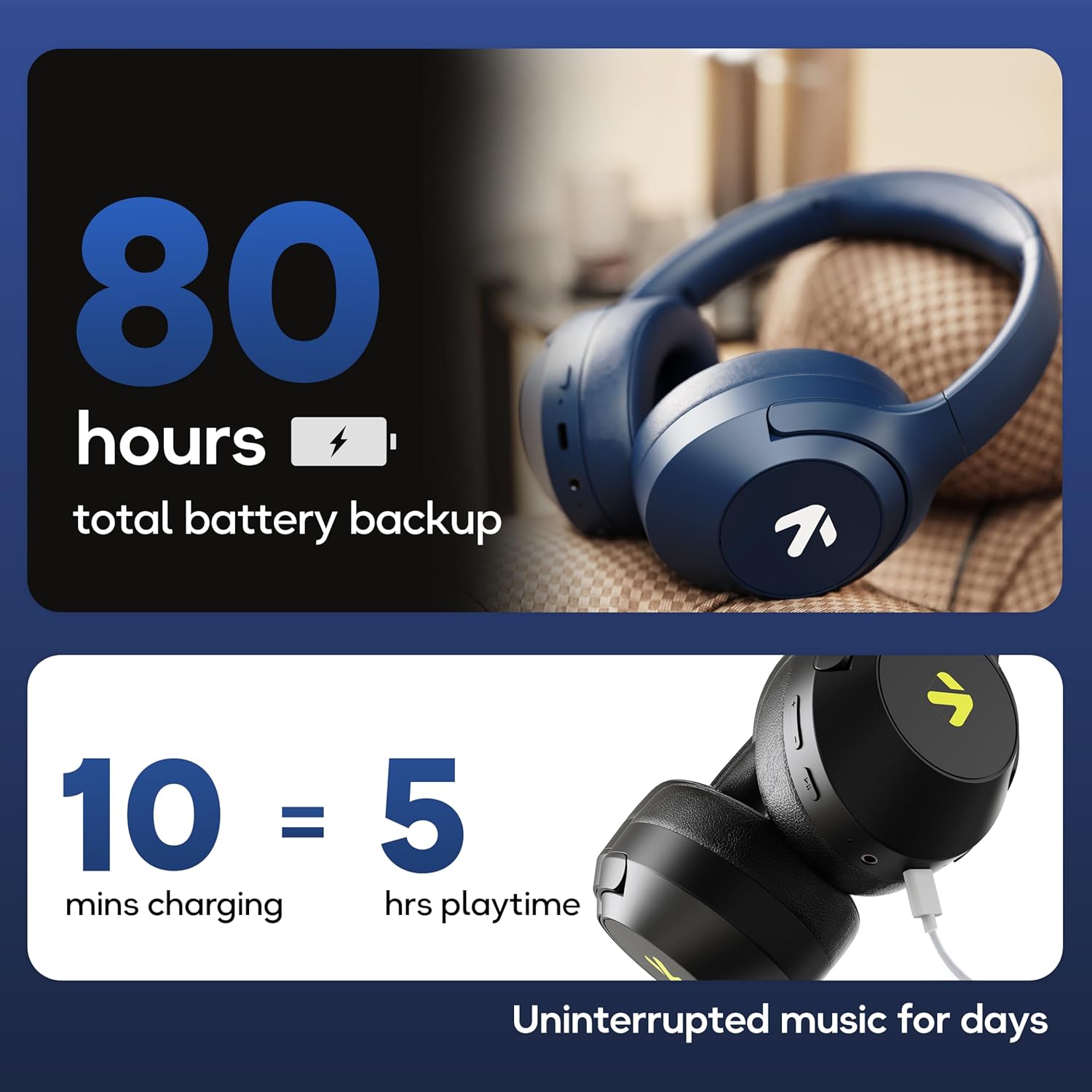
Image: Visual representation of the GOBOULT Flex headphones' battery life and fast charging capability.
4.2 پاور آن/آف۔
- پاور آن کرنے کے لیے: Press and hold the Power button for 3 seconds. The LED indicator will flash.
- پاور آف کرنا: Press and hold the Power button for 5 seconds. The LED indicator will turn off.
4.3 بلوٹوتھ جوڑی
The GOBOULT Flex headphones utilize Bluetooth 5.4 for stable and fast connections.
- یقینی بنائیں کہ ہیڈ فون بند ہیں۔
- Press and hold the Power button for approximately 5-7 seconds until the LED indicator flashes red and blue alternately, indicating pairing mode.
- اپنے آلے پر (اسمارٹ فون، ٹیبلیٹ، لیپ ٹاپ)، بلوٹوتھ کو فعال کریں اور دستیاب آلات تلاش کریں۔
- Select "GOBOULT Flex" from the list of devices.
- ایک بار جڑ جانے کے بعد ، ایل ای ڈی اشارے آہستہ آہستہ نیلے رنگ کے چمکائے گا۔

Image: Illustration of the GOBOULT Flex headphones connecting via Bluetooth 5.4, highlighting the fast pairing feature.
4.4 آکس کنکشن
You can use the headphones with a wired connection when the battery is low or for devices without Bluetooth. Connect one end of the 3.5mm AUX cable to the headphone's AUX port and the other end to your audio source's 3.5mm jack.
5. آپریٹنگ ہدایات
5.1 بنیادی کنٹرولز
| فنکشن | ایکشن |
|---|---|
| چلائیں/روکیں۔ | ملٹی فنکشن بٹن کو ایک بار دبائیں۔ |
| والیوم اپ | والیوم اپ (+) بٹن دبائیں۔ |
| والیوم کم | والیوم ڈاؤن (-) بٹن دبائیں۔ |
| اگلا ٹریک | والیوم اپ (+) بٹن کو دبا کر رکھیں۔ |
| پچھلا ٹریک | والیوم ڈاؤن (-) بٹن کو دبا کر رکھیں۔ |
5.2 کال مینجمنٹ
The integrated Zen™ ENC (Environmental Noise Cancellation) microphone ensures clear communication during calls.

تصویر: تفصیلی view of the GOBOULT Flex headphones highlighting the Zen™ ENC mic for noise-reduced calls.
| فنکشن | ایکشن |
|---|---|
| جواب / کال ختم کریں۔ | ملٹی فنکشن بٹن کو ایک بار دبائیں۔ |
| کال کو مسترد کریں۔ | 2 سیکنڈ کے لیے ملٹی فنکشن بٹن دبائیں اور تھامیں۔ |
5.3 وائس اسسٹنٹ
Activate your device's voice assistant (e.g., Google Assistant, Siri) directly from your headphones.
- متحرک صوتی معاون: ملٹی فنکشن بٹن کو دو بار دبائیں۔

Image: GOBOULT Flex headphones showing compatibility with voice assistants and IPX5 water resistance.
5.4 گیمنگ موڈ (کم لیٹنسی)
For an optimized gaming experience, activate the 60ms ultra-low latency Combat™ Gaming Mode.
- گیمنگ موڈ کو چالو کریں: Refer to your device's specific instructions or the product's quick start guide for the button combination to toggle gaming mode.

Image: GOBOULT Flex headphones illustrating the Combat™ Gaming Mode with 60ms ultra-low latency for mobile gaming.
5.5 EQ موڈز
The headphones feature 4 EQ modes to customize your audio experience:
- باس
- چٹان
- پاپ
- آواز
To switch between EQ modes, refer to the specific button press sequence in your quick start guide or product packaging. This functionality allows you to tailor the sound profile اپنی پسند کے مطابق۔

تصویر: ختمview of GOBOULT Flex features, including the 4 EQ modes for sound customization.
6 دیکھ بھال
6.1 صفائی
Wipe the headphones with a soft, dry cloth. Do not use abrasive cleaners or solvents. For earcups, gently wipe with a damp کپڑے اور استعمال سے پہلے مکمل طور پر خشک ہونے دیں۔
6.2 اسٹوریج
Store the headphones in a cool, dry place away from direct sunlight and extreme temperatures. The foldable design allows for compact storage.
6.3 پانی کی مزاحمت (IPX5)
The GOBOULT Flex headphones are rated IPX5, meaning they are resistant to sweat and light splashes of water. They are not designed for submersion in water. Avoid exposing them to heavy rain or showering.
7 خرابیوں کا سراغ لگانا
| مسئلہ | ممکنہ حل |
|---|---|
| ہیڈ فون آن نہیں ہوتے۔ | یقینی بنائیں کہ ہیڈ فون چارج ہیں۔ Type-C کیبل کا استعمال کرتے ہوئے پاور سورس سے جڑیں۔ |
| بلوٹوتھ کے ذریعے جوڑا نہیں بنایا جا سکتا۔ | Ensure headphones are in pairing mode (flashing red/blue). Turn off and on your device's Bluetooth. Move closer to the device. |
| کوئی آواز نہیں۔ | Check volume levels on both headphones and connected device. Ensure headphones are properly paired or AUX cable is fully inserted. |
| ناقص کال کا معیار۔ | Ensure the microphone is not obstructed. Move to a quieter environment. |
8. وضاحتیں
| فیچر | تفصیل |
|---|---|
| ماڈل کا نام | Flex (ProBass) |
| کنیکٹوٹی | Bluetooth 5.4, AUX |
| آڈیو ڈرائیور کا سائز | 40 ملی میٹر |
| پلے ٹائم | 80 گھنٹے تک |
| چارجنگ پورٹ | ٹائپ سی |
| چارج کرنے کا وقت | تقریبا 60 منٹ |
| مائیکروفون | Zen™ ENC Mic |
| کم لیٹنسی موڈ | 60ms (Combat™ Gaming Mode) |
| پانی کی مزاحمت | IPX5 |
| تعدد رسپانس | 20 Hz |
| حساسیت | 118 ڈی بی |
| رکاوٹ | 32 اوہم |
| شے کا وزن | 214 گرام |
9. وارنٹی اور سپورٹ
The GOBOULT Flex headphones come with a 1-year warranty. To avail of the extended warranty and for any support inquiries, please register your product on the official GOBOULT website. For technical assistance or customer service, refer to the contact information provided on your warranty card or the GOBOULT official webسائٹ
Manufacturer: Exotic Mile Private Limited
اصل ملک: چین