1. تعارف
خریداری کے لیے آپ کا شکریہasing the Gembird GMB Audio TWS-LCD-ANC-01-W Wireless In-Ear Headphones. These headphones are designed to provide a high-quality audio experience for music and calls, featuring Active Noise Cancellation (ANC) and an integrated microphone. This manual provides essential information for setting up, operating, maintaining, and troubleshooting your device.
2. پیکیج کے مشمولات
- 1x Pair of Gembird GMB Audio TWS-LCD-ANC-01-W Wireless In-Ear Headphones
- 1x چارجنگ کیس
- 1x USB Type-C چارجنگ کیبل
3. پروڈکٹ ختمview
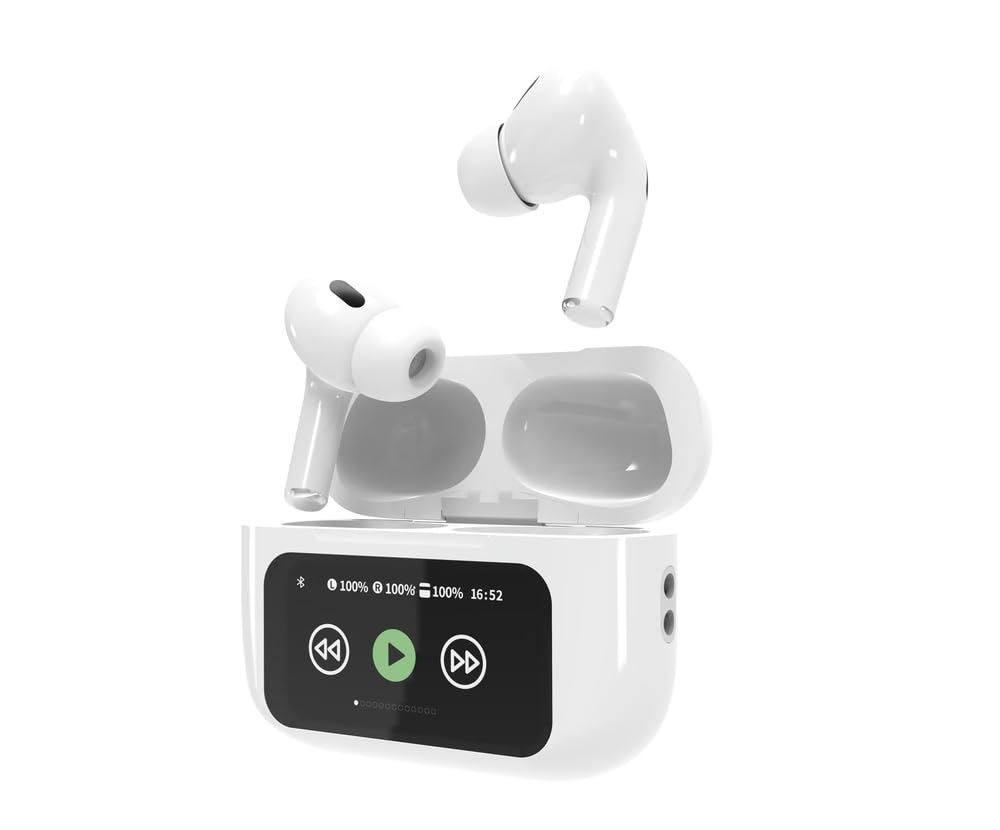
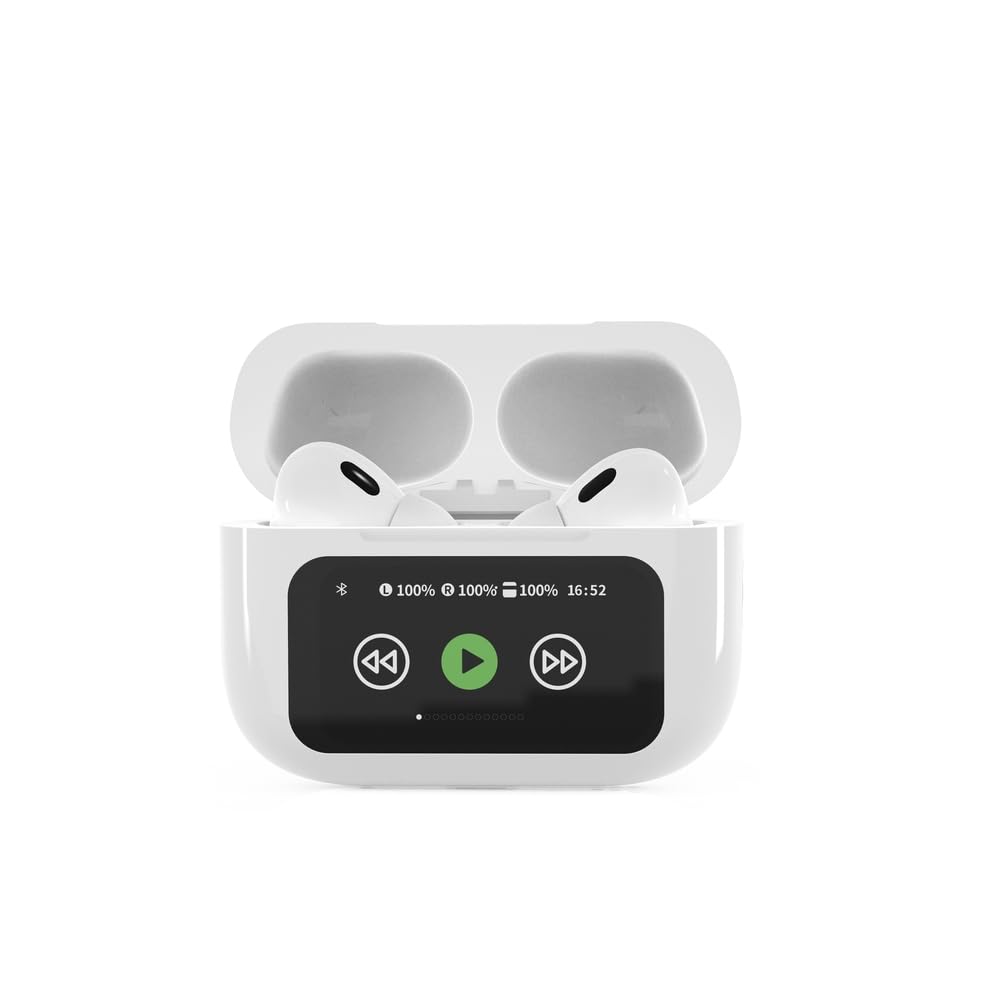

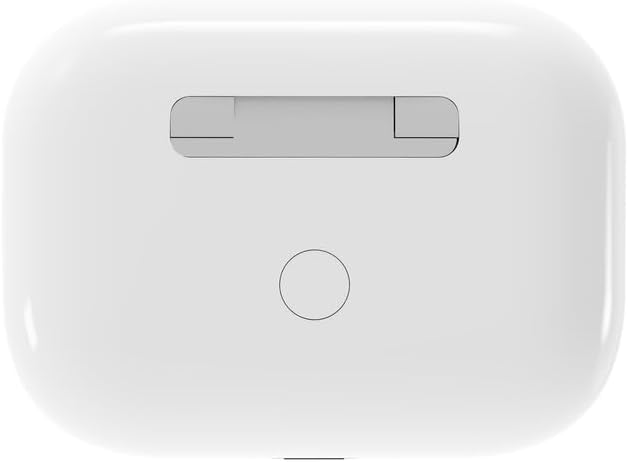

4. سیٹ اپ
4.1 ابتدائی چارجنگ
Before first use, fully charge the headphones and the charging case. Connect the supplied USB Type-C cable to the charging port on the case and plug the other end into a compatible USB power source (e.g., computer, wall adapter). The LED indicator on the case will show charging status. A full charge typically takes approximately 2 hours.
4.2 بلوٹوتھ جوڑی
- Ensure the headphones are in the charging case and the case is open. The headphones will automatically enter pairing mode.
- اپنے موبائل ڈیوائس (اسمارٹ فون، ٹیبلیٹ، لیپ ٹاپ) پر، بلوٹوتھ کو فعال کریں۔
- تلاش کریں۔ available Bluetooth devices and select 'Gembird TWS-LCD-ANC-01-W' from the list.
- Once connected, the headphones will indicate successful pairing, and the device name will appear as 'Connected' on your mobile device.
5. آپریٹنگ ہدایات
5.1 پاور آن/آف
- پاور آن: چارجنگ کیس سے ہٹانے پر ہیڈ فون خود بخود آن ہو جاتے ہیں۔
- بجلی بند: The headphones automatically power off and begin charging when placed back into the charging case and the lid is closed.
5.2 میوزک پلے بیک
Control music playback using the touch-sensitive areas on the earbuds or the display on the charging case.
- چلائیں/روکیں: Single tap on either earbud or press the play/pause icon on the case display.
- اگلا ٹریک: Double tap on the right earbud or press the 'next' icon on the case display.
- پچھلا ٹریک: Double tap on the left earbud or press the 'previous' icon on the case display.
5.3 کال مینجمنٹ
When an incoming call is received, music playback will automatically pause.
- کال کا جواب دیں: دونوں ایئربڈ پر ایک بار تھپتھپائیں۔
- کال ختم کریں: کال کے دوران دونوں ایئربڈ پر ایک بار تھپتھپائیں۔
- کال مسترد کریں: کسی بھی ایئربڈ کو 2 سیکنڈ تک دبائے رکھیں۔
5.4 فعال شور منسوخی (اے این سی)
Activate or deactivate the Active Noise Cancellation feature to reduce ambient noise.
- ANC ٹوگل کریں: Press and hold the touch-sensitive area on the left earbud for 2 seconds, or use the dedicated ANC control on the charging case display.
5.5 والیوم کنٹرول
Adjust the volume directly from your connected device or through the touch controls on the earbuds (if supported by the specific model's firmware) or the charging case display.
6 دیکھ بھال
6.1 صفائی
- ائیر بڈز اور چارجنگ کیس کو نرم، خشک، لنٹ فری کپڑے سے صاف کریں۔
- کھرچنے والے کلینر، سالوینٹس یا سخت کیمیکل استعمال نہ کریں۔
- اس بات کو یقینی بنائیں کہ ایئربڈز اور کیس دونوں پر چارج کرنے والے رابطے صاف اور خشک ہوں۔
6.2 اسٹوریج
- Always store the headphones in their charging case when not in use to protect them and keep them charged.
- براہ راست سورج کی روشنی اور انتہائی درجہ حرارت سے دور، ٹھنڈی، خشک جگہ پر اسٹور کریں۔
6.3 بیٹری کی دیکھ بھال
- بیٹری کی صحت کو برقرار رکھنے کے لیے آلہ کو باقاعدگی سے چارج کریں، چاہے اکثر استعمال میں نہ ہوں۔
- بیٹری کو بار بار مکمل طور پر خارج کرنے سے گریز کریں۔
7 خرابیوں کا سراغ لگانا
| مسئلہ | ممکنہ وجہ | حل |
|---|---|---|
| ہیڈ فون آن نہیں ہوتے۔ | کم یا کوئی بیٹری چارج. | Place headphones in the charging case and ensure the case is charged. Charge the case fully. |
| ہیڈ فون سے کوئی آواز نہیں۔ | Not connected via Bluetooth; volume too low; media paused. | Verify Bluetooth connection. Increase volume on both headphones and connected device. Check if media is playing. |
| آلہ کے ساتھ جوڑا نہیں بنایا جا سکتا۔ | Headphones not in pairing mode; device already connected to another Bluetooth device; interference. | Ensure headphones are in pairing mode (open case). Turn off Bluetooth on other nearby devices. Forget the device in your phone's Bluetooth settings and try re-pairing. |
| Active Noise Cancellation (ANC) is ineffective. | ANC not activated; improper earbud fit. | Ensure ANC is toggled on. Adjust earbud position for a secure and sealed fit in your ear canal. |
| کال کے دوران مائیکروفون کام نہیں کر رہا ہے۔ | مائیکروفون مسدود؛ ڈیوائس کی ترتیبات | Ensure the microphone port on the earbuds is not obstructed. Check your device's audio input settings to ensure the headphones are selected. |
8. وضاحتیں
- ماڈل: TWS-LCD-ANC-01-W
- کنیکٹوٹی: وائرلیس، بلوٹوتھ 5.3
- بلوٹوتھ پرو۔files: A2DP, AVRCP, HPF, HSP
- چارجنگ پورٹ: USB ٹائپ سی
- آڈیو فریکوئنسی کی حد: 20 - 20000 ہرٹز
- مائیکروفون: مربوط
- ایئربڈ کی قسم: In-ear, Binaural
- کنٹرول کا طریقہ: چھوئے۔
- شور کنٹرول: فعال شور منسوخ کرنا (این این سی)
- بیٹری کی قسم: Integrated Lithium Polymer (LiPo)
- بیٹری کی صلاحیت چارج کرنا: 300 ایم اے ایچ
- ایئربڈ بیٹری کی صلاحیت: 30 mAh (ہر ایک)
- Continuous Audio Playback: 8 گھنٹے تک
- چارج کرنے کا وقت: تقریباً 2 گھنٹے
- پروڈکٹ وزن: 66 گرام
- Product Dimensions (Case): 40 ملی میٹر (چوڑائی) x 60 ملی میٹر (گہرائی) x 25 ملی میٹر (اونچائی)
- ہم آہنگ آلات: Laptop, Tablet, Mobile Phone
- پانی کی مزاحمت: پانی مزاحم
- سرٹیفیکیشنز: RoHS
9. وارنٹی اور سپورٹ
9.1 وارنٹی کی معلومات
This product comes with a three-year warranty against manufacturing defects from the date of purchase. Please retain your proof of purchase for warranty claims. The warranty does not cover damage caused by misuse, accidents, unauthorized modifications, or normal wear and tear.
9.2 کسٹمر سپورٹ
For technical support, warranty claims, or further assistance, please contact your retailer or visit the official Gembird website. Contact information can typically be found on the product packaging or the Gembird corporate webسائٹ


