تعارف
This manual provides essential information for setting up, operating, maintaining, and troubleshooting your HP 250 G9 Laptop. Please read this guide thoroughly to ensure proper use and to maximize the lifespan of your device.
باکس میں کیا ہے۔
تصدیق کریں کہ تمام اشیاء پیکیجنگ میں موجود ہیں:
- HP 250 G9 Laptop
- پاور اڈاپٹر
- دستاویزات (کوئیک سٹارٹ گائیڈ، حفاظتی معلومات)
سیٹ اپ
1. ابتدائی پاور آن
- پاور اڈاپٹر کو جوڑیں: Plug the power adapter into the laptop's AC power port and then into a wall outlet.
- لیپ ٹاپ کھولیں: لیپ ٹاپ کا ڈھکن احتیاط سے کھولیں۔
- پاور آن: Press the power button, usually located on the keyboard deck, to turn on the laptop.
- آن اسکرین ہدایات پر عمل کریں: The laptop will guide you through the initial Windows 11 Pro setup process, including language selection, network connection, and user account creation.
2. پیری فیرلز کو جوڑنا
Your HP 250 G9 Laptop offers various ports for connecting external devices:
- USB قسم-C: ڈیٹا کی منتقلی اور ہم آہنگ آلات کو جوڑنے کے لیے۔
- USB قسم-A: For connecting USB devices like mice, keyboards, or external drives.
- HDMI: بیرونی ڈسپلے یا پروجیکٹر سے جڑنے کے لیے۔
- ہیڈ فون/مائیکروفون کومبو جیک: آڈیو ان پٹ/آؤٹ پٹ کے لیے۔
- RJ-45 (ایتھرنیٹ): وائرڈ نیٹ ورک کنکشن کے لیے۔

تصویر: ختمview of the HP 250 G9 Laptop's connectivity ports. This image illustrates the location and type of ports available on the laptop, including USB Type-C, HDMI, USB Type-A, headphone jack, DC-in for power, and an Ethernet port for wired network connections.
آپریٹنگ ہدایات
1. بنیادی آپریشن
- پاور آن/آف: Press the power button to turn on. To shut down, click the Start button, then Power, and select "Shut down."
- ڈسپلے: The 15.6-inch Full HD anti-glare display provides clear visuals. Adjust brightness using the function keys (Fn + Fx keys, specific to model).
- کی بورڈ اور ٹچ پیڈ: Use the full-size keyboard for typing and the integrated touchpad for navigation. External mice can be connected via USB.
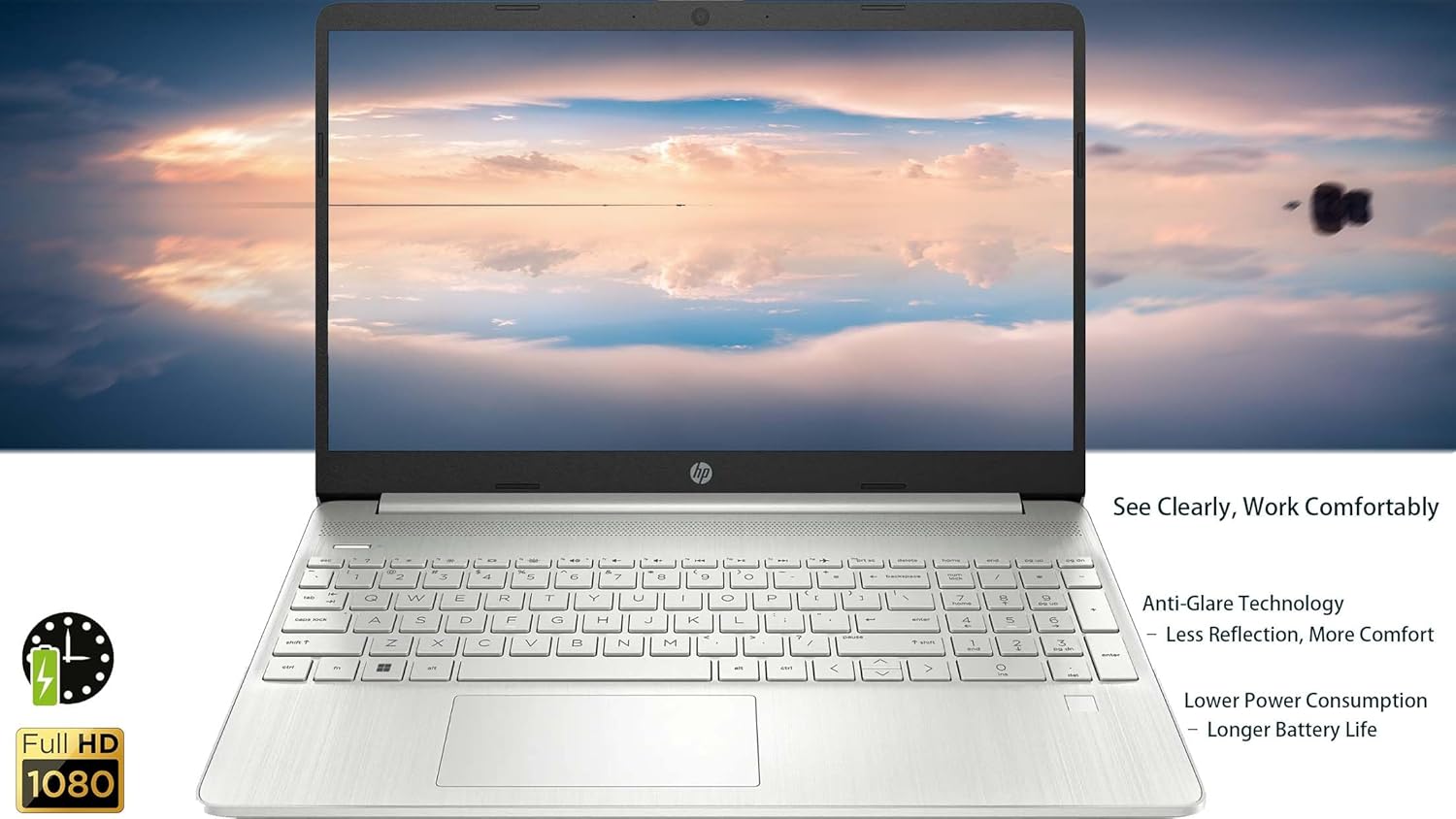
تصویر: The HP 250 G9 Laptop in an open position, displaying its 15.6-inch screen and full-size keyboard. This image highlights the anti-glare display and the overall design of the laptop for comfortable use.
2. کنیکٹیویٹی
- وائی فائی: Connect to wireless networks via the Realtek Wi-Fi 5 card. Access Wi-Fi settings through the Windows taskbar network icon.
- بلوٹوتھ: Pair Bluetooth devices like headphones or speakers using the integrated Bluetooth 5.0. Manage Bluetooth settings in Windows Settings > Devices.
- ایتھرنیٹ: For a stable wired internet connection, plug an Ethernet cable into the RJ-45 port.
3. Webکیمرے اور آڈیو
- Webکیمرے: The 720p HD camera is suitable for video calls. Ensure proper lighting for best results.
- مائیکروفونز: Dual-array microphones provide clear audio input.
- مقررین: Dual stereo speakers deliver audio output. Adjust volume using function keys or Windows sound settings.
4. بیٹری کا انتظام
- The 3-cell, 41Wh Li-ion battery provides power for extended use.
- For optimal battery life, avoid extreme temperatures and fully discharge/recharge periodically.
- Monitor battery status via the Windows taskbar icon.
دیکھ بھال
1. صفائی
- سکرین: ہلکے سے نرم، لنٹ سے پاک کپڑا استعمال کریں۔ampپانی یا اسکرین کلینر کے ساتھ ختم کریں۔ مائع کو براہ راست اسکرین پر نہ چھڑکیں۔
- کی بورڈ اور چیسس: سطحوں کو صاف کرنے کے لیے نرم کپڑا استعمال کریں۔ ضدی گندگی کے لیے، تھوڑا سا ڈیamp cloth is acceptable. Avoid harsh chemicals.
- بندرگاہیں: Keep ports free of dust and debris. Use compressed air if necessary, but sparingly.
2. سافٹ ویئر اپڈیٹس
- سسٹم کے استحکام اور سلامتی کو یقینی بنانے کے لیے ونڈوز اپ ڈیٹس کو باقاعدگی سے چیک کریں اور انسٹال کریں۔ ترتیبات > ونڈوز اپ ڈیٹ پر جائیں۔
- Keep device drivers updated. HP Support Assistant can help manage driver updates.
خرابی کا سراغ لگانا
عام مسائل اور حل:
- لیپ ٹاپ آن نہیں ہوتا:
- یقینی بنائیں کہ پاور اڈاپٹر محفوظ طریقے سے لیپ ٹاپ اور ورکنگ پاور آؤٹ لیٹ دونوں سے جڑا ہوا ہے۔
- ایک مختلف پاور آؤٹ لیٹ آزمائیں۔
- اگر بیٹری مکمل طور پر ختم ہو جاتی ہے، تو لیپ ٹاپ کے آن ہونے سے پہلے اسے چارج ہونے میں چند منٹ لگ سکتے ہیں۔
- کوئی Wi-Fi کنکشن نہیں:
- چیک کریں کہ آیا وائی فائی ونڈوز کی ترتیبات میں فعال ہے۔
- اپنا روٹر اور موڈیم دوبارہ شروع کریں۔
- یقینی بنائیں کہ آپ Wi-Fi نیٹ ورک کی حد کے اندر ہیں۔
- اسکرین خالی یا ٹمٹماہٹ ہے:
- فنکشن کیز کا استعمال کرتے ہوئے اسکرین کی چمک کو ایڈجسٹ کریں۔
- Connect an external monitor to check if the issue is with the laptop's display or graphics driver.
- لیپ ٹاپ کو دوبارہ شروع کریں۔
- سست کارکردگی:
- پس منظر میں چلنے والی غیر ضروری ایپلی کیشنز کو بند کریں۔
- Check for and install Windows updates.
- Run a disk cleanup and defragmentation (for HDD, SSDs do not need defragmentation).
- میلویئر یا وائرس کے لیے اسکین کریں۔
وضاحتیں
| فیچر | تفصیل |
|---|---|
| ماڈل | HP 250 G9 |
| پروسیسر | Intel Celeron N4500 (2 Cores, up to 2.8 GHz) |
| ڈسپلے | 15.6-inch Full HD (1920 x 1080), Anti-glare |
| گرافکس | انٹیگریٹڈ انٹیل UHD گرافکس |
| رام | 32GB DDR4 |
| ذخیرہ | 2TB PCIe NVMe M.2 SSD |
| آپریٹنگ سسٹم | ونڈوز 11 پرو |
| وائرلیس کنیکٹیویٹی | Realtek Wi-Fi 5, Bluetooth 5.0 |
| بندرگاہیں | 1x USB Type-C, 2x USB Type-A, 1x HDMI 1.4b, 1x Headphone/Mic Combo, 1x RJ-45, 1x AC Power |
| Webکیمرے | 720p HD camera with dual-array microphones |
| آڈیو | دوہری سٹیریو اسپیکر |
| بیٹری | 3 سیل، 41Wh لی آئن |
| طول و عرض (LxWxH) | 14.09 x 9.53 x 0.78 انچ |
| وزن | 3.83 پونڈ |
| رنگ | Asteroid Silver |

تصویر: Physical dimensions and weight of the HP 250 G9 Laptop. This image provides a visual representation of the laptop's size, including its screen diagonal, height, depth, width, and overall weight, emphasizing its portability.
وارنٹی اور سپورٹ
Your HP 250 G9 Laptop comes with a 1-Year Warranty from the Seller. For warranty claims or technical support, please contact the seller directly or visit the official HP support website for additional resources and driver downloads.
HP سپورٹ Webسائٹ: support.hp.com