1. تعارف
خریداری کے لیے آپ کا شکریہasing the IRRADIO IR-M5 Classic Portable Speaker. This manual provides essential information for the safe and efficient operation of your device. Please read it thoroughly before use and keep it for future reference.
2. حفاظتی معلومات
- طویل عرصے تک اسپیکر کو انتہائی درجہ حرارت یا براہ راست سورج کی روشنی کے سامنے نہ رکھیں۔
- سپیکر کو شدید اثرات سے گریز کرنے یا اس کے تابع کرنے سے گریز کریں۔
- آلہ کو خود جدا، مرمت یا ترمیم نہ کریں۔ اہل سروس اہلکاروں سے رجوع کریں۔
- Keep the speaker away from medical devices, as it contains magnets.
- چارجنگ کیبل کو جوڑنے سے پہلے یقینی بنائیں کہ چارجنگ پورٹ خشک ہے۔
- This device is IPX7 water-resistant, meaning it can be submerged in up to 1 meter of water for 30 minutes. Do not intentionally submerge it for longer periods or deeper than specified.
3. پیکیج کے مشمولات
براہ کرم درج ذیل اشیاء کے لیے پیکج چیک کریں:
- IRRADIO IR-M5 Classic Portable Speaker
- USB چارجنگ کیبل
- صارف دستی
4. پروڈکٹ ختمview
اسپیکر کے اجزاء اور کنٹرولز سے اپنے آپ کو واقف کرو۔

شکل 4.1: سامنے view of the IRRADIO IR-M5 Classic speaker, showing the speaker grille, IRRADIO logo, and RGB LED light bar.
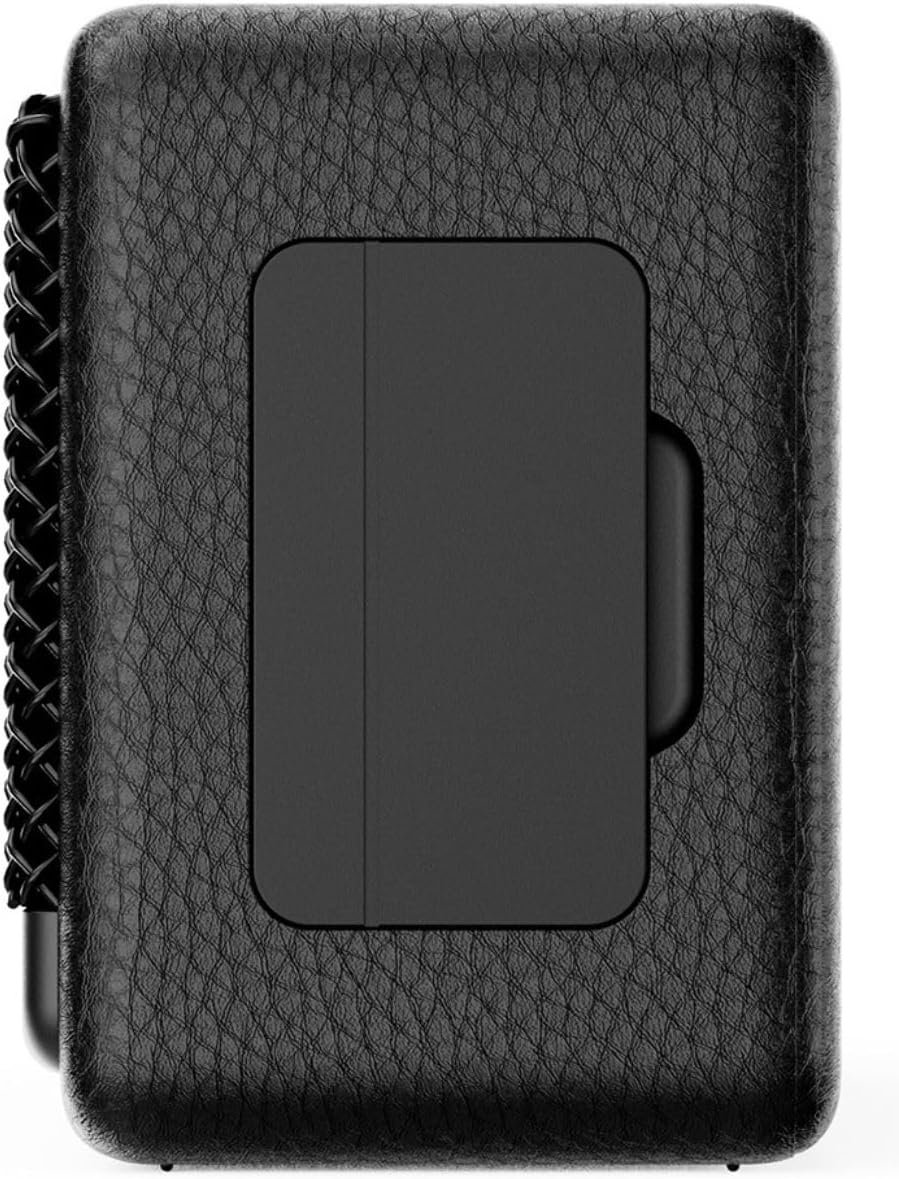
شکل 4.2: پیچھے view of the IRRADIO IR-M5 Classic speaker, highlighting the passive subwoofer panel.

شکل 4.3: طرف view of the IRRADIO IR-M5 Classic speaker, showing the integrated strap for portability.
کنٹرولز اور پورٹس:
- پاور بٹن: آن/آف کرنے کے لیے دبائیں اور تھامیں۔
- حجم اپ/اگلا ٹریک: حجم بڑھانے کے لیے مختصر دبائیں، اگلے ٹریک کے لیے طویل دبائیں
- حجم کم/پچھلا ٹریک: حجم کم کرنے کے لیے مختصر دبائیں، پچھلے ٹریک کے لیے طویل دبائیں
- چلائیں/توقف/کال بٹن: Press to play/pause music or answer/end calls.
- موڈ بٹن (M): Press to switch between Bluetooth and USB playback modes.
- RGB LED Button: Press to cycle through RGB lighting modes or turn off the lights.
- USB-C چارجنگ پورٹ: اسپیکر چارج کرنے کے لیے۔
- USB-A پورٹ: For external USB music playback.
- AUX Input (3.5mm Mini Jack): وائرڈ آڈیو کنکشن کے لیے۔
5. سیٹ اپ
5.1 اسپیکر کو چارج کرنا
Before first use, fully charge the speaker. Connect the provided USB charging cable to the USB-C port on the speaker and the other end to a compatible USB power adapter (not included).
- ایل ای ڈی انڈیکیٹر چارجنگ سٹیٹس دکھائے گا۔
- مکمل چارج ہونے میں تقریباً 3.5 گھنٹے لگتے ہیں۔
5.2 پاور آن/آف
- To power on, press and hold the Power button until you hear an audible prompt.
- پاور آف کرنے کے لیے، سپیکر کے بند ہونے تک پاور بٹن کو دوبارہ دبائے رکھیں۔
5.3 بلوٹوتھ جوڑی
- اسپیکر کو آن کریں۔ یہ خود بخود بلوٹوتھ پیئرنگ موڈ میں داخل ہو جائے گا، جس کی نشاندہی ایک چمکتی ہوئی LED سے ہوتی ہے۔
- اپنے آلے پر (اسمارٹ فون، ٹیبلیٹ، لیپ ٹاپ)، بلوٹوتھ کو فعال کریں اور دستیاب آلات تلاش کریں۔
- Select "IR-M5 Classic" from the list of devices.
- Once paired, the LED indicator will stop flashing and remain solid. You are now ready to play music.
6. آپریٹنگ ہدایات
6.1 میوزک پلے بیک
- بلوٹوت وضع: کامیاب جوڑا بنانے کے بعد، اپنے منسلک آلے سے موسیقی چلائیں۔
- USB پلے بیک: Insert a USB drive with MP3/WAV files into the USB-A port. The speaker will automatically switch to USB mode and begin playback. Use the Mode button to switch if necessary.
- وکس وضع: Connect an audio device using a 3.5mm AUX cable to the AUX input. The speaker will automatically switch to AUX mode.
6.2 والیوم کنٹرول
- Press the Volume Up (+) button to increase volume.
- Press the Volume Down (-) button to decrease volume.
6.3 ٹریک نیویگیشن
- Long press the Volume Up (+) button for the next track.
- Long press the Volume Down (-) button for the previous track.
6.4 حقیقی وائرلیس سٹیریو (TWS) فنکشن
To pair two IR-M5 Classic speakers for a stereo experience:
- یقینی بنائیں کہ دونوں اسپیکر آن ہیں اور کسی بلوٹوتھ ڈیوائس سے منسلک نہیں ہیں۔
- On one speaker, double-press the Play/Pause button. It will enter TWS pairing mode.
- The speakers will automatically connect to each other. You will hear a confirmation sound.
- Once TWS paired, connect your device to one of the speakers via Bluetooth as described in section 5.3. Both speakers will now play in stereo.
6.5 RGB LED Lighting
Press the RGB LED button to cycle through different lighting modes or to turn the lights off.
7 دیکھ بھال
- اسپیکر کو نرم، خشک کپڑے سے صاف کریں۔ کھرچنے والے کلینر یا سالوینٹس کا استعمال نہ کریں۔
- استعمال میں نہ ہونے پر اسپیکر کو ٹھنڈی، خشک جگہ پر اسٹور کریں۔
- اگر سپیکر کو طویل مدت تک استعمال نہیں کیا جائے گا، تو بیٹری کی صحت کو برقرار رکھنے کے لیے اسے ہر 3 ماہ بعد چارج کریں۔
8 خرابیوں کا سراغ لگانا
| مسئلہ | ممکنہ وجہ | حل |
|---|---|---|
| سپیکر آن نہیں ہوتا۔ | کم بیٹری۔ | اسپیکر کو پوری طرح سے چارج کریں۔ |
| بلوٹوتھ کے ذریعے جوڑا نہیں بنایا جا سکتا۔ | اسپیکر جوڑا بنانے کے موڈ میں نہیں ہے یا پہلے سے ہی کسی دوسرے آلے سے منسلک ہے۔ | Ensure speaker is in pairing mode. Disconnect from other devices. Restart speaker and device. |
| کوئی آواز نہیں۔ | حجم بہت کم؛ غلط ان پٹ موڈ؛ آلہ نہیں چل رہا ہے۔ | Increase volume. Check input mode (Bluetooth/USB/AUX). Ensure source device is playing. |
| TWS جوڑا ناکام ہوجاتا ہے۔ | Speakers are already connected to a device or each other. | Ensure both speakers are disconnected from all devices before initiating TWS pairing. |
9. وضاحتیں
| فیچر | تفصیل |
|---|---|
| ماڈل کا نام | IR-M5 کلاسک |
| برانڈ | IRRADIO |
| آؤٹ پٹ پاور | 20W (Rated), 28W (Music) |
| ڈرائیورز | 2 x 50mm Full-Range, 1 x Passive Subwoofer |
| تعدد رسپانس | 85Hz - 20kHz |
| بلوٹوتھ ورژن | 5.4 |
| وائرلیس رینج | 10 میٹر تک (بلا رکاوٹ) |
| بیٹری کی صلاحیت | 2000mAh (3.7V, 7.4 Wh) |
| پلے بیک ٹائم | تقریبا 8 گھنٹے (50% والیوم پر) |
| چارج کرنے کا وقت | تقریبا 3.5 گھنٹے |
| پانی کی مزاحمت | IPX7 |
| طول و عرض (L x W x H) | 17.4 x 8 x 5.3 سینٹی میٹر (6.8 x 3.15 x 2.1 انچ) |
| وزن | 506 گرام (0.506 کلوگرام) |
| سپورٹ شدہ آڈیو فارمیٹس | MP3 ، WAV |
10. وارنٹی اور سپورٹ
This product comes with a standard manufacturer's warranty. For detailed warranty terms and conditions, please refer to the warranty card included in your package or contact your local distributor. For technical support or service inquiries, please visit the official IRRADIO webسائٹ یا ان کی کسٹمر سروس سے رابطہ کریں۔
نوٹ: مصنوعات کی وضاحتیں اور ڈیزائن بہتری کے لیے بغیر اطلاع کے تبدیل کیے جا سکتے ہیں۔


