1. تعارف
Welcome to your Karlsson Brisk Alarm Clock. This manual provides detailed instructions for the proper setup, operation, and maintenance of your new timepiece. Please read this manual thoroughly before use and retain it for future reference.
1.1 پیکیج کے مشمولات
- Karlsson Brisk Alarm Clock (Dark Grey)
- انٹیگریٹڈ اسٹینڈ
- صارف دستی (یہ دستاویز)

شکل 1: سامنے view of the Karlsson Brisk Alarm Clock, Dark Grey.
2. سیٹ اپ
2.1 بیٹری ڈالنا
The Karlsson Brisk Alarm Clock requires one AA battery (not included) for operation.
- گھڑی کے پچھلے حصے میں بیٹری کا ٹوکری تلاش کریں۔
- Open the battery compartment cover by sliding or gently prying it open.
- ایک AA بیٹری ڈالیں، صحیح قطبیت (+/-) کو یقینی بناتے ہوئے جیسا کہ کمپارٹمنٹ کے اندر اشارہ کیا گیا ہے۔
- بیٹری کے کمپارٹمنٹ کور کو محفوظ طریقے سے بند کریں۔

شکل 2: پیچھے view of the clock, highlighting the battery compartment and control knobs.
2.2 وقت کا تعین
Once the battery is inserted, set the current time:
- Locate the time setting knob (usually the rightmost knob) on the back of the clock (refer to Figure 2).
- Gently turn this knob clockwise or counter-clockwise to adjust the hour and minute hands to the current time.
3. الارم کلاک چلانا
3.1 الارم سیٹ کرنا۔
To set your desired alarm time:
- Locate the alarm setting knob (usually the leftmost knob) on the back of the clock (refer to Figure 2).
- Turn the alarm setting knob to move the small alarm hand to your desired alarm time.
- Ensure the alarm ON/OFF switch (located on the back, typically a slider) is in the "ON" position to activate the alarm.
3.2 Turning the Alarm On/Off
Use the ON/OFF switch on the back of the clock to activate or deactivate the alarm function.
- Slide the switch to "ON" to enable the alarm. The alarm will sound at the set time.
- Slide the switch to "OFF" to disable the alarm. The alarm will not sound.
4 دیکھ بھال
4.1 صفائی
To clean the clock, gently wipe the surface with a soft, dry cloth. Do not use abrasive cleaners, chemical solvents, or excessive moisture, as these may damage the finish or internal components.
4.2 بیٹری کی تبدیلی
Replace the AA battery when the clock hands slow down or stop moving, or if the alarm sound weakens. Follow the "Inserting the Battery" instructions in Section 2.1.
5 خرابیوں کا سراغ لگانا
| مسئلہ | ممکنہ وجہ | حل |
|---|---|---|
| گھڑی کام نہیں کر رہی / ہاتھ نہیں چل رہے ہیں۔ | Battery incorrectly inserted or depleted. | Check battery polarity. Replace with a new AA battery. |
| الارم نہیں بج رہا ہے۔ | Alarm switch is OFF, battery low, or alarm time incorrectly set. | Ensure alarm ON/OFF switch is in "ON" position. Replace battery. Verify alarm hand is set to the desired time. |
6. وضاحتیں
| فیچر | تفصیل |
|---|---|
| برانڈ | کارلسن |
| ماڈل | Brisk Alarm Clock |
| رنگ | گہرا گرے |
| مواد | لوہا |
| طول و عرض (W x H x D) | 11 سینٹی میٹر x 13.8 سینٹی میٹر x 6.5 سینٹی میٹر |
| وزن | 300 گرام |
| طاقت کا منبع | 1 ایکس اے اے بیٹری (شامل نہیں) |
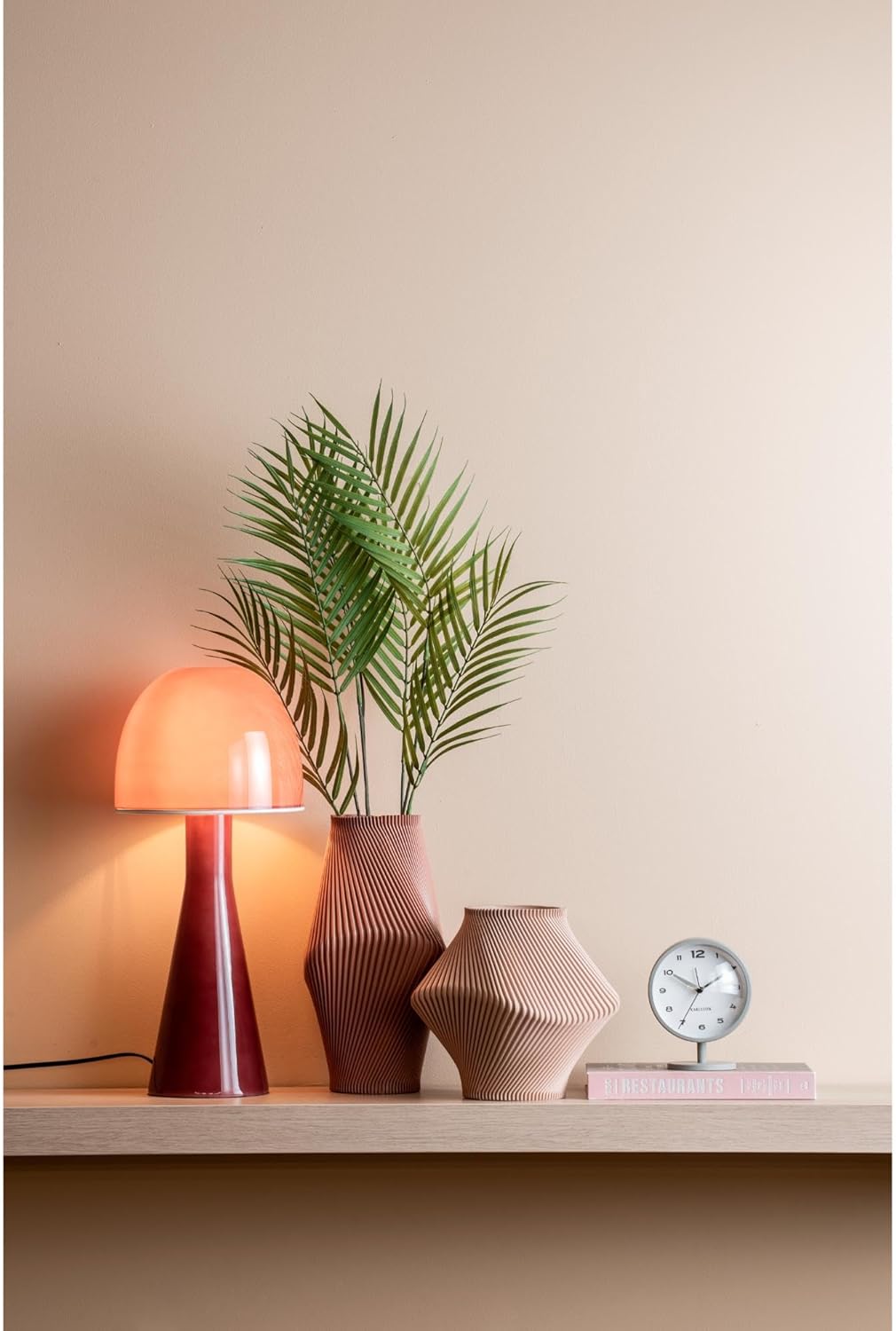
Figure 3: The Karlsson Brisk Alarm Clock displayed in a contemporary interior, illustrating its size and aesthetic.
7. وارنٹی اور سپورٹ
For warranty information, technical support, or service inquiries, please refer to the retailer where the product was purchased. It is recommended to keep your proof of purchase for any warranty claims. You may also visit the official Karlsson webاضافی امدادی وسائل کے لیے سائٹ۔


