تعارف
This manual provides instructions for the Karlsson KA6039GY LED Retro Flat Alarm Clock. Please read this manual carefully before use and retain it for future reference. This alarm clock combines a slim design with warm wooden details and an LED display, suitable for various environments.
پروڈکٹ ختمview
The Karlsson KA6039GY LED Retro Flat Alarm Clock is constructed from durable MDF material and features an integrated wireless charging pad.
سامنے والا View
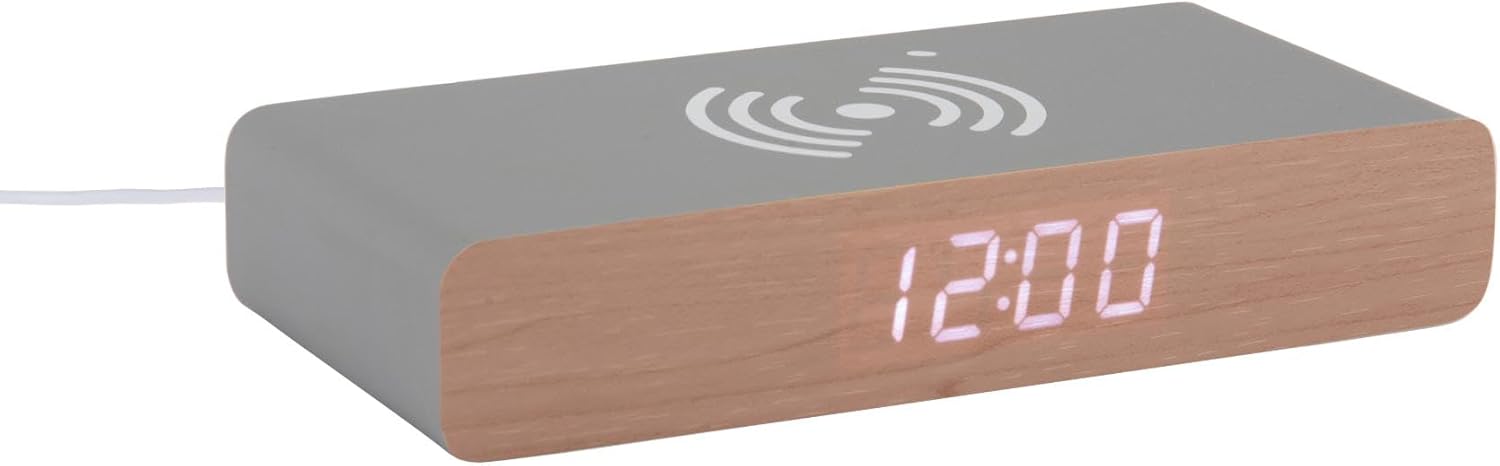
This image displays the front of the Karlsson KA6039GY alarm clock, highlighting its LED time display and the integrated wireless charging pad symbol on the top surface.
زاویہ دار View

This image provides an angled perspective of the alarm clock, showcasing the LED display, the wireless charging icon, and the "KARLSSON" brand name printed on the side.
پیچھے View اور کنٹرولز

This image shows the back panel of the alarm clock, detailing the control buttons for settings and the power input port.
سیٹ اپ
پاور کنکشن
- Connect the provided power cable to the power input port on the rear of the alarm clock.
- پاور کیبل کے دوسرے سرے کو کسی مناسب پاور آؤٹ لیٹ میں لگائیں۔
- The LED display will illuminate, indicating the device is powered on.
آپریٹنگ ہدایات
ٹائم سیٹ کرنا
- Locate the time setting button on the rear panel.
- Press and hold the time setting button until the hour digits begin to flash.
- Use the adjustment buttons (e.g., Up/Down or +/-) to set the correct hour.
- Press the time setting button again to switch to minute adjustment.
- Use the adjustment buttons to set the correct minutes.
- Press the time setting button one more time to confirm and exit time setting mode.
الارم سیٹ کرنا
- Locate the alarm setting button on the rear panel.
- Press and hold the alarm setting button until the alarm hour digits begin to flash.
- Use the adjustment buttons to set the desired alarm hour.
- Press the alarm setting button again to switch to alarm minute adjustment.
- Use the adjustment buttons to set the desired alarm minutes.
- Press the alarm setting button one more time to confirm and exit alarm setting mode.
- To activate or deactivate the alarm, press the alarm setting button briefly. An indicator (e.g., a small icon) on the display will show if the alarm is active.
Using the Wireless Charging Function
The top surface of the alarm clock features an integrated wireless charging pad.
- یقینی بنائیں کہ الارم گھڑی آن ہے۔
- Place your Qi-compatible device (e.g., smartphone) directly onto the wireless charging symbol on the top surface.
- The device should indicate that it is charging. If not, adjust its position on the pad.
دیکھ بھال
دیکھ بھال اور صفائی
To ensure the longevity and proper function of your alarm clock, follow these maintenance guidelines:
- صفائی سے پہلے بجلی منقطع کریں۔
- سطح کو نرم، خشک، یا تھوڑا سا d سے صاف کریں۔amp کپڑا کھرچنے والے کلینر، سالوینٹس یا کیمیائی سپرے استعمال نہ کریں۔
- Avoid exposing the device to excessive moisture or direct sunlight.
- یونٹ کو الگ کرنے کی کوشش نہ کریں۔
خرابی کا سراغ لگانا
مشترکہ مسائل اور حل
| مسئلہ | ممکنہ وجہ | حل |
|---|---|---|
| ڈسپلے آف ہے۔ | بجلی کا کوئی کنکشن نہیں۔ | Ensure the power cable is securely connected to the clock and the power outlet. |
| Time/Alarm cannot be set | بٹنوں کو صحیح طریقے سے نہیں دبایا گیا۔ | Refer to the "Setting the Time" or "Setting the Alarm" sections and ensure buttons are pressed and held as instructed. |
| وائرلیس چارجنگ کام نہیں کر رہی ہے۔ | Device not Qi-compatible or misaligned | Ensure your device supports Qi wireless charging. Reposition the device on the charging pad. Check if the clock is powered on. |
| الارم نہیں بجتا ہے۔ | الارم چالو نہیں ہے۔ | Ensure the alarm is activated (check for alarm indicator on display). |
وضاحتیں
مصنوعات کی وضاحتیں
- ماڈل: KA6039GY
- برانڈ: کارلسن
- مواد: ایم ڈی ایف
- رنگ: Mouse Grey
- طول و عرض (W x H): 7.6 سینٹی میٹر x 3 سینٹی میٹر
- وزن: 486 گرام
- طاقت کا منبع: مینز پاورڈ
- خصوصیات: LED display, Wireless charging pad
وارنٹی اور سپورٹ
وارنٹی کی معلومات
This product comes with a standard manufacturer's warranty. For specific warranty terms and conditions, please refer to the documentation included with your purchase or contact Karlsson customer support.
کسٹمر سپورٹ
For technical assistance, troubleshooting, or warranty claims, please contact your retailer or visit the official Karlsson webسائٹ:


