1. تعارف
Thank you for choosing the AOC Gaming 25G4SRE monitor. This manual provides essential information for setting up, operating, and maintaining your monitor. Please read it carefully before using the product to ensure proper functionality and safety. The AOC 25G4SRE is designed for competitive gaming, offering an ultra-fast 300 Hz refresh rate (overclockable to 310 Hz), a 1 ms GtG response time, and a fast IPS panel for smooth, tear-free visuals. With 0.3 ms MPRT, low input lag, and HDR10 support, every image is sharp and responsive. It features an eSports base, FlickerFree technology, and an integrated USB hub for seamless connectivity.
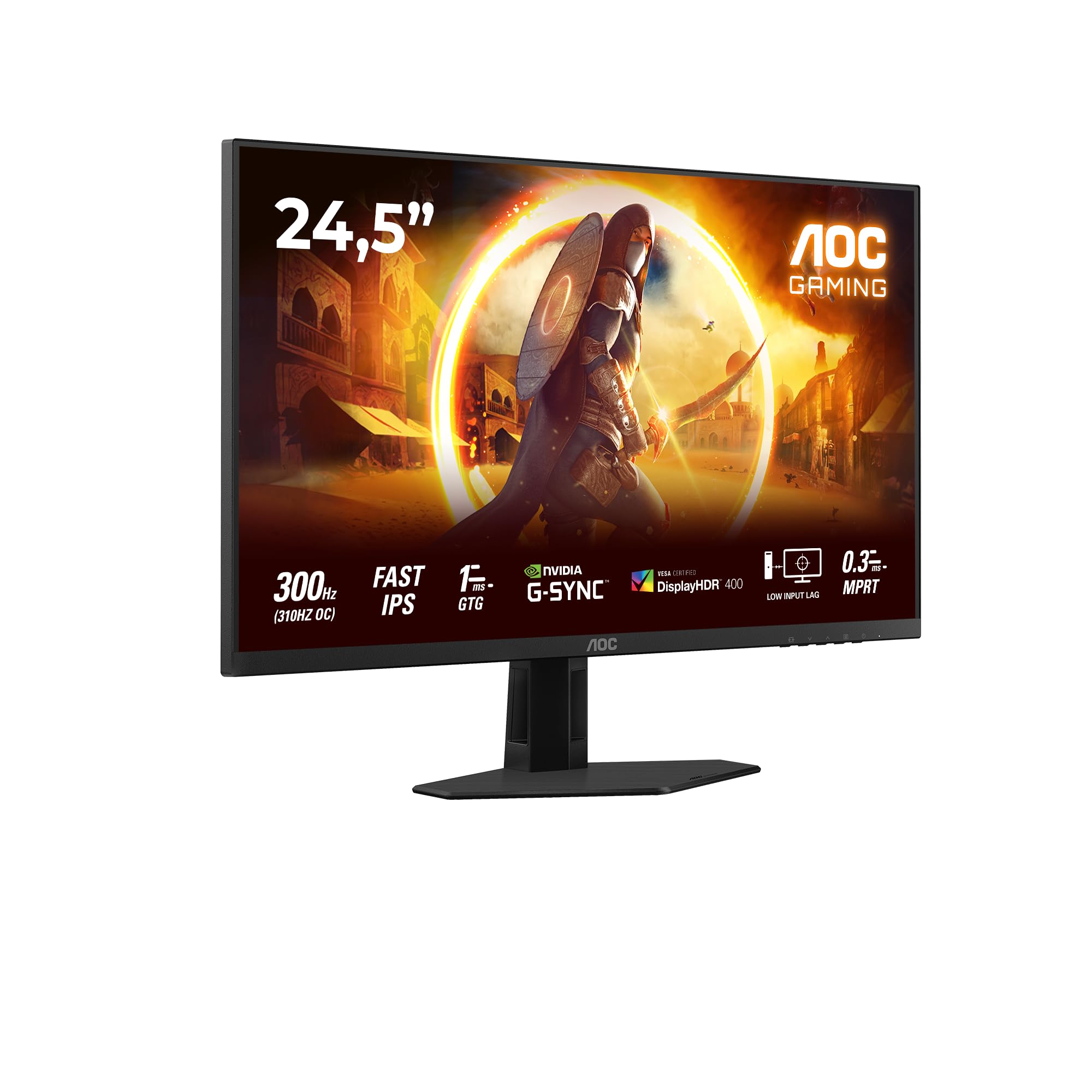
شکل 1.1: سامنے view of the AOC Gaming 25G4SRE monitor.
2. حفاظتی معلومات
Please observe the following safety precautions to prevent damage to the monitor and ensure your personal safety:
- مانیٹر کو غیر مستحکم کارٹ، اسٹینڈ یا میز پر نہ رکھیں۔
- وینٹیلیشن کے آغاز کو روکیں نہ۔
- پانی کے قریب مانیٹر کا استعمال نہ کریں۔
- بجلی کی ہڈی پر بھاری اشیاء نہ رکھیں۔
- مانیٹر کے ساتھ فراہم کردہ پاور اڈاپٹر ہی استعمال کریں۔
- Unplug the monitor from the wall outlet if it will not be used for an extended period.
- تمام سروسنگ کو اہل سروس اہلکاروں سے رجوع کریں۔
3. پیکیج کے مشمولات
تصدیق کریں کہ تمام اشیاء آپ کے پیکج میں موجود ہیں۔ اگر کوئی چیز غائب یا خراب ہو تو اپنے ڈیلر سے فوری رابطہ کریں۔
- AOC Gaming 25G4SRE Monitor
- مانیٹر اسٹینڈ (بیس اور گردن)
- پاور کیبل
- HDMI کیبل
- ڈسپلے پورٹ کیبل
- کوئیک اسٹارٹ گائیڈ
4. سیٹ اپ
4.1 اسٹینڈ کو جمع کرنا
- خروںچ کو روکنے کے لیے مانیٹر کے چہرے کو نرم، صاف سطح پر احتیاط سے رکھیں۔
- مانیٹر پینل کے ساتھ اسٹینڈ کی گردن منسلک کریں۔
- Secure the stand base to the neck using the provided screws.
4.2 مانیٹر کو جوڑنا
Connect the monitor to your computer and power source using the appropriate cables.
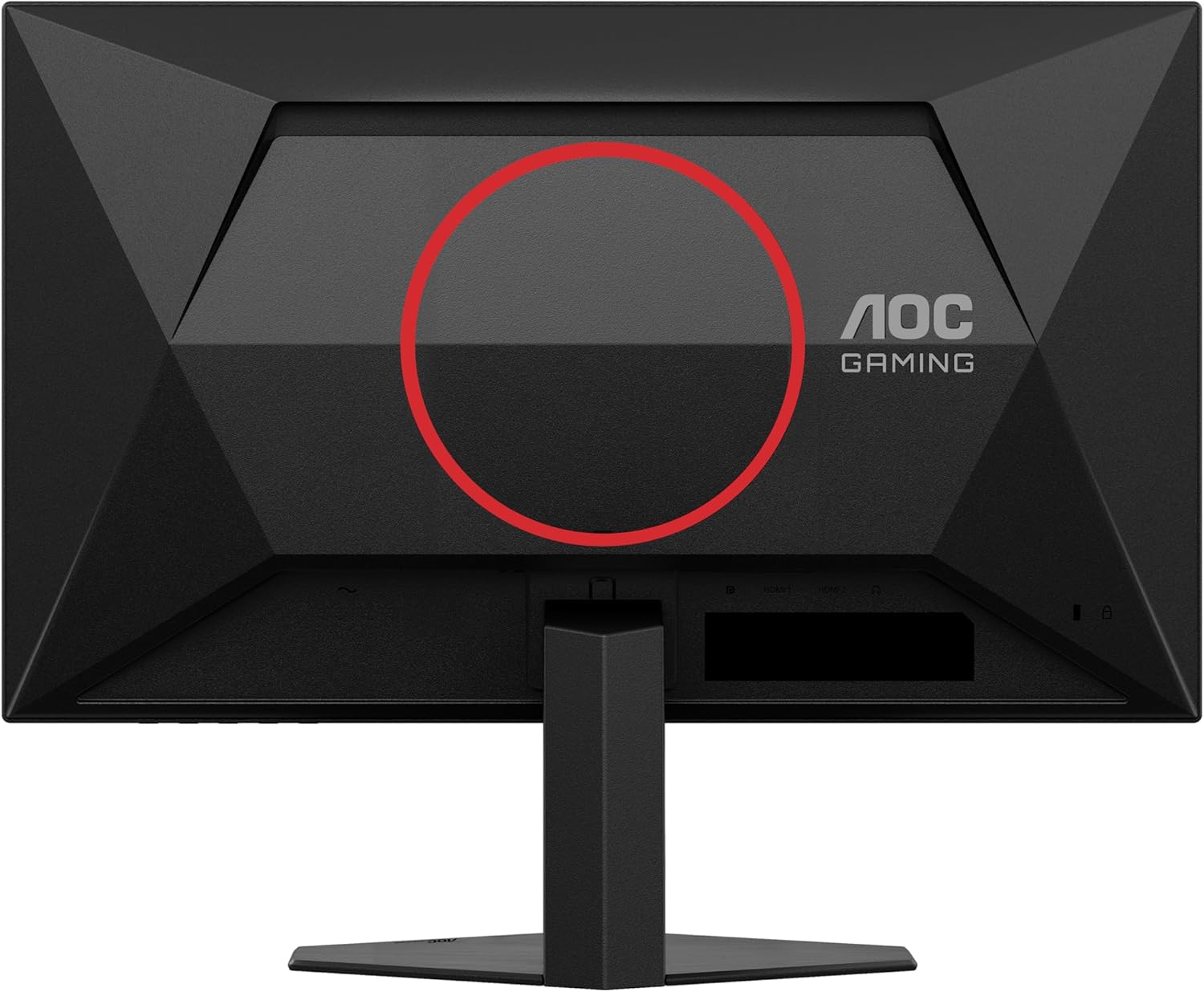
شکل 4.1: پیچھے view of the monitor, showing the stand attachment area and port locations.

Figure 4.2: Diagram illustrating the HDMI, DisplayPort, and Headphone Out ports.
- پاور کنکشن: پاور کیبل کو مانیٹر کے پاور ان پٹ سے اور پھر وال آؤٹ لیٹ سے جوڑیں۔
- ویڈیو کنکشن:
- For optimal performance, use the DisplayPort cable to connect the monitor to your computer's graphics card.
- Alternatively, use an HDMI cable to connect to an HDMI port on your computer. The monitor supports 2 x HDMI 2.0 inputs.
- آڈیو کنکشن: Connect headphones or external speakers to the Headphone Out port if desired.
5. مانیٹر کو چلانا
5.1 پاور آن/آف
Press the power button located on the bottom right of the monitor to turn it on or off.
5.2 آن اسکرین ڈسپلے (OSD) مینو
Use the buttons on the bottom bezel of the monitor to navigate the OSD menu. The OSD allows you to adjust various settings such as brightness, contrast, color temperature, input source, and gaming features.

شکل 5.1: سابقample of the On-Screen Display (OSD) menu for monitor settings.
5.3 کلیدی خصوصیات اور ترتیبات
- High Refresh Rate (300Hz/310Hz OC): Experience ultra-smooth gameplay. Ensure your graphics card and connection cable (DisplayPort recommended) support this refresh rate. You can enable overclocking to 310Hz via the OSD menu.
- تیز رفتار IPS پینل: Enjoy wide viewing angles up to 178 degrees with consistent color and clarity from almost any perspective.
- NVIDIA G-Sync ہم آہنگ: Synchronizes the monitor's refresh rate with your NVIDIA GPU to eliminate screen tearing and stuttering for a fluid gaming experience. Enable this feature in your graphics card control panel.
- VESA Certified DisplayHDR 400: Provides enhanced dynamic range for improved colors and contrast, delivering a more vivid visual experience. Activate HDR in your operating system display settings.
- کم ان پٹ وقفہ: Minimizes the delay between your input devices and the display, ensuring quick response times in fast-paced games.
- Rapid Response Time (1ms GtG / 0.3ms MPRT): Reduces motion blur and ghosting for crystal-clear images during fast-moving scenes.
- فلکر فری ٹیکنالوجی: طویل استعمال کے دوران آنکھوں کے دباؤ کو کم کرنے کے لیے اسکرین کی چمک کو کم کرتا ہے۔
- کم بلیو لائٹ موڈ: Reduces harmful blue light emissions to decrease eye fatigue and improve viewing comfort. This can be enabled through the OSD menu.

Figure 5.2: Visual comparison demonstrating the fluidity of 300Hz refresh rate over 60Hz.

Figure 5.3: Illustration of wide viewing angles provided by the Fast IPS panel technology.

Figure 5.4: Visual representation of NVIDIA G-Sync compatibility for tear-free gaming.

Figure 5.5: Comparison showing the visual improvement with DisplayHDR 400 enabled.

Figure 5.6: Illustration demonstrating the benefit of low input lag for responsive gaming.

Figure 5.7: Visual comparison highlighting the difference between 0.3ms MPRT and 4ms response times.

Figure 5.8: Comparison showing the absence of flicker on a FlickerFree monitor versus a conventional one.
6 دیکھ بھال
6.1 مانیٹر کی صفائی
- صفائی سے پہلے ہمیشہ مانیٹر کو ان پلگ کریں۔
- ہلکے سے نرم، لنٹ سے پاک کپڑا استعمال کریں۔ampپانی یا ہلکے، غیر کھرچنے والے اسکرین کلینر کے ساتھ ختم کیا گیا ہے۔
- Do not use alcohol, ammonia, or abrasive cleaners, as they may damage the screen or casing.
- سکریچنگ سے بچنے کے لیے اسکرین کو آہستہ سے صاف کریں۔
6.2 عمومی نگہداشت
- Avoid exposing the monitor to direct sunlight or extreme temperatures.
- Keep the monitor away from sources of heat and moisture.
- مانیٹر یا اس کی کیبلز پر بھاری اشیاء نہ رکھیں۔
7 خرابیوں کا سراغ لگانا
اگر آپ کو اپنے مانیٹر کے ساتھ مسائل کا سامنا کرنا پڑتا ہے، تو درج ذیل عام مسائل اور حل دیکھیں:
| مسئلہ | ممکنہ حل |
|---|---|
| اسکرین پر کوئی تصویر نہیں ہے | Ensure the power cable is securely connected. Check if the video cable (HDMI/DisplayPort) is properly connected to both the monitor and the computer. Select the correct input source via the OSD menu. |
| تصویر دھندلی یا مسخ شدہ ہے۔ | Adjust the resolution and refresh rate settings on your computer to match the monitor's native resolution (1920x1080) and desired refresh rate. Check the video cable for damage. |
| سکرین ٹمٹماہٹ | Ensure FlickerFree technology is enabled in the OSD. Check for loose cable connections. Update your graphics card drivers. |
| ہیڈ فون سے کوئی آواز نہیں۔ | Ensure headphones are fully plugged into the Headphone Out port. Check audio output settings on your computer. Adjust volume levels on both the monitor and computer. |
| G-Sync not working | Ensure you are using a DisplayPort cable. Verify G-Sync is enabled in the NVIDIA Control Panel. Update graphics card drivers. |
8. وضاحتیں
Detailed technical specifications for the AOC Gaming 25G4SRE monitor:
| فیچر | تفصیل |
|---|---|
| برانڈ | اے او سی |
| ماڈل نمبر | 25G4SRE |
| اسکرین کا سائز | 25 انچ (62.2 سینٹی میٹر) |
| قرارداد | FHD 1080p (1920 x 1080) |
| پہلو کا تناسب | 16:9 |
| ریفریش ریٹ | 300 Hz (310 Hz Overclock) |
| رسپانس ٹائم | 1 ms GtG, 0.3 ms MPRT |
| پینل کی قسم | تیز رفتار آئی پی ایس |
| ایچ ڈی آر سپورٹ | VESA مصدقہ ڈسپلے ایچ ڈی آر 400 |
| اڈاپٹیو سنک | NVIDIA G-Sync ہم آہنگ |
| کنیکٹوٹی | 2 x HDMI 2.0, 1 x DisplayPort 1.4, Headphone Out |
| خصوصی خصوصیات | Frameless, FlickerFree, Low Blue Light, Low Input Lag |
| مصنوعات کے طول و عرض | 19.4D x 56W x 43.8H سینٹی میٹر |
| کارخانہ دار | اے او سی انٹرنیشنل |
| اصل ملک | چین |
For more detailed product information, please refer to the official product information sheet:

Figure 8.1: Product Information Sheet (English) for AOC 25G4SRE.
You can also find the EPREL registration details یہاں.
9. وارنٹی اور سپورٹ
AOC International provides comprehensive support for your monitor.
9.1 وارنٹی کی معلومات
- Minimum Guarantee Offered by Supplier: 3 سال
- اسپیئر پارٹس کی کم از کم ضمانت شدہ دستیابی: 7 سال
- کم از کم گارنٹیڈ پروڈکٹ سپورٹ: 8 سال
وارنٹی کے دعووں کے لیے براہ کرم اپنی خریداری کا ثبوت اپنے پاس رکھیں۔
9.2 کسٹمر سپورٹ
For technical assistance, warranty inquiries, or other support needs, please contact AOC Customer Service:
- Webسائٹ: https://eu.aoc.com
- ای میل: kevin.yang@tpv-tech.com
- فون: +31 (0)20 504 6962


