1. تعارف
This manual provides essential instructions for the safe operation and maintenance of your VTech Advanced HD Plus 5.5" HD 1 Cam Video Baby Monitor. Please read this manual thoroughly before using the product to ensure proper setup and functionality. Keep this guide for future reference.

Image 1.1: The VTech Advanced HD Plus 5.5" HD 1 Cam Video Baby Monitor, featuring the parent unit and baby unit.
2. کلیدی خصوصیات
The VTech Advanced HD Plus Video Baby Monitor is designed to provide reliable monitoring of your baby. Key features include:
- 5.5" HD IPS LCD Screen: Offers clear 720p video resolution with wide viewing angles and enhanced color accuracy.
- لمبی بیٹری کی زندگی: Up to 13 hours of continuous video streaming or 19 hours of audio-only streaming on a single charge.
- پین ٹیلٹ زوم کیمرہ: Remote control for 360-degree panoramic view, 122-degree vertical view, and 4x digital zoom.
- وائڈ اینگل View: A 110-degree wide-angle lens captures more of the nursery.
- Adaptive Night Light: Touch-controlled, dimmable 7-color night light to create a soothing environment.
- دو طرفہ گفتگو: Allows communication with your baby from the parent unit.
- لولیاں اور سکون بخش آوازیں: Five calming melodies and five ambient sounds to help soothe your baby.
- درجہ حرارت کی نگرانی: Displays the nursery's ambient temperature on the parent unit.
- حرکت اور آواز کے انتباہات: Notifies you of activity in the baby's room.
- خودکار انفراریڈ نائٹ ویژن: Provides clear video in low-light conditions.
- Secure 2.4GHz Wireless Connection: Ensures a private and interference-free connection up to 1,000 feet. No Wi-Fi required.

Image 2.1: Visual representation of the monitor's main features.
3. پیکیج کے مشمولات
یقینی بنائیں کہ تمام اشیاء آپ کے پیکیج میں موجود ہیں:
- پیرنٹ یونٹ
- بیبی یونٹ (کیمرا)
- 2 AC Adapters (one for Parent Unit, one for Baby Unit)
- کوئیک اسٹارٹ گائیڈ
4. سیٹ اپ ہدایات
4.1. پیرنٹ یونٹ کو چارج کرنا
- پیرنٹ یونٹ پاور اڈاپٹر کے چھوٹے سرے کو پیرنٹ یونٹ کے سائیڈ پر پاور جیک سے جوڑیں۔
- پاور اڈاپٹر کے بڑے سرے کو وال آؤٹ لیٹ میں لگائیں۔
- Charge the parent unit for at least 12 hours before initial use. The battery icon will indicate charging status.
4.2 بیبی یونٹ کو پاورنگ (کیمرہ)
- بیبی یونٹ پاور اڈاپٹر کے چھوٹے سرے کو بچے کے یونٹ کے پیچھے والے پاور جیک سے جوڑیں۔
- پاور اڈاپٹر کے بڑے سرے کو وال آؤٹ لیٹ میں لگائیں۔
- The baby unit will power on automatically once connected to power.
4.3. Positioning the Baby Unit
Place the baby unit in a location that provides a clear view of your baby in their crib or play area. For optimal performance:
- Place the baby unit at least 3 feet (1 meter) away from your baby to avoid potential hazards.
- Ensure the baby unit is on a flat, stable surface or securely mounted to a wall (mounting hardware not included).
- Avoid placing the baby unit near other electronic devices that may cause interference.
- Keep the power cords out of reach of children.
5. آپریٹنگ ہدایات
5.1 پیرنٹ یونٹ کنٹرولز
Familiarize yourself with the buttons on your parent unit:
- مینو/منتخب کریں: Press to open the menu or confirm a selection.
- Arrow Buttons (Up, Down, Left, Right): Navigate menu options and control camera pan/tilt.
- VOL + / VOL -: سننے کا حجم ایڈجسٹ کریں۔
- بات چیت: بچے کے یونٹ کے ذریعے اپنے بچے سے بات کرنے کے لیے دبائیں اور تھامیں۔
- LCD آن/آف: Press to turn the screen on or off while audio monitoring continues.
- زوم: Press to zoom in or out on the video feed.
- پاور بٹن: پیرنٹ یونٹ کو آن یا آف کرنے کے لیے دبائیں اور تھامیں۔
5.2. ویڈیو مانیٹرنگ
Once both units are powered on and linked, the parent unit will automatically display live video from the baby unit. The 5.5" IPS screen provides a clear view.
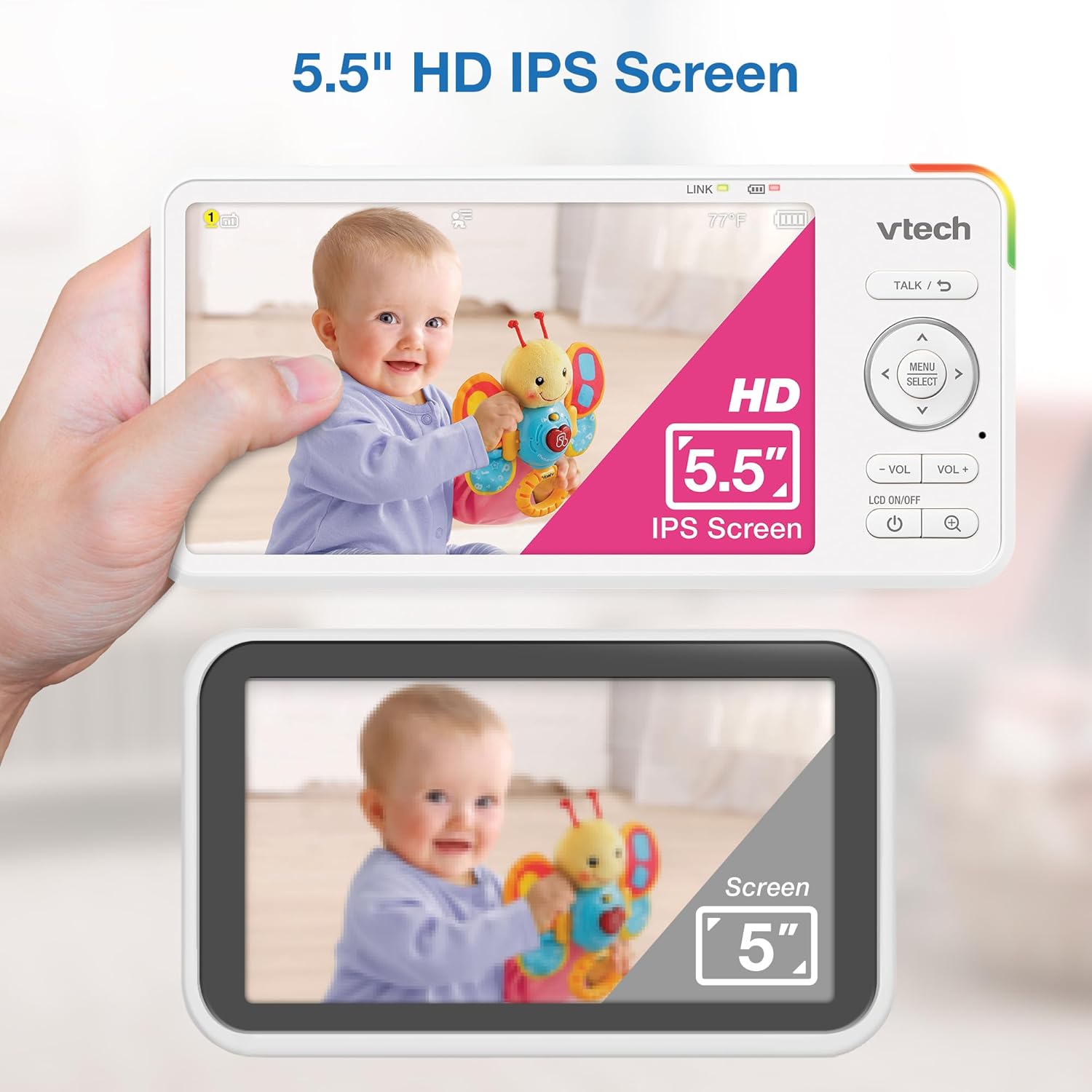
Image 5.1: The 5.5" HD IPS screen offers a larger and clearer view compared to standard screens.
5.3. Pan, Tilt, and Zoom
Use the arrow buttons on the parent unit to remotely adjust the camera's view:
- دبائیں اوپر/نیچے arrows to tilt the camera vertically (122-degree vertical view).
- دبائیں بائیں/دائیں arrows to pan the camera horizontally (360-degree panoramic view).
- دبائیں زوم button to activate the 4x digital zoom for a closer look.

Image 5.2: Remote pan, tilt, and 4x zoom functionality for comprehensive nursery coverage.
5.4. دو طرفہ گفتگو
اپنے بچے سے بات کرنے کے لیے، دبائیں اور دبائے رکھیں بات کریں۔ button on the parent unit. Release the button to stop talking and resume listening.

Image 5.3: Using the two-way talk feature to communicate with your baby.
5.5. Night Light, Lullabies, and Soothing Sounds
Access these features through the parent unit's menu:
- رات کی روشنی: Select the night light option to choose from 7 colors or adjust brightness. The adaptive feature adjusts to nursery brightness.
- لولیاں اور سکون بخش آوازیں: Choose from five melodies and five ambient sounds to play through the baby unit.
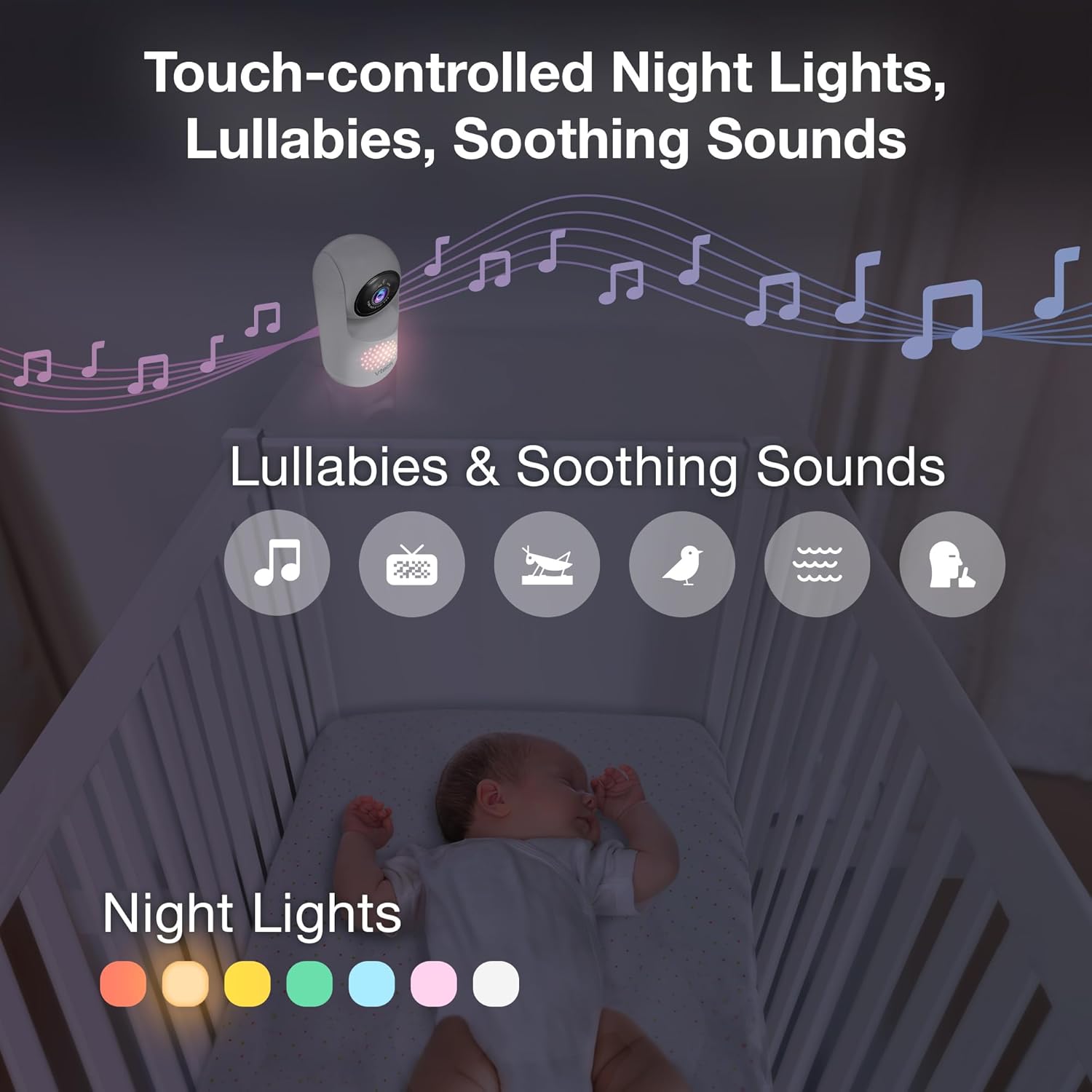
Image 5.4: The camera unit provides touch-controlled night lights, lullabies, and soothing sounds.
5.6. درجہ حرارت کی نگرانی
The parent unit displays the current temperature of the baby's room, measured by the baby unit. This helps ensure a comfortable environment for your baby.
5.7. Motion and Sound Alerts
The monitor is equipped with motion and sound detection. When activity is detected, the parent unit will provide an alert. You can adjust the sensitivity settings in the menu.

Image 5.5: Motion and temperature alerts displayed on the parent unit.
5.8. نائٹ ویژن
The baby unit automatically activates infrared night vision in low-light conditions, providing a clear black-and-white image on the parent unit.

Image 5.6: Automatic infrared night vision for clear monitoring in the dark.
6 دیکھ بھال
6.1. صفائی
- مانیٹر یونٹس کو نرم سے صاف کریں، ڈیamp کپڑا
- صفائی کے اسپرے یا مائع کلینر استعمال نہ کریں۔
- Ensure units are unplugged before cleaning.
6.2. بیٹری کی دیکھ بھال
- To prolong battery life, fully charge the parent unit before first use.
- انتہائی درجہ حرارت سے بچیں، جو بیٹری کی کارکردگی کو متاثر کر سکتا ہے۔
- If storing the unit for an extended period, charge the battery periodically.

Image 6.1: The 5,000mAh rechargeable battery provides extended monitoring time.
7 خرابیوں کا سراغ لگانا
If you experience issues with your VTech Advanced HD Plus monitor, refer to the following common solutions:
| مسئلہ | ممکنہ حل |
|---|---|
| No link / Poor connection |
|
| کوئی تصویر / سیاہ اسکرین نہیں ہے۔ |
|
| کوئی آواز نہیں / کم والیوم |
|
| بیٹری تیزی سے ختم ہو جاتی ہے۔ |
|
If the problem persists after trying these solutions, please contact VTech customer support.
8. وضاحتیں
| فیچر | تفصیل |
|---|---|
| ماڈل کا نام | اعلی درجے کی ایچ ڈی پلس |
| اسکرین کا سائز | 5.5 انچ IPS LCD |
| ویڈیو ریزولوشن | 720ص |
| کنیکٹوٹی ٹیکنالوجی | 2.4G FHSS Wireless (No Wi-Fi) |
| رینج | 1,000 فٹ تک (نظر کی لکیر) |
| بیٹری کی صلاحیت | 5000 ایم اے ایچ |
| Battery Life (Video Streaming) | 13 گھنٹے تک |
| بیٹری لائف (صرف آڈیو) | 19 گھنٹے تک |
| پین زاویہ | 360 degrees panoramic |
| جھکاؤ کا زاویہ | 122 degrees vertical |
| زوم | 4x ڈیجیٹل |
| وائڈ اینگل View | 110 ڈگری |
| نائٹ ویژن | خودکار اورکت |
| الرٹ کی اقسام | آڈیو اور موشن |
| طاقت کا منبع | کورڈڈ الیکٹرک (5V، 7.5W) |
| Dimensions (Parent Unit) | 6.58 x 3.23 x 0.71 انچ |
| شے کا وزن | 1.6 پاؤنڈ (0.73 کلوگرام) |
| یو پی سی | 735078058157 |
9. سپورٹ اور وارنٹی۔
For technical support, product registration, or warranty information, please visit the official VTech webسائٹ یا کسٹمر سروس سے رابطہ کریں:
- Webسائٹ: www.vtechbabycare.com
- ای میل: support@vtechbabycare.com
Please refer to your product packaging or the VTech website for specific warranty details applicable to your region.


