1. تعارف
This manual provides essential information for the safe and effective operation of your Ortur Laser Master 2 S2 1064nm Infrared Laser Engraver. Please read this manual thoroughly before assembly and operation to ensure proper usage and to prevent damage or injury. This device is designed for precise engraving on various materials, including metals, plastics, and acrylics.

Image 1.1: The Ortur Laser Master 2 S2 1064nm Infrared Laser Engraver, showcasing its design and examples of engraved items like cutlery, a flask, and a mug.
2. حفاظتی معلومات
The Ortur Laser Master 2 S2 is a Class 4 laser product. Improper use can result in serious injury, including eye damage, skin burns, and fire. Always adhere to the following safety guidelines:
- آنکھوں کی حفاظت: Always wear appropriate laser safety goggles designed for the 1064nm wavelength during operation. Never look directly at the laser beam or its reflection.
- کام کا علاقہ: Operate the engraver in a well-ventilated area. Ensure the work area is free of flammable materials.
- نگرانی: آپریشن کے دوران مشین کو کبھی بھی غافل نہ چھوڑیں۔
- مواد کی حفاظت: Engrave only approved materials. Some materials can produce hazardous fumes when engraved.
- ایمرجنسی اسٹاپ: ہنگامی اسٹاپ بٹن کے مقام اور کام سے خود کو واقف کرو۔
- بچے اور پالتو جانور: بچوں اور پالتو جانوروں کو آپریٹنگ ایریا سے دور رکھیں۔
- بجلی کی فراہمی: صرف فراہم کردہ پاور اڈاپٹر استعمال کریں۔

تصویر 2.1: ختمview of the four main safety features integrated into the Ortur Laser Master 2 S2 design.
3. پروڈکٹ ختمview
3.1 اجزاء
The Ortur Laser Master 2 S2 consists of a robust frame, a 1064nm infrared laser module, and control electronics. Key components include:
- لیزر ماڈیول: 1000mW (1W) 1064nm Infrared Laser.
- فریم: Industrial-grade full metal structure for stability and precision.
- کنٹرول بورڈ: Manages laser operations and communication.
- سٹیپر موٹرز: Drive the X and Y axes for precise movement.
- محدود سوئچ: Define the engraving area boundaries.
3.2 کلیدی خصوصیات
- Multi-Material Compatibility: Capable of engraving various metals (gold, silver, platinum, copper, aluminum, stainless steel), leathers, plastics, acrylics, glass, and stones.
- اعلی صحت سے متعلق: Motion accuracy up to 0.03mm for detailed engravings.
- Large Engraving Area: 390 x 410 mm (approximately 15.35" x 16.14").
- تیز رفتار: Engraving speeds up to 10000mm/min.
- سافٹ ویئر مطابقت: Supports LaserGRBL and LightBurn.
- آپریٹنگ سسٹم سپورٹ: Compatible with Windows 7/8/XP/10/11 and Mac systems (via LightBurn).
- File فارمیٹ سپورٹ: SVG, DXF, JPG, JPEG, PNG, BMP, TIF, CR2, etc.
- ماڈیولر ڈیزائن: Facilitates easy assembly, repair, and upgrades.

Image 3.1: The powerful 1064nm 1W infrared laser module with dual fan cooling, designed for long operational life.

Image 3.2: The generous 390 x 410 mm (15.35" x 16.14") engraving area of the OLM2S2.
4. سیٹ اپ
4.1 پیک کھولنا اور معائنہ کرنا
Carefully unpack all components. Verify that all parts listed in the packing list are present and undamaged. If any parts are missing or damaged, contact customer support immediately.
4.2 اسمبلی
The Ortur Laser Master 2 S2 features a modular design for straightforward assembly. Typical assembly time is 10-15 minutes. Follow the detailed assembly instructions provided in the separate assembly guide or refer to official Ortur assembly videos. Ensure all connections are secure and the frame is rigid.
- Assemble the frame components according to the diagrams.
- Mount the laser module onto the gantry.
- Connect all cables (power, USB, motor cables) securely.
- Ensure the timing belts are properly tensioned.
4.3 سافٹ ویئر کی تنصیب
Download the latest version of your preferred engraving software (LaserGRBL or LightBurn) from their official websites. Install the software on your computer and follow the on-screen instructions for driver installation and initial setup.
5. آپریٹنگ ہدایات
5.1 Preparing for Engraving
- جگہ کا مواد: Position the material to be engraved on the work surface.
- لیزر پر فوکس کریں: Adjust the laser module height to achieve the optimal focal point on the material surface. Refer to the laser module's specific focusing instructions.
- کمپیوٹر سے جڑیں: Connect the engraver to your computer via USB.
- سافٹ ویئر لانچ کریں: Open LaserGRBL or LightBurn.
- لوڈ ڈیزائن: Import your desired engraving design (SVG, DXF, JPG, etc.).
- پیرامیٹرز سیٹ کریں: Configure engraving parameters such as speed, power, and number of passes based on the material type and desired effect.
5.2 Engraving Process
- حفاظتی چشمیں پہنیں: Ensure all individuals in the vicinity are wearing appropriate laser safety goggles.
- کندہ کاری شروع کریں: Initiate the engraving process through the software.
- مانیٹر آپریشن: Continuously monitor the engraving process. Be prepared to use the emergency stop if any issues arise.
- تکمیل: Once engraving is complete, the laser will stop. Wait for any fumes to clear before removing the engraved item.
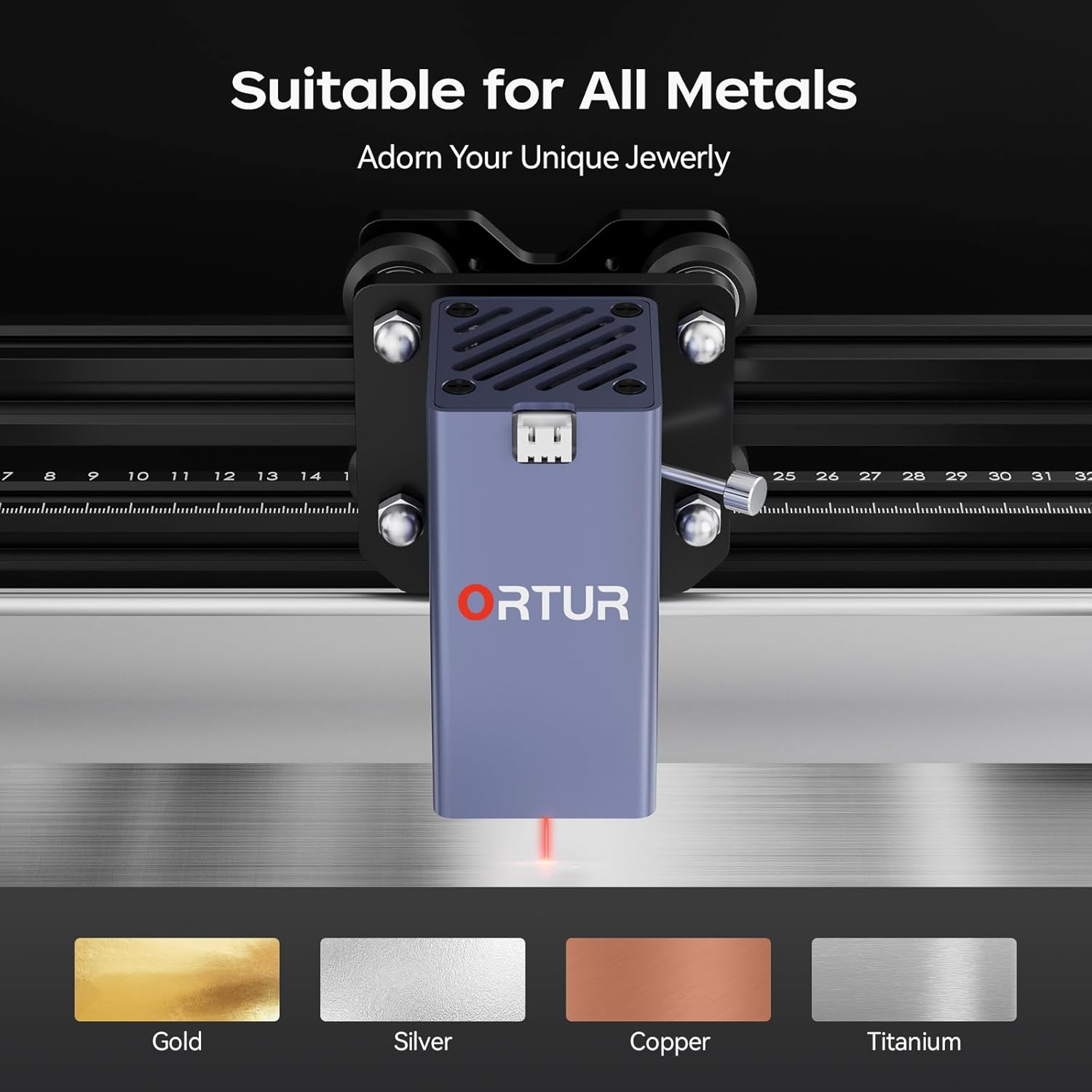
Image 5.1: The Ortur Laser Master 2 S2 is suitable for engraving on various metals, including gold, silver, copper, and titanium.

تصویر 5.2: مثال کے طور پرamples of materials that can be engraved, such as various metals, plastics, and acrylics.
6. سافٹ ویئر مطابقت
The Ortur Laser Master 2 S2 is compatible with widely used laser engraving software:
- لیزر جی آر بی ایل: A free, open-source software primarily for Windows users. It is suitable for basic engraving tasks and image processing.
- لائٹ برن: A powerful, paid software compatible with Windows, Mac, and Linux. It offers advanced features for design, layout, and control, making it suitable for more complex projects.
Ensure your software is updated to the latest version for optimal performance and compatibility.

Image 6.1: The laser engraver adapts to common software like LightBurn and LaserGRBL.
7 دیکھ بھال
باقاعدگی سے دیکھ بھال آپ کے لیزر کندہ کاری کی لمبی عمر اور بہترین کارکردگی کو یقینی بناتی ہے۔
- صفائی: Regularly clean the lens of the laser module with a lint-free cloth and isopropyl alcohol. Keep the rails and belts free of dust and debris.
- چکنا: Periodically apply a small amount of lubricant to the linear rails to ensure smooth movement.
- بیلٹ ٹینشن: Check and adjust the tension of the timing belts as needed to prevent skipping or inaccurate engraving.
- فرم ویئر اپ ڈیٹس: سرکاری Ortur چیک کریں website for any firmware updates for your machine.
8 خرابیوں کا سراغ لگانا
یہ سیکشن عام مسائل کو حل کرتا ہے جن کا آپ کو سامنا ہو سکتا ہے۔
| مسئلہ | ممکنہ وجہ | حل |
|---|---|---|
| لیزر فائرنگ یا کمزور پیداوار نہیں ہے. | Incorrect focus, dirty lens, low power setting, faulty laser module. | Adjust focus, clean lens, increase power in software, contact support if module is faulty. |
| Engraving is inaccurate or distorted. | Loose belts, loose frame components, incorrect software settings, material movement. | Check and tighten belts, ensure frame is rigid, verify software settings, secure material. |
| مشین کمپیوٹر سے منسلک نہیں ہے۔ | USB کیبل کا مسئلہ، ڈرائیور انسٹال نہیں ہے، غلط COM پورٹ منتخب کیا گیا ہے۔ | Try a different USB port/cable, reinstall drivers, select correct COM port in software. |
| Machine powers on but does not move. | Motor cables disconnected, emergency stop engaged, software error. | Check motor connections, disengage emergency stop, restart software and machine. |
9. وضاحتیں
| فیچر | تفصیل |
|---|---|
| برانڈ | اورٹور |
| ماڈل | OLM2S2 |
| لیزر ماڈیول | 1000mW (1W) 1064nm Infrared Laser |
| کندہ کاری کا علاقہ | 390 x 410 mm (15.35" x 16.14") |
| کندہ کاری کی رفتار | 10000 ملی میٹر فی منٹ تک |
| Motion Accuracy | 0.03 ملی میٹر |
| تعاون یافتہ سافٹ ویئر | لیزر جی آر بی ایل، لائٹ برن |
| تعاون یافتہ OS | Windows 7/8/XP/10/11, Mac (LightBurn) |
| حمایت کی File فارمیٹس | SVG, DXF, JPG, JPEG, PNG, BMP, TIF, CR2, etc. |
| مصنوعات کے طول و عرض | 22.4 x 9 x 5.1 انچ |
| شے کا وزن | 8.67 پاؤنڈ |

Image 9.1: The motion accuracy of 0.03mm ensures clear and detailed engraving patterns.
10. وارنٹی اور سپورٹ
Ortur is committed to providing high-quality after-sales service. If you encounter any problems with your product, please contact our customer support team.
- کسٹمر سروس: Professional technicians are available to provide solutions and assistance.
- رابطہ کی معلومات: Refer to the official Ortur website or product packaging for current contact methods (email, live chat, Facebook support).

Image 10.1: Ortur offers round-the-clock support via email, live chat, and Facebook.


