1. تعارف
This manual provides comprehensive instructions for the safe and effective operation, maintenance, and troubleshooting of your ROCAM CR1030 Emergency Crank Radio. Please read this manual thoroughly before using the device and retain it for future reference. The ROCAM CR1030 is designed as a multi-functional emergency device, featuring AM/FM radio reception, multiple power sources including solar and hand crank, a flashlight, a reading lamp, and a power bank function.
2. حفاظتی ہدایات
- Do not expose the device to extreme temperatures, direct sunlight for prolonged periods (beyond charging), or high humidity.
- ڈیوائس کو گرانے یا شدید اثرات کا نشانہ بنانے سے گریز کریں۔
- Keep the device away from water and liquids, despite its IPX6 water resistance, to prevent internal damage.
- ڈیوائس کو الگ کرنے یا اس میں ترمیم کرنے کی کوشش نہ کریں۔ مرمت صرف اہل اہلکاروں کے ذریعہ کی جانی چاہئے۔
- Ensure proper ventilation when charging or operating the device.
- بچوں کی پہنچ سے دور رکھیں۔
- آلہ اور اس کی بیٹری کو مقامی ضابطوں کے مطابق ذمہ داری کے ساتھ ٹھکانے لگائیں۔
3. پیکیج کے مشمولات
تصدیق کریں کہ تمام اشیاء پیکیج میں موجود ہیں:
- 1 x ROCAM CR1030 Emergency Radio
- 1 x Type-C چارجنگ کیبل
- 1 x Portable Belt
- 1 ایکس یوزر مینوئل (یہ دستاویز)
4. پروڈکٹ ختمview
Familiarize yourself with the various components and controls of your ROCAM CR1030 radio.
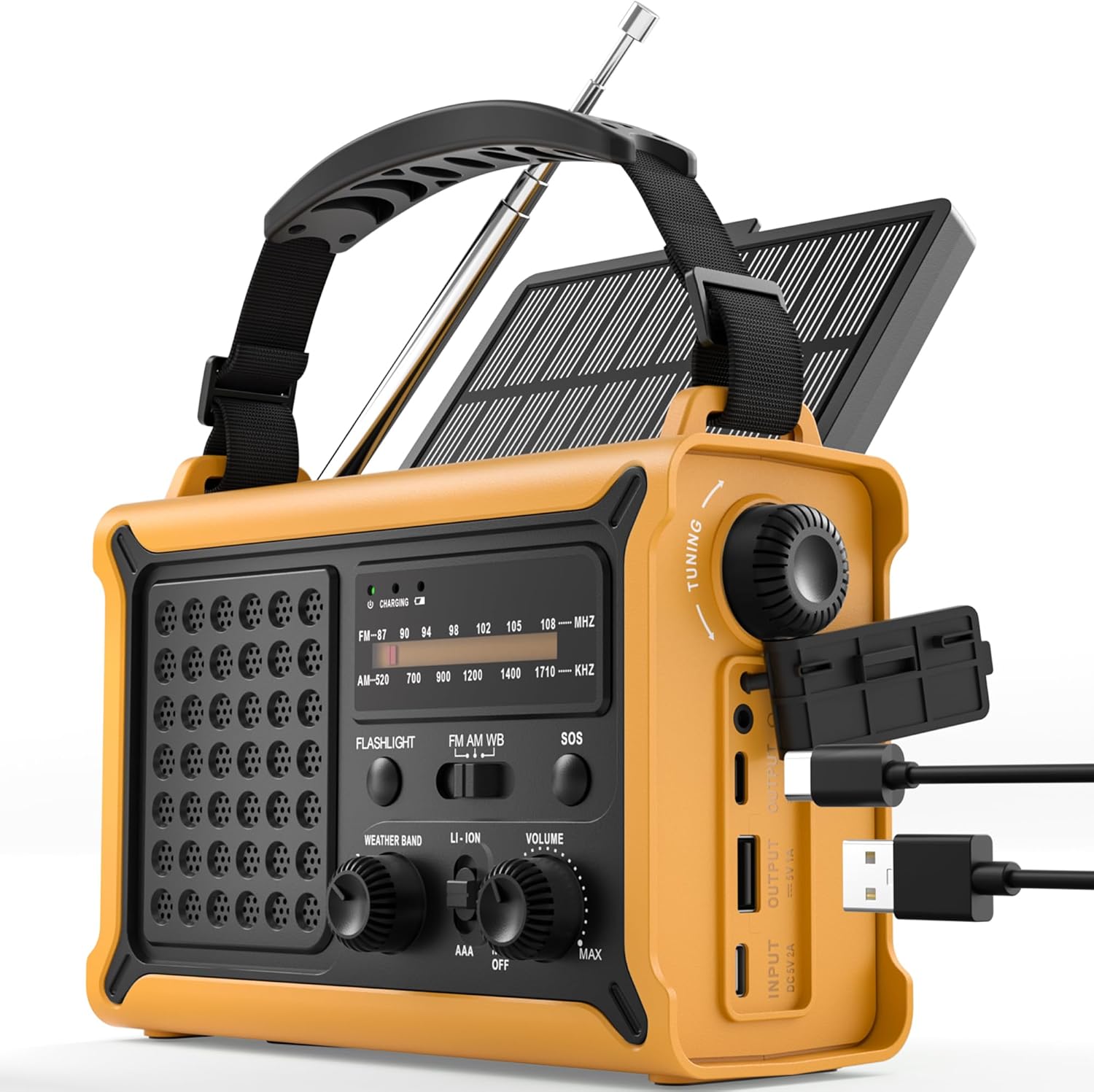
تصویر 4.1: سامنے اور طرف view of the ROCAM CR1030 Emergency Crank Radio, showing the main controls, solar panel, hand crank, and USB charging ports.
- دوربین اینٹینا: AM/FM استقبالیہ کے لیے۔
- سولر پینل: شمسی توانائی سے چارج کرنے کے لیے۔
- ہینڈ کرینک: دستی بجلی کی پیداوار کے لیے۔
- ٹارچ: Front-facing light source.
- ایل پڑھناamp: Top-mounted LED light.
- ٹیوننگ نوب: ریڈیو فریکوئنسی کو منتخب کرنے کے لیے۔
- والیوم نوب/پاور سوئچ: To adjust volume and turn the radio on/off.
- بینڈ سلیکٹر سوئچ: To choose between FM, AM, and Weather Band (if applicable).
- SOS بٹن: Activates emergency alarm and flashing light.
- USB آؤٹ پٹ پورٹ: بیرونی آلات کو چارج کرنے کے لیے۔
- ٹائپ سی ان پٹ پورٹ: For charging the radio via USB-C cable.
- بیٹری ٹوکری: For optional AAA batteries.
- ہیڈ فون جیک: 3.5mm port for private listening.

تصویر 4.2: The ergonomic design of the ROCAM CR1030, featuring large knobs and a robust casing for easy handling.
5. سیٹ اپ
5.1 ابتدائی چارجنگ
Before first use, it is recommended to fully charge the internal 12000 mAh battery. Connect the provided Type-C charging cable to the radio's Type-C input port and the other end to a USB power adapter (not included) or a computer USB port. The charging indicator light will illuminate during charging and turn off when fully charged.
5.2 AAA Battery Installation (Optional)
The radio can also be powered by 3 AAA batteries (not included) as an alternative power source. Open the battery compartment cover on the back of the radio, insert 3 AAA batteries according to the polarity markings, and close the cover securely. Ensure the power source switch is set to "AAA" when using these batteries.
6. آپریٹنگ ہدایات
6.1 ریڈیو آپریشن (AM/FM)
- زیادہ سے زیادہ استقبال کے لیے دوربین کے اینٹینا کو بڑھائیں۔
- Turn the Volume knob clockwise to power on the radio and adjust the desired volume level.
- Use the Band Selector switch to choose between "FM", "AM", or "WB" (Weather Band, if available on your model).
- Rotate the Tuning knob to scan for radio stations. The frequency display will indicate the current station.
- For best reception, adjust the antenna position and length.
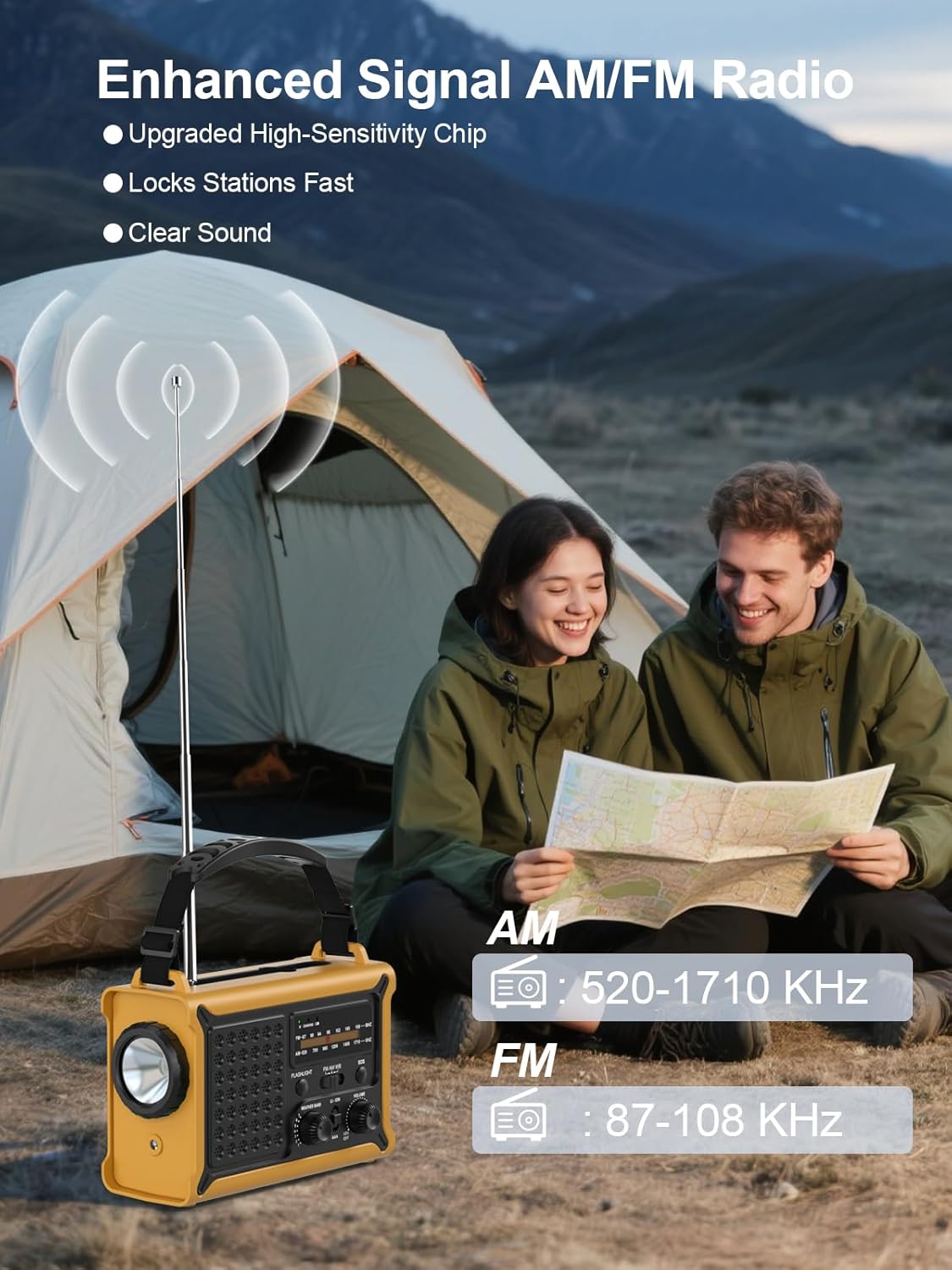
تصویر 6.1: The radio in operation, demonstrating the extended antenna and frequency display for AM and FM bands.

تصویر 6.2: Illustration of the radio's clear and powerful audio output.
6.2 طاقت کے ذرائع
The ROCAM CR1030 offers multiple ways to power the device and charge its internal battery:
- Internal Rechargeable Battery (12000 mAh): The primary power source, charged via USB-C, solar, or hand crank.
- ہینڈ کرینک: Rotate the hand crank clockwise or counter-clockwise at a steady pace (approximately 120-150 RPM) to generate power. A few minutes of cranking can provide power for radio operation or a short burst of light.
- سولر پینل: Place the radio with the solar panel facing direct sunlight. The solar panel charges the internal battery. Charging efficiency depends on sunlight intensity.
- ٹائپ سی ان پٹ: Connect the radio to a USB power source using the provided Type-C cable.
- AAA بیٹریاں: As described in Section 5.2, 3 AAA batteries can be used as an alternative power source.

تصویر 6.3: The radio's dual power generation capabilities: solar panel and hand crank.
6.3 ٹارچ اور ریڈنگ ایلamp
The ROCAM CR1030 features two independent light sources:
- ٹارچ: Press the "FLASHLIGHT" button to turn on the front-facing 5W flashlight. Press again to turn it off.
- ایل پڑھناamp: Locate the reading lamp switch (often integrated with the flashlight switch or a separate button). Activate it to turn on the top-mounted LED reading lamp.

تصویر 6.4: The radio providing illumination with its reading lamp اور ٹارچ.
6.4 SOS الارم
In an emergency, the SOS alarm can be activated to attract attention:
- Press and hold the "SOS" button for approximately 2 seconds. The radio will emit a loud 120dB siren and a flashing light.
- To deactivate the SOS alarm, press the "SOS" button again.
6.5 پاور بینک فنکشن
The ROCAM CR1030 can charge external USB-powered devices using its internal 12000 mAh battery:
- Connect your device's USB charging cable to the radio's USB Output port.
- The radio will begin charging your device. The charging speed may vary depending on the radio's battery level and the connected device.
- This function is intended for emergency charging of small electronic devices.

تصویر 6.5: The radio's SOS alarm and power bank capabilities, including charging a smartphone.
7 دیکھ بھال
- صفائی: ریڈیو کو نرم سے صاف کریں، ڈیamp کپڑا کھرچنے والے کلینر یا سالوینٹس کا استعمال نہ کریں۔
- ذخیرہ: Store the radio in a cool, dry place away from direct sunlight when not in use. If storing for extended periods, ensure the internal battery is charged to at least 50% and recharge every 3-6 months to maintain battery health.
- پانی کی مزاحمت: While IPX6 rated, avoid submerging the radio in water. Ensure all port covers are securely closed when exposed to moisture.

تصویر 7.1: The radio's design for outdoor use, highlighting its portability and water-resistant features.
8 خرابیوں کا سراغ لگانا
| مسئلہ | ممکنہ وجہ | حل |
|---|---|---|
| ریڈیو آن نہیں ہوتا ہے۔ | بیٹری ختم ہو گئی ہے۔ Power source switch is incorrect. | Charge the internal battery via USB-C, solar, or hand crank. Ensure the power source switch is set to "LI-ION" for the internal battery or "AAA" if using AAA batteries. |
| ریڈیو کا ناقص استقبال۔ | Antenna not extended or positioned incorrectly. علاقے میں کمزور سگنل۔ | Fully extend and adjust the telescopic antenna. Try moving to a different location, preferably outdoors or near a window. |
| Hand crank not charging. | بہت آہستہ یا متضاد طور پر کرینکنگ۔ | Ensure a steady cranking motion at a moderate speed. |
| سولر پینل چارج نہیں ہو رہا ہے۔ | ناکافی سورج کی روشنی Panel is obstructed. | Place the radio in direct, strong sunlight. Ensure the solar panel is clean and unobstructed. |
| External device not charging via USB. | Radio's internal battery is low. USB cable is faulty or incompatible. | Ensure the radio's internal battery has sufficient charge. ایک مختلف USB کیبل یا آلہ آزمائیں۔ |
9. وضاحتیں
| فیچر | تفصیل |
|---|---|
| ماڈل | CR1030 |
| ریڈیو استقبال | AM (520-1710 KHz)، FM (87.5-108 MHz) |
| بیٹری کی صلاحیت | 12000 mAh (Internal Li-ion) |
| Hand Crank Power Generation | 650 ایم اے |
| سولر پینل کا سائز | 8500 mm² |
| Solar Energy Power Generation | 350 ایم اے |
| چارجنگ ان پٹ | 5V/1A (Type-C) |
| طاقت کے ذرائع | Rechargeable Battery, Hand Crank, Solar Panel, Type-C Input, 3x AAA Batteries |
| ٹارچ پاور | 5W |
| SOS Alarm Volume | 120 ڈی بی |
| واٹر پروف لیول | IPX6 |
| ہیڈ فون جیک | 3.5 ملی میٹر |
| طول و عرض | 12.1L x 17.3W x 7.4H سینٹی میٹر |
| وزن | 850 گرام |
| مواد | پلاسٹک |
10. وارنٹی اور سپورٹ
ROCAM products are manufactured to high-quality standards. For warranty information, technical support, or service inquiries, please refer to the contact information provided with your purchase or visit the official ROCAM website. Please have your model number (CR1030) and purchase details ready when contacting support.


