تعارف
Welcome to your Gtheos Captain 370 Wireless Gaming Headset. This manual provides detailed instructions for setup, operation, and maintenance to ensure optimal performance and an immersive gaming experience across multiple platforms.

The Gtheos Captain 370 headset, showcasing its sleek black design, detachable microphone, and included USB transmitter for wireless connectivity.
باکس میں کیا ہے۔
- 1 * Captain 370 Gaming Headset
- 1 * Detachable Noise Cancelling Microphone
- 1 * Type-C Charging Cable + 1 * USB Transmitter
- Cable (3.5mm audio cable)
- صارف دستی
پروڈکٹ ختمview
کلیدی خصوصیات
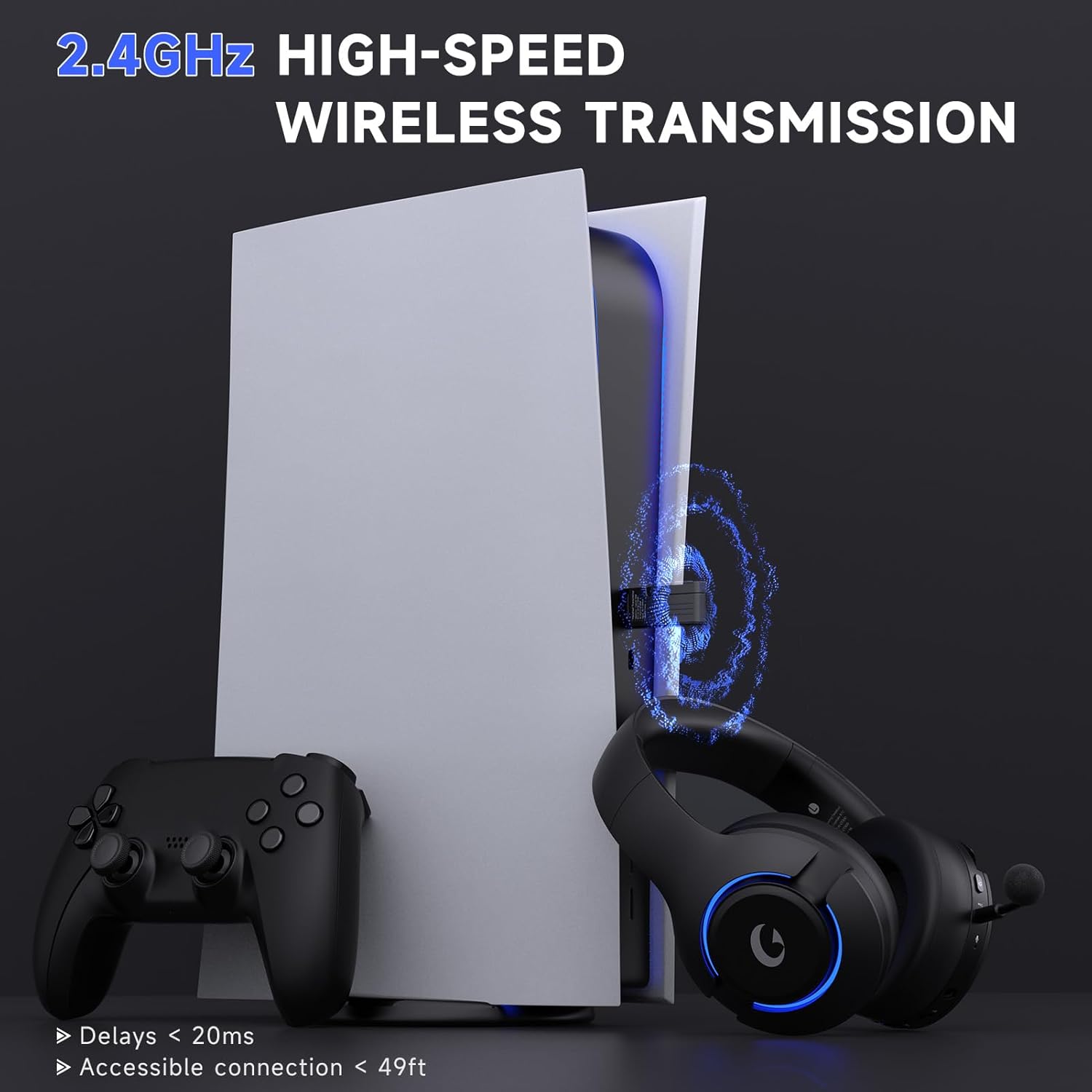
- 4-in-1 Wireless Gaming Headset: Features 2.4GHz USB for PS5, PS4, laptops, desktops, and Switch (mic not supported on Switch); Type-C wireless for PS5, tablets, and phones; Bluetooth 5.3 for mobile and work use; and 3.5mm wired for Xbox and other consoles.
- عمیق آڈیو: Equipped with powerful 50mm drivers and 3D surround sound for an enhanced audio experience.
- شور منسوخ کرنے والا مائیکروفون: Detachable boom mic with advanced ENC (Noise Cancellation) technology to filter background noise. Includes a built-in backup microphone for calls when the main mic is detached.
- توسیعی بیٹری کی زندگی: Offers up to 45 hours of wireless play on a single charge, with fast Type-C charging.
- آرجیبی لائٹنگ: Customizable RGB breathing lights with simple controls.
- آرام دہ ڈیزائن: Made of high-quality, durable materials with comfortable, lightweight earcups for extended wear.
کنیکٹیویٹی موڈز
The Gtheos Captain 370 offers versatile connectivity options to suit various gaming and communication needs:
This diagram visually explains the various connection options available with the headset, including compatibility with different devices like PS5, PC, Switch, phones, and Xbox.

A detailed table outlining which features (voice and microphone) are supported for each device and connection mode, highlighting specific limitations like microphone support on Switch or adapter requirements for Xbox.
سیٹ اپ
ابتدائی چارجنگ
Before first use, fully charge the headset using the provided Type-C charging cable. A full charge takes approximately 3 hours and provides up to 45 hours of gaming time.
This image highlights the impressive battery life and quick charging capabilities of the headset, ensuring extended usage.
Connecting the Detachable Microphone
The headset features a detachable noise-canceling microphone. To install:
Video demonstrating the proper installation of the detachable microphone into the Gtheos Captain 370 gaming headset.
Firmly insert the microphone into the jack until you feel a slight 'click,' indicating a secure and proper connection.

ایک مفصل view of the microphone, emphasizing its noise-canceling capabilities for clear voice transmission. The headset also has a built-in backup microphone for calls when the boom mic is detached.
آپریٹنگ ہدایات
پاور آن/آف
Locate the power button on the headset. Press and hold to power on or off the device.
Multi-Function Button Controls
The headset features a multi-function button for easy control of various features:
- سنگل کلک: مائیکروفون خاموش سوئچ۔
- ڈبل کلک کریں: Switch breathing lighting colors (RGB).
- لانگ پریس: Turn off breathing light.

This image clearly labels the multi-function button and explains its different actions for controlling the microphone and RGB lighting.
والیوم کنٹرول
Adjust the volume using the dedicated volume wheel or buttons on the headset. For optimal audio on PS5, keep the volume level between 80%-85% to reduce potential echo.
آڈیو تجربہ
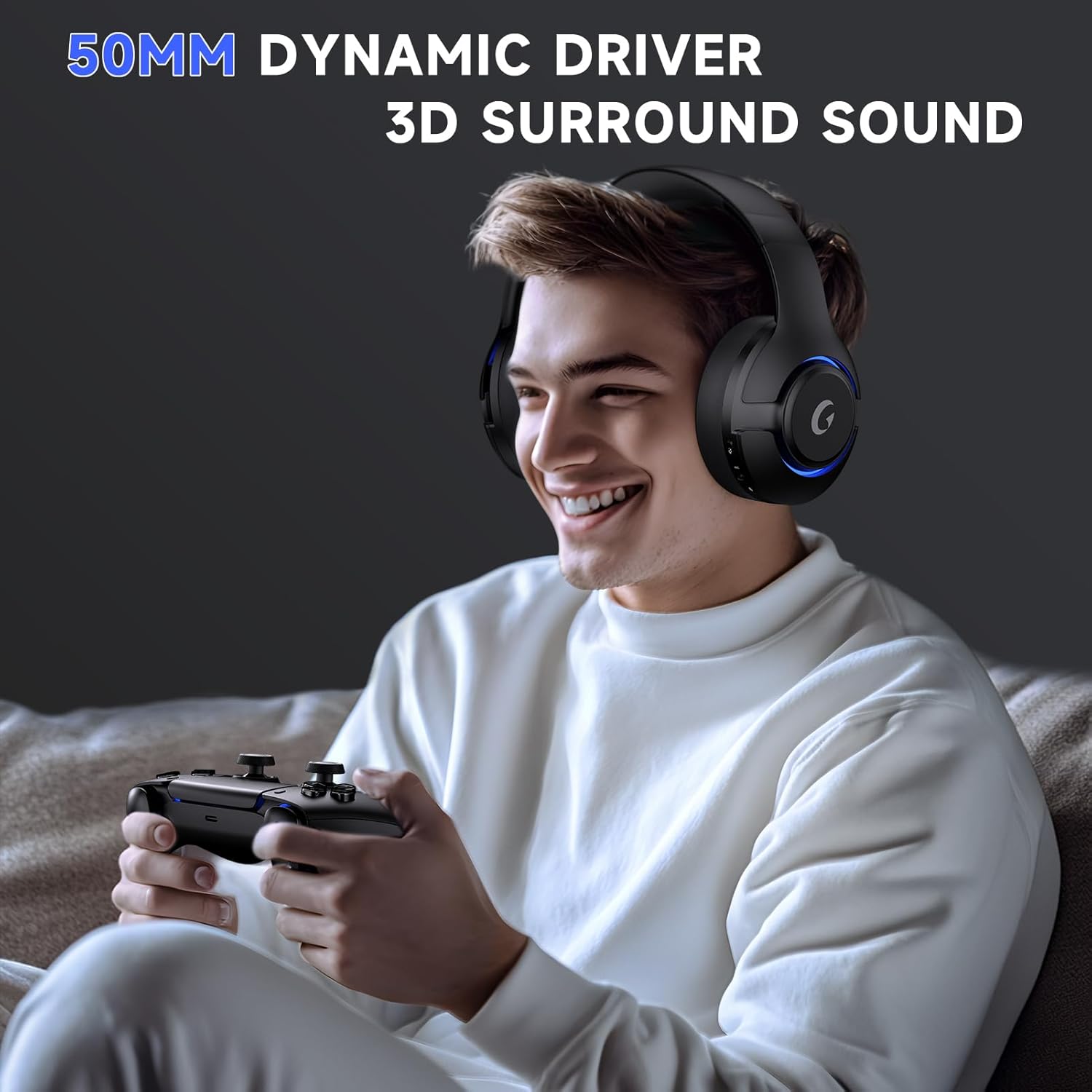
The headset is equipped with powerful 50mm dynamic drivers and 3D surround sound, pulling you right into the action for an immersive gaming experience.

This image illustrates the headset in use, emphasizing its advanced audio features like 50mm dynamic drivers and 3D surround sound for a rich audio experience.
دیکھ بھال
صفائی
Use a soft, dry cloth to clean the headset. Avoid using harsh chemicals or abrasive materials that could damage the surface or components.
ذخیرہ
Store the headset in a cool, dry place away from direct sunlight and extreme temperatures to prolong its lifespan.
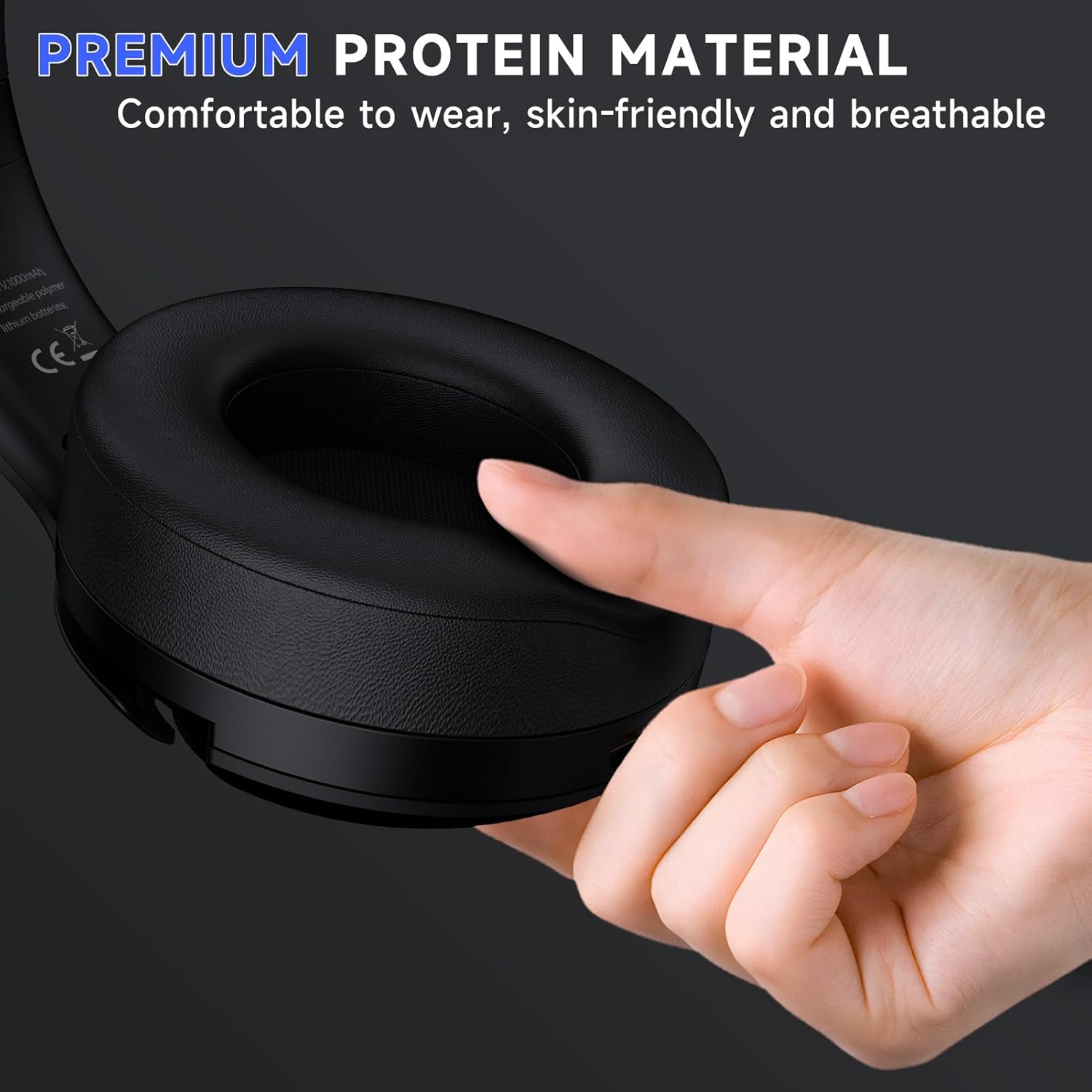
This image showcases the soft, skin-friendly, and breathable earcups designed for long-wearing comfort.
The headset displayed on a stand, demonstrating its compact size and how it can be stored when not in use.
خرابی کا سراغ لگانا
مشترکہ مسائل اور حل
- Microphone Not Working on Switch: The microphone is not compatible with Nintendo Switch when using the 2.4GHz USB mode.
- Microphone Muted: If the microphone does not work, please check if the "Microphone Button" on the headset is muted. Switch it to unmute for proper function.
- Echo on PS5: To reduce echo when using the headset with PS5, it is recommended to keep the volume level between 80%-85%.
- Xbox Controller Connectivity: When using a 3.5mm audio cable to connect to an Xbox controller, an adapter (not included) is required. Audio cables alone are not directly compatible with Xbox controllers.
For further assistance and detailed solutions, please refer to the official Troubleshooting Guide (PDF) available for download: ٹربل شوٹنگ گائیڈ (پی ڈی ایف).
وضاحتیں
| فیچر | تفصیل |
|---|---|
| ماڈل کا نام | کیپٹن 370 |
| کنیکٹوٹی ٹیکنالوجی | Wireless, Bluetooth, 3.5mm Wired |
| وائرلیس کمیونیکیشن | Bluetooth 5.3, 2.4GHz USB dongle |
| آڈیو ڈرائیور کا سائز | 50 ملی میٹر |
| بیٹری کی زندگی | 45 گھنٹے تک |
| چارج کرنے کا وقت | تقریبا 3 گھنٹے (ٹائپ-سی) |
| آڈیو دیر | 20 ملی سیکنڈز |
| وائرلیس رینج | 49 فٹ تک |
| شور کنٹرول | Sound Isolation, ENC Noise Cancelling Microphone |
| وزن | 0.5 کلوگرام (1.1 پاؤنڈ) |
| مواد | Polycarbonate (PC), Leather, Acrylonitrile Butadiene Styrene (ABS) |
| یو پی سی | 810186881061 |
وارنٹی اور سپورٹ
Gtheos products are designed for quality and reliability. For detailed warranty information and technical support, please refer to the contact details provided in your product packaging or visit the official Gtheos webسائٹ
آپ اضافی معاونت اور مصنوعات کی معلومات بھی ملاحظہ کر سکتے ہیں۔ Gtheos Store on Amazon.


