1. تعارف
This manual provides comprehensive instructions for the KOSPET Magic R10 GPS Smart Watch. It covers device setup, operational procedures, maintenance guidelines, and troubleshooting tips to ensure optimal performance and user experience. Please read this manual thoroughly before using your device.

Image 1.1: KOSPET Magic R10 Smart Watch displaying time, date, battery, steps, and calories.
2. باکس میں کیا ہے۔
پیکیج کھولنے پر، تصدیق کریں کہ تمام اشیاء موجود ہیں:
- 1 x KOSPET Magic R10 Stainless Steel Smart Watch
- 1 X چارجر کیبل
- 1 ایکس یوزر مینوئل (یہ دستاویز)
3. سیٹ اپ
3.1 ابتدائی چارجنگ
Before first use, fully charge your KOSPET Magic R10 Smart Watch. Connect the provided charger cable to the watch's charging port and a USB power source. The watch display will indicate charging status.
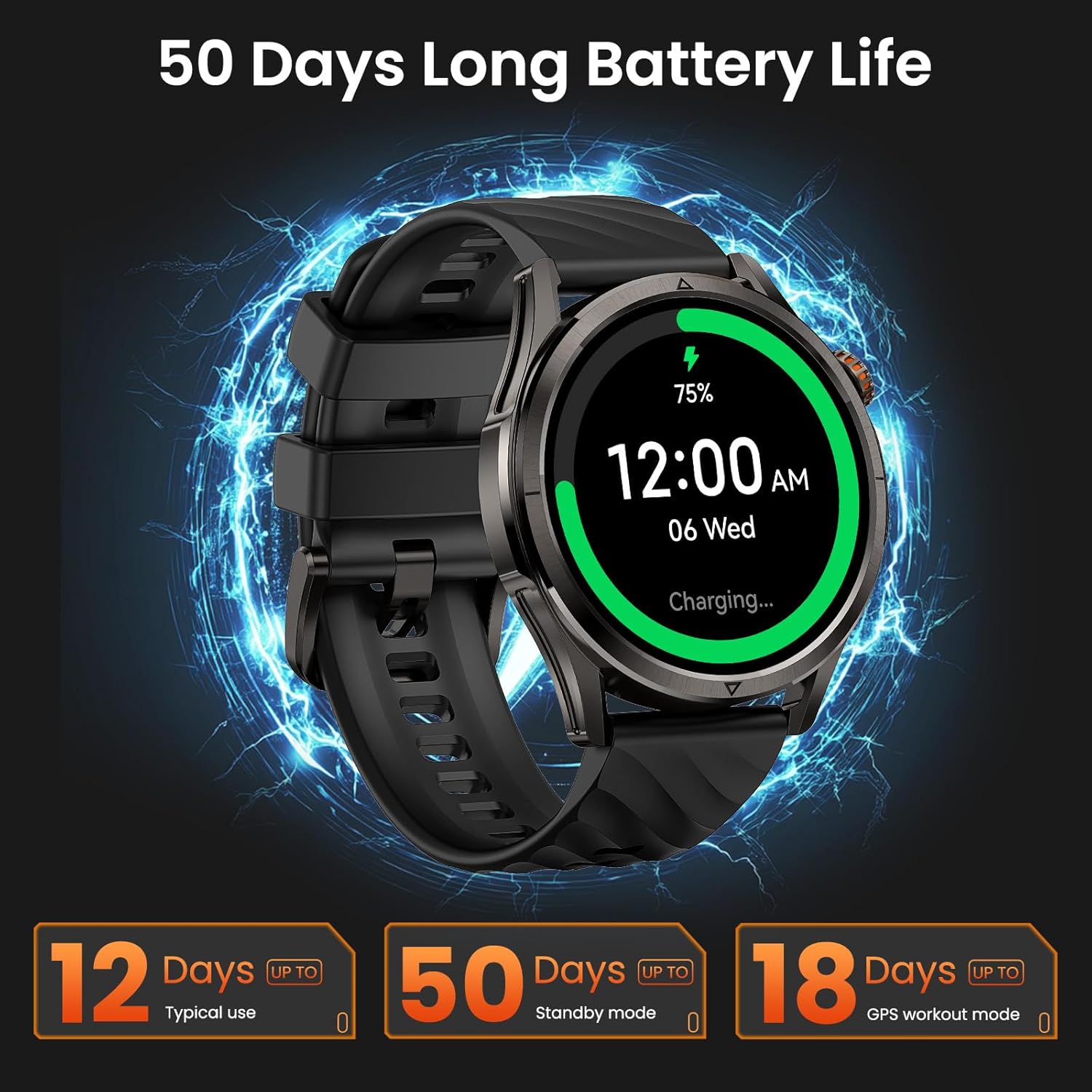
Image 3.1: KOSPET Magic R10 Smart Watch on a charger, indicating 75% battery and displaying battery life estimates.
3.2 App Installation (Apexmove)
The KOSPET Magic R10 Smart Watch requires the Apexmove application for full functionality. The app is compatible with iOS 10.0+ and Android 5.1+ devices.
- Download the 'Apexmove' app from the Apple App Store (for iOS) or Google Play Store (for Android).

Image 3.2: Download the Apexmove app from your device's app store.
3.3 Pairing with Phone
To connect your watch to your smartphone:
- یقینی بنائیں کہ آپ کے فون کا بلوٹوتھ فعال ہے۔
- Open the Apexmove app. Navigate to 'Device' and select 'Add a new device'.
- The app will search for your watch. Select 'KOSPET Magic R10' from the list.
- اپنے فون اور گھڑی دونوں پر جوڑا بنانے کی درخواست کی تصدیق کریں۔

Image 3.3: Connection steps for iOS devices.
3.4 Notification Setup
To receive messages and app notifications on your watch, follow these steps:
iOS آلات کے لئے:
- Ensure the Apexmove app remains active in the background.
- In the Apexmove app, go to 'Device' and open 'SMS Reminder' to enable SMS notifications.
- Still in 'Device', click 'App Notification' and enable notifications for desired applications.
- Go to your iPhone's 'Settings' > 'Notifications' > 'Apexmove' and allow notifications.

Image 3.4: iOS message and app notification setup.
اینڈرائیڈ ڈیوائسز کے لیے:
- Keep the Apexmove app active (add to whitelist in settings if necessary).
- Turn off 'Do Not Disturb' and 'Low Power Mode' on your phone.
- In the Apexmove app, go to 'Device' and open 'SMS Reminder' to enable SMS notifications.
- Still in 'Device', click 'App Notification' and enable notifications for desired applications.
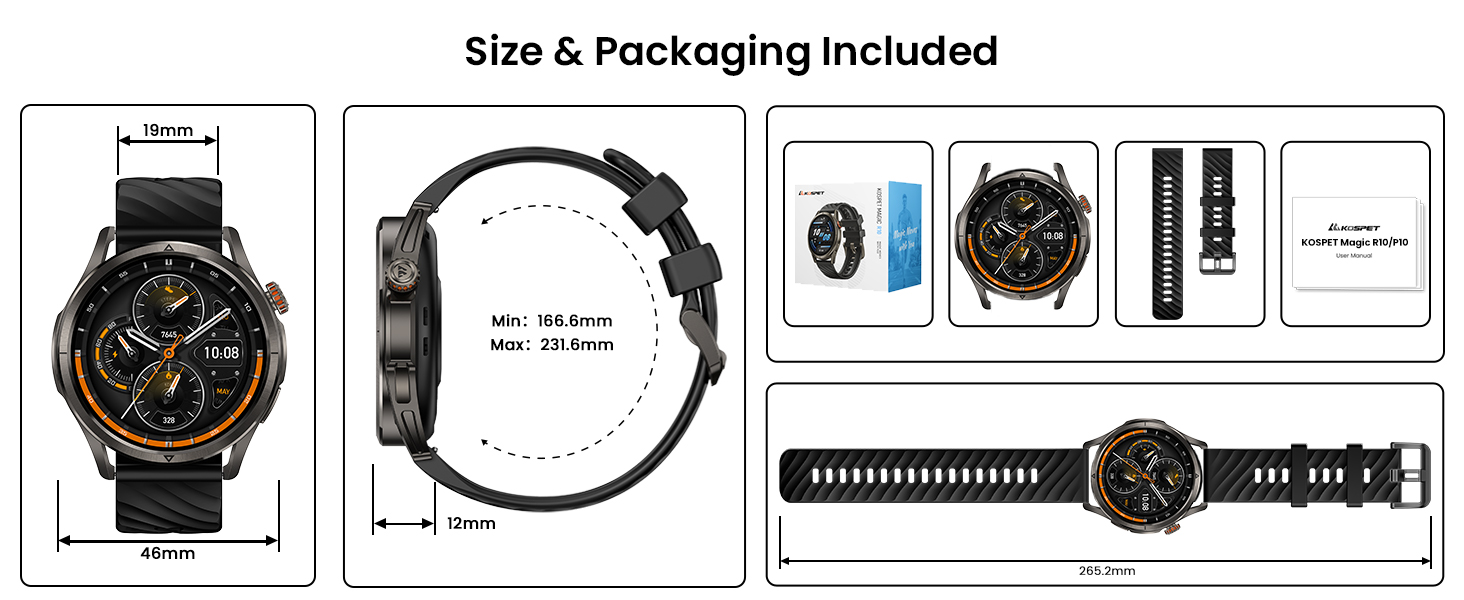
Image 3.5: Android message and app notification setup.
4. آپریٹنگ ہدایات
4.1 ڈسپلے اور نیویگیشن
The Magic R10 features a 1.43" AMOLED display with Corning Gorilla Glass for durability and clear visibility. Navigate the watch interface using touch gestures and the physical buttons.
4.2 GPS کی فعالیت
The watch includes built-in GPS that connects to 6 satellite systems, providing accurate location tracking. Dual-band GNSS ensures reliable signal strength, even in challenging environments. An integrated Altitude Pressure Compass provides elevation data and directional guidance.

Image 4.1: Multi-GNSS positioning and route tracking.
4.3 کھیل کے طریقے
The Magic R10 supports 180 sport modes. It also features 6 smart recognition sports (walking, cycling, elliptical, etc.) that automatically detect and begin monitoring your activity without manual input.

Image 4.2: Apexmove app interface displaying activity data for various sports.
4.4 صحت کی نگرانی
The watch is equipped with a 4PD sensor for comprehensive health tracking, including:
- دل کی دھڑکن: Continuous 24/7 heart rate monitoring.
- SpO2: Blood oxygen saturation tracking.
- نیند کی نگرانی: نیند s کو ٹریک کرتا ہے۔tages اور مدت.
- Stress and Emotions: Monitors stress levels.
- Menstrual Cycles: Provides tracking for women's health.
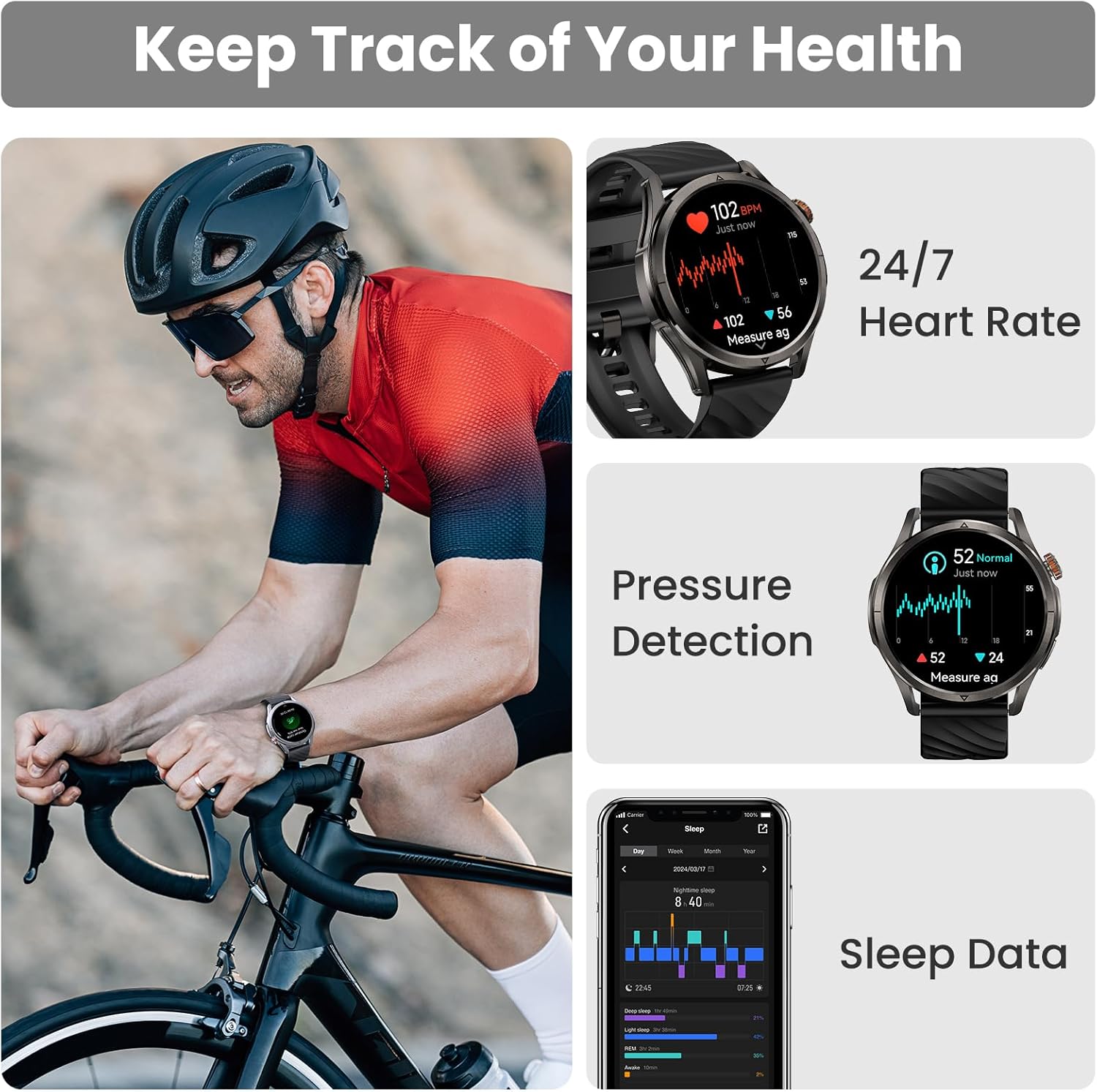
Image 4.3: Health monitoring features including heart rate, pressure, and sleep data.

Image 4.4: Menstrual cycle tracking interface.
Image 4.5: Heart rate monitoring during exercise.

Image 4.6: Sleep monitoring data display.
4.5 Calling and Notifications
The watch allows you to answer and make calls directly from your wrist when connected to your phone. It also displays message reminders and notifications from various applications.

Image 4.7: Call management, voice assistant, and message reminders.
4.6 وائس اسسٹنٹ
Utilize the built-in voice assistant for hands-free task execution, such as checking weather or initiating calls.
5 دیکھ بھال
5.1 پانی کی مزاحمت
The Magic R10 has a 5ATM water resistance rating, making it suitable for swimming and daily exposure to water (rain, sweat). It is not recommended for diving or high-pressure water activities.

Image 5.1: Watch being used for swimming, demonstrating 5ATM water resistance.
5.2 صفائی
باقاعدگی سے اپنی گھڑی اور پٹے کو نرم سے صاف کریں، ڈیamp کپڑا سخت کیمیکلز یا کھرچنے والے مواد کے استعمال سے پرہیز کریں۔ یقینی بنائیں کہ چارج کرنے سے پہلے چارجنگ رابطے صاف اور خشک ہیں۔
5.3 بیٹری کی دیکھ بھال
بیٹری کی زندگی کو طول دینے کے لیے:
- انتہائی درجہ حرارت سے پرہیز کریں۔
- Charge the watch fully before prolonged storage.
- Do not allow the battery to completely drain frequently.
6 خرابیوں کا سراغ لگانا
6.1 بلوٹوتھ کنکشن کے مسائل
If your watch fails to connect or maintain a Bluetooth connection:
- یقینی بنائیں کہ آپ کے فون اور گھڑی پر بلوٹوتھ فعال ہے۔
- اپنے فون اور گھڑی دونوں کو دوبارہ شروع کریں۔
- Ensure the Apexmove app is updated to the latest version.
- Try unpairing the watch from your phone's Bluetooth settings and then re-pairing through the Apexmove app.
- Check if other Bluetooth devices are causing interference. Temporarily disconnect other devices if necessary.
6.2 مختصر بیٹری لائف
اگر بیٹری کی زندگی توقع سے کم ہے:
- اسکرین کی چمک کو کم کریں۔
- Disable 'Always On Display' if enabled.
- Limit frequent GPS usage or long GPS tracking sessions.
- غیر ضروری اطلاعات کو بند کر دیں۔
- Ensure the watch is fully charged using the provided cable.
6.3 صحت کا غلط ڈیٹا
For accurate health monitoring:
- اس بات کو یقینی بنائیں کہ گھڑی آپ کی کلائی پر اچھی طرح سے پہنی ہوئی ہے، زیادہ تنگ یا زیادہ ڈھیلی نہیں۔
- سینسر کے علاقے کو صاف رکھیں۔
- Avoid excessive movement during measurements (e.g., SpO2).
7. وضاحتیں
| فیچر | تفصیلات |
|---|---|
| ماڈل نمبر | Magic R10 |
| اسکرین کا سائز | 1.43 انچ |
| ڈسپلے کی قسم | AMOLED |
| جسمانی مواد | سٹینلیس سٹیل |
| پانی کی مزاحمت | 5ATM |
| جی پی ایس | Built-in GPS (6 satellite systems, Dual-band GNSS) |
| بیٹری کی صلاحیت | 450 ملی۔amp گھنٹے |
| بیٹری کی زندگی (عام استعمال) | 12 دن تک |
| Battery Life (GPS Workout Mode) | 18 گھنٹے تک |
| Battery Life (Standby Mode) | 50 دن تک |
| میموری ذخیرہ کرنے کی صلاحیت | 128 MB |
| آپریٹنگ سسٹم کی مطابقت | Android 5.1+ اور iOS 10.0+ |
| کنیکٹوٹی | بلوٹوتھ |
| خصوصی خصوصیات | Activity Tracker, Always On Display, GPS, Notifications, Voice Assistant, Phone Call |
| شے کا وزن | 9.6 اونس |

Image 7.1: Watch dimensions and package contents.
8. وارنٹی اور سپورٹ
For warranty information and customer support, please refer to the official KOSPET webسائٹ یا اس خوردہ فروش سے رابطہ کریں جس سے آپ نے ڈیوائس خریدی تھی۔ وارنٹی کے دعووں کے لیے اپنی خریداری کا ثبوت رکھیں۔