1. تعارف
Welcome to the user manual for your DOOGEE Note58 Pro Android 16 Smartphone. This guide provides essential information to help you set up, operate, maintain, and troubleshoot your device. Please read this manual thoroughly to ensure optimal performance and longevity of your smartphone.
2. کلیدی خصوصیات
- اینڈرائیڈ 16 آپریٹنگ سسٹم: Experience the latest Android 16 OS, optimized for 64-bit applications, offering enhanced startup and response times. Enjoy a user-friendly interface with features like Private Space for sensitive data and App Pair for efficient multitasking.
- Generous Memory & Storage: Equipped with 32GB RAM (8GB physical + 24GB expandable virtual RAM) and 256GB internal storage, expandable up to 2TB via a TF card. This configuration supports smooth multitasking and ampآپ کے سب کے لیے جگہ files.
- Immersive 90Hz HD+ Display: Features a 6.75-inch HD+ IPS display with a 90Hz refresh rate and 1600x720 resolution for a fluid visual experience. Includes two eye-care modes to reduce strain during extended use.
- High-Resolution Camera System: Capture vivid images with the 16MP main camera and natural selfies with the 8MP front camera. Additional depth and macro cameras enhance photographic capabilities.
- دیرپا بیٹری: A large 6250mAh battery provides extended usage, allowing you to comfortably use your phone for photography, gaming, and work throughout the day without frequent recharging.
- Advanced Connectivity & Navigation: Supports Bluetooth 5.2 for stable, low-power connections and Wi-Fi 5 for fast data transfer. Integrated GPS, GLONASS, Galileo, and BeiDou systems ensure accurate navigation in diverse environments.
- چیکنا ڈیزائن: Boasts an ultra-thin 8.6mm profile with a dirt-resistant finish and a smooth sand-textured back cover for a stylish and comfortable grip.
3. سیٹ اپ
3.1 سم کارڈز اور TF کارڈ داخل کرنا
- اپنے آلے کے سائیڈ پر سم کارڈ ٹرے کو تلاش کریں۔
- فراہم کردہ SIM Ejector ٹول کو ٹرے کے آگے چھوٹے سوراخ میں داخل کریں اور ٹرے کے باہر آنے تک آہستہ سے دھکیلیں۔
- اپنے نینو سم کارڈز اور/یا TF کارڈ کو ٹرے پر متعین سلاٹس میں رکھیں۔ یقینی بنائیں کہ سونے کے رابطے نیچے کی طرف ہوں۔
- ٹرے کو احتیاط سے آلے میں واپس دھکیلیں جب تک کہ یہ فلش نہ ہو۔
3.2 پاور آن/آف۔
- To power on: Press and hold the Power button (located on the right side) until the DOOGEE logo appears.
- پاور آف کرنے کے لیے: پاور بٹن کو دبائیں اور تھامیں، پھر اسکرین پر موجود اختیارات میں سے "پاور آف" کو منتخب کریں۔
- To restart: Press and hold the Power button, then select "Restart" from the options on the screen.
3.3 ابتدائی سیٹ اپ وزرڈ
پہلی بار پاور آن ہونے پر، ابتدائی سیٹ اپ مکمل کرنے کے لیے آن اسکرین ہدایات پر عمل کریں، بشمول زبان کا انتخاب، وائی فائی کنکشن، گوگل اکاؤنٹ لاگ ان، اور سیکیورٹی سیٹنگز۔
4. آپریٹنگ ہدایات
4.1 ٹچ اسکرین اشارے
- تھپتھپائیں: Touch the screen once to select an item, open an app, or press a button.
- ٹچ اینڈ ہولڈ: Touch and hold an item to access contextual menus or drag items.
- سوائپ: Drag your finger across the screen to scroll, switch screens, or dismiss notifications.
- چوٹکی: تصاویر کو زوم ان یا آؤٹ کرنے کے لیے دو انگلیوں کا استعمال کریں۔ web صفحات
4.2 نیویگیشن بار
The navigation bar at the bottom of the screen typically includes:
- پیچھے کا بٹن: پچھلی اسکرین پر واپس آجاتا ہے۔
- ہوم بٹن: ہوم اسکرین پر واپس آجاتا ہے۔
- Recents button: حال ہی میں استعمال شدہ ایپلیکیشنز دکھاتا ہے۔
4.3 حفاظتی خصوصیات
The Note58 Pro supports multiple security options:
- فنگر پرنٹ انلاک: Register your fingerprint for quick and secure unlocking. The fingerprint sensor is typically integrated into the power button.
- فیس انلاک: چہرے کی شناخت کے ساتھ اپنے آلے کو غیر مقفل کرنے کے لیے سامنے والا کیمرہ استعمال کریں۔
- پیٹرن، پن، پاس ورڈ: معیاری Android سیکیورٹی کے اختیارات۔

Image: Face Unlock and Fingerprint Sensor
5. کیمرے کا استعمال
The DOOGEE Note58 Pro features a versatile camera system to capture your moments.
5.1 Main Camera (16MP)
The 16MP main camera captures clear and detailed photos. Open the Camera app and select "Photo" mode for standard shots.

Image: Rear Camera Setup
5.2 Front Camera (8MP)
The 8MP front camera is ideal for natural-looking selfies and video calls. Switch to the front camera within the Camera app.

Image: 8MP Front Camera
5.3 AI Camera Features
Utilize Google AI Camera features for enhanced photography, including object recognition, text extraction, and scene analysis.

Image: Google AI Camera Features
6. کنیکٹیویٹی
6.1 وائی فائی کنکشن
Wi-Fi نیٹ ورک سے جڑنے کے لیے:
- پر جائیں۔ ترتیبات > نیٹ ورک اور انٹرنیٹ > وائی فائی.
- Wi-Fi کو ٹوگل کریں۔
- فہرست سے اپنا مطلوبہ نیٹ ورک منتخب کریں اور اگر ضرورت ہو تو پاس ورڈ درج کریں۔

Image: High-Speed Wi-Fi 5
6.2 بلوٹوتھ جوڑی
بلوٹوتھ ڈیوائس کے ساتھ جوڑا لگانا:
- پر جائیں۔ ترتیبات > منسلک آلات > بلوٹوتھ.
- بلوٹوتھ کو ٹوگل کریں۔
- Make sure your other device is in pairing mode.
- Select the device from the list and follow any on-screen prompts.
6.3 NFC فعالیت
The Note58 Pro supports NFC for contactless payments and data transfer. Ensure NFC is enabled in settings to use this feature.

Image: Multifunctional NFC
*Note: Mobile payment services like Google Pay may not be supported in all regions.
7. بیٹری کا انتظام
The DOOGEE Note58 Pro is equipped with a 6250mAh large-capacity battery for extended use.
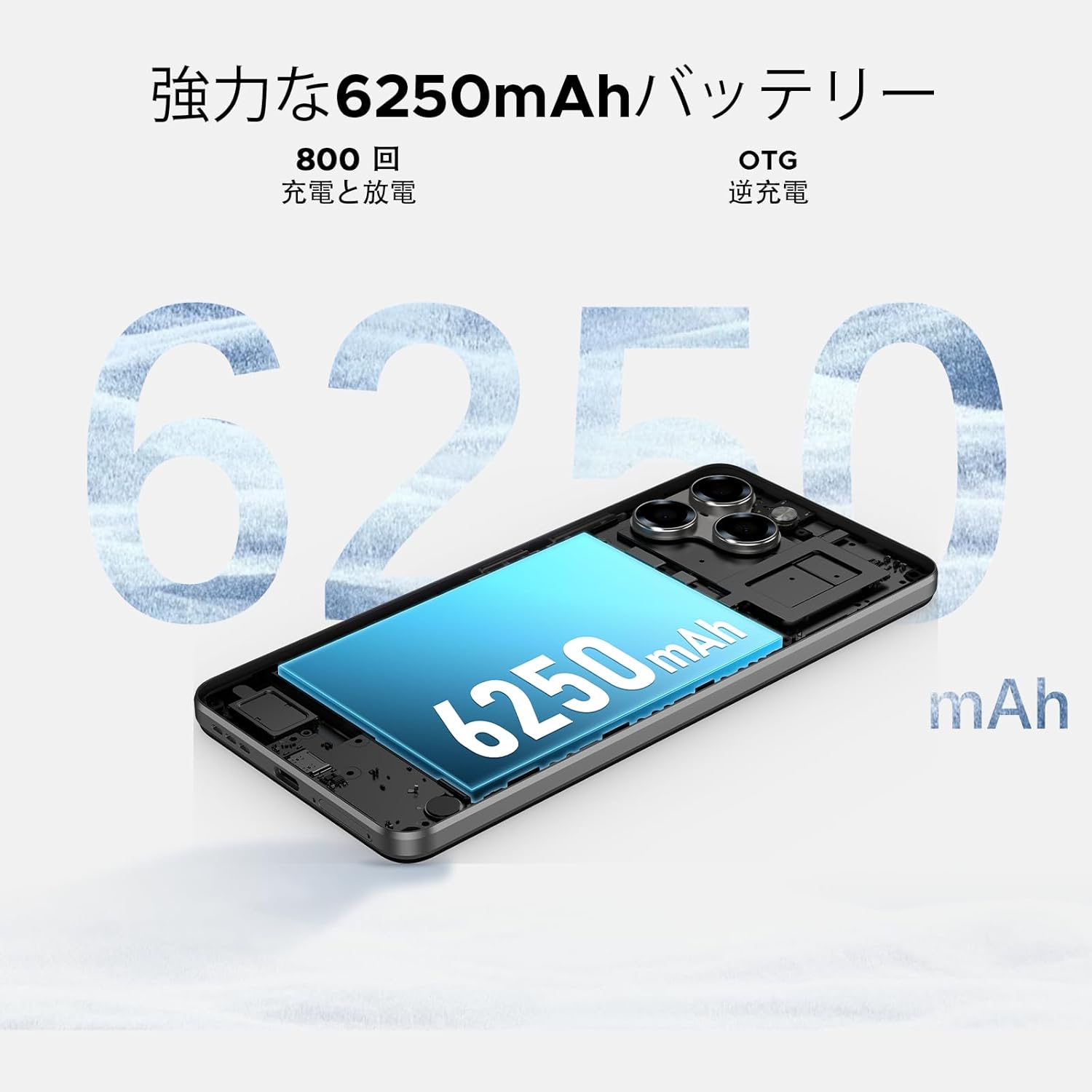
Image: 6250mAh Large Capacity Battery
7.1 اپنے آلے کو چارج کرنا
Use the provided Type-C cable and charger to charge your smartphone. Connect the Type-C end to the phone's charging port and the adapter to a power outlet. The battery icon on the screen will indicate charging status.
7.2 بیٹری کی اصلاح
بیٹری کی زندگی کو زیادہ سے زیادہ کرنے کے لیے، درج ذیل پر غور کریں:
- اسکرین کی چمک کو کم کریں۔
- استعمال میں نہ ہونے پر Wi-Fi، بلوٹوتھ اور GPS کو بند کر دیں۔
- پس منظر کی ایپلی کیشنز بند کریں۔
- Enable battery saver mode in Settings.
8. Storage & Performance
The Note58 Pro offers robust performance and ample storage for your needs.
8.1 Memory (RAM)
With 32GB of RAM (8GB physical + 24GB expandable virtual RAM), the device ensures smooth multitasking and efficient app handling, even under heavy usage.
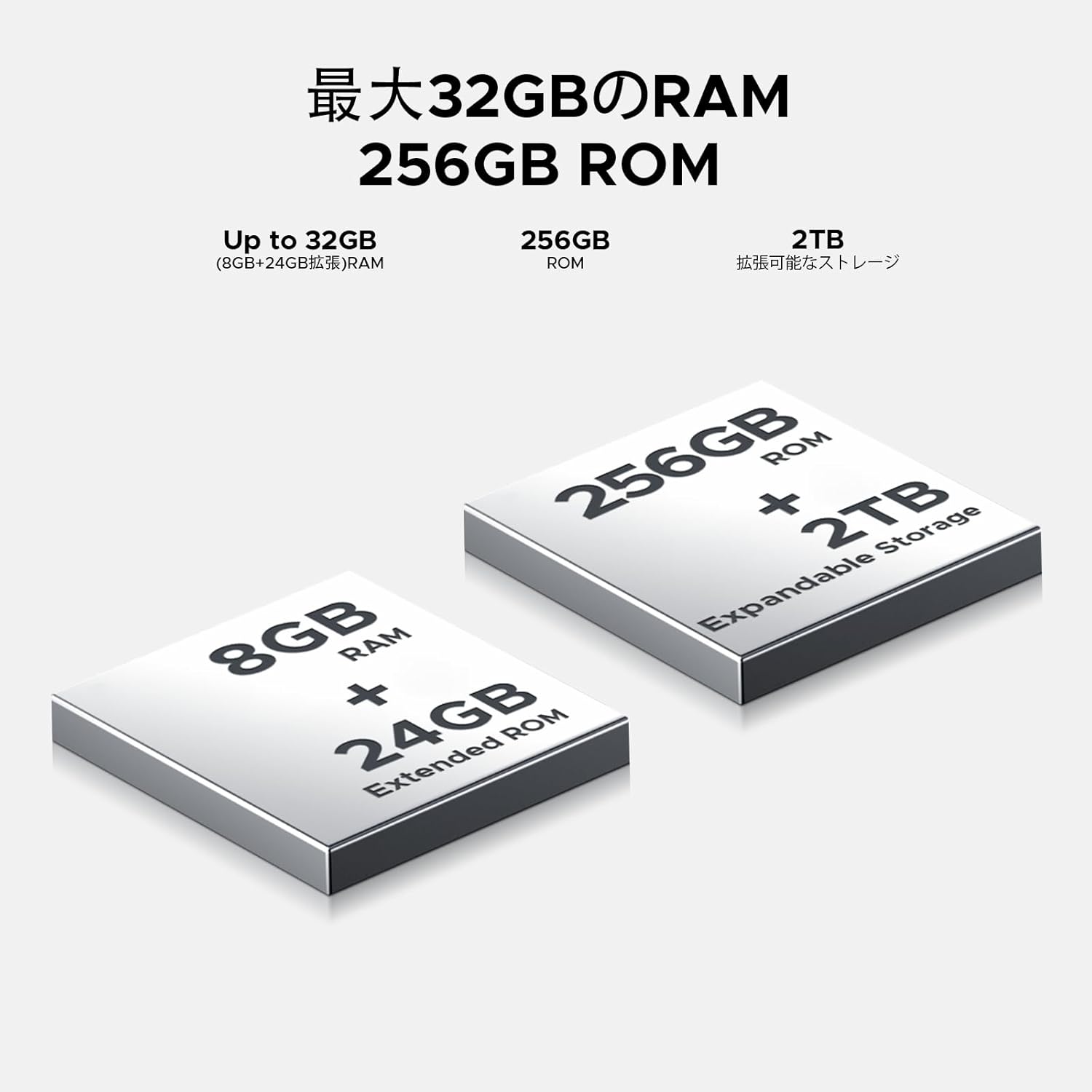
Image: 32GB RAM + 256GB ROM
8.2 Internal Storage (ROM)
The 256GB internal storage provides sufficient space for your apps, photos, and videos. For additional storage, you can expand it up to 2TB using a TF (microSD) card.

Image: 256GB ROM with 2TB Expandable Storage
8.3 پروسیسر
Powered by the Unisoc T7250 Octa-core processor, the device delivers reliable performance for daily tasks, gaming, and multimedia consumption.

Image: Powerful T7250 Octa-core Processor
9. ڈسپلے
The DOOGEE Note58 Pro features a 6.75-inch HD+ IPS display with a 90Hz refresh rate, providing a smooth and vibrant visual experience.

Image: 6.75-inch 90Hz HD+ Display
9.1 Eye-Care Modes
To reduce eye strain, activate the eye-care modes available in the display settings. These modes adjust color temperature to provide a more comfortable viewing experience, especially in low light.
9.2 وائیڈوائن L1 سپورٹ
The device supports Widevine L1, allowing you to stream high-definition content from popular platforms like Hulu, Amazon Prime Video, and HBO Max.

Image: Seamless Visual Experience with Widevine L1
10. نیویگیشن
The DOOGEE Note58 Pro integrates four major global positioning systems for accurate navigation.

Image: Precise Navigation System
10.1 Supported Systems
- GPS: گلوبل پوزیشننگ سسٹم
- گلوناس: Globalnaya Navigatsionnaya Sputnikovaya Sistema
- گلیلیو: European satellite navigation system
- BeiDou: Chinese satellite navigation system
These systems ensure reliable location tracking and navigation whether you are in urban areas, mountainous regions, or remote locations.
11 دیکھ بھال
11.1 اپنے آلے کو صاف کرنا
To clean your smartphone, use a soft, lint-free cloth. Avoid using harsh chemicals or abrasive materials, as these can damage the screen and finish. For stubborn smudges, lightly dampur پانی کے ساتھ کپڑا یا الیکٹرانکس کے لیے ڈیزائن کیا گیا سکرین کلینر۔
11.2 سافٹ ویئر اپ ڈیٹس
باقاعدگی سے سافٹ ویئر اپ ڈیٹس کو چیک کریں اور انسٹال کریں تاکہ یہ یقینی بنایا جا سکے کہ آپ کے آلے میں تازہ ترین خصوصیات، سیکیورٹی پیچ اور کارکردگی میں بہتری ہے۔ پر جائیں۔ ترتیبات > سسٹم > سسٹم اپ ڈیٹ اپ ڈیٹس کو چیک کرنے کے لیے۔
11.3 اسٹوریج مینجمنٹ
وقتاً فوقتاً دوبارہview آپ کا ذخیرہ files and applications. Delete unnecessary items to free up space and maintain optimal device performance. You can also offload large files to cloud storage or an external TF card.
12 خرابیوں کا سراغ لگانا
If you encounter issues with your DOOGEE Note58 Pro, try the following common troubleshooting steps:
- ڈیوائس آن نہیں ہو رہی ہے: یقینی بنائیں کہ بیٹری چارج ہے۔ چارجر کو جوڑیں اور دوبارہ پاور آن کرنے کی کوشش کرنے سے پہلے چند منٹ انتظار کریں۔
- ایپس کا کریش ہونا یا جمنا: Close the problematic app and reopen it. If the issue persists, restart your device. Clear the app's cache and data in ترتیبات > ایپس > [ایپ کا نام] > ذخیرہ اور کیش.
- خراب وائی فائی/بلوٹوتھ کنکشن: Ensure Wi-Fi/Bluetooth is enabled and you are within range of the network/device. Try forgetting the network/device and reconnecting. Restart your router if it's a Wi-Fi issue.
- سست کارکردگی: Close unnecessary background apps. Clear cached data. Check for available software updates. Consider performing a factory reset as a last resort (back up your data first).
- سم کارڈ کا پتہ نہیں چلا: Ensure the SIM card is correctly inserted and that your carrier's frequency bands are supported by the device. Restart the phone.
- بیٹری تیزی سے ختم ہو رہی ہے: Review میں بیٹری کا استعمال ترتیبات > بیٹری to identify power-hungry apps. Reduce screen brightness, disable unnecessary features (GPS, Bluetooth, Wi-Fi), and enable battery saver mode.
اگر ان اقدامات سے آپ کا مسئلہ حل نہیں ہوتا ہے، تو مزید مدد کے لیے براہ کرم وارنٹی اور سپورٹ سیکشن سے رجوع کریں۔
13. وضاحتیں
| فیچر | تفصیلات |
|---|---|
| برانڈ | ڈوگی |
| ماڈل نمبر | N58 پرو |
| آپریٹنگ سسٹم | اینڈرائیڈ 16 |
| اسکرین کا سائز | 6.75 انچ |
| ڈسپلے کی قسم | LCD |
| انسٹال شدہ RAM میموری کا سائز | 32 جی بی |
| میموری ذخیرہ کرنے کی صلاحیت | 256 جی بی (ٹی ایف کارڈ کے ذریعے 2 ٹی بی تک قابل توسیع) |
| بیٹری کی صلاحیت | 6250 ایم اے ایچ |
| مین کیمرہ | 16 MP |
| سامنے والا کیمرہ | 8 MP |
| کنیکٹوٹی ٹیکنالوجی | Bluetooth 5.2, Wi-Fi 5, 4G Dual SIM, NFC |
| نیوی گیشن سسٹم | GPS، GLONASS، Galileo، BeiDou |
| شے کا وزن | 199 گرام |
| پیکیج کے طول و عرض | 19.2 x 10.4 x 5.2 سینٹی میٹر |
| ریلیز کا سال | 2025 |
14. وارنٹی اور سپورٹ
The DOOGEE Note58 Pro comes with a one-year warranty from the date of purchase.
14.1 Frequency Band Compatibility
Before purchase, please verify that the device's supported frequency bands are compatible with your local carrier. Supported bands include:
- GSM: B2/3/5/8
- WCDMAB: 1/2/4/5/8
- TDD: 38/40/41
- FDD: B1/2/3/4/5/7/8/18/19/20/25/26/28A/28B/66
14.2 تکنیکی معاونت
Should you encounter any issues or require technical assistance, please contact our customer support. Our technical specialists are committed to responding within 48 hours.

Image: Customer Service Information
15. پیکیج کے مشمولات
The following items are included in your DOOGEE Note58 Pro package:
- 1x DOOGEE Note58 Pro Smartphone
- 1x Type-C کیبل
- 1x چارجر
- 1x SIM Card Pin
- 1x پیکیجنگ باکس
- 1x فون کیس

تصویر: پیکیج کے مشمولات
16. رنگ کے اختیارات
The DOOGEE Note58 Pro is available in the following colors:
- Inkstone Black
- Amber Gold
- Silver (as seen in product videos)

Image: Color Options
17. پروڈکٹ ویڈیوز
17.1 DOOGEE Note58 Pro Overview
Video: This video provides a quick overview of the DOOGEE Note58 Pro, showcasing its unboxing, design, camera features, and multimedia capabilities. It highlights the phone's sleek appearance and user experience.


