1. تعارف
This manual provides essential information for the safe and effective operation of your ZENTALITY Mini Projector A10 PLUS. Please read this manual thoroughly before using the product and retain it for future reference.
پروڈکٹ ختمview
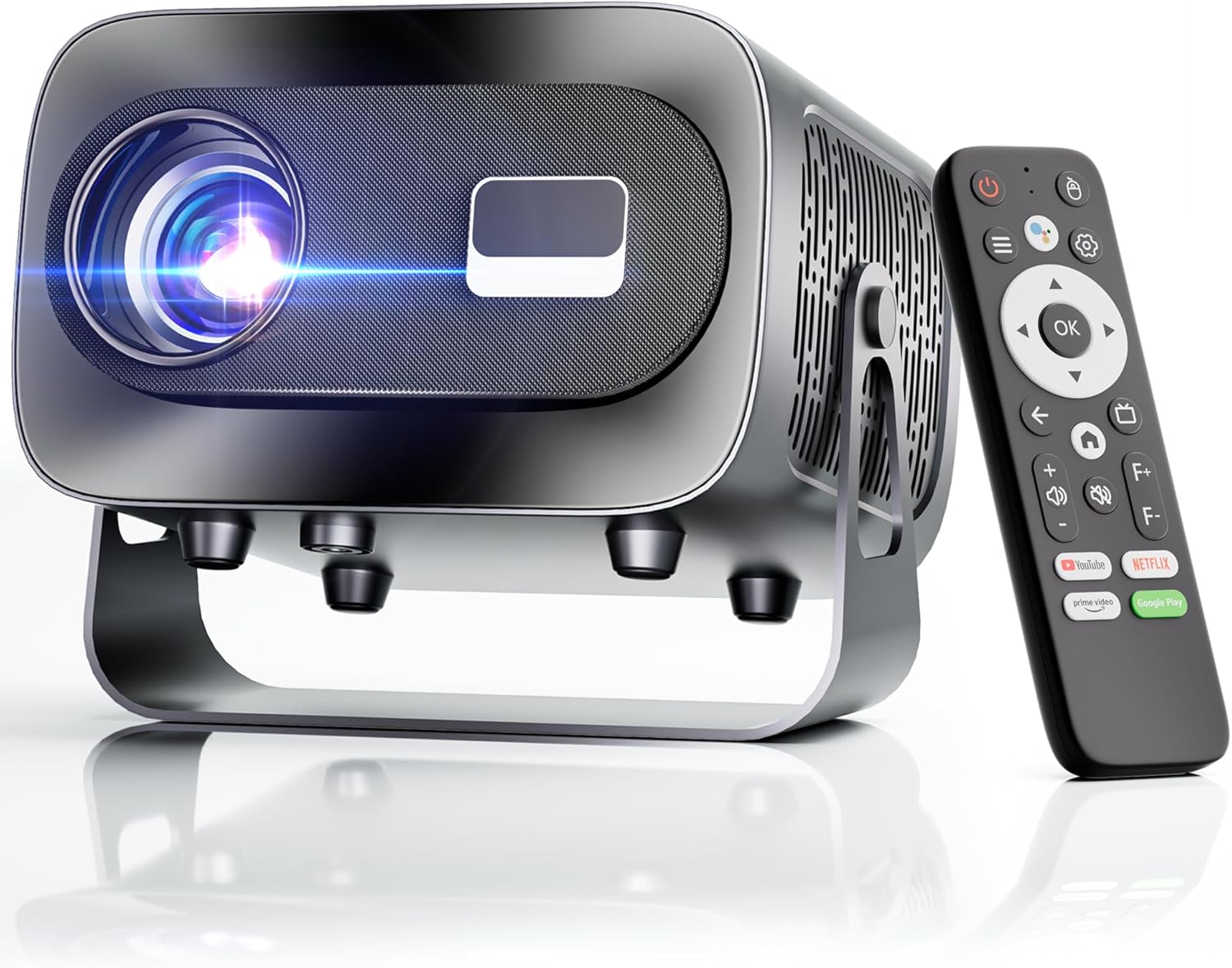
The ZENTALITY Mini Projector A10 PLUS is a smart projector featuring Android 13, designed for versatile home and outdoor entertainment. It supports 4K and 1080P HD content, offers electric focus, auto vertical keystone correction, and includes dual-band WiFi 6 and Bluetooth 5.1 connectivity. Its compact design and multiple input options make it suitable for various applications.
باکس میں کیا ہے۔
- ZENTALITY Mini Projector A10 PLUS
- HDMI کیبل
- پاور اڈاپٹر
- ریموٹ کنٹرول
- صارف دستی (یہ دستاویز)
2. حفاظتی معلومات
پروجیکٹر کو پہنچنے والے نقصان کو روکنے اور صارف کی حفاظت کو یقینی بنانے کے لیے براہ کرم درج ذیل حفاظتی احتیاطی تدابیر پر عمل کریں:
- وینٹیلیشن کے سوراخوں کو مسدود نہ کریں۔ زیادہ گرم ہونے سے بچنے کے لیے پروجیکٹر کے ارد گرد مناسب ہوا کا بہاؤ یقینی بنائیں۔
- Avoid direct exposure to the projector lens light. The bright light can cause eye strain or damage.
- Use only the provided power adapter. Using an incompatible adapter may cause fire, electric shock, or damage.
- Keep the projector away from water or other liquids. Do not operate in damp ماحولیات
- پروجیکٹر کو خود سے جدا کرنے یا مرمت کرنے کی کوشش نہ کریں۔ تمام خدمات کو اہل اہلکاروں سے رجوع کریں۔
- پروجیکٹر کو ایک مستحکم سطح پر رکھیں تاکہ اسے گرنے سے روکا جا سکے۔
- بچوں کی پہنچ سے دور رکھیں۔
3. Product Components and Ports
Familiarize yourself with the projector's physical features and connectivity options.

دستیاب بندرگاہیں:
- USB (x2): For connecting USB drives, external storage, or other USB-compatible devices.
- HDMI: For connecting devices such as laptops, gaming consoles, or TV sticks.
- آڈیو آؤٹ (3.5 ملی میٹر جیک): بیرونی اسپیکر یا ہیڈ فون کو جوڑنے کے لیے۔
- پاور ان پٹ: پاور اڈاپٹر کو جوڑنے کے لیے۔
4. ابتدائی سیٹ اپ
4.1 پاور کنکشن
- پاور اڈاپٹر کو پروجیکٹر کے پاور ان پٹ پورٹ سے جوڑیں۔
- پاور اڈاپٹر کو وال آؤٹ لیٹ میں لگائیں۔
- اسے آن کرنے کے لیے پروجیکٹر یا ریموٹ کنٹرول پر پاور بٹن دبائیں۔
4.2 ریموٹ کنٹرول جوڑی بنانا
Important: The remote control must be paired via Bluetooth before it can operate smoothly within 1-3 meters.
- یقینی بنائیں کہ پروجیکٹر آن ہے۔
- Navigate to the projector's Bluetooth settings (usually found in the 'Settings' menu).
- Select 'Pair new device' or similar option.
- On the remote control, press and hold the designated pairing button (refer to the remote's specific instructions if available, often a combination of 'OK' and 'Volume Down' or a dedicated Bluetooth button).
- Once the remote appears in the projector's Bluetooth device list, select it to complete pairing.

4.3 Placement and Screen Adjustment
The projector offers automatic and electric adjustments for optimal image clarity and alignment.
- الیکٹرک فوکس: The projector features electric focus for instant clarity. Use the 'F+' and 'F-' buttons on the remote control to fine-tune the image sharpness.
- خودکار عمودی کی اسٹون تصحیح: The projector automatically corrects vertical image distortion up to ±15°. This ensures a rectangular image even if the projector is not perfectly perpendicular to the screen.
- زوم فنکشن: Adjust the image size from 50% to 100% without moving the projector. This is useful for fitting the projection to your screen size.


5. آپریٹنگ ہدایات
5.1 Android 13 Interface and App Access
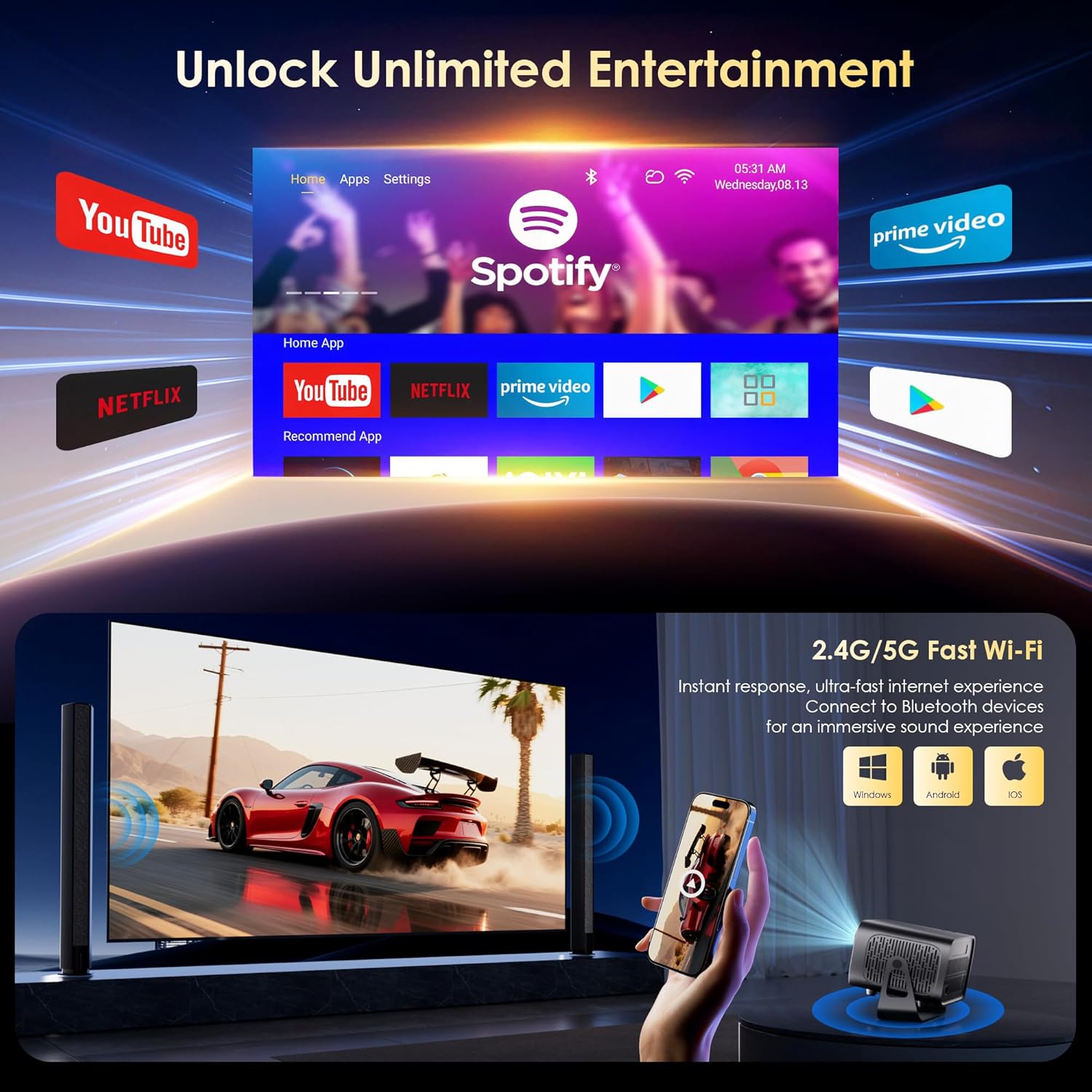
The projector runs on Android 13, providing access to a wide range of streaming applications.
- Upon startup, the home screen will display pre-installed applications like Netflix, Prime Video, and YouTube.
- ریموٹ کنٹرول کے ڈائریکشنل پیڈ اور 'اوکے' بٹن کا استعمال کرتے ہوئے نیویگیٹ کریں۔
- Access the built-in app store (e.g., Google Play Store) to download additional applications.
- Use the voice assistant feature on the remote control for quick app launching or content search.

5.2 وائی فائی کنیکٹیویٹی
The projector supports dual-band 5G/2.4G WiFi 6 for stable internet access and screen mirroring.
- Go to 'Settings' on the home screen.
- 'نیٹ ورک اور انٹرنیٹ' کو منتخب کریں۔
- وائی فائی کو آن کریں اور فہرست سے اپنا مطلوبہ نیٹ ورک منتخب کریں۔
- اگر اشارہ کیا جائے تو پاس ورڈ درج کریں اور جڑیں۔
Note: WiFi is required for the first setup or online apps. If you prefer not to connect to WiFi, you can use the projector offline by connecting external devices via the included HDMI cable or the USB port.

5.3 بلوٹوتھ کنیکٹیویٹی
The projector features Bluetooth 5.1 for audio streaming.
- Go to 'Settings' on the home screen.
- Select 'Connected Devices' or 'Bluetooth'.
- بلوٹوتھ آن کریں اور دستیاب آلات تلاش کریں۔
- Select your Bluetooth speaker, headphones, or soundbar from the list to pair.
Note: Bluetooth supports audio output only, not video transmission.
5.4 بیرونی آلات کو جوڑنا
The projector supports various external devices via its HDMI and USB ports.
- HDMI: Connect your laptop, gaming console, or TV stick using an HDMI cable. The projector will automatically detect the input or you may need to select the HDMI source from the input menu.
- USB: میڈیا چلانے کے لیے USB ڈرائیو داخل کریں۔ files directly. The projector's media player will typically launch automatically or can be accessed from the home screen.
5.5 پروجیکشن موڈز
The projector can be used in various orientations:
- Desktop Projection: پروجیکٹر کو اسکرین کے سامنے فلیٹ سطح پر رکھیں۔
- چھت پروجیکشن: Mount the projector upside down on the ceiling. Adjust the projection settings in the menu to flip the image.
- تپائی چڑھائی: Use the 1/4'' screw hole at the bottom to mount the projector on a tripod for flexible positioning.

6 دیکھ بھال
6.1 صفائی
- لینس: خاص طور پر آپٹیکل لینز کے لیے ڈیزائن کیا گیا نرم، لنٹ سے پاک کپڑا استعمال کریں۔ کھرچنے والے کلینر یا کپڑے استعمال نہ کریں۔
- بیرونی: پروجیکٹر کے بیرونی حصے کو نرم، خشک کپڑے سے صاف کریں۔ ضدی گندگی کے لیے، تھوڑا سا ڈیamp کپڑا استعمال کیا جا سکتا ہے، اس کے بعد خشک مسح کیا جا سکتا ہے۔
- وینٹیلیشن کھلنے: Periodically check and gently clean the ventilation openings to ensure they are free from dust and debris. Use a soft brush or compressed air.
6.2 کولنگ سسٹم
The projector features an advanced dual-fan cooling system designed for low noise and efficient heat dissipation. To ensure its longevity and stable performance:
- Always ensure the projector has adequate space around its ventilation openings.
- Avoid placing the projector on soft surfaces (e.g., blankets, carpets) that might block airflow.
- Operating the projector in extremely hot or humid environments may affect its performance and lifespan.
7 خرابیوں کا سراغ لگانا
اگر آپ کو اپنے پروجیکٹر کے ساتھ مسائل کا سامنا کرنا پڑتا ہے، تو درج ذیل عام مسائل اور حل دیکھیں:
| مسئلہ | ممکنہ وجہ | حل |
|---|---|---|
| No power/Projector won't turn on | پاور کیبل منسلک نہیں ہے؛ پاور آؤٹ لیٹ ناقص | پاور کیبل کنکشن چیک کریں؛ ایک مختلف آؤٹ لیٹ آزمائیں۔ |
| No image/Blank screen | Incorrect input source; Device not connected properly | Select correct input source (HDMI, USB); Reconnect external device |
| Image blurry/Out of focus | فوکس ایڈجسٹ نہیں ہوا۔ | Use the 'F+' and 'F-' buttons on the remote for electric focus adjustment |
| Image distorted/Trapezoid shape | کی اسٹون درست نہیں کیا گیا۔ | The projector has auto vertical keystone correction. Ensure it's on or manually adjust if needed. |
| ریموٹ کنٹرول کام نہیں کر رہا ہے۔ | Not paired via Bluetooth; Low battery | Pair the remote control via Bluetooth (Section 4.2); Replace remote batteries |
| کوئی آواز نہیں۔ | Volume too low; Incorrect audio output; Bluetooth not connected | Increase volume; Check audio output settings; Ensure Bluetooth speaker is paired |
| وائی فائی کنکشن کے مسائل | Incorrect password; Router issues; Out of range | Verify WiFi password; Restart router; Move projector closer to router |
8. وضاحتیں
Detailed technical specifications for the ZENTALITY Mini Projector A10 PLUS:
- برانڈ: ZENTALITY
- ماڈل نمبر: A10 پلس
- آئٹم کا وزن: 3.1 پاؤنڈ
- مصنوعات کے طول و عرض: 7.4 x 6.22 x 4.8 انچ
- آپریٹنگ سسٹم: اینڈرائیڈ 13
- ڈسپلے ریزولوشن: 1920 x 1080 (Native 1080P Full HD)
- 4K سپورٹ: جی ہاں
- چمک: 350 اے این ایس آئی لیمنس
- تناسب تناسب: 10,000:1
- کنیکٹوٹی ٹیکنالوجی: 3.5mm Jack, Bluetooth 5.1, HDMI, USB (x2), Wi-Fi 6 (2.4G/5G)
- خصوصی خصوصیات: Built-In Media Player, Built-In Speaker, Electric Focus, Portable, Wi-Fi Ready, Auto Vertical Keystone Correction
- تجویز کردہ استعمال: کاروبار، تعلیم، گیمنگ، ہوم سنیما
- Lamp عمر: 100,000 گھنٹے تک

9. وارنٹی اور سپورٹ
ZENTALITY is committed to providing quality products and customer satisfaction.
- معیار کی گارنٹی: 360 دن کی کوالٹی گارنٹی۔
- واپسی: 180 دن کی مفت واپسی۔
- تکنیکی معاونت: لائف ٹائم ٹیکنیکل سپورٹ۔
- کسٹمر سروس: 24/7 Fast Customer Service.
For support inquiries, please refer to the contact information provided on the ZENTALITY official webسائٹ یا آپ کی خریداری کا پلیٹ فارم۔


