1. پروڈکٹ ختمview
The NETUM Q900 is a robust handheld mobile computer designed for demanding environments such as warehousing, logistics, and asset tracking. It integrates an Android 14 operating system with a high-performance barcode scanning engine, offering reliable data capture and processing capabilities.

تصویر 1.1: آگے اور پیچھے view of the NETUM Q900 device, showcasing its ergonomic design and integrated scanner.
اہم خصوصیات:
- اعلی کارکردگی: Powered by an octa-core MT8781 processor and Android 14, with 4GB RAM and 64GB storage (expandable).
- عمیق ڈسپلے: 5.99-inch HD IPS touchscreen with multi-touch support.
- Advanced Barcode Scanning: Equipped with a Honeywell HS7 scan engine for 1D and 2D barcodes.
- Industrial-Grade Rugged Design: IP67 rated for water and dust resistance, drop-tested from 1.5 meters.
- عالمی رابطہ: Supports global 4G LTE (dual SIM), Wi-Fi 5 (dual band), Bluetooth 5.2, and full GNSS.
- لمبی بیٹری کی زندگی: 5000mAh battery providing up to 13.5 hours of operation, with quick charging via USB-C or optional docking cradle.
- Modular Expansion: Optional modules include UHF RFID, NFC, fingerprint reader, and a scan handle.
2. سیٹ اپ گائیڈ
2.1. پیکیج کے مشمولات
تصدیق کریں کہ درج ذیل اشیاء آپ کے پیکیج میں شامل ہیں:
- NETUM Q900 Mobile Computer
- USB-C چارجنگ کیبل
- پاور اڈاپٹر
- کوئیک اسٹارٹ گائیڈ
- (Optional) Docking Cradle, Hand Strap, other modules
2.2. بیٹری کی تنصیب اور چارجنگ
- ڈیوائس کے پچھلے حصے میں بیٹری کے کمپارٹمنٹ کور کو تلاش کریں۔
- Open the cover and insert the 5000mAh battery, ensuring the contacts align correctly.
- بیٹری کے کمپارٹمنٹ کور کو محفوظ طریقے سے تبدیل کریں۔
- Connect the USB-C cable to the device's charging port and the power adapter. Plug the adapter into a wall outlet.
- Allow the device to charge fully before first use. A full charge typically takes less than 4 hours.

تصویر 2.1: Illustration of the 5000mAh battery, highlighting its long-lasting power for extended use.
2.3. ابتدائی پاور آن اور بنیادی کنفیگریشن
- پاور بٹن کو اس وقت تک دبائے رکھیں جب تک آلہ وائبریٹ نہ ہو اور اسکرین آن نہ ہو۔
- Follow the on-screen prompts to complete the initial Android 14 setup, including language selection, Wi-Fi connection, and Google account setup.
- Ensure the device is connected to a stable Wi-Fi network or has a 4G LTE connection for updates and application downloads.
3. آپریٹنگ ہدایات
3.1 ٹچ اسکرین نیویگیشن
The Q900 features a responsive 5.99-inch HD IPS touchscreen. Navigate the Android interface using standard touch gestures: tap, swipe, pinch-to-zoom, and long-press.
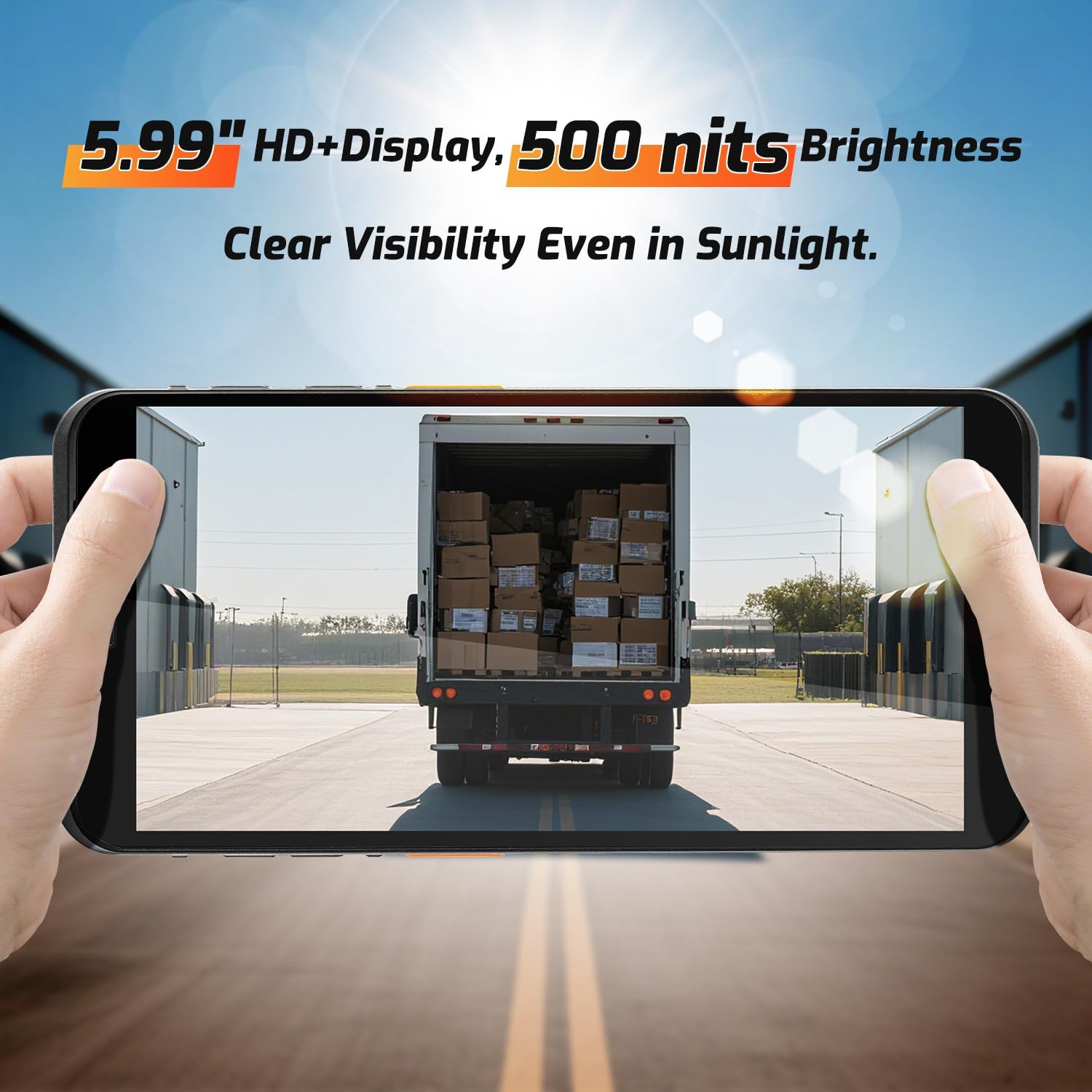
تصویر 3.1: The 5.99-inch HD+ display offers clear visibility even in bright sunlight, enhancing outdoor usability.
3.2. بارکوڈ سکیننگ
The integrated Honeywell HS7 scan engine allows for rapid and accurate capture of 1D and 2D barcodes.
- Open the scanning application or an application that supports barcode input.
- اسکینر ونڈو (ڈیوائس کے اوپری حصے میں واقع) کو بارکوڈ کی طرف رکھیں۔
- Press one of the dedicated scan buttons (typically on the side of the device) to activate the laser/imager.
- Ensure the barcode is within the scanning range (approximately 5cm to 2m+ for long-range scanning) and centered in the aiming pattern.
- A successful scan will typically be indicated by an audible beep and/or a visual confirmation on the screen.

تصویر 3.2: The Honeywell HS7 engine efficiently scans various barcode types, including damaged or difficult-to-read codes.
ویڈیو 3.1: Demonstration of the NETUM Q900's barcode scanning capabilities, including long-range scanning and DPM code recognition.
3.3. کیمرے کا استعمال
The Q900 is equipped with an 8MP front camera and a 13MP rear camera for documentation and image capture.
- ہوم اسکرین یا ایپ ڈراور سے کیمرہ ایپلیکیشن کھولیں۔
- Select between front and rear cameras as needed.
- Tap the screen to focus and press the shutter button to capture photos or videos.

تصویر 3.3: Location of the 8MP front camera, 13MP rear camera, and NFC module on the NETUM Q900.
3.4. NFC فعالیت
The device supports NFC for short-range wireless communication, enabling applications like contactless payments, data exchange, and access control.
- Ensure NFC is enabled in the device settings (Settings > Connected devices > Connection preferences > NFC).
- Hold the device near an NFC tag or compatible reader to initiate communication.
- Follow on-screen prompts for specific NFC applications.
4 دیکھ بھال
4.1. آلہ صاف کرنا
- تھوڑا سا نرم، لنٹ سے پاک کپڑا استعمال کریں۔ampened with water or a mild screen cleaner to wipe the display and exterior.
- سخت کیمیکلز، کھرچنے والے کلینر، یا ایروسول سپرے استعمال کرنے سے گریز کریں۔
- اس بات کو یقینی بنائیں کہ لوازمات کو چارج کرنے یا منسلک کرنے سے پہلے تمام بندرگاہیں خشک ہوں۔
4.2. بیٹری کی دیکھ بھال
- بیٹری کی عمر کو زیادہ سے زیادہ کرنے کے لیے، انتہائی درجہ حرارت سے بچیں۔
- If the device will not be used for an extended period, charge the battery to about 50% before storage.
- The battery is user-replaceable; refer to Section 2.2 for installation instructions.
4.3. سافٹ ویئر اپڈیٹس
بہترین کارکردگی، سیکورٹی، اور نئی خصوصیات تک رسائی کو یقینی بنانے کے لیے باقاعدگی سے سافٹ ویئر اپ ڈیٹس کو چیک کریں اور انسٹال کریں۔
- ترتیبات > سسٹم > سسٹم اپ ڈیٹ پر جائیں۔
- کسی بھی دستیاب اپ ڈیٹس کو ڈاؤن لوڈ اور انسٹال کرنے کے لیے اسکرین پر دی گئی ہدایات پر عمل کریں۔
- Ensure the device has sufficient battery charge and a stable internet connection during updates.
5 خرابیوں کا سراغ لگانا
| مسئلہ | ممکنہ وجہ | حل |
|---|---|---|
| ڈیوائس آن نہیں ہوتی ہے۔ | کم بیٹری؛ خراب بیٹری؛ پاور بٹن کا مسئلہ | Charge the device for at least 30 minutes. Ensure battery is correctly installed. Contact support if issue persists. |
| بارکوڈ سکینر کام نہیں کر رہا ہے۔ | Scanner application not open; barcode damaged; incorrect scanning distance. | Open the scanning application. Ensure barcode is clean and within optimal range. Check scanner settings. |
| Wi-Fi سے منسلک نہیں ہو سکتا۔ | غلط پاس ورڈ؛ حد سے باہر؛ راؤٹر کا مسئلہ | Verify Wi-Fi password. Move closer to the router. Restart the router and device. |
| ٹچ اسکرین غیر جوابدہ۔ | Software glitch; physical damage; wet screen. | Restart the device. Ensure screen is dry and clean. If damaged, contact support. |
6. وضاحتیں
| فیچر | تفصیل |
|---|---|
| ماڈل نمبر | PDA Q900 |
| آپریٹنگ سسٹم | اینڈرائیڈ 14 |
| پروسیسر | Octa-core MT8781 |
| رام | 4 جی بی |
| ذخیرہ | 64GB (expandable via microSD up to 1TB) |
| ڈسپلے | 5.99" HD IPS Touchscreen |
| بارکوڈ انجن | Honeywell HS7 (1D/2D Scanning) |
| پیچھے والا کیمرہ | 13MP |
| سامنے والا کیمرہ | 8MP |
| بیٹری | 5000mAh (up to 13.5 hours working time) |
| کنیکٹوٹی | 4G LTE (Dual SIM), Wi-Fi 5 (Dual Band), Bluetooth 5.2, GNSS (GPS, GLONASS, Galileo, Beidou), NFC |
| استحکام کی درجہ بندی | IP67 (Water and Dust Resistant), 1.5m Drop-tested |
| طول و عرض | 0.71 x 2.6 x 6.61 انچ (18 x 66 x 168 ملی میٹر) |
| شے کا وزن | 12.3 اونس (348 گرام) |
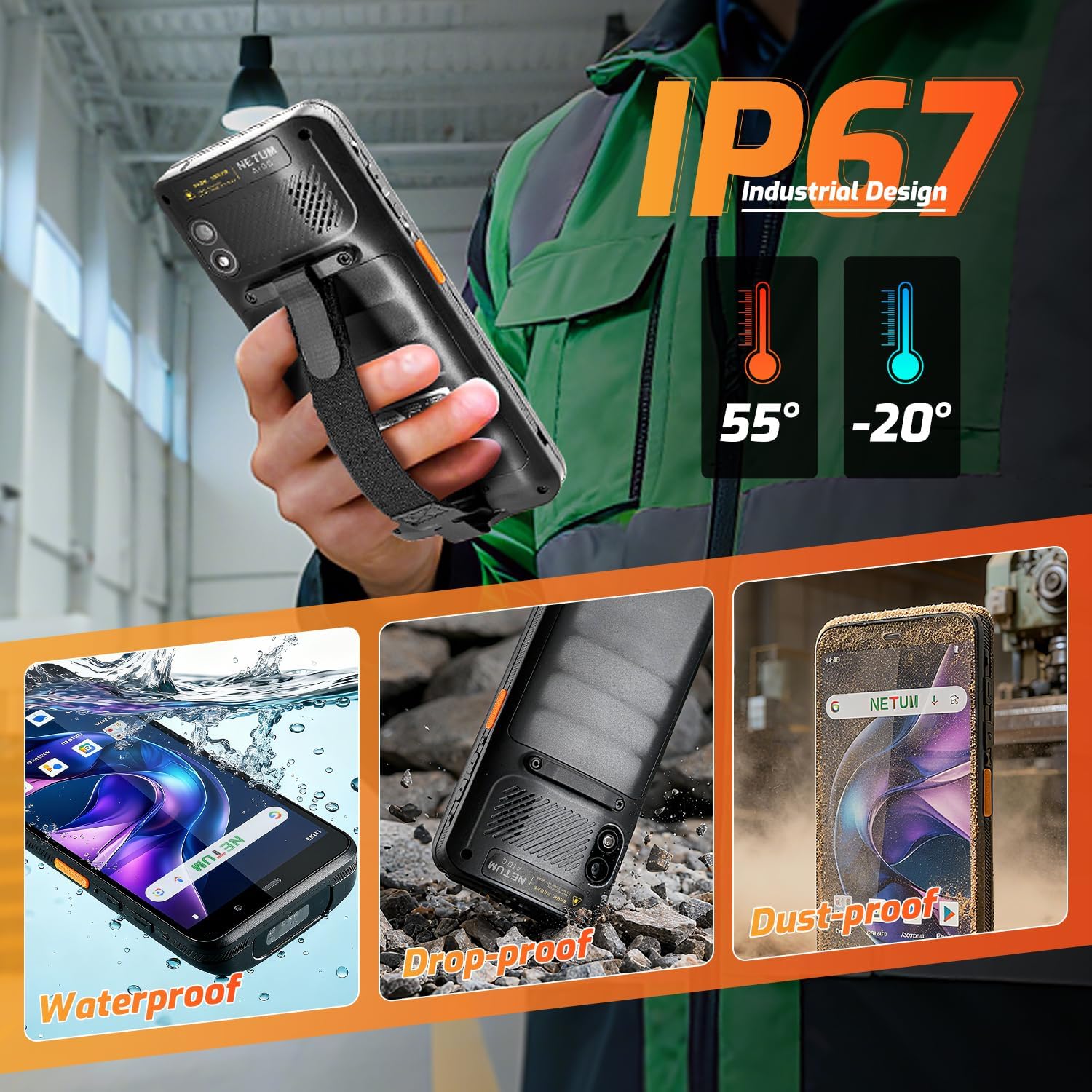
تصویر 6.1: The NETUM Q900's IP67 rating ensures protection against water, dust, and drops, making it suitable for harsh environments.
7. وارنٹی اور سپورٹ
NETUM products are designed for reliability and performance. For warranty information, technical support, or service inquiries, please refer to the warranty card included with your product or visit the official NETUM webسائٹ
وارنٹی دعووں کے لیے خریداری کے ثبوت کے طور پر اپنی خریداری کی رسید رکھیں۔


