1. تعارف
The CUBOT Kingkong 11 is a rugged 5G smartphone designed for durability and high performance. It features a powerful processor, extensive memory, a large battery, and an advanced camera system, all housed in a robust, water-resistant, and dustproof body.
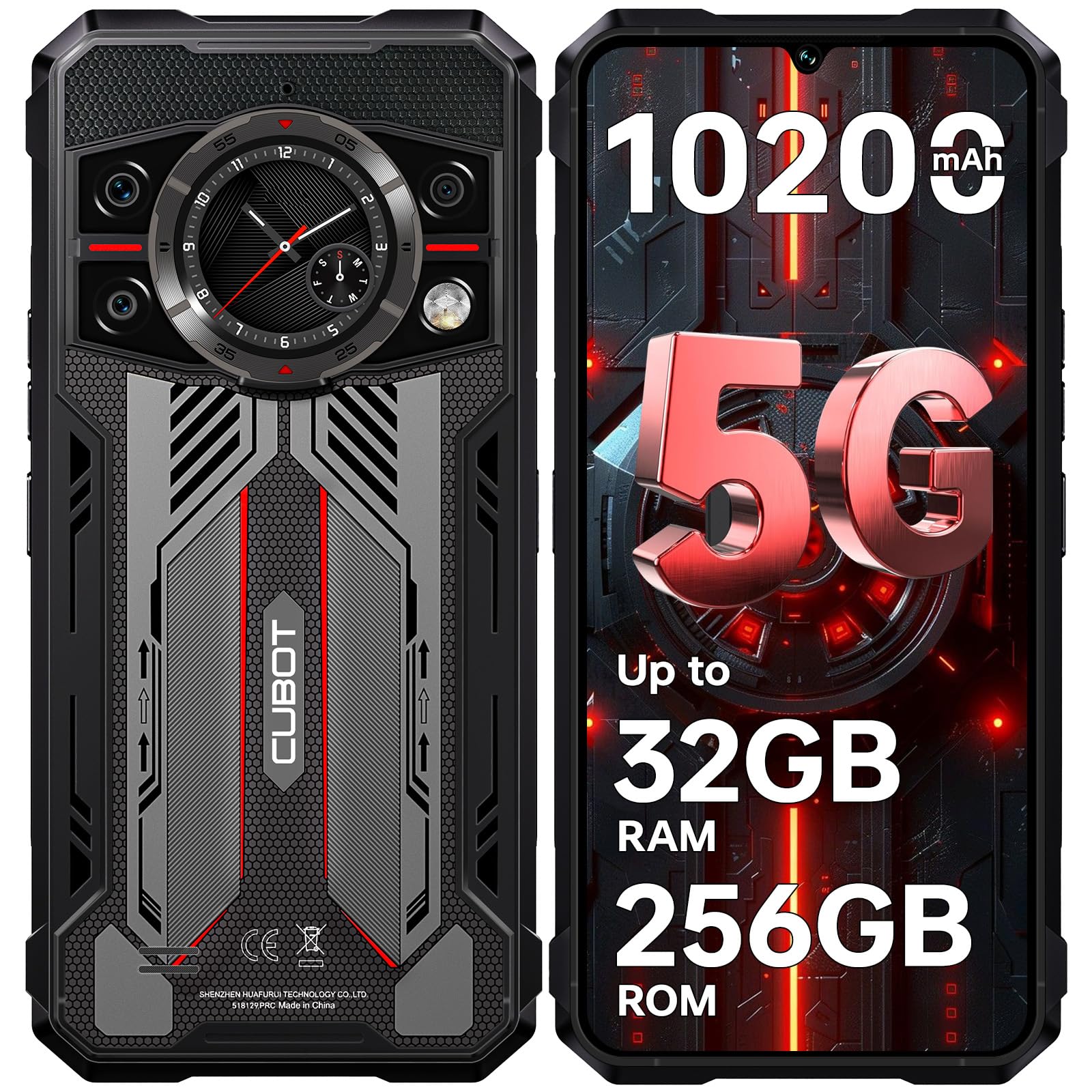
تصویر: سامنے اور پیچھے view of the CUBOT Kingkong 11 5G smartphone, highlighting its rugged design.
2. ابتدائی سیٹ اپ
2.1. سم کارڈز اور مائیکرو ایس ڈی کارڈ داخل کرنا
The CUBOT Kingkong 11 supports dual SIM cards and a MicroSD card for expanded storage.
- آلہ کے سائیڈ پر سم کارڈ ٹرے کا پتہ لگائیں۔
- ٹرے کو کھولنے کے لیے فراہم کردہ سم ایجیکٹر ٹول استعمال کریں۔
- Carefully place your Nano-SIM cards and/or MicroSD card into the designated slots. Ensure correct orientation.
- آہستہ سے ٹرے کو آلے میں واپس دھکیلیں جب تک کہ یہ سائیڈ سے فلش نہ ہوجائے۔

Image: Close-up of the CUBOT Kingkong 11 showing the SIM card tray with waterproof seals.
2.2 پاور آن اور ابتدائی چارج
- Press and hold the power button located on the side of the device until the CUBOT logo appears.
- For first-time use, it is recommended to fully charge the device. Connect the USB-C cable to the phone and the 33W fast charger to a power outlet.
- اسکرین پر بیٹری کا اشارے چارج ہونے کی حالت دکھائے گا۔

Image: Illustration of the 10200mAh battery capacity and 33W fast charging capability of the CUBOT Kingkong 11.
2.3. سافٹ ویئر کنفیگریشن
Follow the on-screen prompts to complete the initial setup, including language selection, Wi-Fi connection, Google account login, and security settings (Face ID/Fingerprint).
3. آپریشن
3.1. Android 15 آپریٹنگ سسٹم
The CUBOT Kingkong 11 runs on Android 15, offering an intuitive user interface and enhanced features. Navigate through apps, customize settings, and utilize smart functions for an optimized experience.

Image: Screenshot of the Android 15 operating system interface on the CUBOT Kingkong 11.
3.2. Main Display (6.72" FHD+ 120Hz)
The 6.72-inch FHD+ display provides vibrant visuals with a 120Hz refresh rate for smooth scrolling and gaming. The 1080x2400 resolution ensures clear and detailed content viewing

Image: Visual representation of the 6.72-inch FHD+ display with 120Hz refresh rate on the CUBOT Kingkong 11.
3.3. Rear Smart Display (1.46")
The 1.46-inch rear smart display provides quick access to essential information such as time, notifications, battery status, and compass without activating the main screen. This feature is useful for quick glances during activities.

Image: The 1.46-inch rear smart display of the CUBOT Kingkong 11, showing widgets for clock, camera, music, battery, calls, compass, and alarm.
3.4 کیمرہ سسٹم
The device features a versatile quad-camera system:
- 108MP مین کیمرہ: Captures high-resolution photos with impressive detail.
- 32MP فرنٹ کیمرہ: For high-definition selfies and video calls.
- 24MP نائٹ ویژن کیمرہ: Equipped with infrared LEDs for clear imaging in complete darkness.
- 8MP میکرو لینس: Allows for close-up photography, capturing intricate details of small subjects.

تصویر: ختمview of the CUBOT Kingkong 11's quad-camera system, including the 108MP main, 32MP front, 24MP night vision, and 8MP macro lenses, with exampلی تصاویر.
3.5. کنیکٹیویٹی اور نیویگیشن
The Kingkong 11 supports 5G full-band connectivity for fast data speeds. It includes NFC for contactless payments and data transfer, and a quadruple positioning system (GPS+GLONASS+BeiDou+Galileo) for accurate navigation.

Image: Graphic illustrating the CUBOT Kingkong 11's 5G ultra-fast global coverage and connectivity features.
4 دیکھ بھال
4.1. استحکام اور تحفظ
The CUBOT Kingkong 11 is certified with IP68/IP69K for dust and water resistance, and MIL-STD-810H for shock resistance. It can withstand submersion in water up to 5 meters for 30 minutes.
- پانی کی مزاحمت: Ensure all ports (USB-C, SIM tray) are properly sealed before exposing the device to water. After exposure to water, dry the device thoroughly before charging.
- دھول مزاحمت: The device is designed to prevent dust ingress. Clean any accumulated dust from ports and crevices using a soft, dry brush.
- شاک مزاحمت: While rugged, avoid intentional drops or impacts from extreme heights to preserve the device's integrity.

Image: Visual representation of the CUBOT Kingkong 11's IP68, IP69K, and MIL-STD-810H certifications for water, dust, and shock resistance.
4.2. صفائی
Use a soft, lint-free cloth to clean the screen and body of the phone. For stubborn smudges, a slightly damp کپڑے کو فوری طور پر خشک کرنے کے بعد استعمال کیا جا سکتا ہے۔
5 خرابیوں کا سراغ لگانا
5.1. ڈیوائس آن نہیں ہو رہی ہے۔
- یقینی بنائیں کہ بیٹری چارج ہے۔ چارجر کو جوڑیں اور دوبارہ پاور آن کرنے کی کوشش کرنے سے پہلے چند منٹ انتظار کریں۔
- زبردستی دوبارہ شروع کرنے کے لیے پاور بٹن کو کم از کم 10-15 سیکنڈ تک دبائے رکھیں۔
5.2. Poor Performance/Lag
- غیر ضروری پس منظر کی ایپلی کیشنز کو بند کریں۔
- اکثر استعمال ہونے والی ایپس کے لیے کیش ڈیٹا کو صاف کریں۔
- Ensure sufficient storage space is available. Consider moving large files مائیکرو ایس ڈی کارڈ یا کلاؤڈ اسٹوریج پر۔
- وقتا فوقتا آلہ کو دوبارہ شروع کریں۔
5.3. چارجنگ کے مسائل
- اس بات کی توثیق کریں کہ چارجنگ کیبل اور اڈاپٹر محفوظ طریقے سے جڑے ہوئے ہیں اور بغیر کسی نقصان کے ہیں۔
- ایک مختلف ہم آہنگ چارجر اور کیبل استعمال کرنے کی کوشش کریں۔
- Check the USB-C port for any debris or obstruction.
5.4. نیٹ ورک کنیکٹیویٹی کے مسائل
- Ensure SIM cards are correctly inserted and activated.
- Check network settings (e.g., APN settings) with your service provider.
- ہوائی جہاز کے موڈ کو آن اور آف ٹوگل کریں۔
- ڈیوائس کو دوبارہ شروع کریں۔
6. وضاحتیں
| فیچر | تفصیل |
|---|---|
| برانڈ | CUBOT |
| ماڈل | CUBOT KINGKONG 11 |
| آپریٹنگ سسٹم | اینڈرائیڈ 15 |
| پروسیسر | 5G Dimensity 7025 Octa-Core |
| رام | Up to 32 GB (16 GB physical + 16 GB extended) |
| اندرونی اسٹوریج | 256 جی بی |
| قابل توسیع اسٹوریج | مائیکرو ایس ڈی کارڈ کے ذریعے 1 ٹی بی تک |
| مین ڈسپلے | 6.72 inches FHD+ (1080x2400), 120Hz refresh rate, 450 nits brightness |
| پیچھے کا ڈسپلے | 1.46 inches Smart Display |
| مین کیمرہ | 108 MP |
| سامنے والا کیمرہ | 32 MP |
| نائٹ ویژن کیمرے | 24 MP with IR LED |
| میکرو لینس | 8 MP |
| بیٹری کی صلاحیت | 10200 ایم اے ایچ |
| چارج ہو رہا ہے۔ | 33W فاسٹ چارجنگ، OTG ریورس چارجنگ |
| کنیکٹوٹی | 5G, NFC, Dual SIM |
| نیویگیشن | GPS+GLONASS+BeiDou+Galileo |
| پائیداری | IP68/IP69K, MIL-STD-810H (Water resistant up to 5m for 30 min) |
| سیکورٹی | Face ID, Fingerprint Sensor |
| طول و عرض | 22.4 x 17.3 x 4.2 سینٹی میٹر (پیکیج) |
| وزن | 700 گرام (پیکیج) |

Image: Energy label for the CUBOT Kingkong 11, showing battery life and durability ratings. View EPREL پروڈکٹ انفارمیشن شیٹ
7. وارنٹی اور سپورٹ
CUBOT offers a comprehensive support package for the Kingkong 11:
- واپسی: Hassle-free returns within 30 days of purchase.
- وارنٹی: A two-year warranty covers manufacturing defects.
- تکنیکی معاونت: Long-term technical assistance is available.
- کسٹمر سروس: 24/7 online customer service is provided for any inquiries during your ownership.
For assistance, please contact CUBOT customer service through their official channels.


