1. تعارف
خریداری کے لیے آپ کا شکریہasing the ZEBRONICS Zeb Vigor 100 Tower Speaker. This manual provides essential information for the safe and efficient operation of your device. Please read it thoroughly before use and retain it for future reference.
2. حفاظتی ہدایات
- اسپیکر کو پانی یا نمی کے سامنے نہ رکھیں۔
- سپیکر نہ کھولیں جasing; تمام خدمات کو اہل اہلکاروں کو بھیجیں۔
- Keep the speaker away from direct sunlight, heat sources, and open flames.
- زیادہ گرمی سے بچنے کے لیے اسپیکر کے ارد گرد مناسب وینٹیلیشن کو یقینی بنائیں۔
- Use only the power cord supplied with the device.
- سماعت کو پہنچنے والے نقصان کو روکنے کے لیے لمبے عرصے تک زیادہ مقدار میں سننے سے گریز کریں۔
3. پیکیج کے مشمولات
تصدیق کریں کہ تمام اشیاء پیکیج میں موجود ہیں:
- Trolley DJ Speaker: 1 Unit
- ریموٹ کنٹرول: 1 یونٹ
- Wireless Microphone: 1 Unit
- پاور کورڈ: 1 یونٹ
- Input Cable (3.5mm): 1 Unit
- QR کوڈ گائیڈ: 1 یونٹ
4. پروڈکٹ ختمview
The ZEBRONICS Zeb Vigor 100 is a versatile tower speaker designed for various audio applications, featuring multiple connectivity options and a robust sound output.
اہم خصوصیات:
- Triple Full Range 20.32cm Drivers for comprehensive sound.
- 100W RMS Output for powerful audio delivery.
- TWS (True Wireless Stereo) Function for connecting two speakers.
- Karaoke & Mic Recording Function with included Wireless MIC.
- Multiconnectivity: Bluetooth v5.0, USB, mSD, AUX, FM.
- LED Display for easy navigation.
- آسان آپریشن کے لیے ریموٹ کنٹرول۔
- Carry Handle & Wheels for portability.
- RGB Lights for visual effects.
- Dual 6.3mm Microphone input.
- بلٹ ان ریچارج ایبل بیٹری۔
- Dedicated Control Buttons for intuitive use.
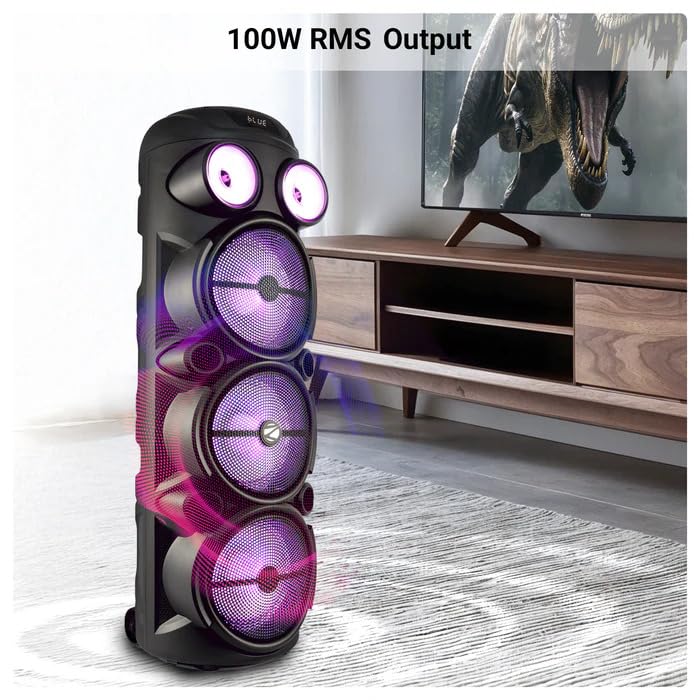
Image: The ZEBRONICS Zeb Vigor 100 Tower Speaker showcasing its 100W RMS output, positioned next to a television.
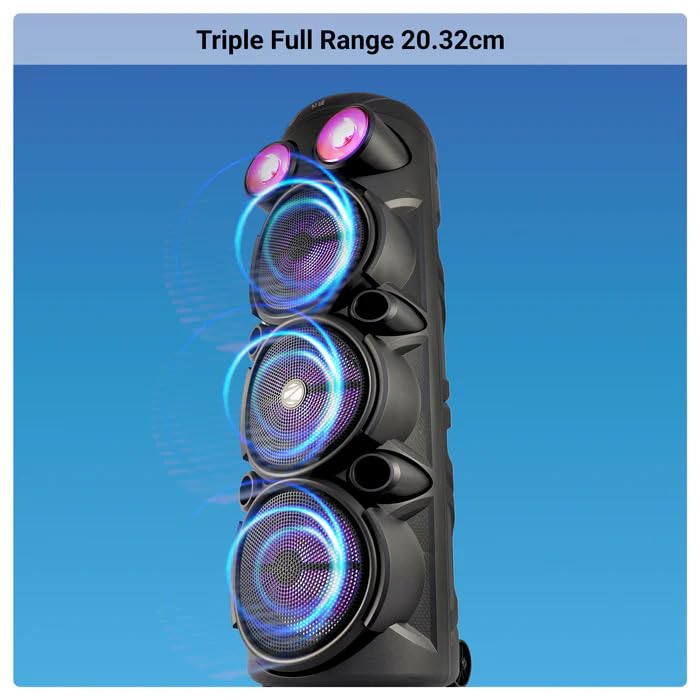
تصویر: کلوز اپ view of the ZEBRONICS Zeb Vigor 100 highlighting its triple full-range 20.32cm drivers.
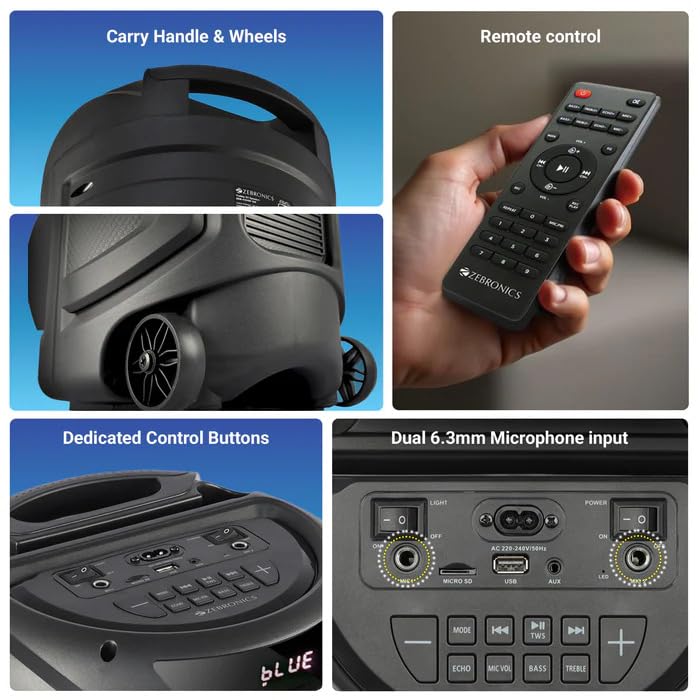
Image: A collage showing the speaker's carry handle and wheels for portability, the included remote control, the dedicated control buttons on the top panel, and the dual 6.3mm microphone inputs on the rear panel.
5. سیٹ اپ
5.1 اسپیکر کو چارج کرنا
Before initial use, fully charge the speaker. Connect the provided power cord to the speaker's AC input and a suitable power outlet. The charging time is approximately 9.8 hours. A full charge provides up to 5 hours of playback at 50% volume with LED lights off.
5.2 پاور آن/آف۔
Locate the power switch on the speaker's control panel. Toggle the switch to the 'ON' position to power on the speaker. Toggle to 'OFF' to power off.
6. آپریٹنگ ہدایات
6.1 Bluetooth Connection (BT v5.0)
- Power on the speaker. The speaker will automatically enter Bluetooth mode or you can select it using the 'MODE' button.
- اپنے موبائل ڈیوائس یا کمپیوٹر پر بلوٹوتھ کو فعال کریں۔
- تلاش کریں۔ available devices and select "ZEB-VIGOR 100" from the list.
- جوڑا بننے کے بعد، اسپیکر ایک کامیاب کنکشن کی نشاندہی کرے گا، اور آپ آڈیو چلانا شروع کر سکتے ہیں۔
6.2 USB/mSD Playback
- Insert a USB flash drive or mSD card (up to 32GB) containing MP3 audio files متعلقہ پورٹ میں۔
- The speaker will automatically detect the storage device and begin playback. If not, press the 'MODE' button to select USB or mSD mode.
- Use the control buttons or remote to play, pause, skip tracks, or adjust volume.
6.3 AUX ان پٹ
- Connect one end of the 3.5mm input cable to the AUX port on the speaker.
- Connect the other end to the audio output jack of your external device (e.g., smartphone, MP3 player).
- Press the 'MODE' button to select AUX input.
- Control playback and volume from your external device or the speaker.
6.4 ایف ایم ریڈیو
- Press the 'MODE' button to select FM radio mode.
- Press the Play/Pause button to auto-scan and save available FM stations (frequency range 87.5 MHz - 108 MHz).
- محفوظ کردہ اسٹیشنوں کے درمیان نیویگیٹ کرنے کے لیے پچھلا/اگلا ٹریک بٹن استعمال کریں۔
6.5 Karaoke & Mic Recording Function
- Connect the wireless microphone or a wired microphone (not included) to one of the dual 6.3mm microphone inputs.
- Adjust the microphone volume and echo using the dedicated controls.
- To record, ensure a USB drive or mSD card is inserted. Press the 'REC' button (if available on the control panel/remote) to start recording. Press again to stop.
6.6 TWS (True Wireless Stereo) فنکشن
To connect two Zeb Vigor 100 speakers for a stereo experience:
- یقینی بنائیں کہ دونوں اسپیکر بلوٹوتھ موڈ میں آن اور ان میں ہیں۔
- On one speaker (this will be the master), press and hold the 'TWS' button. The speaker will indicate it is searching for another TWS device.
- The two speakers will automatically pair. Once connected, they will function as a stereo pair.
- Connect your mobile device to the master speaker via Bluetooth as described in section 6.1.
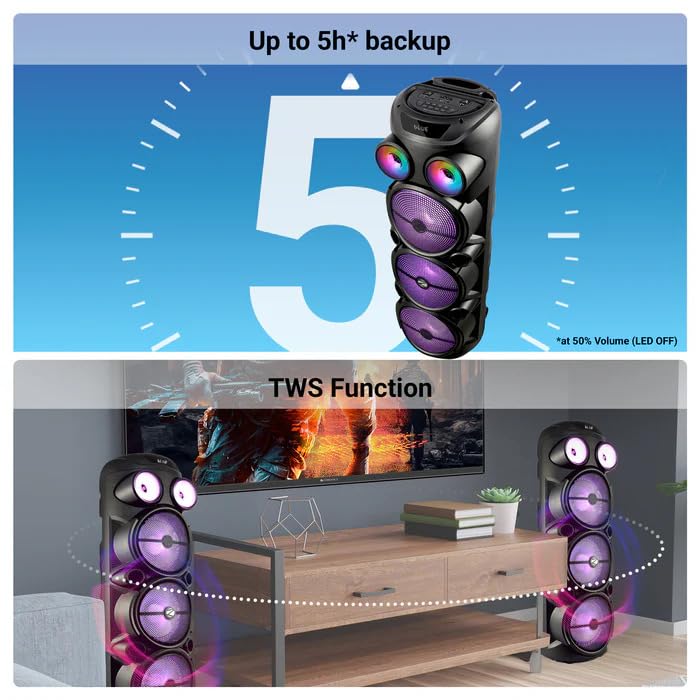
Image: The ZEBRONICS Zeb Vigor 100 speaker highlighting its up to 5-hour battery backup and the True Wireless Stereo (TWS) function, showing two speakers connected wirelessly.
6.7 آر جی بی لائٹس
The speaker features dynamic RGB lights. Use the dedicated 'LIGHT' switch or button on the control panel or remote to cycle through different light modes or turn them off.
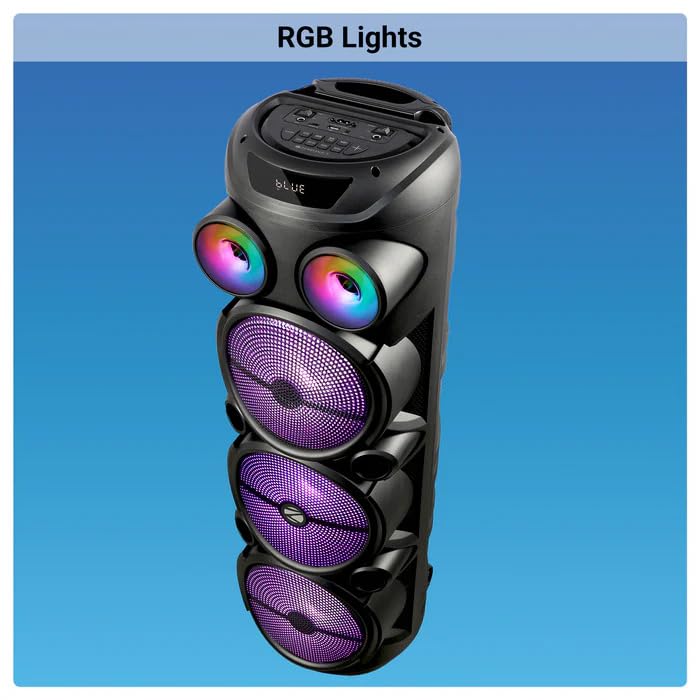
Image: The ZEBRONICS Zeb Vigor 100 Tower Speaker with its vibrant RGB lights illuminated.
6.8 کنٹرول پینل اور ریموٹ کنٹرول
The speaker features a top-mounted control panel with buttons for mode selection, playback control, volume adjustment, microphone controls, and light control. A remote control is also provided for convenient operation from a distance.
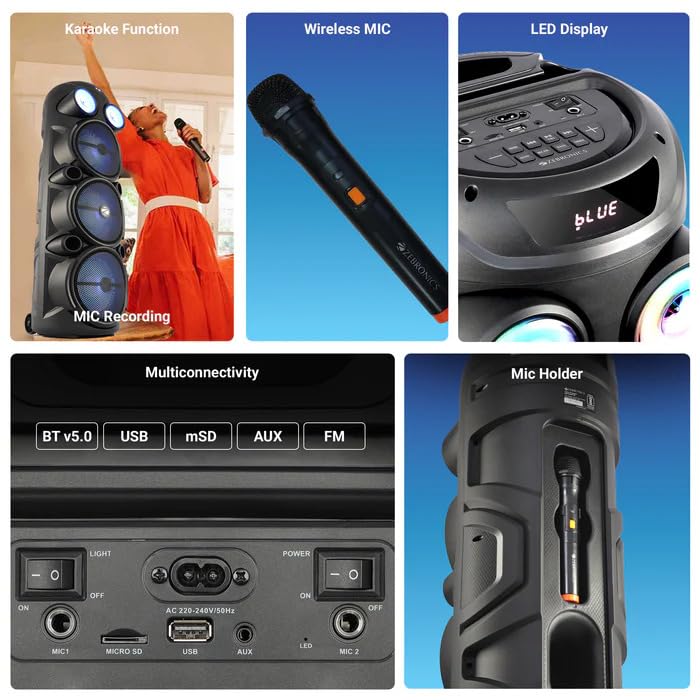
تصویر: ایک تفصیلی view of the ZEBRONICS Zeb Vigor 100's control panel, showing options for Bluetooth v5.0, USB, mSD, AUX, and FM connectivity, along with various control buttons.
7 دیکھ بھال
- صفائی: اسپیکر کے بیرونی حصے کو صاف کرنے کے لیے نرم، خشک کپڑا استعمال کریں۔ کھرچنے والے کلینر یا سالوینٹس کا استعمال نہ کریں۔
- ذخیرہ: جب لمبے عرصے تک استعمال نہ ہو تو، اسپیکر کو براہ راست سورج کی روشنی اور انتہائی درجہ حرارت سے دور، ٹھنڈی، خشک جگہ پر محفوظ کریں۔
- بیٹری کی دیکھ بھال: بیٹری کی زندگی کو طول دینے کے لیے، بار بار بیٹری کو مکمل طور پر خارج کرنے سے گریز کریں۔ اسپیکر کو باقاعدگی سے چارج کریں، چاہے استعمال میں نہ ہوں۔
8 خرابیوں کا سراغ لگانا
| مسئلہ | ممکنہ وجہ | حل |
|---|---|---|
| سپیکر پاور آن نہیں کرتا۔ | بیٹری ختم ہو گئی ہے یا بجلی کی تار منسلک نہیں ہے۔ | Charge the speaker or ensure the power cord is securely connected. |
| کوئی آواز آؤٹ پٹ نہیں ہے۔ | Volume is too low, incorrect mode selected, or device not properly connected. | Increase volume, select the correct input mode (BT, USB, AUX, FM), or re-establish connection. |
| بلوٹوتھ جوڑی ناکام ہوجاتی ہے۔ | اسپیکر جوڑا بنانے کے موڈ میں نہیں ہے، یا آلہ بہت دور ہے۔ | Ensure speaker is in Bluetooth mode, move device closer, or clear previous pairings on your device. |
| مائکروفون کام نہیں کر رہا ہے۔ | Microphone not powered on, or volume too low. | Ensure wireless mic has batteries and is powered on. Adjust mic volume. |
9. وضاحتیں
| فیچر | تفصیلات |
|---|---|
| آؤٹ پٹ پاور (RMS) | 100W |
| ڈرائیور کا سائز | Full range 20.32cm x 3, Tweeter 3.8cm |
| رکاوٹ | Full range 4Ω x 1, 8Ω x 2; Tweeter 8Ω |
| تعدد رسپانس | 65Hz-18kHz |
| S/N تناسب | ≥60dB |
| File Format Support (USB/SD) | MP3 |
| لائن ان پٹ | 3.5 ملی میٹر |
| Max Supported USB/SD Memory Size | 32 جی بی |
| ایف ایم فریکوئینسی رینج | 87.5 MHz - 108 MHz |
| چارج کرنے کا وقت | 9.8 گھنٹے |
| پلے بیک ٹائم | 5 hours* (at 50% Volume, LED OFF) |
| بلوٹوتھ کا نام | زیب ویگور 100 |
| بلوٹوتھ ورژن | v5.0 |
| پروڈکٹ کا طول و عرض (W x D x H) | 28.6 x 28.5 x 90 سینٹی میٹر |
| خالص وزن | 6.4 کلوگرام |
| کنیکٹر کی قسم | آکس، یو ایس بی |
| چینلز کی تعداد | 2 |
| آڈیو ان پٹ | Wired Microphone, Wireless Microphone, Line-Level Input |
| رنگ | سیاہ |
| ہم آہنگ آلات | Audio Player, DJ Mixer, DVD Player, Drum, Guitar, Headphone, Headset, Karaoke System, Keyboard, Laptop, MP3 Player, Microphone, Piano, Smartphone, Tablet, Television |
10. وارنٹی اور سپورٹ
10.1 وارنٹی کی معلومات
The ZEBRONICS Zeb Vigor 100 Tower Speaker comes with a 1 سال کی وارنٹی from the date of purchase. Please retain your purchase receipt for warranty claims. The warranty covers manufacturing defects under normal use conditions.
10.2 مینوفیکچرر
Zebronics India Pvt Ltd.
13/7 Smith Road, Royapettah, Chennai, Tamil Nadu - 600 002, India
10.3 کسٹمر سپورٹ
For technical assistance, service, or warranty inquiries, please contact Zebronics customer support through their official website or the contact information provided in the QR code guide included in your package.


