1. تعارف
The Baseus Inspire XP1 Adaptive Noise Cancelling Earbuds are designed to provide a high-fidelity audio experience with advanced noise cancellation capabilities. Featuring Sound by Bose technology and Dolby Spatial Audio, these earbuds offer immersive sound and clear communication. This manual provides instructions for setup, operation, and maintenance to ensure optimal performance.
2. پیکیج کے مشمولات
تصدیق کریں کہ تمام اشیاء آپ کے پیکیج میں موجود ہیں:
- Baseus Inspire XP1 Noise Cancelling Wireless Earbuds
- چارجنگ کیس
- Eartips (S/M/L سائز)
- USB-C چارجنگ کیبل
- صارف دستی

Image: Package contents of the Baseus Inspire XP1 earbuds.
3. پروڈکٹ ختمview
The Baseus Inspire XP1 earbuds feature a contoured in-ear fit with umbrella-shaped liquid silicone tips for comfort and noise isolation. They are equipped with a 6-mic sound sensor array for clear calls and touch-sensitive surfaces for control.

Image: Baseus Inspire XP1 Earbuds.
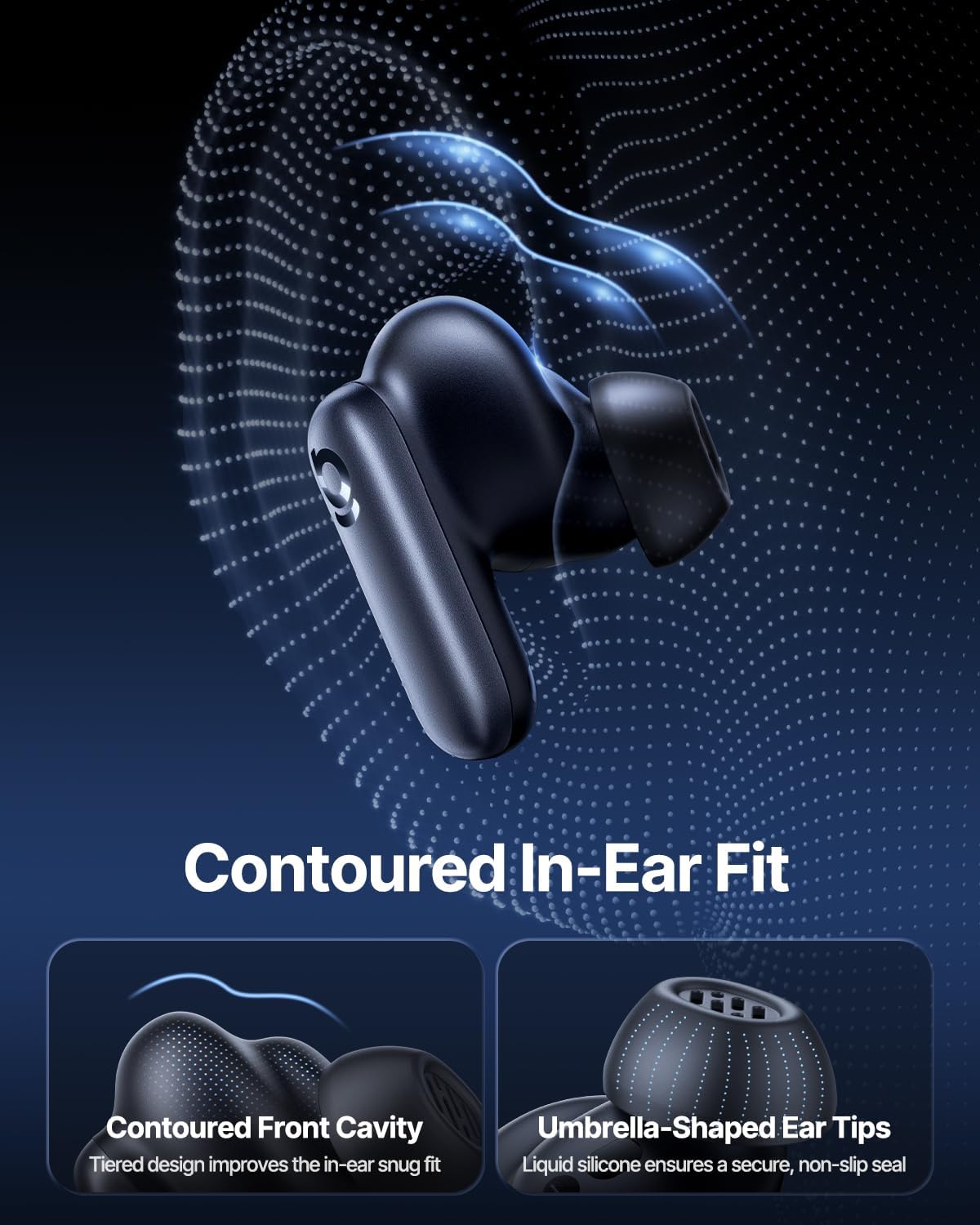
Image: Contoured In-Ear Fit and Umbrella-Shaped Ear Tips.
4. سیٹ اپ
4.1 ابتدائی جوڑا
- ایئربڈز کو چارج کریں: Place both earbuds into the charging case and close the lid. Connect the USB-C charging cable to the case and a power source. The indicator light on the case will show charging status.
- جوڑا بنانے کے موڈ کو فعال کریں: Open the charging case. The earbuds will automatically enter pairing mode, indicated by a flashing light on the earbuds or case.
- بلوٹوتھ کے ذریعے جڑیں: اپنے آلے پر (اسمارٹ فون، ٹیبلیٹ، لیپ ٹاپ)، بلوٹوتھ کی ترتیبات پر جائیں اور بلوٹوتھ کو فعال کریں۔ تلاش کریں۔ "Baseus Inspire XP1" in the list of available devices and select it to connect.
- تصدیق: Once connected, a voice prompt will confirm successful pairing, and the indicator light will turn solid or off.
4.2 Baseus App Installation
For full functionality, including Dolby Audio, custom EQ settings, and adaptive tuning, download the official Baseus App from your device's app store (iOS App Store or Google Play Store). The app allows for personalized control of your listening experience.
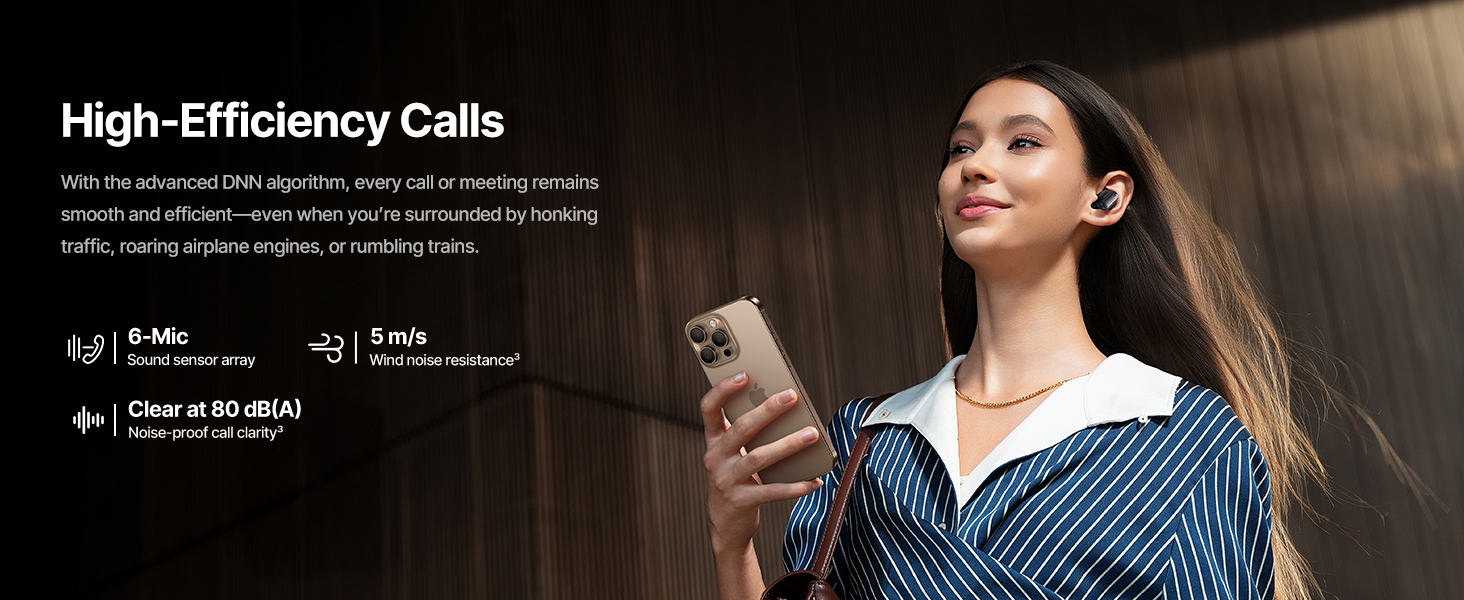
Image: Smart App Control interface.
5. آپریٹنگ ہدایات
5.1 پاور آن/آف
- پاور آن: چارجنگ کیس کھولیں، اور ایئربڈز خود بخود آن ہو جائیں گے اور آخری جوڑی والے آلے سے منسلک ہونے کی کوشش کریں گے۔
- بجلی بند: ایئربڈز کو چارجنگ کیس میں واپس رکھیں اور ڈھکن بند کریں۔ وہ خود بخود پاور آف ہو جائیں گے اور چارج کرنا شروع کر دیں گے۔
5.2 ٹچ کنٹرولز
The earbuds feature touch-sensitive surfaces for various functions:
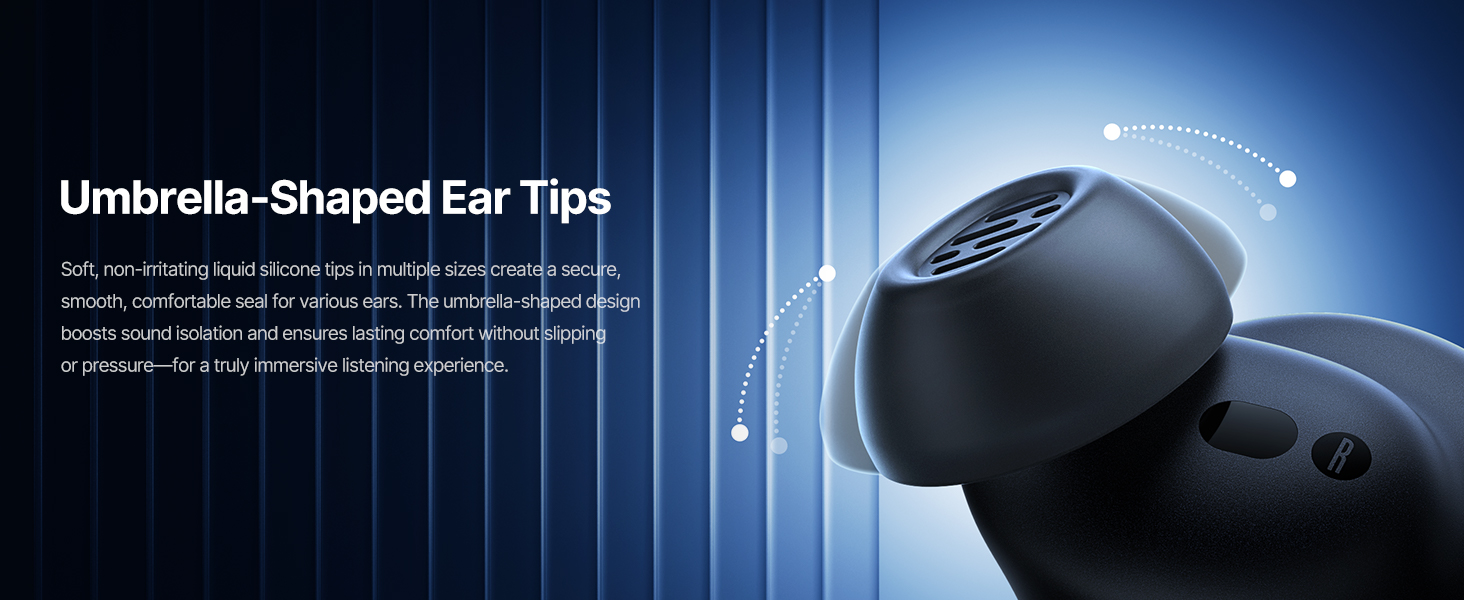
Image: Touch Control Guide.
- موسیقی چلائیں/روکیں: کسی بھی ایئربڈ پر دو بار تھپتھپائیں۔
- کالز کا جواب دیں/ختم کریں: کسی بھی ایئربڈ پر دو بار تھپتھپائیں۔
- کالز کو مسترد کریں: کسی بھی ایئربڈ کو 1.5 سیکنڈ تک تھپتھپائیں اور دبائے رکھیں۔
- ANC/ٹرانسپیرنسی موڈ سوئچ کریں: کسی بھی ایئربڈ کو 1.5 سیکنڈ تک تھپتھپائیں اور دبائے رکھیں۔
- متحرک صوتی معاون: یا تو ایئربڈ پر تین بار تھپتھپائیں۔
5.3 Adaptive Noise Cancellation (ANC) and Transparency Mode
The Inspire XP1 earbuds feature Premium Adaptive ANC, which dynamically adjusts noise reduction up to -50 dB based on your environment. Transparency Mode allows you to hear your surroundings without removing the earbuds.

Image: Premium Adaptive ANC in use.
Switch between ANC and Transparency Mode by tapping and holding the touch surface for 1.5 seconds, or manage settings via the Baseus App.
5.4 High-Efficiency Clear Calls
Equipped with a 6-mic sound sensor array and AI algorithms, the earbuds provide clear calls by reducing wind noise and environmental distractions up to 80 dB(A).
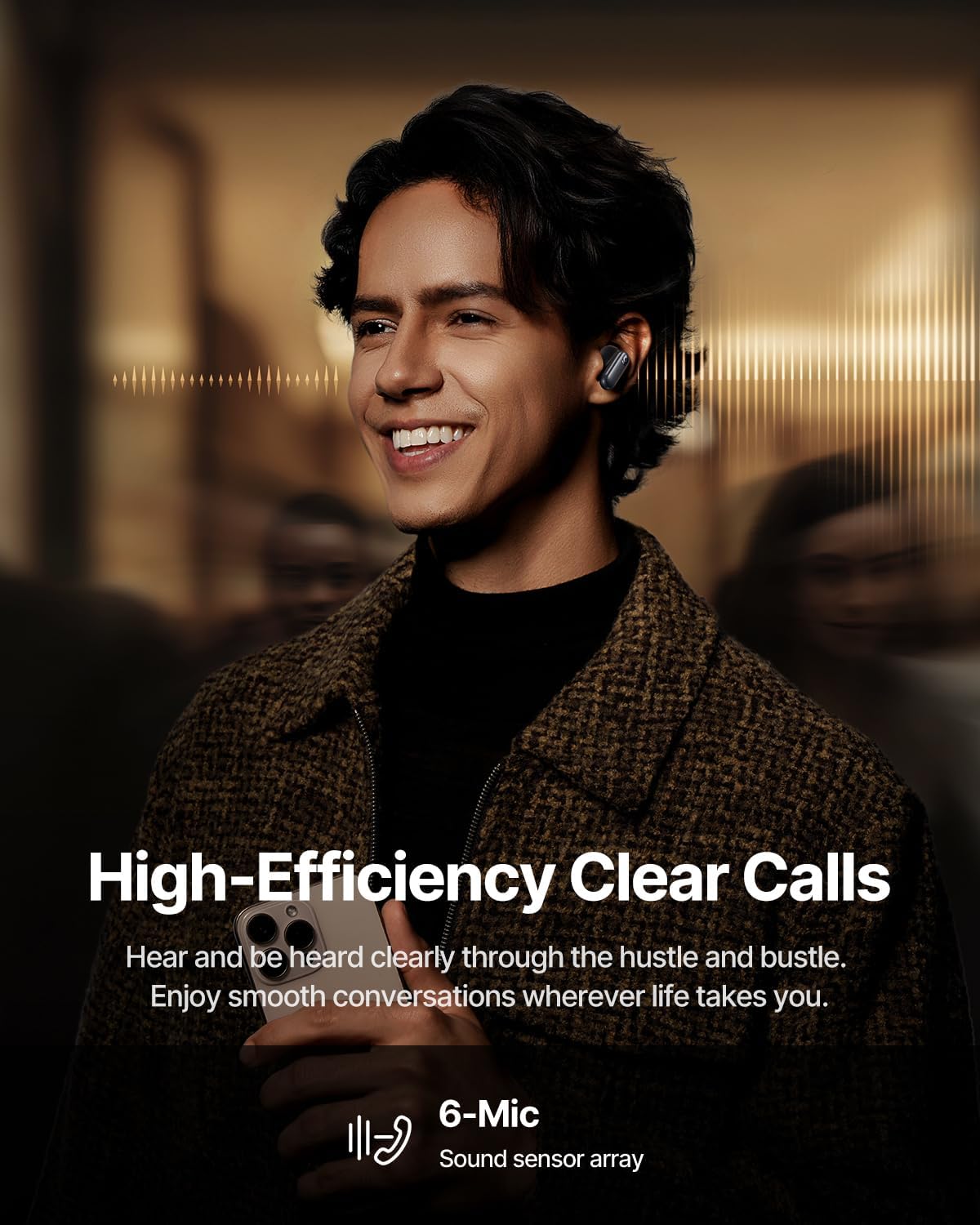
Image: High-Efficiency Clear Calls.
5.5 چارجنگ اور بیٹری لائف
The earbuds offer extended playtime with the charging case:
- ANC آف: Up to 8 hours per charge, and up to 45 hours with the charging case.
- ANC آن: Up to 6 hours per charge, and up to 35 hours with the charging case.
- فوری چارج: 10 منٹ کی چارجنگ تقریباً 2.5 گھنٹے کا پلے بیک فراہم کرتی ہے۔

Image: Day-and-Night Playtime.
5.6 Instant Multipoint Connection
Utilize Baseus Smart-Connect and Bluetooth 6.1 for seamless switching between two paired devices, such as a phone and a laptop, enabling uninterrupted calls and multitasking.
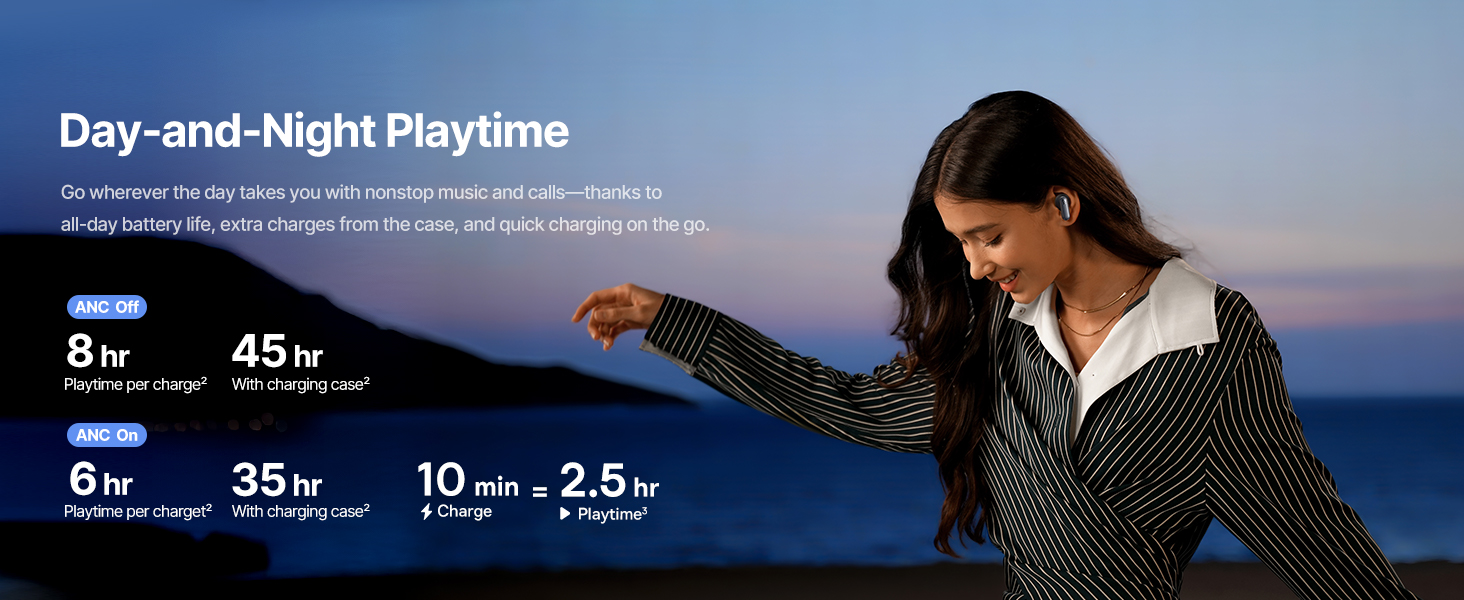
Image: Instant Multipoint Connection.
6 دیکھ بھال
- صفائی: ائیر بڈز اور چارجنگ کیس کو نرم، خشک، لنٹ سے پاک کپڑے سے باقاعدگی سے صاف کریں۔ کھرچنے والے مواد یا سخت کیمیکل استعمال نہ کریں۔
- ارٹپس: Remove and clean the silicone eartips with mild soap and water if necessary. Ensure they are completely dry before reattaching.
- چارجنگ پورٹس: USB-C چارجنگ پورٹ کو دھول اور ملبے سے پاک رکھیں۔
- ذخیرہ: When not in use, store the earbuds in their charging case to protect them and maintain battery life. Avoid extreme temperatures.
7 خرابیوں کا سراغ لگانا
7.1 ایئربڈز جوڑا نہیں بن رہے ہیں۔
- Ensure the earbuds are charged and the charging case lid is open.
- اپنے آلے کا بلوٹوتھ آف اور آن کریں۔
- Forget the device in your Bluetooth settings and attempt to re-pair.
- Try resetting the earbuds (refer to the Baseus App or Baseus support for specific reset instructions).
7.2 کوئی آواز یا کم والیوم نہیں۔
- اپنے آلے اور ایئربڈز دونوں پر والیوم لیول چیک کریں۔
- یقینی بنائیں کہ ایئربڈز آپ کے کانوں میں ٹھیک طرح سے بیٹھے ہیں۔
- تصدیق کریں کہ ایئربڈز آپ کے آلے پر درست آڈیو آؤٹ پٹ سے جڑے ہوئے ہیں۔
- ایئربڈ اسپیکرز سے کوئی بھی ملبہ صاف کریں۔
7.3 چارجنگ کے مسائل
- یقینی بنائیں کہ چارجنگ کیبل کیس اور پاور سورس دونوں سے محفوظ طریقے سے جڑی ہوئی ہے۔
- ایک مختلف USB-C کیبل اور پاور اڈاپٹر آزمائیں۔
- دونوں ایئربڈز پر اور کیس کے اندر چارج کرنے والے رابطوں کو صاف کریں۔
8. وضاحتیں
Image: Product Specifications.
| ماڈل کا نام | Baseus Inspire XP1 |
| کنیکٹوٹی ٹیکنالوجی | بلوٹوتھ 6.1، وائرلیس |
| وائرلیس کمیونیکیشن ٹیکنالوجی | بلوٹوتھ 6.1 |
| شور کنٹرول | Adaptive Noise Cancellation, Environmental Noise Cancellation |
| آڈیو ڈرائیور کا سائز | 10 ملی میٹر |
| تعدد کی حد | 20 Hz - 20,000 Hz |
| بیٹری لائف (ANC آف) | 8 گھنٹے (ایئر بڈز)، 45 گھنٹے (چارجنگ کیس کے ساتھ) |
| چارجنگ پورٹ | USB-C |
| کنٹرول کا طریقہ | ایپ، ٹچ |
| مواد | سلیکون |
| شے کا وزن | 7.8 اونس |
9. وارنٹی اور سپورٹ
Baseus products are covered by a limited warranty. For detailed warranty information, product support, or to contact customer service, please visit the official Baseus webسائٹ یا اپنے پیکج میں شامل وارنٹی کارڈ کا حوالہ دیں۔
آپ بھی ملاحظہ کر سکتے ہیں۔ Baseus Store on Amazon اضافی وسائل اور مصنوعات کی معلومات کے لیے۔


