1. تعارف
خریداری کے لیے آپ کا شکریہasing the GOBOULT Bassbox X20 Bluetooth Speaker. This manual provides essential information for setting up, operating, and maintaining your device. Please read it carefully before use to ensure optimal performance and longevity.

تصویر 1.1: سامنے view of the GOBOULT Bassbox X20 Bluetooth Speaker.
2. پیکیج کے مشمولات
Ensure all items are present in the package. If any item is missing or damaged, please contact customer support.
- GOBOULT Bassbox X20 Soundbar
- صارف دستی (یہ دستاویز)
- وارنٹی کارڈ
- چارجنگ کیبل (Type-C)
Note: The product features integrated bass drivers, referred to as 'Subwoofer' in some listings, which are part of the main soundbar unit.
3. پروڈکٹ ختمview
3.1 کلیدی خصوصیات
- 20W Bass Boosted Sound: Delivers clear and dynamic audio with enhanced bass.
- دوہری متحرک ڈرائیور: Provides balanced sound across all frequencies.
- 6 گھنٹے تک پلے ٹائم: مسلسل آڈیو پلے بیک کے لیے توسیعی بیٹری کی زندگی۔
- بلوٹوتھ 5.4 ٹیکنالوجی: Ensures stable and fast wireless connectivity.
- Multi-Connectivity Options: Supports Bluetooth, AUX, TF Card, and USB input.
- پورٹیبل ڈیزائن: آسان نقل و حمل کے لئے کومپیکٹ اور ہلکا پھلکا۔
- حقیقی وائرلیس سٹیریو (TWS) فنکشن: Connect two Bassbox X20 speakers for a stereo experience.
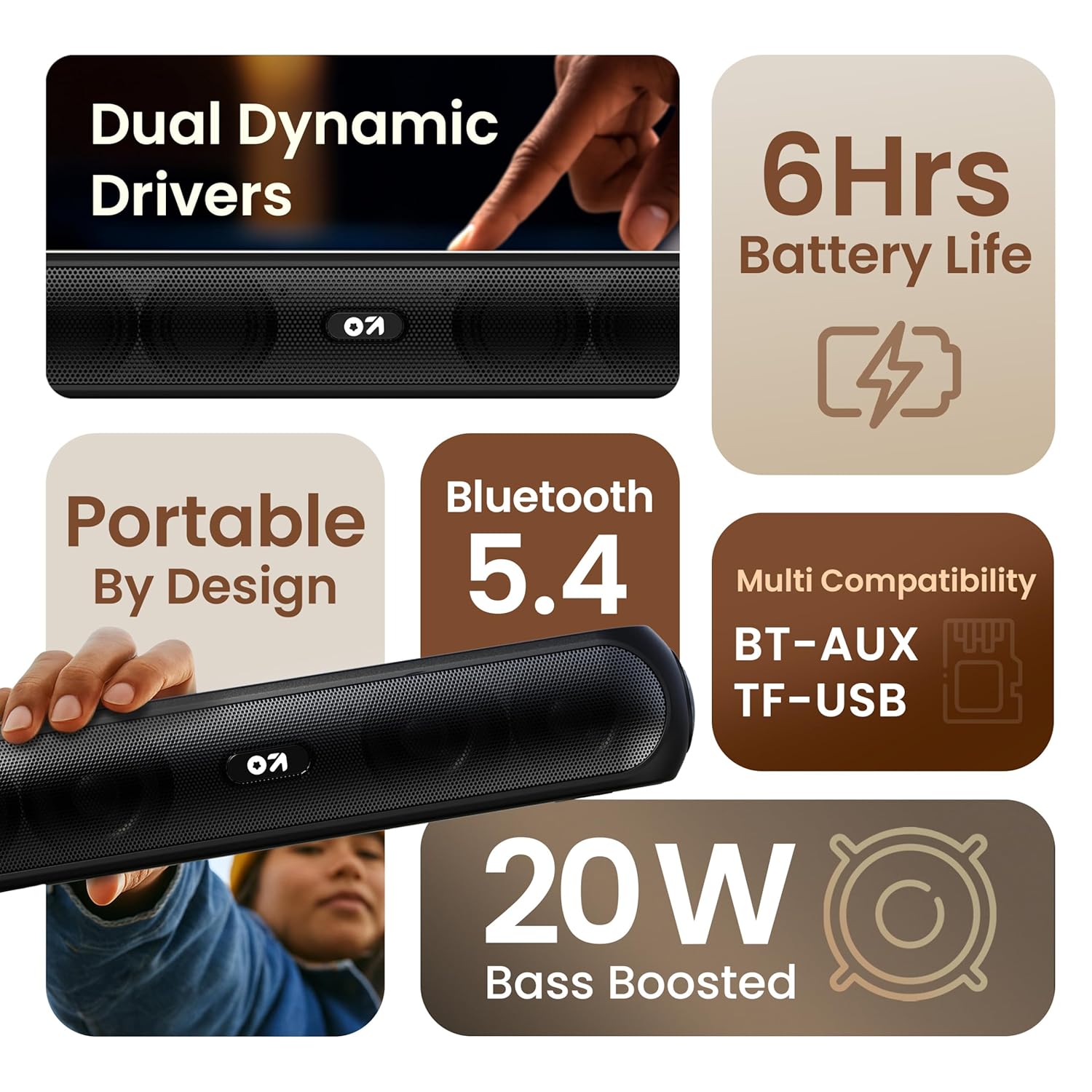
تصویر 3.1: ختمview of the speaker's main features.
3.2 کنٹرولز اور پورٹس
Familiarize yourself with the control buttons and input ports on your speaker.
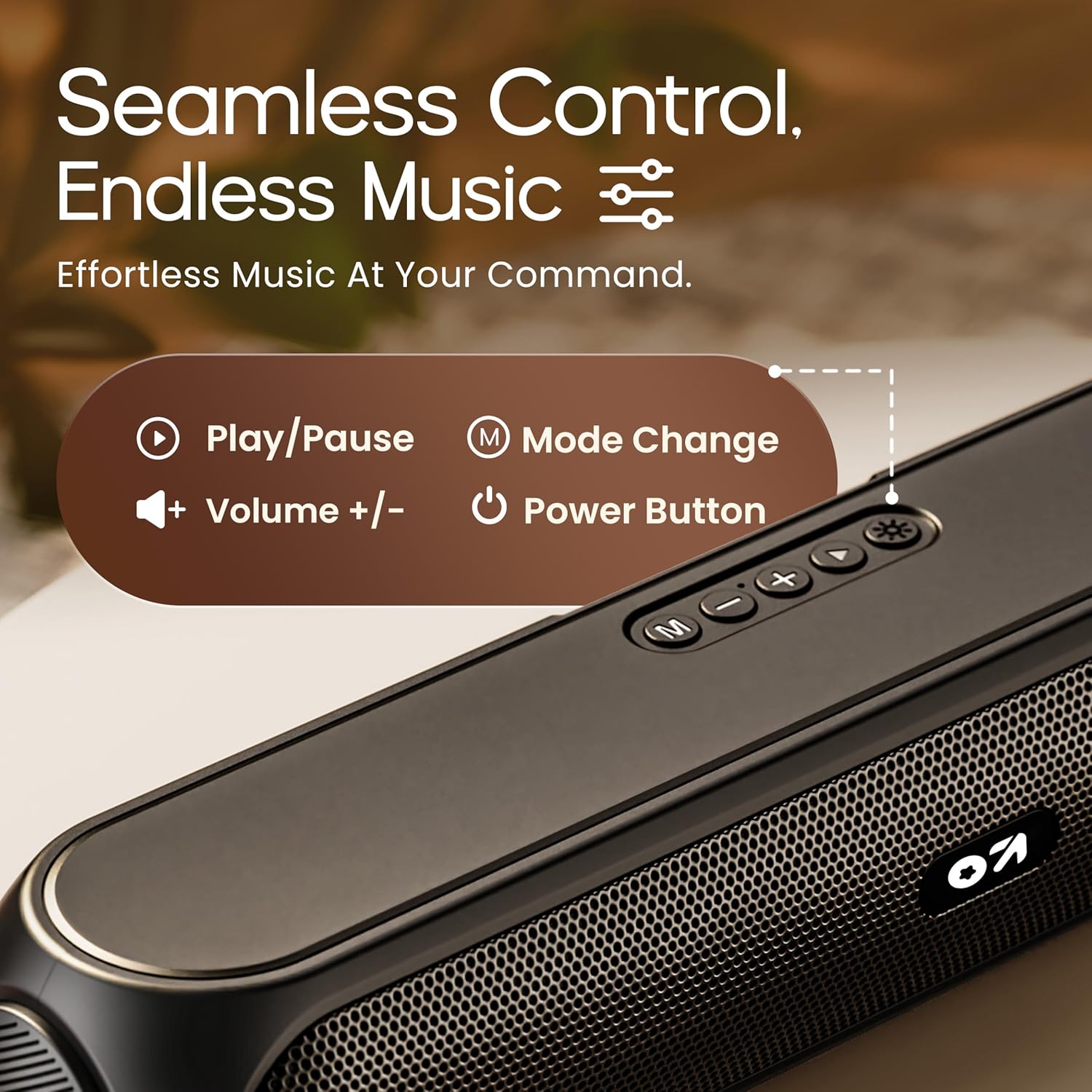
Image 3.2: Top control panel with Play/Pause, Volume, Mode, and Power buttons.
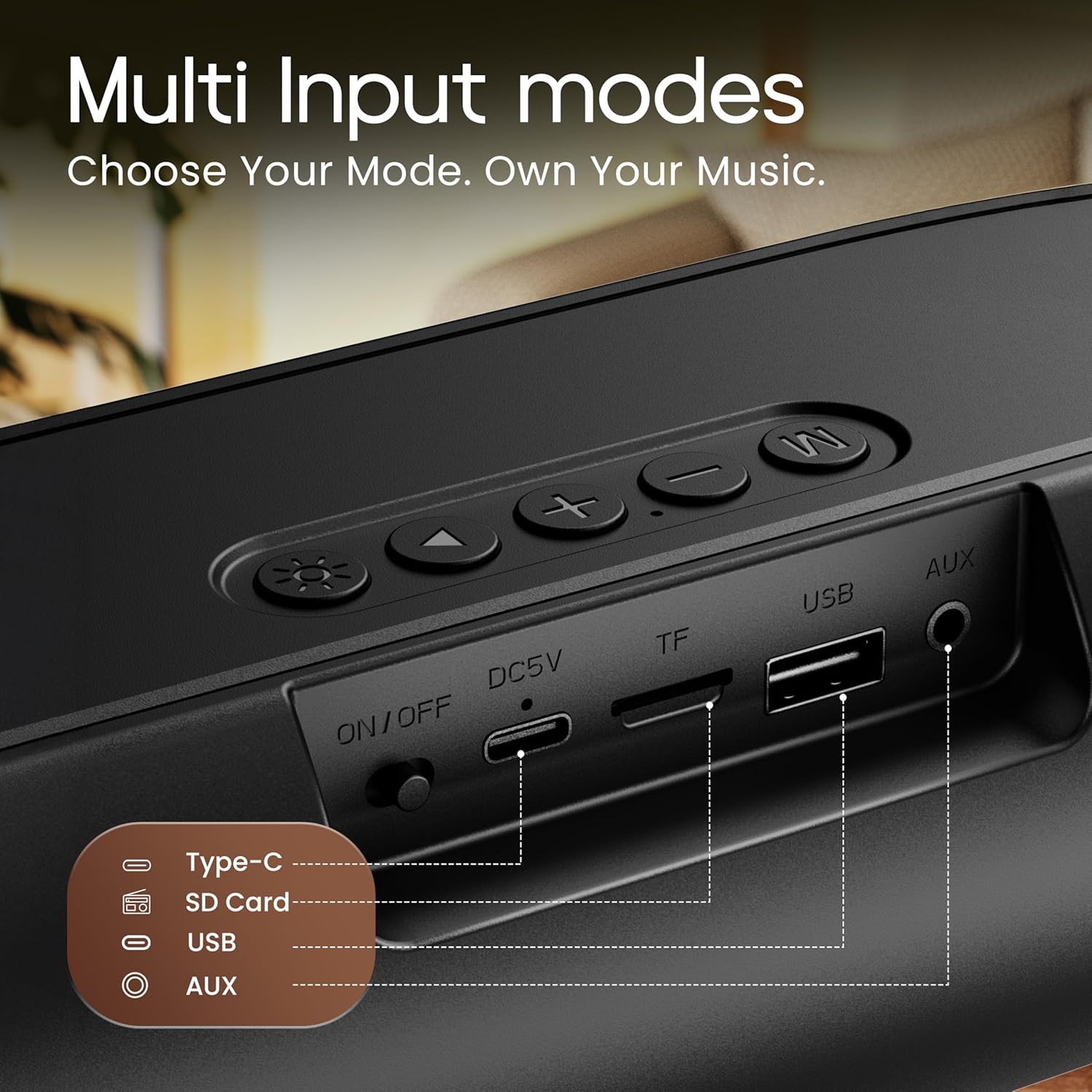
Image 3.3: Rear input panel showing Type-C, TF Card, USB, and AUX ports, along with the ON/OFF switch.
- پاور بٹن: Press and hold to power on/off. Short press to change LED light modes (if applicable).
- موڈ بٹن (M): Short press to switch between Bluetooth, AUX, TF Card, and USB modes.
- پلے/پاز بٹن: آڈیو چلانے یا روکنے کے لیے مختصر دبائیں۔
- والیوم اوپر (+): حجم بڑھانے کے لیے مختصر دبائیں اگلے ٹریک کے لیے دیر تک دبائیں۔
- آواز کم (-): حجم کم کرنے کے لیے مختصر دبائیں پچھلے ٹریک کے لیے دیر تک دبائیں۔
- قسم سی پورٹ: اسپیکر چارج کرنے کے لیے۔
- TF کارڈ سلاٹ: Insert a TF (MicroSD) card for direct audio playback.
- USB پورٹ: Insert a USB drive for direct audio playback.
- آکس پورٹ: بیرونی آڈیو ڈیوائسز کو 3.5 ملی میٹر آڈیو کیبل کے ذریعے جوڑیں۔
- آن/آف سوئچ: ڈیوائس کے لیے مین پاور سوئچ۔
4. سیٹ اپ
4.1 اسپیکر کو چارج کرنا
Before first use, fully charge the speaker. Use the provided Type-C charging cable.
- چارجنگ کیبل کے Type-C اینڈ کو اسپیکر کے Type-C پورٹ سے جوڑیں۔
- Connect the USB-A end of the charging cable to a 5V USB power adapter (not included) or a computer's USB port.
- چارجنگ انڈیکیٹر لائٹ روشن ہو جائے گی۔ مکمل چارج ہونے کے بعد یہ بند ہو جائے گا یا رنگ بدل جائے گا۔
A full charge typically takes approximately 2-3 hours and provides up to 6 hours of playtime.
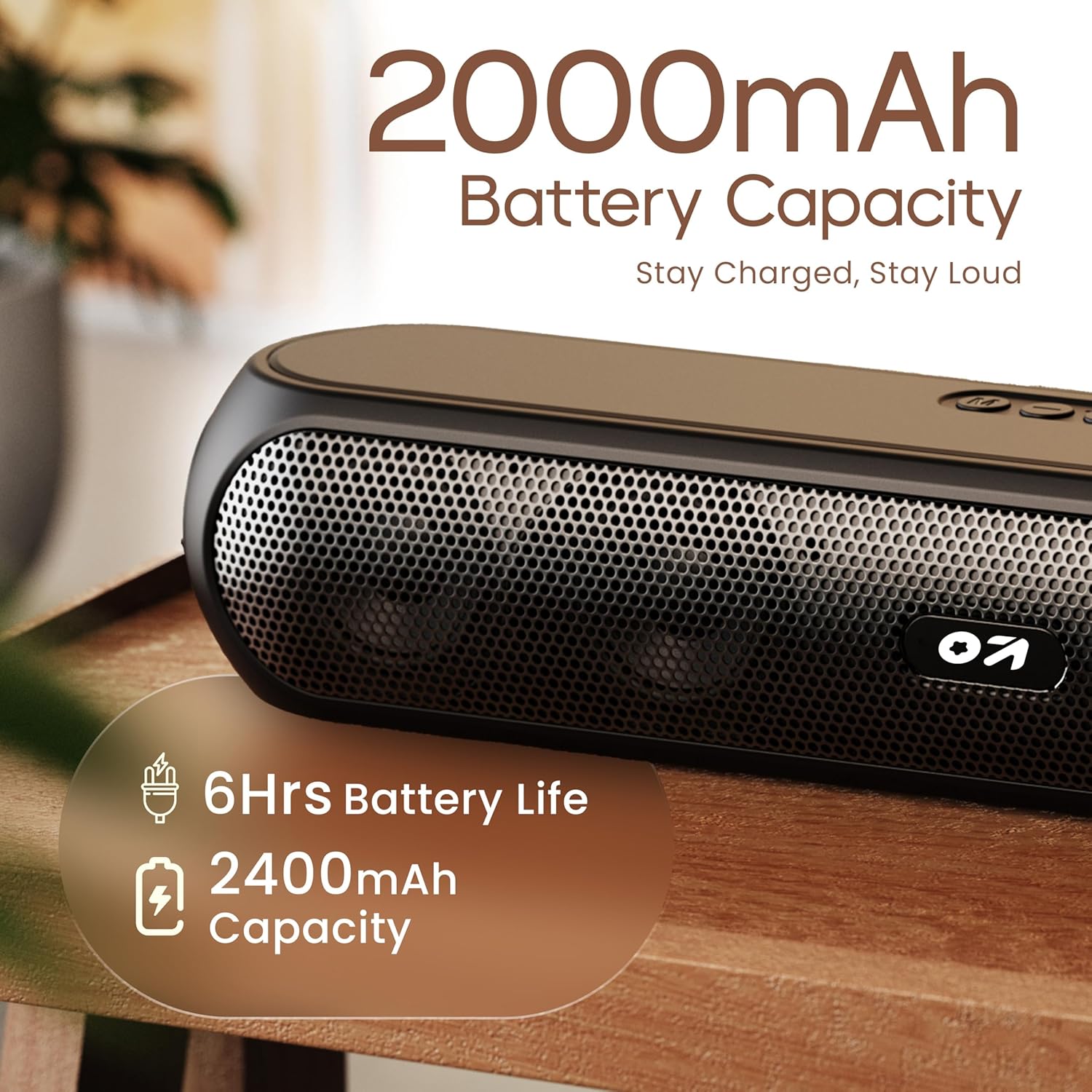
Image 4.1: Battery capacity and estimated playtime.
4.2 پاور آن/آف
- To power on, slide the ON/OFF switch to the 'ON' position, then press and hold the Power button on the top panel until the indicator light turns on.
- To power off, press and hold the Power button until the indicator light turns off.
4.3 بلوٹوتھ جوڑی
After powering on, the speaker will automatically enter Bluetooth pairing mode if no other device is connected. The Bluetooth indicator will flash.
- Ensure the speaker is powered on and in Bluetooth mode (indicator flashing).
- اپنے آلے پر (اسمارٹ فون، ٹیبلیٹ، لیپ ٹاپ)، بلوٹوتھ کو فعال کریں اور دستیاب آلات تلاش کریں۔
- Select "GOBOULT Bassbox X20" from the list of devices.
- Once connected, the speaker will emit a confirmation sound, and the Bluetooth indicator will stop flashing and remain solid.
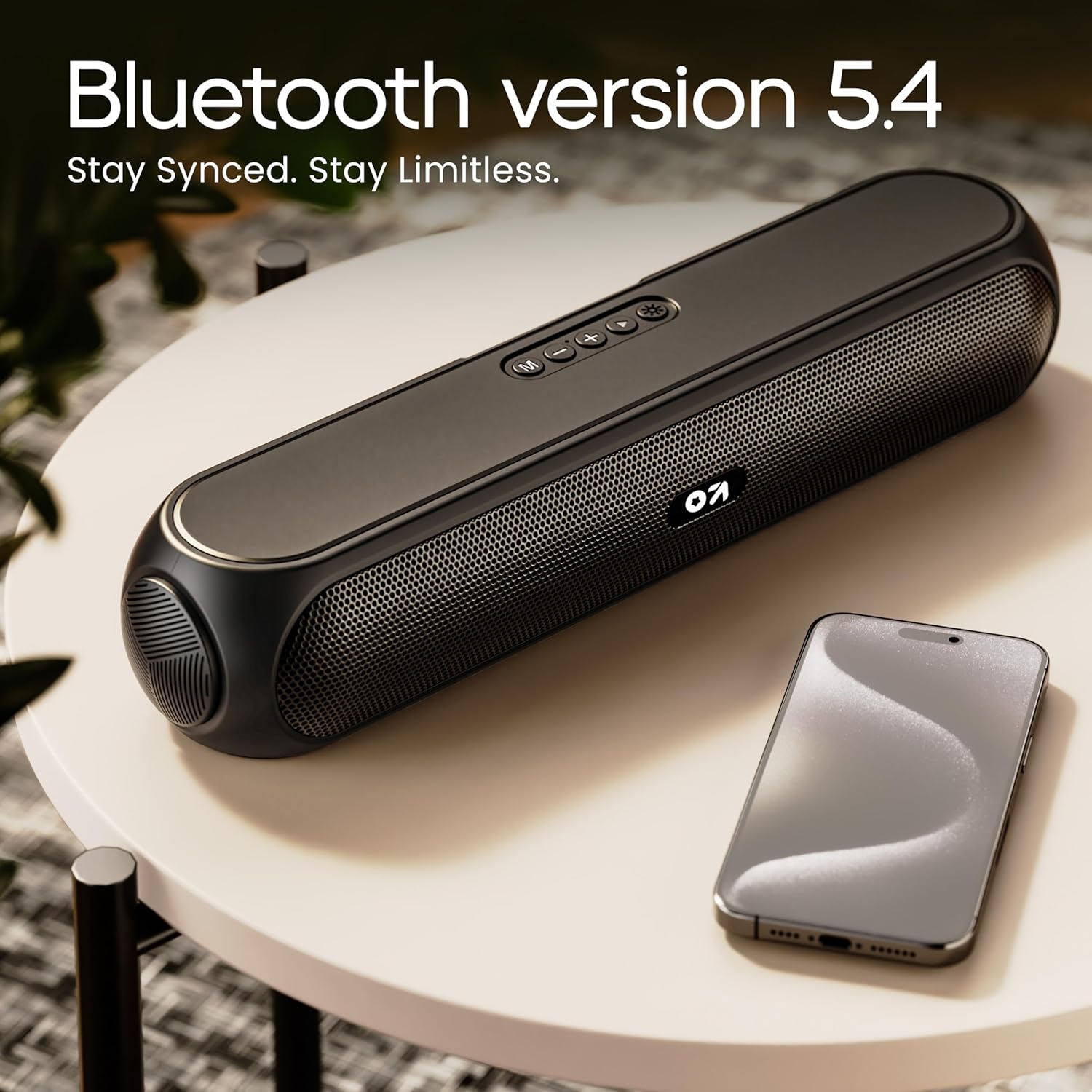
Image 4.2: Bluetooth 5.4 connectivity for seamless pairing.
4.4 حقیقی وائرلیس سٹیریو (TWS) جوڑا
The TWS function allows you to connect two GOBOULT Bassbox X20 speakers for a stereo sound experience.
- Ensure both Bassbox X20 speakers are powered on and not connected to any Bluetooth device.
- On one speaker (this will be the primary speaker), double-press the Mode (M) button. It will emit a sound indicating it's searching for another TWS speaker.
- The second speaker will automatically connect to the primary speaker. Once connected, both speakers will emit a confirmation sound.
- Now, connect your device to the primary speaker via Bluetooth as described in Section 4.3. Audio will play in stereo through both speakers.
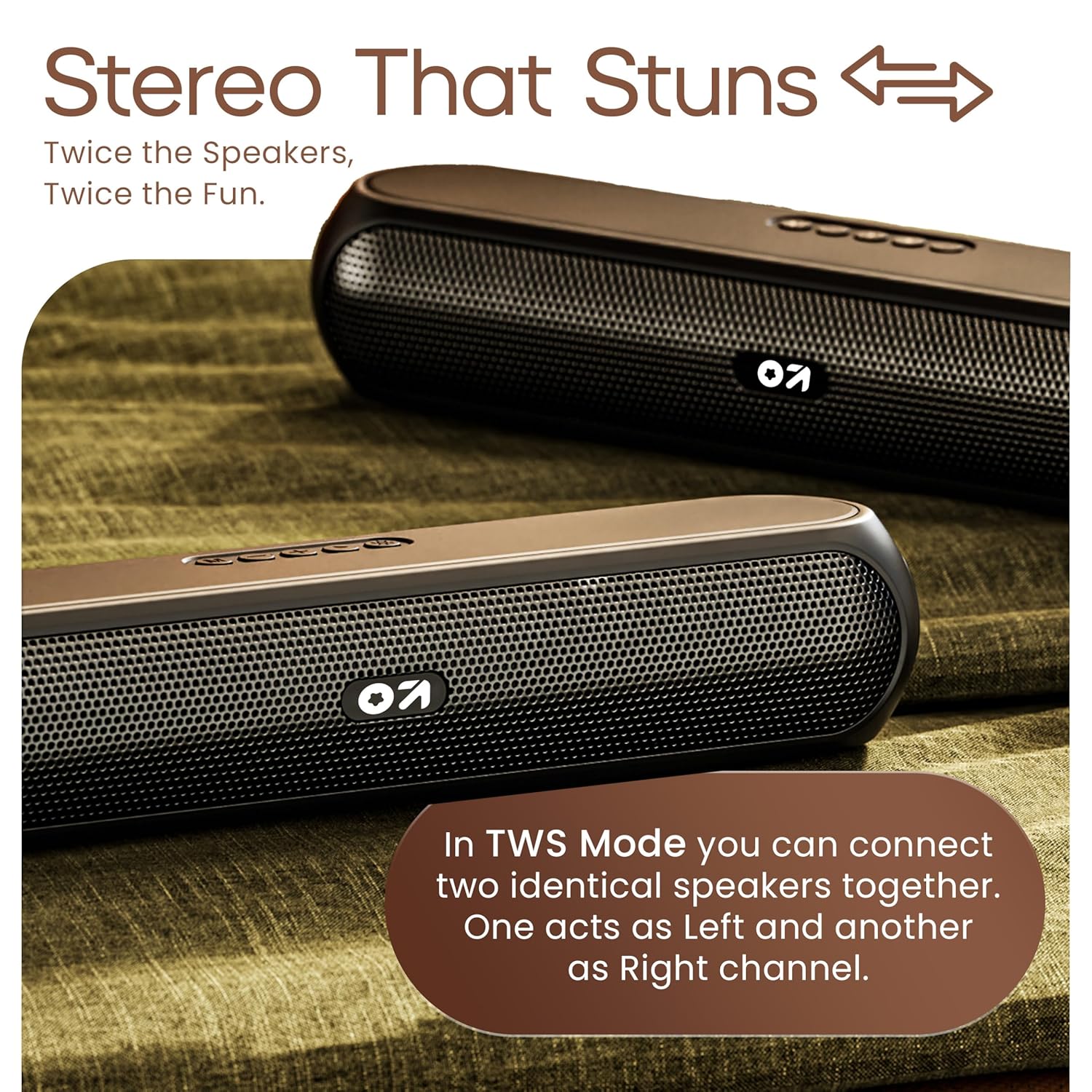
Image 4.3: TWS mode for connecting two speakers.
5. آپریشن
5.1 سوئچنگ موڈ
دبائیں موڈ (M) button to cycle through available input modes: Bluetooth, AUX, TF Card, and USB.
5.2 بلوٹوت وضع
After successful pairing (Section 4.3), you can stream audio wirelessly from your connected device. Use the speaker's volume controls or your device's volume controls to adjust the sound level.
5.3 AUX موڈ
- Connect one end of a 3.5mm audio cable (not included) to the speaker's AUX port.
- دوسرے سرے کو اپنے بیرونی ڈیوائس کے آڈیو آؤٹ پٹ جیک سے جوڑیں (مثلاً MP3 پلیئر، کمپیوٹر)۔
- دبائیں موڈ (M) button until the speaker enters AUX mode.
- Control playback and volume from your external device or the speaker's controls.
5.4 TF Card / USB Mode
- Insert a TF (MicroSD) card or a USB drive containing audio files اسپیکر پر متعلقہ پورٹ میں۔
- The speaker will automatically switch to TF Card or USB mode and begin playing audio. If not, press the موڈ (M) صحیح موڈ کو منتخب کرنے کے لئے بٹن.
- Use the speaker's controls to play/pause, skip tracks, and adjust volume.
6 دیکھ بھال
- Keep the speaker away from water, moisture, and extreme temperatures. While water-resistant, it is not waterproof.
- اسپیکر کو نرم، خشک کپڑے سے صاف کریں۔ کھرچنے والے کلینر یا سالوینٹس کا استعمال نہ کریں۔
- سپیکر کو شدید اثرات سے گریز کرنے یا اس کے تابع کرنے سے گریز کریں۔
- جب لمبے عرصے تک استعمال نہ ہو، تو اسپیکر کو ٹھنڈی، خشک جگہ پر اسٹور کریں اور بیٹری کی صحت کو برقرار رکھنے کے لیے اسے وقتاً فوقتاً چارج کریں۔
7 خرابیوں کا سراغ لگانا
| مسئلہ | ممکنہ وجہ | حل |
|---|---|---|
| سپیکر پاور آن نہیں کرتا۔ | Low battery. Main power switch off. | Charge the speaker. Ensure the ON/OFF switch is in the 'ON' position. |
| بلوٹوتھ کے ذریعے جوڑا نہیں بنایا جا سکتا۔ | اسپیکر جوڑا بنانے کے موڈ میں نہیں ہے۔ ڈیوائس بلوٹوتھ آف ہے۔ اسپیکر سے بہت دور۔ | Ensure speaker is in Bluetooth pairing mode (flashing indicator). Enable Bluetooth on your device. Move device closer to speaker (within 10 meters). |
| کوئی آواز نہیں۔ | Volume too low. Incorrect mode selected. Cable not connected properly (AUX). | Increase volume on speaker and device. Press 'M' button to select correct input mode. Reconnect AUX cable securely. |
| TWS جوڑا ناکام ہوجاتا ہے۔ | اسپیکر پہلے ہی دوسرے آلات سے منسلک ہیں۔ | Disconnect both speakers from any Bluetooth devices before attempting TWS pairing. Ensure both speakers are Bassbox X20 models. |
8. وضاحتیں
| فیچر | تفصیل |
|---|---|
| ماڈل کا نام | باس باکس ایکس 20 |
| اسپیکر کی قسم | پورٹ ایبل بلوٹوتھ اسپیکر |
| آؤٹ پٹ پاور | 20 واٹ |
| بلوٹوتھ ورژن | 5.4 |
| بلوٹوتھ رینج | 10 میٹر (33 فٹ) تک |
| کنیکٹیویٹی کے اختیارات | بلوٹوتھ، معاون (3.5mm)، USB، TF کارڈ |
| بیٹری کی قسم | لتیم پولیمر |
| بیٹری کی زندگی | 6 گھنٹے تک (70% والیوم پر) |
| چارجنگ پورٹ | Type-C (DC5V) |
| مصنوعات کے طول و عرض | 89D x 38W x 68H ملی میٹر |
| شے کا وزن | 655 گرام |
| پانی کی مزاحمت کی سطح | Water Resistant (not waterproof) |
| شامل اجزاء | X20 Soundbar, User Manual, Warranty Card, Charging Cable |
9. وارنٹی اور سپورٹ
The GOBOULT Bassbox X20 Bluetooth Speaker comes with a 1 سال کے مینوفیکچرر کی وارنٹی خریداری کی تاریخ سے. یہ وارنٹی عام استعمال کے تحت مینوفیکچرنگ نقائص اور کاریگری کا احاطہ کرتی ہے۔
For warranty claims, technical support, or any inquiries, please refer to the contact information provided on your warranty card or visit the official GOBOULT webسائٹ
براہ کرم وارنٹی مقاصد کے لیے خریداری کے ثبوت کے طور پر اپنی خریداری کی رسید اپنے پاس رکھیں۔


