1. تعارف
This manual provides essential information for the proper use and maintenance of your HOTWAV R9 Ultra 5G Rugged Tablet. Please read it thoroughly before operating the device to ensure optimal performance and longevity. The HOTWAV R9 Ultra is designed for durability and high performance, featuring 5G connectivity, a large display, and robust construction.
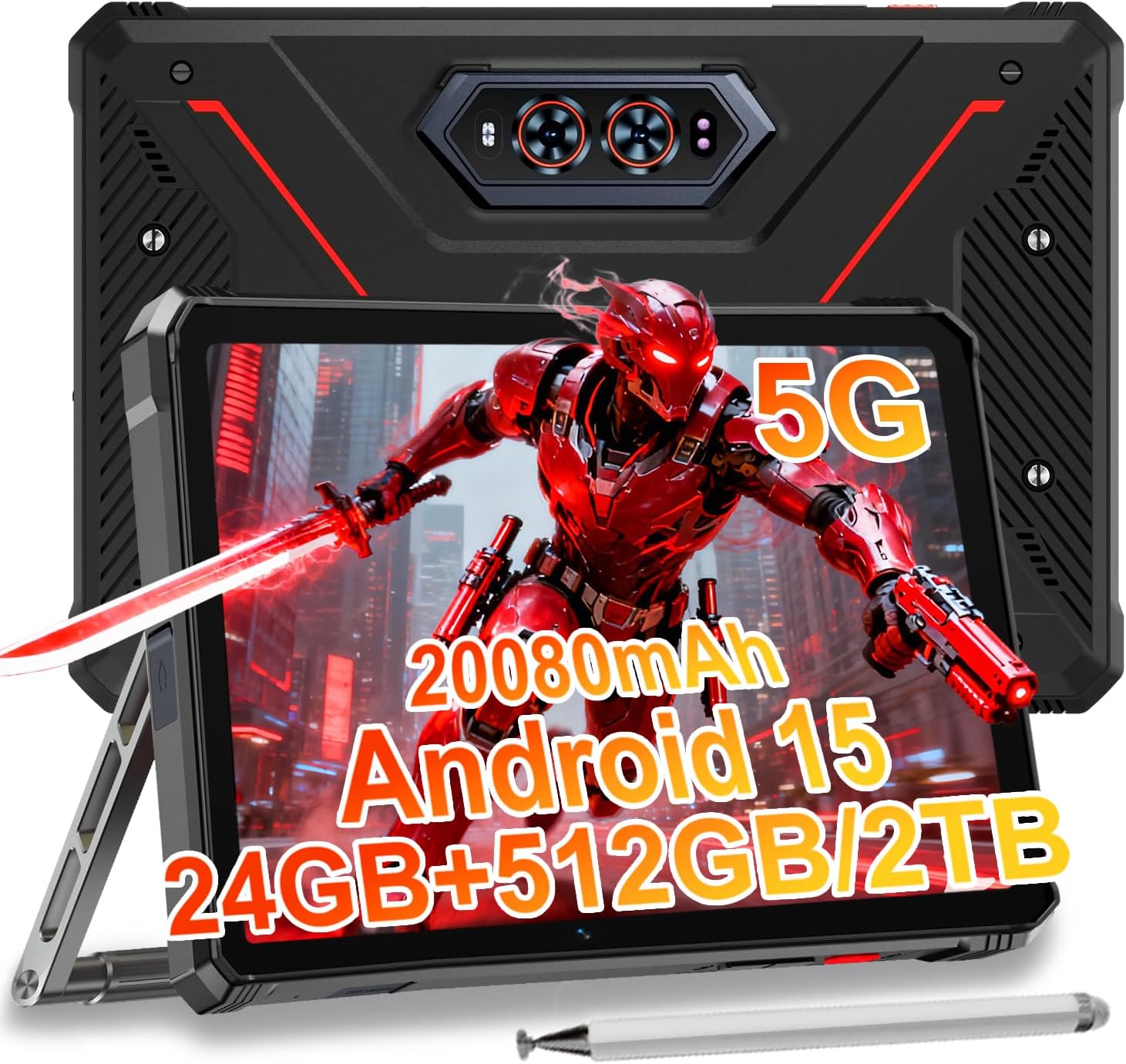
Image 1.1: The HOTWAV R9 Ultra 5G Rugged Tablet with its included stylus and stand.
2. باکس میں کیا ہے۔
تصدیق کریں کہ تمام آئٹمز ان باکسنگ پر موجود ہیں:
- 1 x R9 Ultra Tablet
- 1 ایکس انسٹرکشن دستی
- 1 x Tablet Protective Film (pre-installed or separate)
- 1 x Tablet Charger Accessory
- 1 x Tablet Stand + Strap + Electronic Pen
3. آلہ ختمview
Familiarize yourself with the physical components of your tablet.
3.1 جسمانی اجزاء
- ڈسپلے: 11-inch FHD+ 2K screen.
- فرنٹ کیمرہ: ویڈیو کالز اور سیلفیز کے لیے 16MP۔
- پیچھے والے کیمرے: 64MP main camera, 20MP night vision camera.
- بندرگاہیں: USB-C charging/data port, Dual SIM/MicroSD card slot.
- بٹن: پاور بٹن، والیوم اپ/ڈاؤن بٹن۔
- مقررین: Integrated stereo speakers.
- Campروشنی: Integrated high-performance light on the rear.

تصویر 3.1: پیچھے view of the tablet highlighting the camera system and integrated campروشنی
4. سیٹ اپ
4.1 سم کارڈ اور مائیکرو ایس ڈی کی تنصیب
- Locate the SIM/MicroSD card slot on the side of the tablet.
- ٹرے کو کھولنے کے لیے فراہم کردہ سم ایجیکٹر ٹول استعمال کریں۔
- Carefully place your Nano-SIM cards (up to two) and/or a MicroSD card (up to 2TB) into the tray, ensuring correct orientation.
- Insert the tray back into the tablet until it clicks into place.
Important Notice Before Purchase: HOTWAV rugged tablets are not compatible with AT&T, Cricket, or Verizon networks. They fully support T-Mobile, Mint, Boost, and Google Fi. Verify your carrier compatibility to ensure seamless connectivity.
4.2 Initial Power On and Android 15 Setup
- Press and hold the Power button until the HOTWAV logo appears.
- ابتدائی سیٹ اپ مکمل کرنے کے لیے آن اسکرین پرامپٹس پر عمل کریں، بشمول زبان کا انتخاب، وائی فائی کنکشن، گوگل اکاؤنٹ لاگ ان، اور سیکیورٹی سیٹنگ۔
- The tablet runs on Android 15, offering enhanced features and security.

تصویر 4.1: ختمview of the Android 15 operating system interface.
5. گولی چلانا
5.1 بنیادی نیویگیشن
- چھونے کے اشارے: اسکرین کے ساتھ تعامل کرنے کے لیے ٹیپ، سوائپ اور چٹکی کا استعمال کریں۔
- ہوم اسکرین: Access apps and widgets.
- اطلاعات: اسکرین کے اوپر سے نیچے تک سوائپ کریں۔ view اطلاعات اور فوری ترتیبات۔
5.2 کنیکٹیویٹی
- 5G نیٹ ورک: Insert a compatible 5G SIM card for high-speed mobile data.
- Wi-Fi 5: انٹرنیٹ تک رسائی کے لیے وائرلیس نیٹ ورکس سے جڑیں۔
- بلوٹوتھ 5.0: Pair with Bluetooth devices such as headphones or speakers.
- GPS: Utilize multi-system navigation (Beidou, GPS, Galileo, Glonass) and a geomagnetic sensor for accurate positioning.

Image 5.1: The tablet's GPS functionality in use for navigation.
5.3 کیمرے کا استعمال
ٹیبلیٹ میں ایک ورسٹائل کیمرہ سسٹم ہے:
- 64MP مین کیمرہ: ہائی ریزولوشن فوٹوز کے لیے۔
- 20MP نائٹ ویژن کیمرہ: For clear images in low-light conditions.
- 16MP فرنٹ کیمرہ: For video calls and self-portraits.
Camera modes include Night Mode, Pro Mode, Panorama Mode, and Underwater Mode for diverse shooting scenarios.

Image 5.2: Demonstrating the tablet's underwater and night vision camera capabilities.
5.4 بیٹری کا انتظام
The tablet is equipped with a 20080mAh battery for extended use.
- چارج کرنا: Use the included 20W fast charger for efficient power replenishment.
- OTG ریورس چارجنگ: The tablet can act as a power bank to charge other devices.

Image 5.3: Visual representation of the 20080mAh battery and 20W fast charging.
5.5 Stylus Usage
The included stylus allows for precise interaction with the screen, ideal for drawing, note-taking, or navigating with gloves on.

Image 5.4: The stylus pen, designed for precise input.
5.6 خصوصی خصوصیات
- Campروشنی: Activate the rear camping light for illumination in dark environments.
- Gemini AI: Utilize Gemini AI for advanced reasoning, creative solutions, and deeper conversations.
- دستانے کا موڈ: The display supports operation while wearing gloves.
- چہرے کی شناخت: Unlock your tablet using facial recognition.
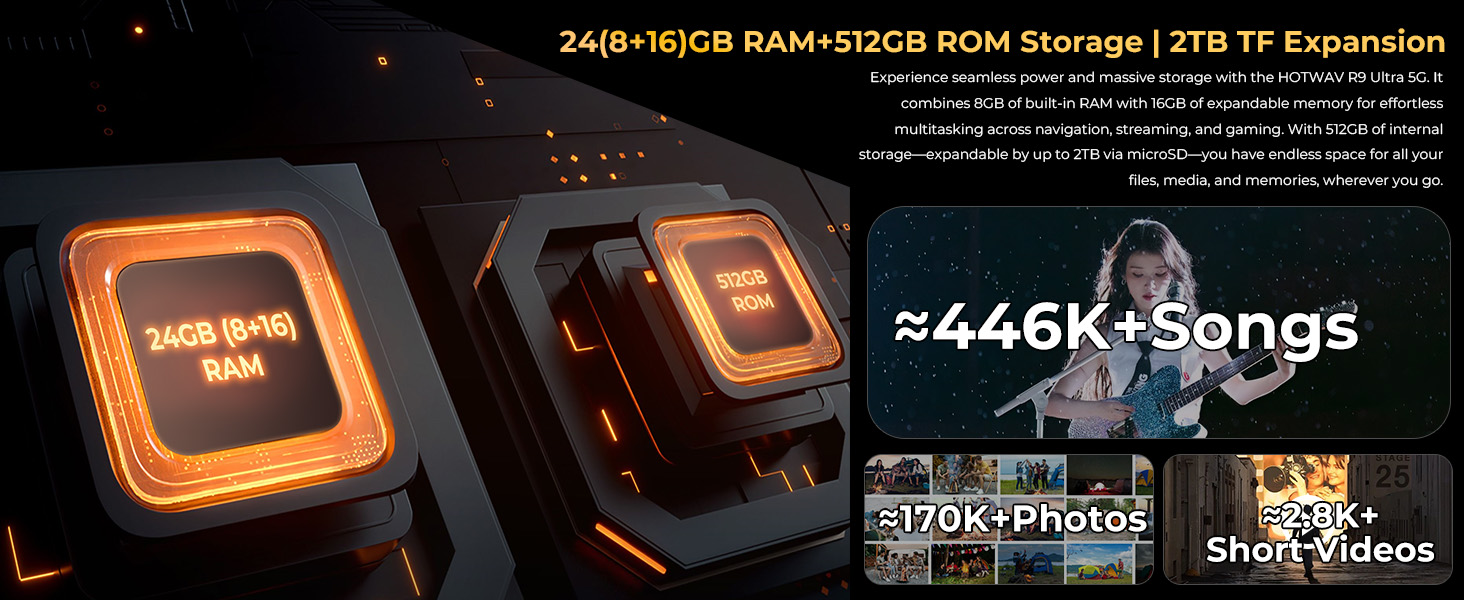
Image 5.5: The tablet's integrated camping light providing illumination.
5.7 پائیداری کی خصوصیات
The HOTWAV R9 Ultra is built to withstand challenging conditions:
- IP68 & IP69K Rated: Fully dust-tight and protected against high-pressure, high-temperature water jets.
- MIL-STD-810H Certified: Meets military standards for shock and drop resistance.
- کارننگ گوریلا گلاس 3: Provides enhanced screen protection against scratches and impacts.

Image 5.6: The tablet's robust design, highlighting its resistance to drops, water, and dust.
6 دیکھ بھال
6.1 صفائی
To clean your tablet, use a soft, lint-free cloth. For stubborn dirt, slightly dampپانی کے ساتھ کپڑے. سخت کیمیکلز یا کھرچنے والے مواد کے استعمال سے پرہیز کریں۔
6.2 سافٹ ویئر اپ ڈیٹس
Regularly check for and install software updates to ensure your tablet has the latest features, security patches, and performance improvements. Navigate to ترتیبات > سسٹم > سسٹم اپ ڈیٹ دستیاب اپ ڈیٹس کو چیک کرنے کے لیے۔
6.3 اسٹوریج مینجمنٹ
وقتاً فوقتاً دوبارہview آپ کے ٹیبلیٹ کا اسٹوریج۔ غیر ضروری حذف کریں۔ files، غیر استعمال شدہ ایپس کو ان انسٹال کریں، اور بڑے میڈیا کو منتقل کریں۔ files to external storage or cloud services to maintain optimal performance. The tablet supports up to 2TB of expandable storage via MicroSD.
7 خرابیوں کا سراغ لگانا
اگر آپ کو اپنے ٹیبلیٹ کے ساتھ مسائل کا سامنا کرنا پڑتا ہے، تو درج ذیل عام حل سے رجوع کریں:
- ٹیبلٹ آن نہیں ہو رہا ہے: Ensure the battery is charged. Connect the tablet to its charger and wait a few minutes before attempting to power it on again.
- سست کارکردگی: Close unused applications, clear cache, or restart the tablet. Check for available software updates.
- کنیکٹیویٹی کے مسائل (Wi-Fi/5G): Toggle Wi-Fi or mobile data off and on. Restart your router for Wi-Fi issues. Verify SIM card installation and carrier compatibility for 5G issues.
- اسکرین غیر جوابدہ: تقریباً 10-15 سیکنڈز کے لیے پاور بٹن کو پکڑ کر زبردستی دوبارہ شروع کریں۔
- ایپس کریش ہو رہی ہیں: ایپ کے کیشے اور ڈیٹا کو صاف کریں۔ ترتیبات > ایپس, or reinstall the app.
مستقل مسائل کے لیے، کسٹمر سپورٹ سے رابطہ کریں۔
8. وضاحتیں
| فیچر | تفصیلات |
|---|---|
| برانڈ | HOTWAV |
| ماڈل کا نام | R9 الٹرا |
| آپریٹنگ سسٹم | اینڈرائیڈ 15 |
| اسکرین کا سائز | 11 انچ |
| اسکرین ریزولوشن | 1200 x 1920 Pixels (2K FHD+) |
| پروسیسر برانڈ | Unisoc |
| گرافکس کا پروسیسر | Mali-G57 MC2 |
| رام | 24 جی بی (8 جی بی فزیکل + 16 جی بی ورچوئل) |
| اندرونی اسٹوریج | 512 جی بی |
| قابل توسیع اسٹوریج | مائیکرو ایس ڈی کے ذریعے 2TB تک |
| پیچھے Webکیمرے کی قرارداد | 64 MP (Main) + 20 MP (Nightvision) |
| سامنے والا Webکیمرے کی قرارداد | 16 MP |
| بیٹری کی صلاحیت | 20080mAh |
| چارج ہو رہا ہے۔ | 20W فاسٹ چارجنگ، OTG ریورس چارجنگ |
| استحکام کی درجہ بندی | IP68, IP69K, MIL-STD-810H |
| کنیکٹوٹی | 5G, Wi-Fi 5, Bluetooth 5.0, GPS (Beidou, Galileo, Glonass) |
| شے کا وزن | 2.64 پاؤنڈ |
| مصنوعات کے طول و عرض | 10.6 x 7.1 x 0.7 انچ |
9. وارنٹی اور سپورٹ
9.1 وارنٹی کی معلومات
The HOTWAV R9 Ultra comes with a comprehensive 2-year hardware warranty. This warranty covers manufacturing defects and ensures the reliability of your device. Please retain your proof of purchase for warranty claims.
9.2 کسٹمر سپورٹ
For technical assistance, troubleshooting, or warranty inquiries, please contact HOTWAV customer support. Support options typically include:
- 24/7 آن لائن سپورٹ
- لائف ٹائم ٹیکنیکل سپورٹ
Refer to the official HOTWAV webمخصوص رابطے کی تفصیلات کے لیے سائٹ یا آپ کی خریداری کی دستاویزات۔

Image 9.1: Representation of HOTWAV's customer support services.


