1. تعارف
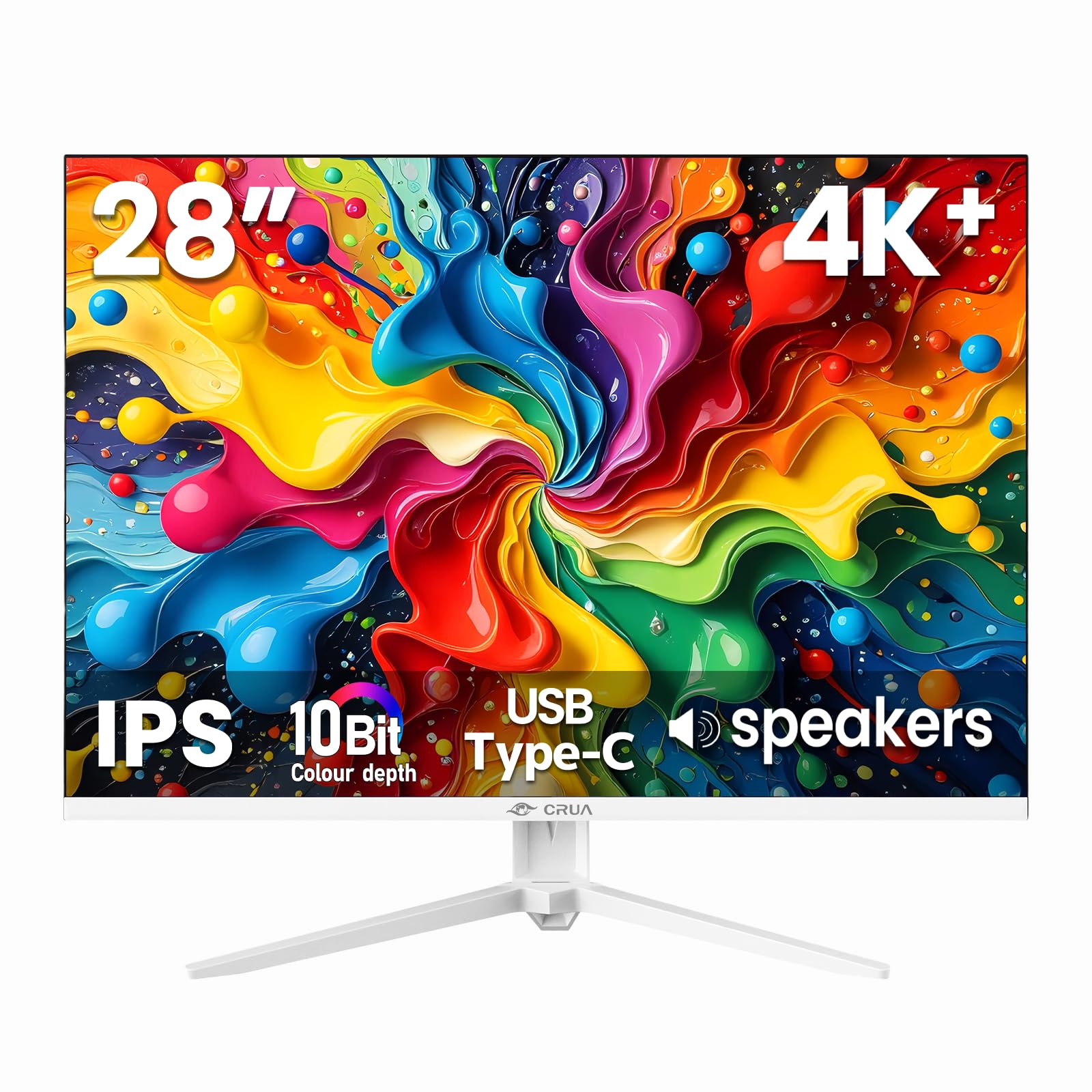
Thank you for choosing the CRUA 28 Inch 4K UHD+ IPS Monitor. This monitor is designed to deliver stunning visual clarity and vibrant colors for an immersive viewing experience, whether for work, gaming, or creative projects. Featuring a 3840×2560p resolution, 60Hz refresh rate, and extensive connectivity options, it is built to enhance your digital interactions.
Please read this manual carefully before operating your monitor to ensure proper setup and optimal performance. Keep this manual for future reference.
2. پیکیج کے مشمولات
Ensure all items are present in the box before proceeding with the setup:
- 28-inch white monitor
- Base and support
- User instructions (this manual)
- DP cable x1 (4.92 ft)
- Type-C cable x1 (4.92 ft)
- Power adapter x1 (4.92 ft)
3. سیٹ اپ
3.1. مانیٹر اسمبلی
مانیٹر اسٹینڈ کو جمع کرنے کے لیے:
- مانیٹر کو اس کی پیکیجنگ سے احتیاط سے ہٹا دیں، اسے نرم، صاف سطح پر نیچے رکھیں تاکہ خروںچ کو روکا جا سکے۔
- Attach the stand support to the back of the monitor.
- Secure the base to the stand support using the provided screws.
Alternatively, the monitor is wall-mountable (75×75mm VESA compatible) for flexible ergonomic setups.
3.2. اپنے مانیٹر کو جوڑنا
The CRUA monitor offers versatile connectivity options:
- HDMI2.0: Connect your computer, gaming console, or other HDMI-enabled devices using one of the two HDMI 2.0 ports.
- ڈسپلے پورٹ 1.4: For high-resolution and refresh rate connections, use the DisplayPort 1.4.
- USB قسم-C: Connect compatible devices for video, data transfer, and power delivery (charging).
- 3.5 ملی میٹر آڈیو جیک: بیرونی اسپیکر یا ہیڈ فون کو جوڑیں۔
Ensure the power adapter is securely connected to the monitor and a power outlet.

4. اپنے مانیٹر کو چلانا
4.1. آن اسکرین ڈسپلے (OSD) مینو
The OSD menu allows you to adjust various monitor settings. Buttons are typically located on the back or bottom edge of the monitor. Common controls include:
- پاور بٹن: مانیٹر کو آن/آف کرتا ہے۔
- مینو بٹن: OSD مینو تک رسائی حاصل کرتا ہے۔
- نیویگیشن بٹن: Used to move through menu options and adjust values (e.g., brightness, contrast, input source).
4.2. کلیدی خصوصیات
- Ultra-Sharp 4K Visuals: Enjoy a 3840×2560p resolution on a 28-inch IPS panel with a 15:10 aspect ratio, 1.07 billion colors (8-bit+FRC), 120% sRGB, 270 cd/m² brightness, and 1200:1 contrast ratio for vivid and true-to-life images.
- IPS Panel & Wide Viewزاویہ: Consistent and accurate colors are maintained across a wide 178° viewing angle, ideal for various professional and entertainment uses.
- Smooth Gaming & Eye Protection: AMD FreeSync technology and a 60Hz refresh rate provide tear-free gameplay. A built-in blue light filter helps reduce eye strain during extended use.
- Flexible Ergonomic Setup: Adjust the monitor with tilt support (-5° forward, 15° backward) or mount it on a wall using the 75×75mm VESA standard.
- بلٹ ان اسپیکر: Integrated speakers deliver clear audio, eliminating the need for external audio devices.


5 دیکھ بھال
To ensure the longevity and optimal performance of your CRUA monitor, follow these maintenance guidelines:
- سکرین کی صفائی: نرم، لنٹ فری کپڑے سے اسکرین کو آہستہ سے صاف کریں۔ ضدی نشانات کے لیے، ہلکے سے ڈیampur پانی یا سکرین کی صفائی کے محلول کے ساتھ کپڑا۔ سخت کیمیکلز یا کھرچنے والے مواد سے پرہیز کریں۔
- سی کی صفائیasing: مانیٹر کی سی کو صاف کرنے کے لیے نرم، خشک کپڑا استعمال کریں۔asing.
- وینٹیلیشن: اس بات کو یقینی بنائیں کہ مانیٹر کے وینٹیلیشن کے سوراخ زیادہ گرم ہونے سے روکنے کے لیے صاف اور بلا رکاوٹ ہیں۔
- بجلی بند: مانیٹر کو ہمیشہ بند کر دیں اور صفائی کرنے سے پہلے اسے پاور آؤٹ لیٹ سے الگ کر دیں یا اگر یہ طویل مدت تک استعمال نہیں ہو گا۔
6 خرابیوں کا سراغ لگانا
اگر آپ کو اپنے مانیٹر کے ساتھ مسائل کا سامنا کرنا پڑتا ہے تو، مندرجہ ذیل عام ٹربل شوٹنگ کے اقدامات سے رجوع کریں:
- کوئی ڈسپلے/بلیک اسکرین نہیں:
- چیک کریں کہ آیا مانیٹر آن ہے اور پاور کیبل محفوظ طریقے سے منسلک ہے۔
- Verify that the video cable (HDMI, DisplayPort, or USB-C) is correctly connected to both the monitor and your computer/device.
- یقینی بنائیں کہ مانیٹر پر OSD مینو کے ذریعے درست ان پٹ سورس کا انتخاب کیا گیا ہے۔
- Test with a different video cable or device to rule out cable or source issues.
- Flickering/Unstable Image:
- Check the video cable connections for looseness.
- اپنے کمپیوٹر کی ڈسپلے سیٹنگز میں ریفریش ریٹ کو ایڈجسٹ کریں۔
- Disable AMD FreeSync in the OSD menu if issues persist.
- No Audio from Built-in Speakers:
- Ensure the monitor's volume is not muted or set too low in the OSD menu.
- Check your computer's audio output settings to ensure the monitor is selected as the playback device.
- Verify the audio source is working correctly.
- Image Too Dark/Bright/Incorrect Colors:
- OSD مینو کے ذریعے چمک، کنٹراسٹ، اور رنگ کی ترتیبات کو ایڈجسٹ کریں۔
- OSD مینو کے ذریعے مانیٹر کو فیکٹری ڈیفالٹ سیٹنگز پر ری سیٹ کریں۔
If these steps do not resolve the issue, please contact CRUA customer support for further assistance.
7. وضاحتیں
| فیچر | تفصیلات |
|---|---|
| مصنوعات کے طول و عرض | 18.58 x 24.09 x 19.97 انچ |
| شے کا وزن | 11.08 پاؤنڈ |
| کارخانہ دار | CRUA |
| آئٹم ماڈل نمبر | CR280HDM |
| اسٹینڈنگ اسکرین ڈسپلے سائز | 28.2 انچ |
| پہلو کا تناسب | 3:2 (Note: Marketing materials mention 15:10, which is approximately 1.5:1, while 3:2 is 1.5:1. These are very similar.) |
| قرارداد | 3840x2560 Pixels (4K UHD+) |
| تصویر کی چمک | 270 Candela (cd/m²) |
| کل USB پورٹس | 1 (USB Type-C) |
| اسکرین کی سطح کی تفصیل | میٹ |
| پینل کی قسم | آئی پی ایس |
| ریفریش ریٹ | 60Hz |
| رنگ کی گہرائی | 10-Bit (8-bit + FRC) |
| کلر گامٹ | 120% sRGB |
| موافقت پذیری کی ٹیکنالوجی | AMD FreeSync |
8. وارنٹی اور سپورٹ
CRUA provides high-quality computer monitors and premium services. For any questions or issues regarding your CRUA 28 Inch 4K UHD+ IPS Monitor, please contact our customer support team. We are committed to serving you and solving all your problems.
مخصوص وارنٹی تفصیلات اور رابطہ کی معلومات کے لیے براہ کرم اپنی خریداری کی دستاویزات دیکھیں۔


