تعارف
This manual provides detailed instructions for the setup, operation, maintenance, and troubleshooting of your MCHOSE Mix 87 TKL Wired Gaming Keyboard. Please read this manual thoroughly to ensure proper use and to maximize the performance of your device.
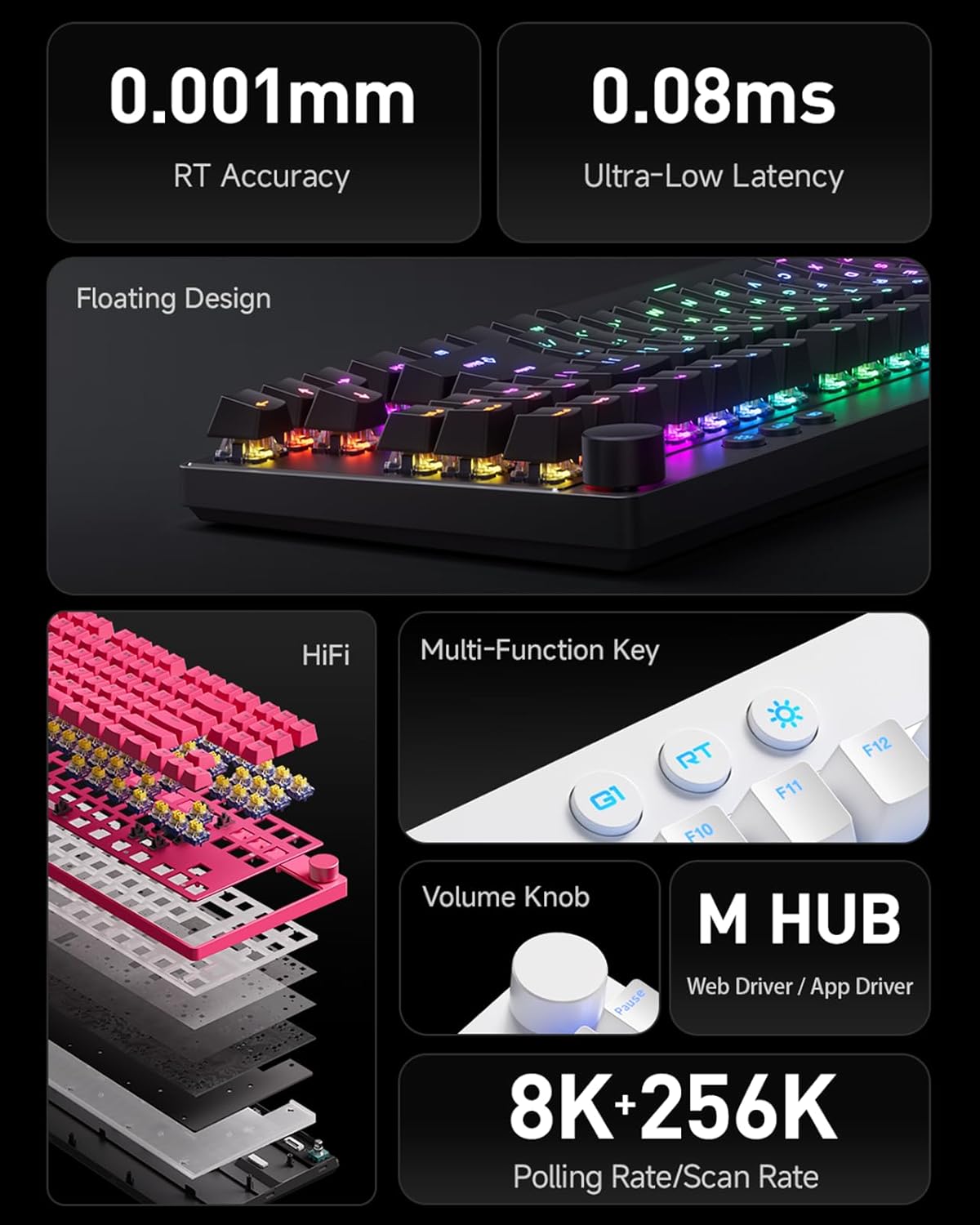
تصویر: ختمview of MCHOSE Mix 87 TKL keyboard features, highlighting 0.001mm RT Accuracy, 0.08ms Ultra-Low Latency, Floating Design, HiFi sound dampening, Multi-Function Key, Volume Knob, M HUB software, and 8K Polling Rate / 256K Scan Rate.
1. سیٹ اپ
1.1 پیکیج کے مشمولات
تصدیق کریں کہ تمام اشیاء پیکیج میں موجود ہیں:
- MCHOSE Mix 87 TKL Wired Gaming Keyboard
- USB-C کیبل
- صارف دستی (یہ دستاویز)
- Keycap Puller (if included)
- Switch Puller (if included)
1.2 کی بورڈ کو جوڑنا
- Locate the USB-C port on the back or side of the MCHOSE Mix 87 keyboard.
- فراہم کردہ USB-C کیبل کے ایک سرے کو کی بورڈ کے USB-C پورٹ سے جوڑیں۔
- Connect the other end of the USB-C cable to an available USB port on your computer, gaming console (PS5, XBOX), or laptop.
- کی بورڈ خود بخود آپ کے آپریٹنگ سسٹم کے ذریعہ پہچان لیا جائے گا۔
1.3 Driver Installation (MCHOSE Driver)
For advanced customization and features, install the MCHOSE driver software:
- Visit the official MCHOSE webسائٹ (www.mchose.com) to download the latest MCHOSE driver (M HUB Web/App Driver).
- انسٹالیشن مکمل کرنے کے لیے آن اسکرین ہدایات پر عمل کریں۔
- The driver allows for key remapping, RGB lighting adjustments, and activation of advanced gaming features like Rapid Trigger and Berserk Mode.
- All settings can be saved to the keyboard's onboard memory.
2. آپریٹنگ ہدایات
2.1 کی بورڈ کے بنیادی افعال
The MCHOSE Mix 87 functions as a standard TKL keyboard for typing and general computer use upon connection.
2.2 Volume Knob Operation

Image: Close-up of the volume knob on the MCHOSE Mix 87 TKL keyboard, illustrating its functions: Rotate to Adjust Volume and Press to Mute.
- گھمائیں: Turn the knob clockwise to increase volume, and counter-clockwise to decrease volume.
- دبائیں: آڈیو کو خاموش یا خاموش کرنے کے لیے نوب کو دبائیں۔
2.3 Multi-Function Keys and RGB Lighting

Image: Close-up of the multi-function keys (G1, RT, Adjustable Lighting) and volume knob on the MCHOSE Mix 87 TKL keyboard.
The keyboard features dedicated multi-function keys for quick access to specific features:
- G1 Key: One-Key Desktop Switch (Customizable). This key can be configured via the MCHOSE driver for various functions.
- RT Key: One-Key Profile Switching. Use this key to cycle through different Rapid Trigger profiles configured in the MCHOSE driver.
- Lighting Key (Sun icon): Adjustable Lighting Brightness. Press this key to cycle through different RGB brightness levels or lighting effects. Further customization is available through the MCHOSE driver.
2.4 Advanced Customization (MCHOSE Driver)

Image: Diagram illustrating advanced features of the MCHOSE Mix 87 TKL keyboard, including Magnetic Switch Algorithm 3.0, RT Smart (15-Level Adjustability), ADC Direct Connection for WASD keys, and Customizable Dynamic Keystroke Travel (DKS, SOCD, MT, TGL, RS, key macros).
The MCHOSE driver unlocks the full potential of your keyboard:
- کلیدی ری میپنگ: Assign custom functions to any key.
- آرجیبی لائٹنگ: Customize per-key RGB lighting, effects, and brightness.
- تیز رفتار محرک: Adjust the sensitivity and behavior of Rapid Trigger for instant key activation and deactivation.
- Berserk Mode: Activate specialized gaming modes for enhanced performance.
- Adjustable Actuation Point: Set the actuation point for each key from 0.1mm to 4.0mm to match your preference.
- Dynamic Keystroke Travel (DKS): Configure multiple actions based on key press depth.
- Simultaneous Opposite Cardinal Directions (SOCD): Manage conflicting directional inputs for precise movement in games.
- میکرو ریکارڈنگ: Create and assign complex key sequences to a single key.
- دیگر خصوصیات: Explore MT (Mod-Tap), TGL (Toggle), and RS (Rapid Stop) functionalities for advanced control.
3 دیکھ بھال
3.1 کی بورڈ کی صفائی
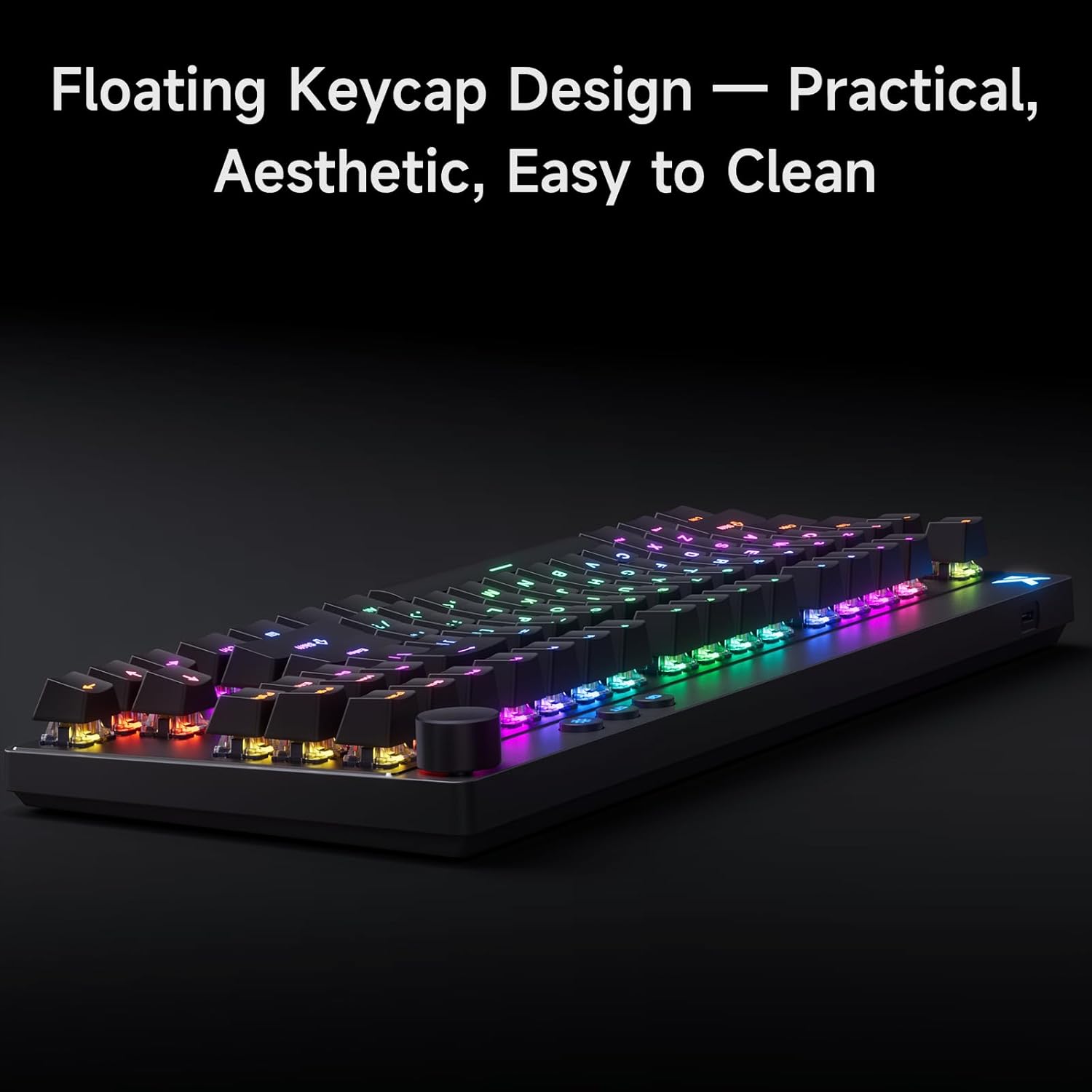
Image: The MCHOSE Mix 87 TKL keyboard showcasing its floating keycap design, which facilitates easy cleaning and maintenance.
The MCHOSE Mix 87 TKL keyboard features a floating keycap design, which makes cleaning easier:
- دھول ہٹانا: کی کیپس کے درمیان سے دھول اور ملبے کو اڑانے کے لیے کمپریسڈ ہوا کا کین استعمال کریں۔
- کی کیپ کی صفائی: Gently remove keycaps using a keycap puller (if provided). Clean keycaps with a soft, damp cloth and mild soap solution. Ensure keycaps are completely dry before reattaching.
- سطح کی صفائی: Wipe the keyboard surface with a soft, lint-free cloth. For stubborn marks, slightly dampen the cloth with water or a mild electronics cleaner. Avoid excessive moisture.
- سوئچ مینٹیننس: The keyboard uses magnetic switches. Avoid disassembling the switches unless you are familiar with the process, as it may void your warranty.
صاف کرنے سے پہلے ہمیشہ کی بورڈ کو اپنے کمپیوٹر سے منقطع کریں۔
4 خرابیوں کا سراغ لگانا
4.1 کی بورڈ جواب نہیں دے رہا ہے۔
- کنکشن چیک کریں: Ensure the USB-C cable is securely connected to both the keyboard and the computer's USB port. Try a different USB port.
- کیبل کی سالمیت: Test with a different USB-C cable if available, to rule out a faulty cable.
- کمپیوٹر کو دوبارہ شروع کریں: کبھی کبھی ایک سادہ سسٹم ری اسٹارٹ کنیکٹیویٹی کے مسائل کو حل کر سکتا ہے۔
- ڈرائیور چیک: Verify that the MCHOSE driver is installed correctly and up to date.
4.2 کلیدیں رجسٹر یا ڈبل ٹائپنگ نہیں کر رہی ہیں۔
- Adaptive Dynamic Calibration 2.0: The keyboard features Adaptive Dynamic Calibration 2.0, which automatically recalibrates key actuation on every press. This should prevent most issues related to inconsistent key presses.
- Clean Keycaps/Switches: Dust or debris under a keycap can interfere with switch operation. Refer to the Maintenance section for cleaning instructions.
- ڈرائیور کی ترتیبات: Check the MCHOSE driver for any custom actuation point settings that might be too sensitive or too deep for your typing style. Reset to default if necessary.

Image: A user interacting with the MCHOSE Mix 87 TKL keyboard, illustrating the function of Adaptive Dynamic Calibration 2.0 for precise and stable key actuation without manual adjustment.
4.3 آر جی بی لائٹنگ کے مسائل
- چمک ایڈجسٹمنٹ: Use the dedicated lighting key (sun icon) to adjust brightness.
- MCHOSE Driver: All RGB lighting customization is managed through the MCHOSE driver. Ensure the driver is running and settings are applied.
- سافٹ ویئر کے تنازعات: If you have other RGB control software installed, it might conflict with the MCHOSE driver. Try disabling other software.
5. وضاحتیں
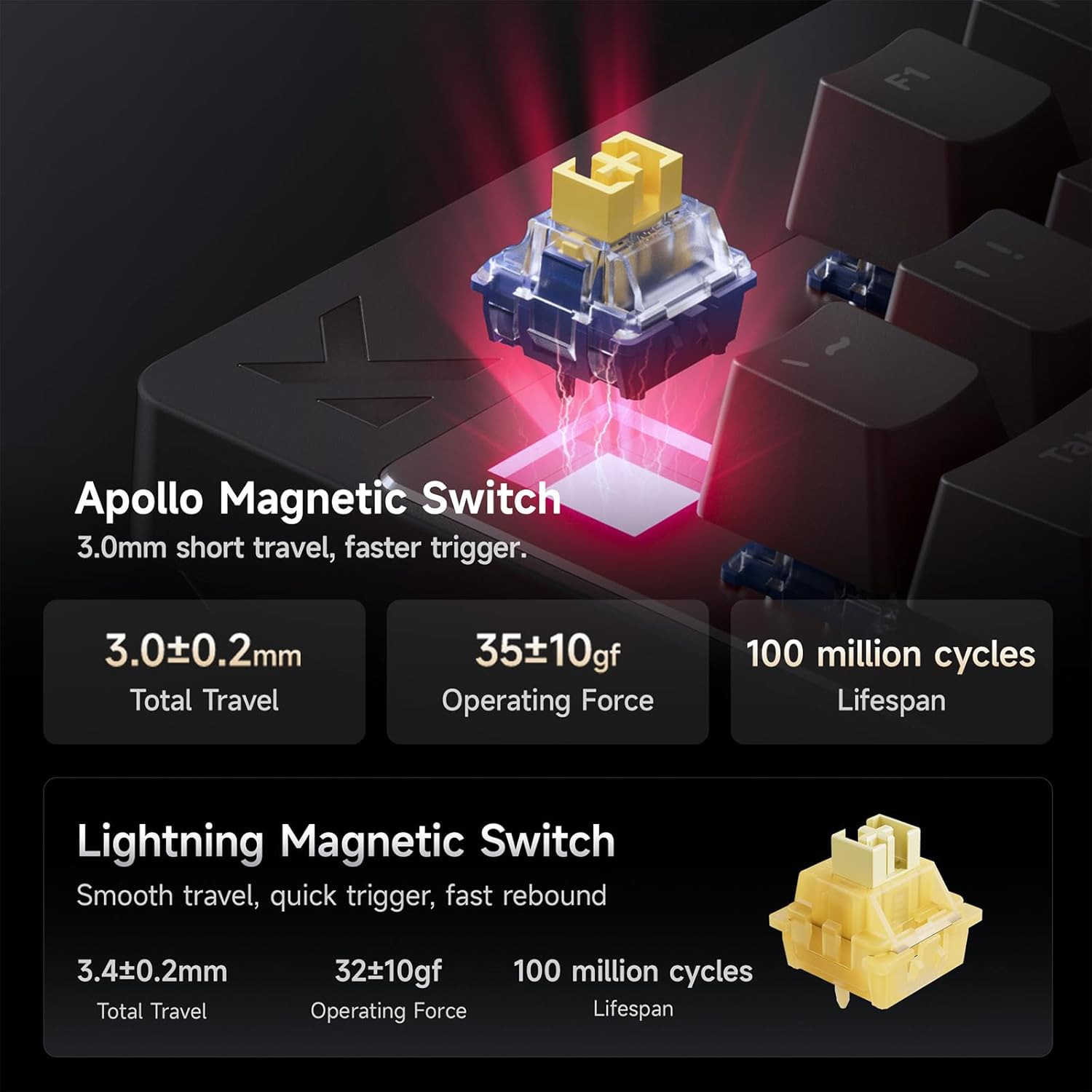
Image: Detailed specifications for the Apollo Magnetic Switch and Lightning Magnetic Switch, including total travel, operating force, and lifespan.
| فیچر | تفصیل |
|---|---|
| ماڈل | مکس 87 |
| لے آؤٹ | TKL (Tenkeyless) |
| کنیکٹوٹی | وائرڈ (USB-C) |
| سوئچ کی قسم | Magnetic Hall Effect Switches (e.g., Apollo Magnetic Switch) |
| ایکشن پوائنٹ | 0.1 ملی میٹر سے 4.0 ملی میٹر تک سایڈست |
| تیز رفتار ٹرگر درستگی | 0.001 ملی میٹر |
| تاخیر | 0.08ms (Ultra Esports Edition) |
| پولنگ کی شرح | 8K (8000Hz) |
| اسکین کی شرح | 256K تک |
| کیکیپس | PBT with front-facing shine-through legends, Floating Keycap Design |
| بیک لائٹنگ | آر جی بی |
| ہم آہنگ آلات | PC, Laptop, Gaming Console (PS5, XBOX) |
| مصنوعات کے طول و عرض | 14.5"L x 6"W x 1.2"H |
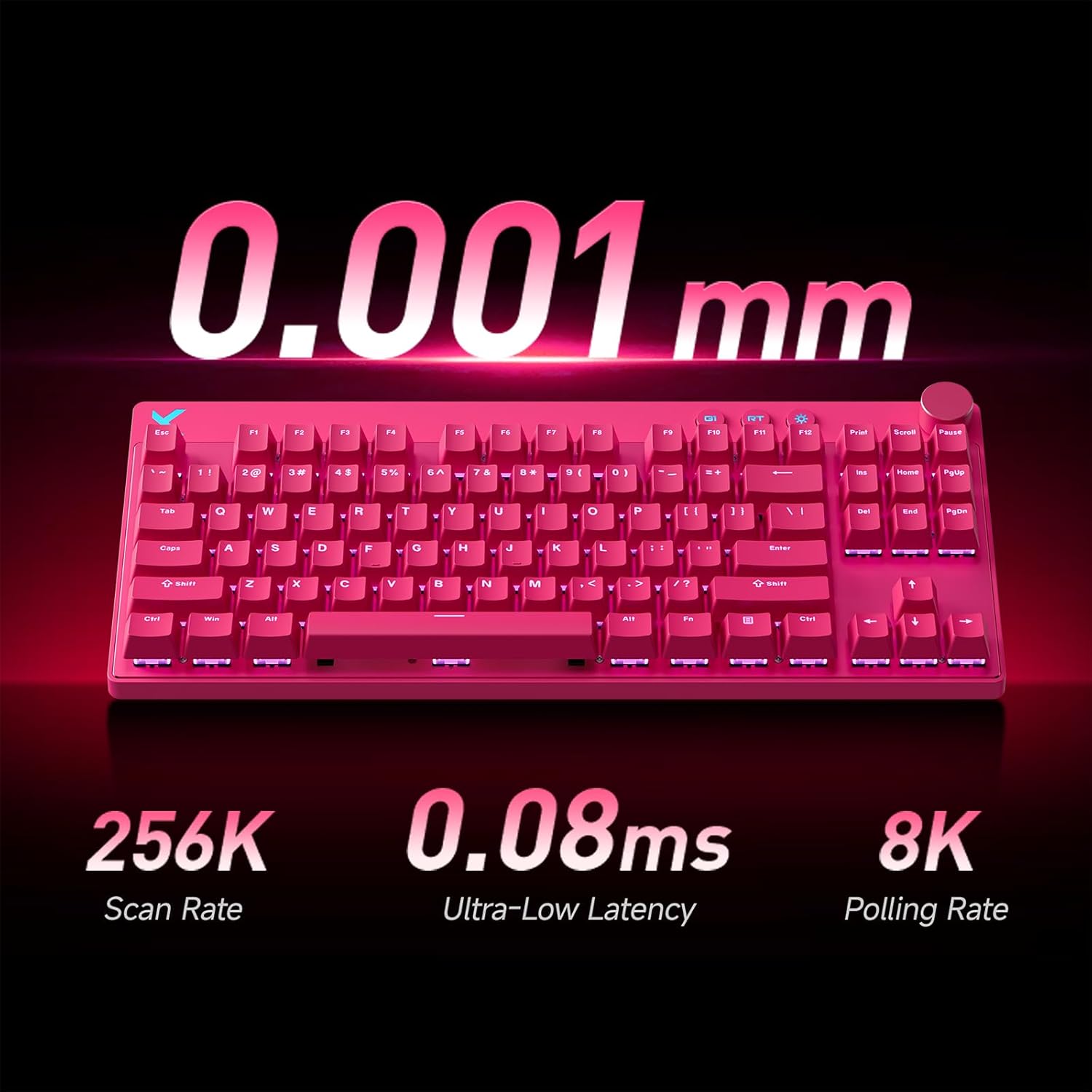
Image: A pink MCHOSE Mix 87 TKL keyboard highlighting key performance metrics: 256K Scan Rate, 0.08ms Ultra-Low Latency, and 8K Polling Rate.
6. وارنٹی کی معلومات
MCHOSE products are covered by a limited warranty against defects in materials and workmanship. The specific duration and terms of the warranty may vary by region and product. Please retain your proof of purchase for warranty claims.
For detailed warranty information, please visit the official MCHOSE webسائٹ یا کسٹمر سپورٹ سے رابطہ کریں۔
7. کسٹمر سپورٹ
If you encounter any issues or have questions regarding your MCHOSE Mix 87 TKL Wired Gaming Keyboard that are not covered in this manual, please contact MCHOSE customer support:
- Webسائٹ: www.mchose.com (for FAQs, driver downloads, and support contact information)
- ای میل: Refer to the MCHOSE webمخصوص سپورٹ ای میل پتوں کے لیے سائٹ۔
- آن لائن وسائل: Check the MCHOSE brand store on Amazon for additional product information and support links.


