1. تعارف
Thank you for choosing the CINMOORE CM-C2U 3K Indoor Security Camera. This manual provides essential information for setting up, operating, and maintaining your camera to ensure optimal performance and security. This camera is designed for indoor use, offering advanced features such as 3K UHD video, AI-powered detection, pan-tilt-zoom functionality, and dual-band Wi-Fi connectivity.
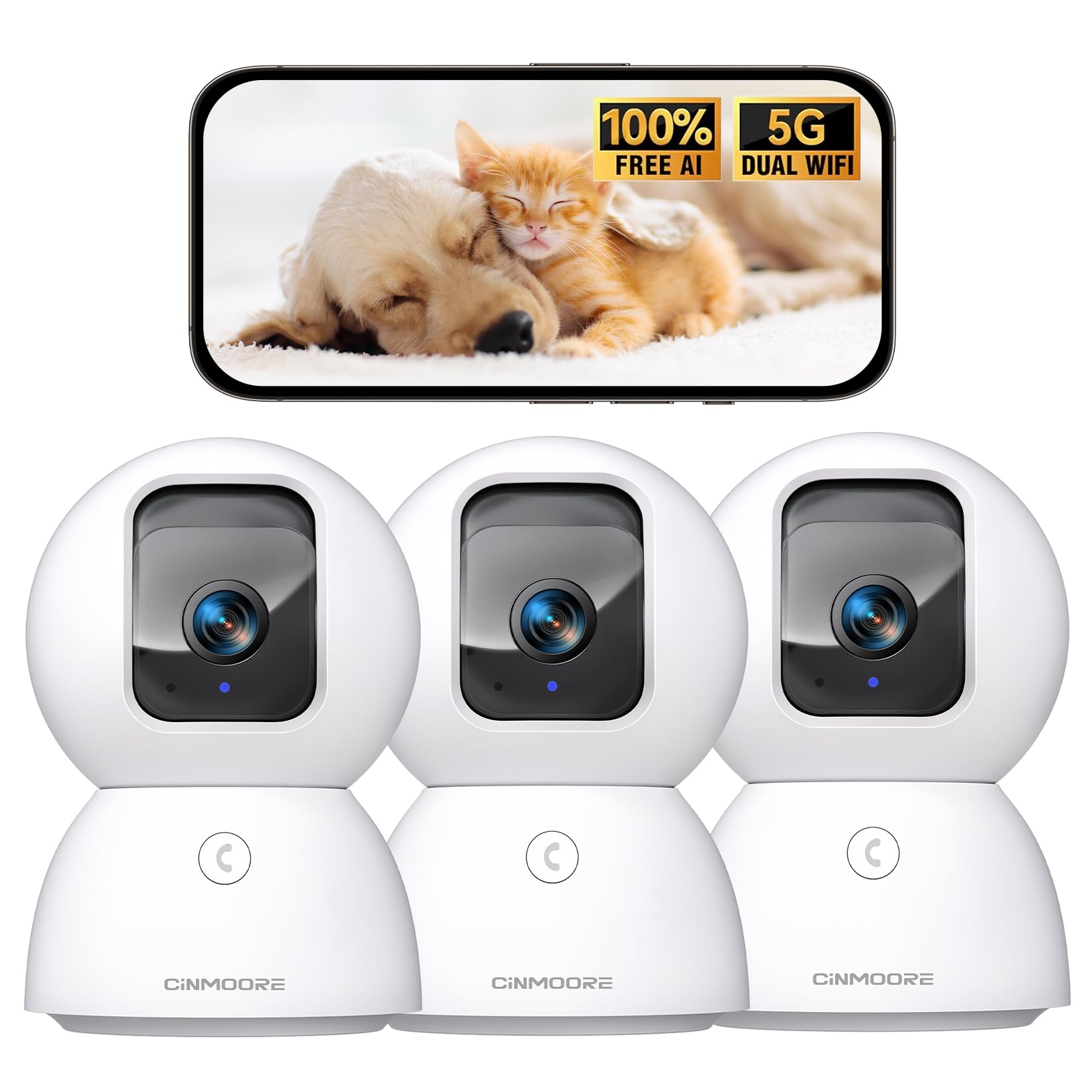
Figure 1: CINMOORE CM-C2U 3K Indoor Security Camera
2. باکس میں کیا ہے۔
- CINMOORE Security Camera (x3)
- Mounting Bracket Base (x3)
- پاور اڈاپٹر (x3)
- ڈیٹا کیبل (x3)
- سکرو اینکرز (x3)
- یوزر مینوئل (x1)
3. سیٹ اپ ہدایات
3.1 ابتدائی پاور اپ
- Connect the data cable to the camera's power port.
- پاور اڈاپٹر کو معیاری الیکٹریکل آؤٹ لیٹ میں لگائیں۔
- The camera will power on, and an indicator light will blink, signaling it's ready for setup.
3.2 ایپ ڈاؤن لوڈ اور کنکشن
- Download the official CINMOORE app from your smartphone's app store (iOS or Android).
- ایک اکاؤنٹ بنائیں یا لاگ ان کریں اگر آپ کے پاس پہلے سے ہے۔
- Follow the in-app instructions to add your new camera. This typically involves scanning a QR code located on the camera's base.
- Connect the camera to your home Wi-Fi network. The camera supports Dual-Band 2.4GHz/5GHz Wi-Fi 6 for a stable connection.
Video: C2U Indoor Camera 1-minute Setup. This video demonstrates the quick and easy setup process for the CINMOORE C2U Indoor Camera, guiding users through connecting the device to the power supply and linking it to the mobile application.
4. آپریٹنگ ہدایات
4.1 Live Video Monitoring
Access the live feed from your camera anytime, anywhere via the CINMOORE app. The 3K UHD resolution provides clear and detailed visuals.

Figure 2: Demonstrates the superior 3K clarity of the camera's video feed compared to 2K resolution, highlighting vivid detail for monitoring.
4.2 پین ٹیلٹ زوم (PTZ) کنٹرول
Use the virtual joystick in the app to remotely control the camera's movement. Enjoy a 360° horizontal pan and a 109° vertical tilt to cover every corner of your room. The camera also features AI auto-tracking to follow detected movement.

Figure 3: Illustrates the camera's comprehensive 360° pan and tilt capabilities, along with other key features like 3K Ultra HD, sound/crying alerts, and local facial recognition.
4.3 دو طرفہ آڈیو
Engage in real-time conversations using the full-duplex two-way audio feature. Speak through the app and hear responses from the camera's location. A one-click call button can trigger family alerts.
4.4 AI Detection and Tracking
The camera offers free AI detections for facial recognition (stores up to 5 faces locally), person detection, pet detection, baby crying detection, and smoke/gas alarm recognition. Receive instant alerts on your smartphone when activity is detected. Customize detection zones to focus on specific areas.

Figure 4: Highlights the camera's no-subscription local AI detection features, including recognition of up to 5 faces and 6 types of detections (person, pet, motion, noise, loitering, facial) while ensuring 100% privacy.
4.5 نائٹ ویژن
The 0-Glow Night Vision 2.0 provides clear monitoring in low-light conditions without emitting a visible red glow, ensuring undisturbed sleep for babies and pets. The night vision range is up to 33 feet.

Figure 5: Compares the CINMOORE camera's 0-Glow Night Vision with a traditional camera's red glow, emphasizing safe and undisturbed monitoring for infants and pets.
4.6 اسٹوریج کے اختیارات
Choose between local storage via an SD card (up to 512GB, not included) for 24/7 recording, or optional AWS Cloud storage with bank-level security (30-day free trial available). SD card encryption ensures footage is only viewable within the CINMOORE App.

Figure 6: Details the camera's encrypted and secure storage options, including SD card support (up to 512GB, not included) and optional AWS Cloud Storage with a 30-day free trial.
4.7 پرائیویسی موڈ
Activate the one-tap privacy mode, which physically covers the camera lens, ensuring your privacy when you are home.
5. بڑھتے ہوئے اختیارات
The CINMOORE CM-C2U camera offers flexible mounting options to suit your needs:
- ٹیبل ٹاپ ماؤنٹ: Simply place the camera on any flat surface like a table, shelf, or desk.
- وال ماؤنٹ: Use the included mounting bracket base and screw anchors to securely attach the camera to a wall.
- چھت کا پہاڑ: The camera can also be mounted to the ceiling using the provided bracket for an overhead view.
Ensure the camera is positioned to provide the optimal viewing angle for your desired monitoring area.
Video: Setup Guide for IMILAB indoor camera. This video provides a step-by-step guide on how to set up an IMILAB indoor camera, including unboxing, connecting to power, app setup, and mounting options.
6. وضاحتیں
| ماڈل کا نام | CM-C2U |
| انڈور / آؤٹ ڈور استعمال | انڈور |
| ویڈیو کیپچر ریزولوشن | 3K/4MP |
| کنیکٹیویٹی پروٹوکول | Wi-Fi (Dual-Band 2.4GHz/5GHz Wi-Fi 6) |
| طاقت کا منبع | کورڈڈ الیکٹرک |
| کنٹرولر کی قسم | ایمیزون الیکسا |
| چڑھنے کی قسم | سیلنگ ماؤنٹ / ٹیبل ٹاپ ماؤنٹ / وال ماؤنٹ |
| نائٹ ویژن رینج۔ | 33 Feet (0-Glow) |
| مقامی اسٹوریج | SD card (up to 512GB, not included) |
| طول و عرض | 3 x 4.5 x 3 انچ |
| شے کا وزن | 2.33 پاؤنڈ |
7 دیکھ بھال
- صفائی: نرم، خشک کپڑے سے کیمرے کے لینس اور جسم کو آہستہ سے صاف کریں۔ سخت کیمیکلز یا کھرچنے والے مواد کے استعمال سے پرہیز کریں۔
- فرم ویئر اپ ڈیٹس: دستیاب فرم ویئر اپ ڈیٹس کے لیے CINMOORE ایپ کو باقاعدگی سے چیک کریں تاکہ یہ یقینی بنایا جا سکے کہ آپ کے کیمرے میں تازہ ترین خصوصیات اور سیکیورٹی میں اضافہ ہے۔
- پاور سائیکل: If the camera experiences connectivity issues, try unplugging it from the power source for 10 seconds and then plugging it back in.
- ایسڈی کارڈ مینجمنٹ: اگر SD کارڈ استعمال کر رہے ہیں تو وقتا فوقتا دوبارہview اور ریکارڈ شدہ foo کا نظم کریں۔tage to prevent the card from becoming full.
8 خرابیوں کا سراغ لگانا
- کیمرہ وائی فائی سے منسلک نہیں ہو رہا ہے:
- Ensure your Wi-Fi network is 2.4GHz or 5GHz.
- Check that the Wi-Fi password is entered correctly.
- کیمرے کو اپنے Wi-Fi روٹر کے قریب لے جائیں۔
- اپنا راؤٹر اور کیمرہ دوبارہ شروع کریں۔
- خراب ویڈیو کوالٹی:
- اپنے انٹرنیٹ کنکشن کی رفتار چیک کریں۔
- یقینی بنائیں کہ کیمرے کا لینس صاف ہے۔
- Adjust video quality settings in the app if available.
- کوئی حرکت کا پتہ لگانے کے انتباہات نہیں:
- اس بات کی توثیق کریں کہ ایپ کی ترتیبات میں حرکت کا پتہ لگانا فعال ہے۔
- Adjust motion sensitivity levels.
- اپنے اسمارٹ فون پر ایپ نوٹیفکیشن کی سیٹنگز چیک کریں۔
- دو طرفہ آڈیو مسائل:
- یقینی بنائیں کہ آپ کے فون کا مائیکروفون ایپ کے لیے فعال ہے۔
- Check the volume settings in the app.
- واضح مواصلت کے لیے پس منظر کے شور کو کم کریں۔
9. وارنٹی اور سپورٹ
The CINMOORE CM-C2U camera comes with a 24-month warranty. For any issues or inquiries, please contact CINMOORE customer support. We offer free replacement for eligible issues, extended warranty options, and professional support to ensure your satisfaction.
For further assistance, refer to the help section within the CINMOORE app or visit our official webسائٹ


