1. تعارف
This manual provides essential information for setting up, operating, maintaining, and troubleshooting your Google Pixel 10 Pro XL smartphone. Please read this guide thoroughly to ensure optimal performance and longevity of your device.
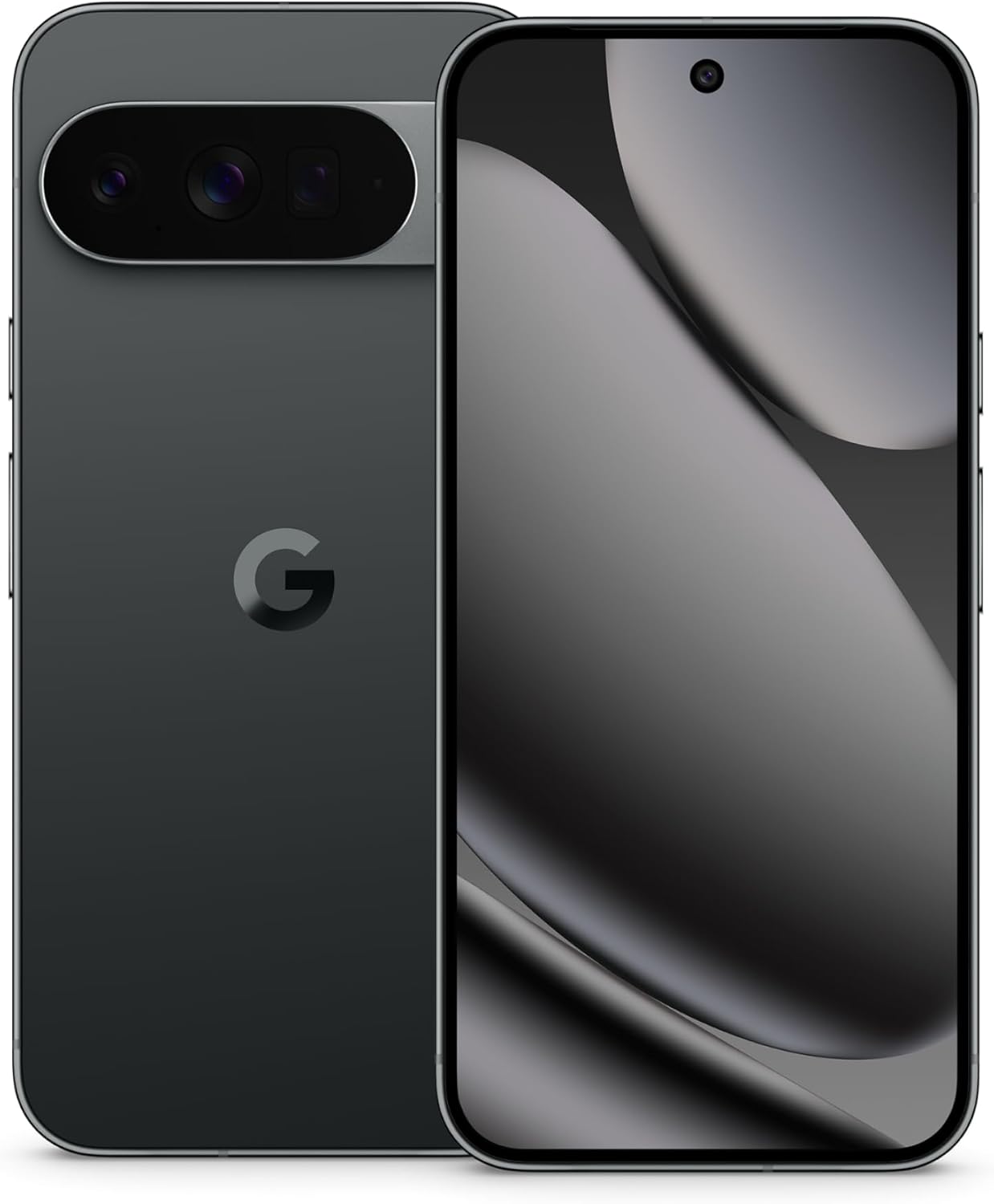
Image: The Google Pixel 10 Pro XL in Obsidian, showcasing اس کا چیکنا ڈیزائن اور کیمرہ بار۔
2. سیٹ اپ
2.1. باکس میں کیا ہے۔
Upon opening your Google Pixel 10 Pro XL package, you should find the following items:
- Google Pixel 10 Pro XL Cell Phone
- USB ٹائپ سی کیبل
Please note that other accessories, such as a power adapter or headphones, may be sold separately.
2.2. ان باکسنگ اور ابتدائی معائنہ
Carefully remove the phone and accessories from the packaging. Inspect the device for any visible damage before proceeding with setup.
Video: An unboxing demonstration of the Google Pixel 10 Pro XL. This video illustrates the packaging contents and the initial appearance of the device.
2.3. پاور آن اور ابتدائی سیٹ اپ
- Press and hold the Power button (located on the right side of the device) until the Google logo appears.
- اپنی زبان منتخب کرنے، وائی فائی نیٹ ورک سے جڑنے، اور شرائط و ضوابط کو قبول کرنے کے لیے آن اسکرین پرامپٹس پر عمل کریں۔
- Sign in with your Google Account or create a new one. This is essential for accessing Google services and the Play Store.
- Transfer data from your old device (optional). The setup wizard will guide you through options like Quick Switch Adapter or cloud backup.
2.4. SIM Card Activation (eSIM)
The Google Pixel 10 Pro XL supports eSIM technology, eliminating the need for a physical SIM card. During phone setup, you will be prompted to activate your eSIM. For more details, visit g.co/pixel/esim.
3. اپنے آلے کو آپریٹ کرنا
3.1. بنیادی نیویگیشن
Your Pixel 10 Pro XL runs on Android 16, offering intuitive gesture navigation. Swipe up from the bottom to go home, swipe up and hold for recent apps, and swipe from the left or right edge to go back.
3.2 کیمرہ سسٹم
The device features a Triple Rear Camera System. Open the Camera app to access various modes, including Photo, Video, Portrait, and Night Sight.

Image: The Pixel 10 Pro XL's 100x Pro Res Zoom in action, capturing distant subjects with clarity.
کا استعمال کریں۔ 100x Pro Res Zoom for detailed distant shots. The upgraded 50 MP camera also supports Super Steady Videos for stable cinematic footage.

Image: The Pixel 10 Pro XL's Super Steady Video feature, ensuring smooth recording even during dynamic scenes.
3.3. Gemini AI Assistant
Your Pixel 10 Pro XL integrates the Gemini AI Assistant. Access it by saying "Hey Google" or by swiping from a corner (configurable). Gemini can assist with tasks, answer questions, and provide real-time information.

Image: The Gemini Live feature on the Pixel 10 Pro XL, allowing users to share their camera view for real-time AI assistance.
3.4. بیٹری کا انتظام
The device is equipped with a fast-charging battery designed to last 24+ گھنٹے on a single charge. To optimize battery life:
- اسکرین کی چمک کو ایڈجسٹ کریں۔
- ضرورت پڑنے پر بیٹری سیور موڈ کو فعال کریں۔
- پس منظر میں چلنے والی غیر استعمال شدہ ایپس کو بند کریں۔
For faster charging, use a compatible USB Type-C fast charger (sold separately).
3.5. ڈسپلے
Experience vibrant visuals on the 6.8" Super Actua Display. This display offers high brightness and clarity for various viewحالات

Image: Details of the Pixel 10 Pro XL's Super Actua display and its robust build quality.
4 دیکھ بھال
4.1۔ اپنے آلے کو صاف کرنا
To clean your Pixel 10 Pro XL:
- ایک نرم ، لنٹ فری کپڑا استعمال کریں۔
- کھرچنے والے مواد یا سخت کیمیکل سے پرہیز کریں۔
- ضدی smudges کے لئے، تھوڑا سا dampپانی کے ساتھ کپڑے.
4.2. Software Updates (Pixel Drops)
Google regularly releases software updates, known as "Pixel Drops," to enhance features, improve performance, and provide security patches. Ensure your device is connected to Wi-Fi and has sufficient battery life before installing updates.

Image: The Pixel Drops program, illustrating how the phone receives ongoing software enhancements.
4.3. بیٹری کی دیکھ بھال
To prolong the lifespan of your battery:
- انتہائی درجہ حرارت سے پرہیز کریں۔
- Do not consistently drain the battery to 0% or charge it to 100% if not necessary.
- Use certified charging accessories.
5 خرابیوں کا سراغ لگانا
5.1 عام مسائل
- آلہ جواب نہیں دے رہا ہے: زبردستی دوبارہ شروع کرنے کے لیے پاور بٹن کو تقریباً 30 سیکنڈ تک دبائے رکھیں۔
- کنیکٹیویٹی کے مسائل (وائی فائی/بلوٹوتھ): Try toggling Wi-Fi or Bluetooth off and on. If the issue persists, restart your device or reset network settings.
- ایپس کریش ہو رہی ہیں: Clear the cache and data for the problematic app in Settings > Apps. If it continues, uninstall and reinstall the app.
5.2. فیکٹری ری سیٹ
فیکٹری ری سیٹ آپ کے فون سے تمام ڈیٹا کو مٹا دے گا اور اسے اس کی اصل فیکٹری سیٹنگز میں بحال کر دے گا۔ یہ سافٹ ویئر کے مستقل مسائل کو حل کرسکتا ہے لیکن اسے آخری حربے کے طور پر استعمال کیا جانا چاہئے۔ آگے بڑھنے سے پہلے اپنے ڈیٹا کا بیک اپ لیں۔
- ترتیبات > سسٹم > ری سیٹ کے اختیارات پر جائیں۔
- "تمام ڈیٹا مٹائیں (فیکٹری ری سیٹ)" کو منتخب کریں۔
- اپنے فیصلے کی توثیق کریں اور اگر اشارہ کیا جائے تو اپنا PIN/پاس ورڈ درج کریں۔
6. وضاحتیں
The Google Pixel 10 Pro XL is engineered for advanced performance and user experience.

Image: An illustration of the Pixel 10 Pro XL's internal components, emphasizing its powerful processor and memory.
| فیچر | تفصیل |
|---|---|
| ماڈل کا نام | Pixel 10 Pro XL |
| آپریٹنگ سسٹم | اینڈرائیڈ 16 |
| پروسیسر | Google Tensor (3.78 GHz CPU Speed) |
| رام | 16 جی بی |
| اندرونی اسٹوریج | 256 GB (Maximum 256 GB Flash Memory Supported) |
| ڈسپلے سائز | 6.8 انچ سپر ایکٹوا ڈسپلے |
| ڈسپلے ریزولوشن | 3292 x 3292 |
| بیٹری کی صلاحیت | 5200 mAh (Battery Power Rating: 5200) |
| کنیکٹوٹی | Bluetooth, NFC, Wi-Fi, USB Type-C |
| ابعاد (پروڈکٹ) | 6.4 x 3 x 0.3 انچ |
| شے کا وزن | 12.3 اونس (0.35 کلوگرام) |
| رنگ | Obsidian |
| وائرلیس کیریئر | تمام کیریئرز کے لئے کھلا |
7. وارنٹی اور سپورٹ
7.1. محدود وارنٹی
Your Google Pixel 10 Pro XL is covered by a limited warranty from Google. This warranty typically covers defects in materials and workmanship under normal use. For specific terms and conditions, including duration and coverage details, please refer to the warranty information provided with your purchase or visit the official Google support webسائٹ
7.2. کسٹمر سپورٹ
For further assistance, technical support, or warranty claims, please contact Google Support:
- آن لائن مدد: Visit the official Google Pixel Help Center (support.google.com/pixelphone).
- کمیونٹی فورمز: Engage with other Pixel users and experts for solutions.
When contacting support, have your device's serial number and proof of purchase ready.


