تعارف
Welcome to the user manual for your new Xiaomi Smart TV X Pro QLED Series 65. This guide provides essential information for setting up, operating, maintaining, and troubleshooting your television. Please read this manual thoroughly before using your TV to ensure optimal performance and safety.
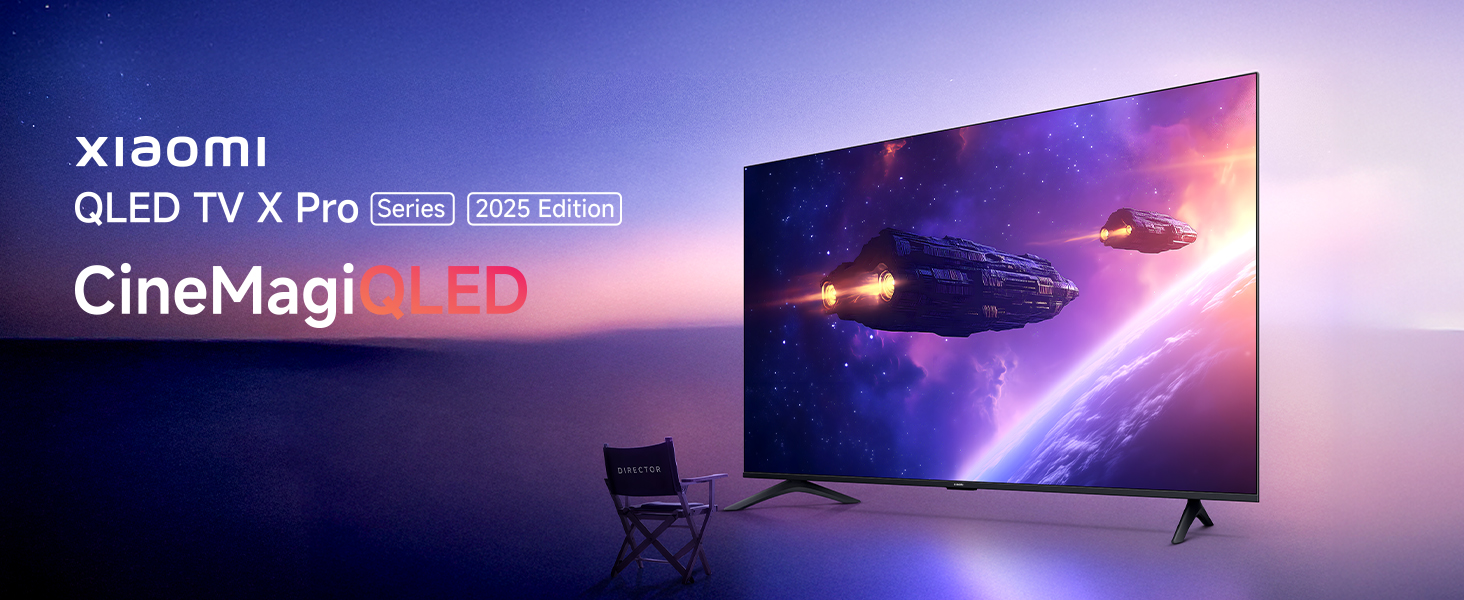
Image: Xiaomi QLED TV X Pro Series 2025 Edition, showcasing the TV's design and vibrant display.

Image: The Xiaomi Smart TV X Pro QLED Series 65 featuring an all-screen display and premium metal bezel-less design.
حفاظتی معلومات
Always adhere to the following safety precautions to prevent damage to the TV and ensure personal safety:
- ٹی وی کو بارش یا نمی کے سامنے نہ رکھیں۔
- ٹی وی کے ارد گرد مناسب وینٹیلیشن کو یقینی بنائیں۔
- Do not block ventilation openings with items like newspapers, tablecloths, or curtains.
- Avoid placing the TV near heat sources such as radiators, heat registers, stoves, or other apparatus (including amplifiers) جو گرمی پیدا کرتی ہے۔
- بجلی کی ہڈی کو چلنے یا چوٹکی ہونے سے بچائیں، خاص طور پر پلگ، سہولت رسیپٹیکلز، اور اس مقام پر جہاں وہ آلات سے باہر نکلتے ہیں۔
- صرف مینوفیکچرر کی طرف سے مخصوص منسلکات/لوازمات استعمال کریں۔
- بجلی کے طوفان کے دوران یا طویل عرصے تک غیر استعمال ہونے پر اس آلات کو ان پلگ کریں۔
- تمام سروسنگ کو اہل سروس اہلکاروں سے رجوع کریں۔
باکس میں کیا ہے۔
پیک کھولنے پر، براہ کرم تصدیق کریں کہ ذیل میں درج تمام اجزاء موجود ہیں:

Image: Diagram showing the contents of the TV box, including the TV unit, remote control, user manual, stands, AAA batteries, screws, and power cord.
- 1 LED TV Unit
- 1 ریموٹ کنٹرول
- 2 Stands Unit
- 2 ایکس اے اے اے بیٹریاں
- 1 پاور کورڈ
- اسٹینڈ اسمبلی کے لیے پیچ
سیٹ اپ
1. جسمانی تنصیب
Your Xiaomi Smart TV X Pro QLED Series 65 can be installed on a stand or wall-mounted. Ensure the TV is placed on a stable, level surface or securely mounted to a wall using a compatible VESA mount (sold separately).

تصویر: سامنے view of the Xiaomi Smart TV X Pro QLED Series 65, illustrating its slim bezels and stand.

Image: Technical drawing showing the dimensions (width, height, depth) and weight of the Xiaomi Smart TV X Pro QLED Series 65.
اسٹینڈز کو منسلک کرنا:
- نقصان سے بچنے کے لیے ٹی وی اسکرین کو نرم، چپٹی سطح پر احتیاط سے رکھیں۔
- ہر اسٹینڈ کو ٹی وی کے نچلے حصے میں متعلقہ سلاٹس کے ساتھ سیدھ میں رکھیں۔
- فراہم کردہ پیچ کا استعمال کرتے ہوئے اسٹینڈز کو محفوظ کریں۔
2. پیری فیرلز کو جوڑنا
ٹی وی بیرونی آلات کو جوڑنے کے لیے مختلف پورٹس پیش کرتا ہے:

تصویر: پیچھے view of the Xiaomi Smart TV X Pro QLED Series 65, highlighting the various input and output ports.
- HDMI پورٹس: Connect gaming consoles, Blu-ray players, set-top boxes. The TV features 3 HDMI ports, including eARC support for enhanced audio return.
- USB پورٹس: میڈیا پلے بیک کے لیے USB ڈرائیوز کو جوڑیں۔ ٹی وی میں 2 USB پورٹس ہیں۔
- ایتھرنیٹ پورٹ: وائرڈ انٹرنیٹ کنکشن کے لیے۔
- آپٹیکل آڈیو آؤٹ پٹ: بیرونی آڈیو سسٹم سے منسلک ہونے کے لیے۔
- اینٹینا/کیبل ان پٹ: اینٹینا یا کیبل ٹی وی کو جوڑنے کے لیے۔

Image: Graphic illustrating the TV's advanced connectivity options, including HDMI 2.1, ALLM, Bluetooth 5.0, and Dual-band Wi-Fi.
3. ابتدائی پاور آن اور نیٹ ورک سیٹ اپ
- بجلی کی ہڈی کو ٹی وی اور پاور آؤٹ لیٹ سے جوڑیں۔
- ریموٹ کنٹرول یا ٹی وی پر پاور بٹن دبائیں۔
- ابتدائی سیٹ اپ مکمل کرنے کے لیے اسکرین پر دی گئی ہدایات پر عمل کریں، بشمول زبان کا انتخاب، ملک، اور نیٹ ورک کنکشن۔
- For Wi-Fi, select your network and enter the password. For wired connection, ensure the Ethernet cable is connected.
- Google TV کی خصوصیات تک رسائی حاصل کرنے اور ایپس ڈاؤن لوڈ کرنے کے لیے اپنے Google اکاؤنٹ سے سائن ان کریں۔
آپ کا ٹی وی چلا رہا ہے۔
1. ریموٹ کنٹرول افعال
The included remote control provides easy access to all TV functions:
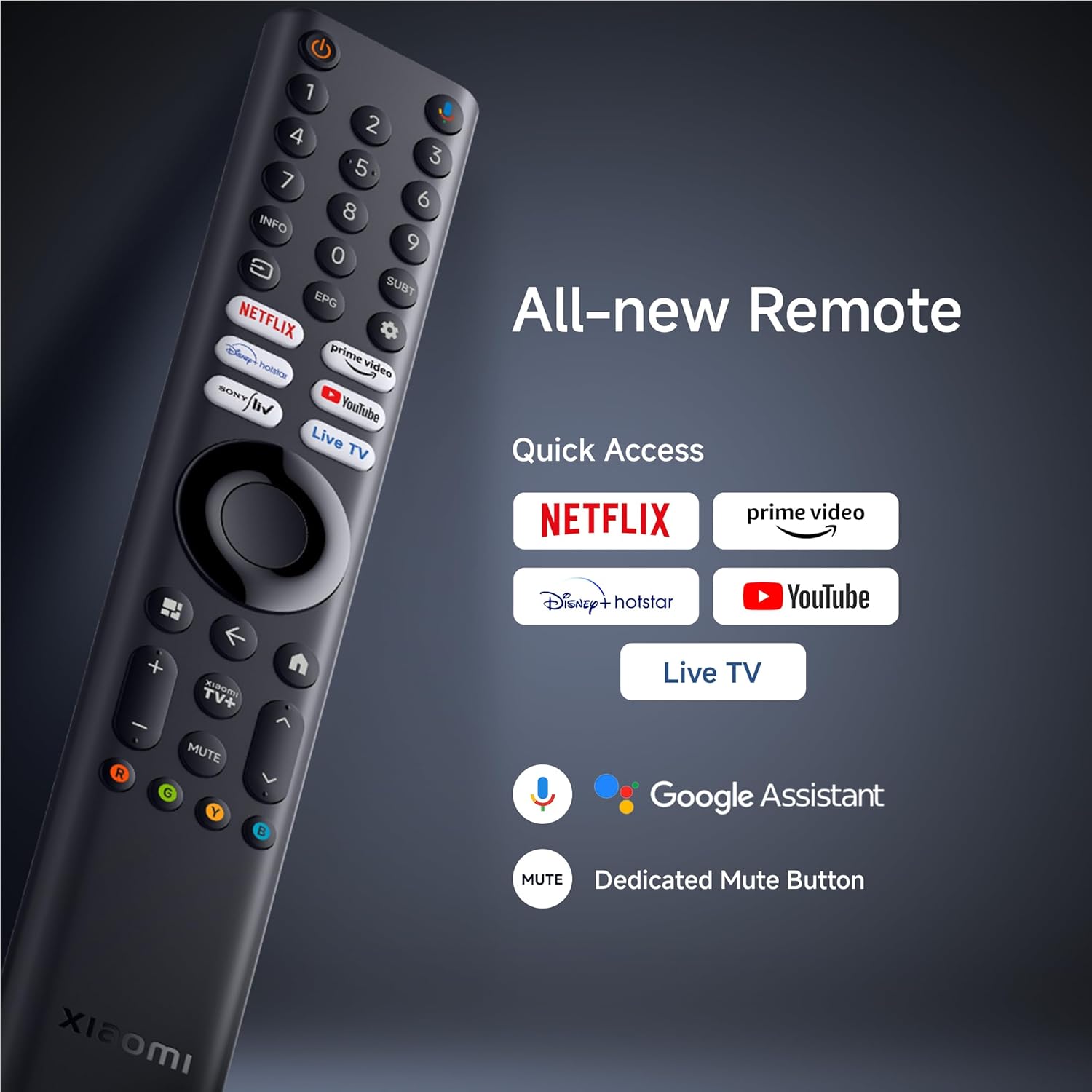
تصویر: تفصیلی view of the Xiaomi Smart TV remote control, highlighting quick access buttons for streaming services and the Google Assistant button.
- پاور بٹن: ٹی وی کو آن یا آف کرتا ہے۔
- گوگل اسسٹنٹ بٹن: صوتی احکامات کو چالو کرتا ہے۔
- نیویگیشن پیڈ: مینو نیویگیشن کے لیے۔
- فوری رسائی کے بٹن: Dedicated buttons for Netflix, Prime Video, YouTube, and Live TV.
- والیوم/چینل کے بٹن: حجم کو ایڈجسٹ کریں اور چینلز کو تبدیل کریں۔
- بٹن خاموش کریں: Dedicated button to mute audio.
2. Smart TV Features (Google TV & PatchWall)
Your TV runs on Google TV, offering a personalized content experience, and also features Xiaomi's PatchWall for curated recommendations.

Image: Screenshot of the PatchWall interface, showing customized recommendations and content curation.

Image: Display showing the 32GB internal storage and various streaming applications available on the Xiaomi Smart TV.
- گوگل ٹی وی: Access a vast library of apps, movies, and shows from the Google Play Store.
- بلٹ میں Chromecast: اپنے اسمارٹ فون یا ٹیبلیٹ سے براہ راست مواد کاسٹ کریں۔
- Apple AirPlay 2: Stream content from Apple devices.
- اندرونی ذخیرہ: 32GB ROM for apps and data.

Image: Illustration demonstrating the ability to stream content from a smartphone to the Xiaomi Smart TV using Google Cast or Apple AirPlay 2.
3 تصویر کی ترتیبات
اپنی اصلاح کریں۔ viewing experience with the TV's advanced display technologies:
- QLED ڈسپلے: Quantum Dot technology for vibrant colors and high contrast.
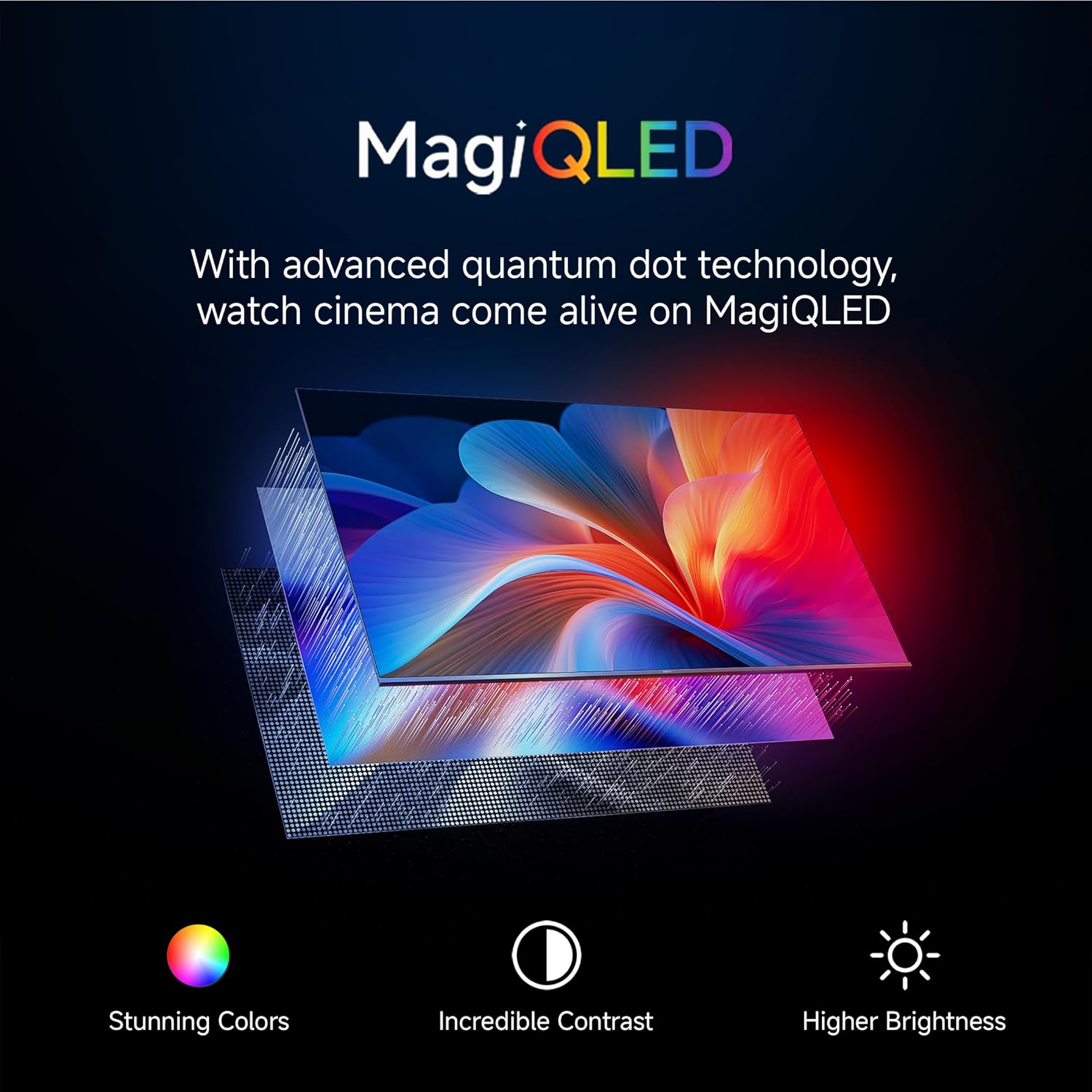
Image: Explanation of MagiQLED technology, highlighting stunning colors, incredible contrast, and higher brightness.
- 4K الٹرا ایچ ڈی ریزولوشن: Four times the detail of Full HD for crystal clear clarity.

Image: Side-by-side comparison of HD and 4K resolution, demonstrating the enhanced detail of 4K.
- HDR10+ & Dolby Vision: Enhanced dynamic range for brighter whites, darker blacks, and more vivid colors.

Image: Comparison showing the effect of HDR10+ on image quality, enhancing dynamic range and color.

Image: Illustration of Dolby Vision dynamically optimizing image quality frame by frame.
- فلم ساز موڈ: Preserves the original aspect ratio, colors, and frame rates to deliver the director's artistic intent.

Image: Scene depicting Filmmaker Mode, which removes post-processing to show content as intended by the director.
- آنکھوں کی دیکھ بھال کا طریقہ: Reduces blue light and flicker for a more comfortable viewتجربہ ہے.

Image: Scene illustrating the benefits of Eye Care Mode, providing flicker-free visuals and reduced blue light.
4. آواز کی ترتیبات
Experience immersive audio with the TV's sound features:
- 34W Box Speakers: Powerful audio output.

Image: Graphic highlighting Cinematic Audio features, including 34W Box Speakers, Dolby Audio, DTS-X, and DTS Virtual:X.
- Dolby Audio, DTS-X, DTS Virtual:X: Advanced audio technologies for a rich, multi-dimensional sound experience.
- Xiaomi آواز: Preset audio configurations optimized by experts.

Image: Scene depicting Xiaomi Sound, a tailored audio configuration for an enhanced listening experience.
5. گیمنگ کی خصوصیات
Enhance your gaming experience with dedicated features:
- 120Hz Game Booster: Automatically boosts refresh rate to 120Hz for ultra-low latency and smoother gameplay.

Image: Comparison showing the difference between 60FPS and 120FPS with the 120Hz Game Booster for smoother gaming.
- ALLM (آٹو لو لیٹینسی موڈ): Reduces input lag for a more responsive gaming experience.
دیکھ بھال
Proper care and maintenance will extend the life of your TV:
- سکرین کی صفائی: Use a soft, lint-free cloth specifically designed for electronics. Do not use abrasive cleaners or solvents. Lightly dampen the cloth with water if necessary, and gently wipe the screen.
- فریم کی صفائی: ٹی وی کے فریم کو صاف کرنے اور کھڑے ہونے کے لیے نرم، خشک کپڑا استعمال کریں۔
- وینٹیلیشن: اس بات کو یقینی بنائیں کہ زیادہ گرم ہونے سے بچنے کے لیے ٹی وی کے پچھلے حصے میں وینٹیلیشن کے سوراخوں کو بلاک نہیں کیا گیا ہے۔
- پاور کی ہڈی: کسی بھی نقصان کے لیے بجلی کی ہڈی کو باقاعدگی سے چیک کریں۔ اگر نقصان پہنچا ہے تو، سروس کے اہلکاروں سے رابطہ کریں.
خرابی کا سراغ لگانا
اگر آپ کو اپنے ٹی وی کے ساتھ مسائل کا سامنا ہے، تو درج ذیل عام مسائل اور حل دیکھیں:
| مسئلہ | ممکنہ وجہ | حل |
|---|---|---|
| کوئی طاقت نہیں۔ | بجلی کی تار منقطع پاور آؤٹ لیٹ کا مسئلہ | یقینی بنائیں کہ بجلی کی تار محفوظ طریقے سے منسلک ہے۔ چیک کریں کہ آیا پاور آؤٹ لیٹ کام کر رہا ہے۔ |
| کوئی تصویر نہیں، لیکن آواز موجود ہے۔ | Incorrect input source; display settings issue. | Verify the correct input source is selected. Check picture settings. |
| کوئی آواز نہیں لیکن تصویر موجود ہے۔ | Volume muted or too low; audio output settings. | Increase volume. Check if TV is muted. Verify audio output settings (e.g., internal speakers vs. external). |
| ریموٹ کنٹرول کام نہیں کر رہا ہے۔ | Batteries depleted; obstruction; remote not paired. | Replace batteries. Remove obstructions. Re-pair the remote control if it's a Bluetooth remote. |
| وائی فائی کنکشن کے مسائل | غلط پاس ورڈ؛ روٹر کے مسائل؛ سگنل مداخلت. | Wi-Fi پاس ورڈ دوبارہ درج کریں۔ اپنا راؤٹر دوبارہ شروع کریں۔ ٹی وی کو روٹر کے قریب لے جائیں یا مداخلت کم کریں۔ |
| سمارٹ ٹی وی ایپس سست یا غیر جوابی ہیں۔ | Insufficient memory; network issues; app malfunction. | Close unused apps. Check internet speed. Clear app cache or reinstall the app. Restart the TV. |
اگر ان حلوں کو آزمانے کے بعد بھی مسئلہ برقرار رہتا ہے تو براہ کرم Xiaomi کسٹمر سپورٹ سے رابطہ کریں۔
وضاحتیں
Detailed technical specifications for the Xiaomi Smart TV X Pro QLED Series 65 (L65MB-APIN):
| فیچر | تفصیل |
|---|---|
| برانڈ | XIAOMI |
| ماڈل | L65MB-APIN |
| ماڈل کا نام | QLED سیریز |
| ماڈل سال | 2025 |
| اسکرین کا سائز | 65 انچ |
| ڈسپلے ٹیکنالوجی | کیو ایل ای ڈی |
| قرارداد | 4K الٹرا ایچ ڈی (3840 x 2160) |
| ریفریش ریٹ | 60 Hz & DLG 120Hz |
| آپریٹنگ سسٹم | گوگل ٹی وی |
| رام | 2 جی بی |
| اندرونی اسٹوریج | 32 جی بی روم |
| کنیکٹوٹی | Bluetooth 5.0, Dual Band Wi-Fi, Ethernet, HDMI, USB |
| HDMI پورٹس | 3 (HDMI 2.1, ALLM, eARC) |
| USB پورٹس | 2 |
| آڈیو آؤٹ پٹ | 34 watts Output | Dolby Audio | DTS - X | DTS Virtual : X |
| خصوصی خصوصیات | Bezel-Less Design, Chromecast, Eye Comfort Mode, Game Mode, Miracast, Reality Flow MEMC, Vivid Picture Engine 2, Wide Colour Gamut |
| پروڈکٹ کے طول و عرض (LxWxH) | 39.1 x 144.5 x 90 سینٹی میٹر |
| شے کا وزن | 19.9 کلوگرام |
| کارخانہ دار | TTE Electronics India Private Limited Vikruthamala (Vil), Papanaidupeta(post), Yerpedu(mandal), Tirupati, Chittoor (Dist.) Andhra Pradesh, India - 517526., TTE Electronics India Pvt Ltd |
| اصل ملک | انڈیا |
وارنٹی اور سپورٹ
Your Xiaomi Smart TV X Pro QLED Series 65 comes with a standard manufacturer's warranty. Please refer to the warranty card included in your packaging for specific terms and conditions.
For technical assistance, service requests, or warranty claims, please contact Xiaomi customer support. You can find contact details on the official Xiaomi website or through the support information provided with your product.
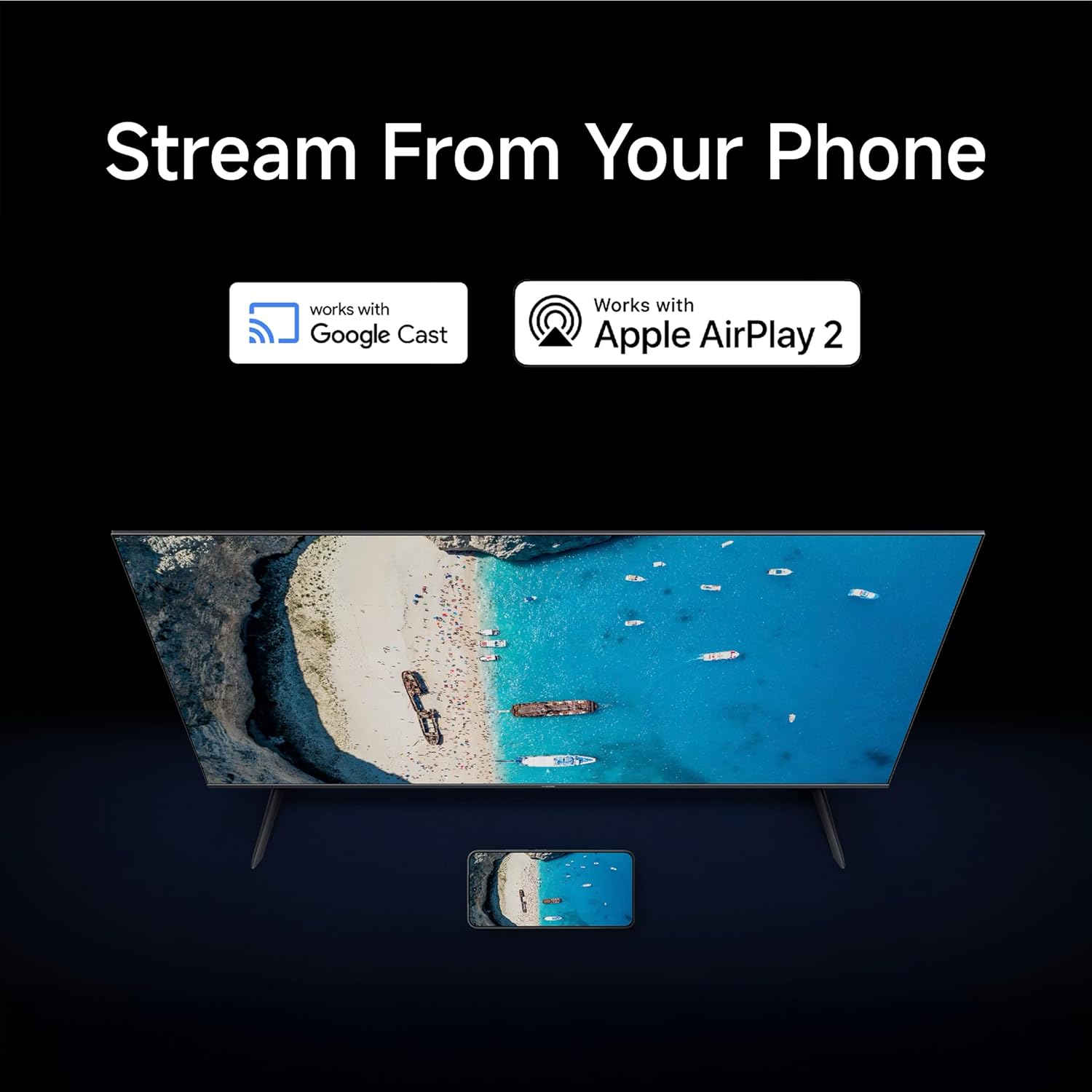
Image: Graphic detailing Xiaomi's support services, including quick installation, callback within 60 minutes, and doorstep service within 24 hours.
For more information, visit the official Xiaomi support page: Xiaomi India Support


