1. تعارف
This manual provides essential information for setting up, operating, maintaining, and troubleshooting your OPPO A6 Pro 5G smartphone. Please read this guide thoroughly to ensure proper use and to maximize the device's capabilities.
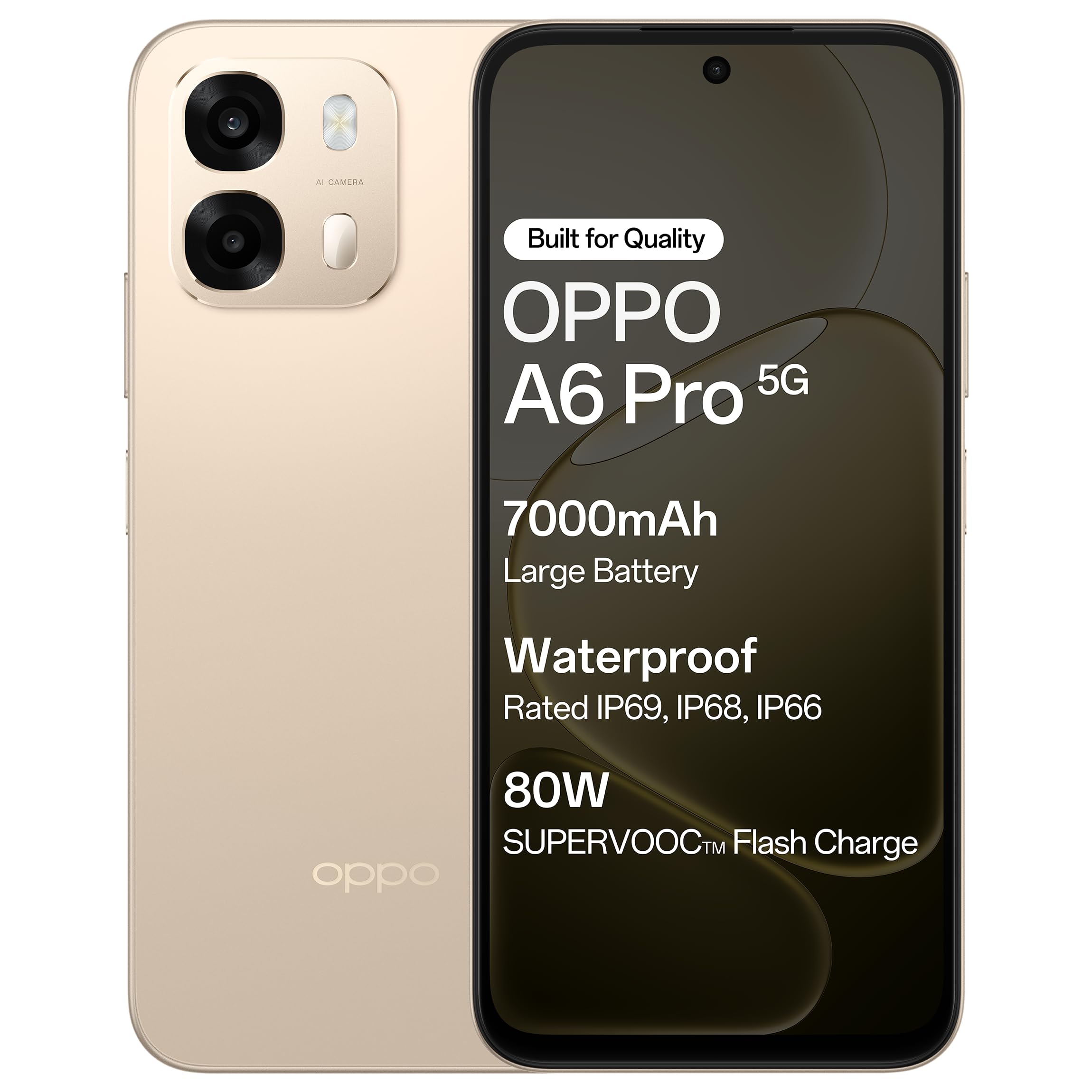
شکل 1.1: سامنے view of the OPPO A6 Pro 5G smartphone.
2. پیکیج کے مشمولات
تصدیق کریں کہ تمام اشیاء آپ کے پروڈکٹ پیکج میں موجود ہیں:
- OPPO A6 Pro 5G Smartphone
- پاور اڈاپٹر
- USB کیبل
- فون کیس
- سم ٹرے ایجیکٹر
3. سیٹ اپ
3.1 سم کارڈ اور ایس ڈی کارڈ ڈالنا
- آلہ کے سائیڈ پر سم کارڈ ٹرے کا پتہ لگائیں۔
- سم ٹرے ایجیکٹر ٹول کو ٹرے کے ساتھ والے چھوٹے سوراخ میں داخل کریں اور ٹرے کے باہر آنے تک آہستہ سے دبائیں
- اپنے نینو سم کارڈ (ز) اور/یا مائیکرو ایس ڈی کارڈ کو ٹرے پر مقرر کردہ سلاٹس میں رکھیں۔ یقینی بنائیں کہ سونے کے رابطے نیچے کی طرف ہوں۔
- فون میں ٹرے کو احتیاط سے دوبارہ داخل کریں جب تک کہ یہ جگہ پر کلک نہ کر دے۔
3.2. ابتدائی چارجنگ
Before first use, it is recommended to fully charge your device. Connect the USB cable to the power adapter and then to the phone's charging port. Plug the power adapter into a wall outlet.

Figure 3.1: The device screen displaying 80W SUPERVOOC Flash Charge status.
3.3. پاور آن اور ابتدائی کنفیگریشن
- پاور بٹن کو دبائے رکھیں (دائیں جانب واقع ہے) جب تک کہ OPPO لوگو ظاہر نہ ہو۔
- Follow the on-screen prompts to select your language, region, connect to a Wi-Fi network, and set up your Google account.
- Configure security features such as fingerprint unlock or face unlock as desired.
4. آپریٹنگ ہدایات
4.1. بنیادی نیویگیشن
- پاور بٹن: Press and hold to power on/off or restart. Press briefly to lock/unlock the screen.
- والیوم بٹن: میڈیا والیوم، کال والیوم، یا رنگ ٹون والیوم کو ایڈجسٹ کریں۔
- چھونے کے اشارے: منتخب کرنے کے لیے تھپتھپائیں، اسکرول کرنے کے لیے سوائپ کریں، زوم کرنے کے لیے چوٹکی۔
4.2. کال کرنا اور پیغامات بھیجنا
Tap the Phone icon to make calls. Tap the Messages icon to send and receive text messages.
4.3. کیمرے کا استعمال
Open the Camera app to capture photos and videos. Tap the shutter button to take a picture. Swipe left or right to switch between modes like Photo, Video, Portrait, etc.

Figure 4.1: The 50MP Ultra-Clear Camera capturing a detailed landscape.
4.4. کنیکٹیویٹی
Access Wi-Fi and Bluetooth settings from the Quick Settings panel (swipe down from the top of the screen) or through the Settings app.

Figure 4.2: AI LinkBoost 3.0 ensures stable online connectivity.
5. کلیدی خصوصیات
5.1. ڈسپلے
The OPPO A6 Pro 5G features a 17.14 cm (6.75-inch) HD+ IPS LCD Ultra Bright 1125 nits Display with a 120Hz high refresh rate, providing smooth visuals and enhanced outdoor visibility.

Figure 5.1: The 120Hz Ultra Bright Display offers fluid visuals.
5.2. بیٹری اور چارجنگ
Equipped with a massive 7000mAh battery, the device supports extended usage. The 80W SUPERVOOC Flash Charge technology allows for rapid charging. Additionally, the phone supports wired reverse charging, enabling it to charge other devices using a C-to-C data cable.
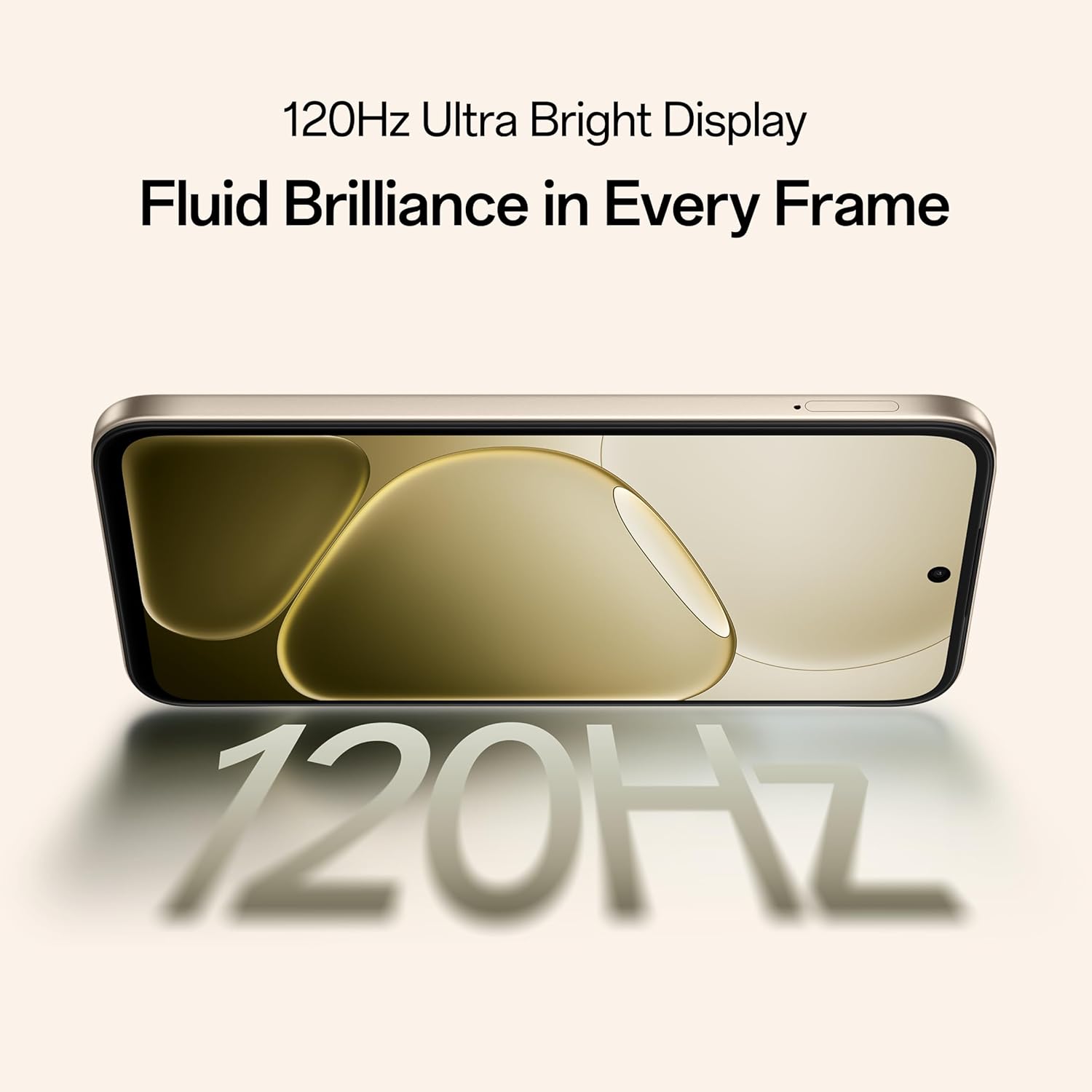
Figure 5.2: Internal representation of the 7000mAh large battery.

Figure 5.3: The device performing reverse wired charging to another gadget.
5.3. پائیداری
The OPPO A6 Pro 5G features triple IP-rated durability (IP69, IP68, and IP66), providing protection against water jets, immersion, hot water, steam, and dust.

Figure 5.4: The device demonstrating IP69 water and dust resistance.
5.4 کارکردگی
Powered by the 6nm MediaTek Dimensity 6300 chipset, the phone offers enhanced performance and power efficiency with reliable 5G connectivity. It is optimized for long-lasting smoothness, tested to deliver up to 60 months of fluency.

Figure 5.5: The MediaTek Dimensity 6300 mobile platform.

Figure 5.6: The device designed for 60-month fluency protection.
5.5. کولنگ سسٹم
An advanced cooling system, featuring a large vapor chamber and expanded graphite layers, helps maintain low temperatures during intensive use, ensuring stable performance.

تصویر 5.7: پھٹا view illustrating the SuperCool VC System.
5.6. کیمرہ
The 50MP AI camera includes intelligent features like AI Eraser, AI Recompose, and AI Perfect Shot for enhanced photography.
6 دیکھ بھال
6.1. آلہ صاف کرنا
Use a soft, lint-free cloth to clean the screen and body of the phone. Avoid using harsh chemicals or abrasive materials. For stubborn stains, slightly dampپانی کے ساتھ کپڑے.
6.2. سافٹ ویئر اپڈیٹس
بہترین کارکردگی، سیکورٹی، اور نئی خصوصیات تک رسائی کو یقینی بنانے کے لیے باقاعدگی سے سافٹ ویئر اپ ڈیٹس کو چیک کریں اور انسٹال کریں۔ پر نیویگیٹ کریں۔ Settings > About device > Up to date اپ ڈیٹس کو چیک کرنے کے لیے۔
6.3. بیٹری کی دیکھ بھال
To prolong battery life, avoid exposing the phone to extreme temperatures. It is recommended to keep the battery charge between 20% and 80% for daily use.
6.4. سٹوریج کا انتظام
وقتا فوقتا غیر ضروری صاف کریں۔ files, cache data, and uninstall unused applications to free up storage space and maintain device speed. You can manage storage in ترتیبات > اسٹوریج.
7 خرابیوں کا سراغ لگانا
This section addresses common issues you might encounter with your OPPO A6 Pro 5G.
| مسئلہ | حل |
|---|---|
| ڈیوائس آن نہیں ہے۔ | Ensure the battery is charged. Connect to the charger for at least 10 minutes, then try powering on again. If it still doesn't work, perform a force restart by holding the Power button and Volume Up button simultaneously for about 10 seconds. |
| ایپس کریش ہو رہی ہیں یا منجمد ہو رہی ہیں۔ | Clear the app's cache (Settings > Apps > [App Name] > Storage > Clear cache). If the issue persists, uninstall and reinstall the app. Ensure your device software is up to date. |
| Poor Wi-Fi or mobile data connection | Restart your phone. Check if Wi-Fi is enabled and you are within range of a known network. For mobile data, ensure your SIM card is properly inserted and mobile data is enabled in settings. Contact your service provider if the issue persists. |
| بیٹری تیزی سے ختم ہو جاتی ہے۔ | Reduce screen brightness, disable unused features like Bluetooth/GPS, close background apps, and check battery usage in Settings to identify power-hungry applications. |
8. وضاحتیں
Key technical specifications for the OPPO A6 Pro 5G (Model CPH2827):
| فیچر | تفصیل |
|---|---|
| ماڈل نمبر | CPH2827 |
| آپریٹنگ سسٹم | اینڈرائیڈ 15 |
| ڈسپلے | 17.14 cm (6.75") HD+ IPS LCD, 120Hz, 1125 nits |
| پروسیسر | MediaTek Dimensity 6300 (6nm) |
| رام | 8 جی بی |
| اندرونی اسٹوریج | 256 جی بی |
| پیچھے والا کیمرہ | 50MP AI کیمرہ |
| بیٹری کی صلاحیت | 7000 ایم اے ایچ |
| چارج ہو رہا ہے۔ | 80W SUPERVOOC Flash Charge, Wired Reverse Charging |
| کنیکٹوٹی | 5G، بلوٹوتھ، USB، Wi-Fi |
| طول و عرض (LxWxH) | 15.8 x 7.5 x 0.7 سینٹی میٹر |
| وزن | 198 گرام |
| استحکام کی درجہ بندی | IP69 ، IP68 ، IP66 |
9. وارنٹی اور سپورٹ
9.1۔ ڈویلپر کی معلومات۔
مینوفیکچرر: OPPO MOBILES INDIA PVT LTD.
پتہ: 5th FLOOR, Tower B, BUILDING, N-8, DLF Cyber City, DLF Phase 2, Gurugram, Haryana 122002, India
9.2. کسٹمر سروس
For technical support, warranty claims, or service inquiries, please contact OPPO customer service at 18001032777 or visit the official OPPO webمزید معلومات کے لیے سائٹ.


