تعارف
Thank you for choosing the LIGE FVA21-D Smart Watch. This manual provides essential information for setting up, operating, and maintaining your device. Please read it carefully to ensure optimal performance and longevity of your smartwatch.
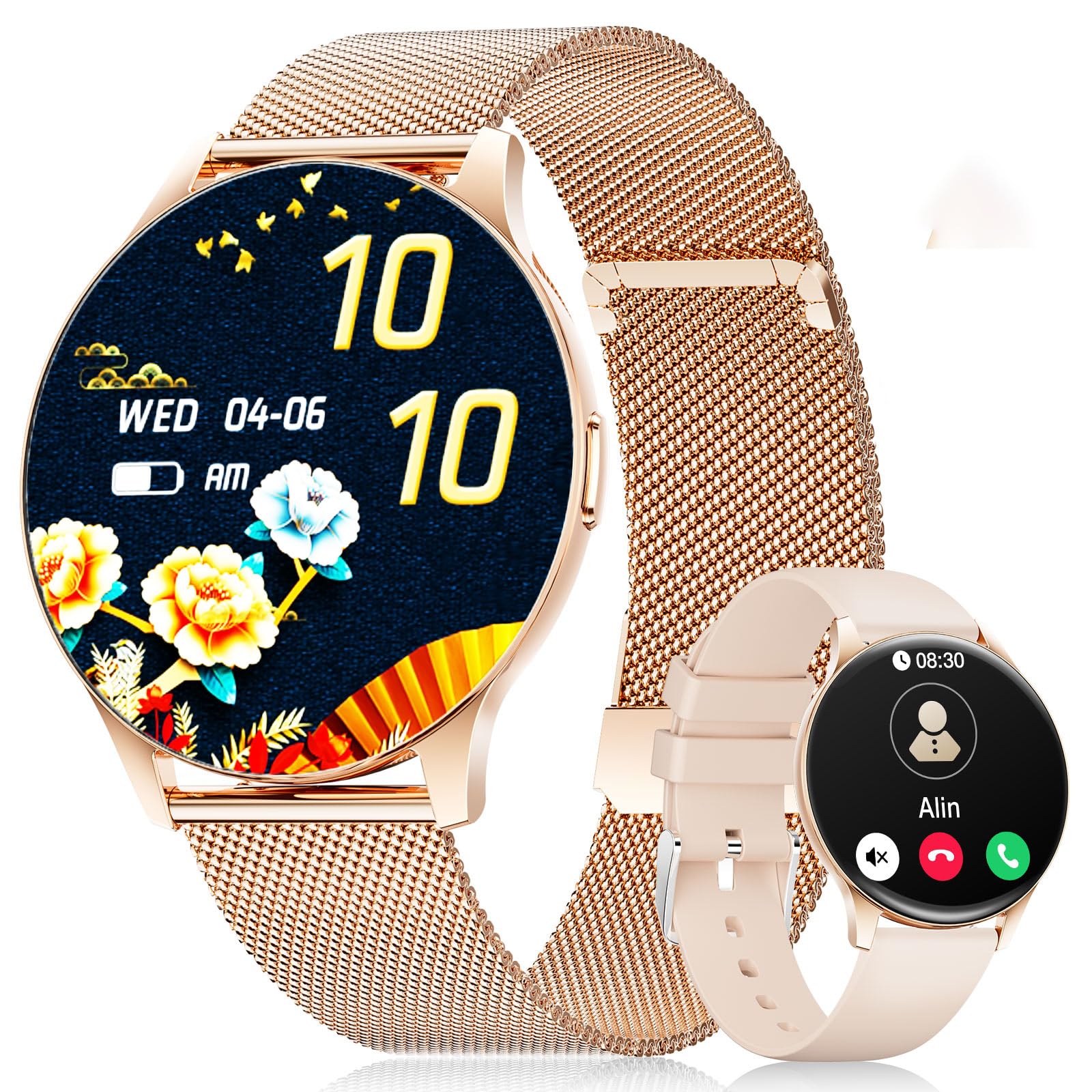
The LIGE FVA21-D Smart Watch featuring a 1.43-inch AMOLED display and a stylish gold mesh band.
باکس میں کیا ہے۔
Upon unboxing your LIGE FVA21-D Smart Watch, you should find the following items:
- LIGE FVA21-D Smart Watch
- چارجنگ کیبل
- Watch Strap (Gold Mesh)
- Additional Watch Strap (Apricot Silicone)
- Watch Setting Tools (if applicable for strap adjustment)
- Smartwatch Manuals
This video demonstrates the unboxing process of the LIGE Smart Watch, showing all included components such as the watch, two different straps, charging cable, and user manual.
سیٹ اپ
1. اسمارٹ واچ کو چارج کرنا
Before initial use, fully charge your LIGE FVA21-D Smart Watch. Connect the magnetic charging cable to the charging points on the back of the watch and plug the USB end into a power source.

The magnetic charging cable attaching to the back of the LIGE Smart Watch for convenient power replenishment.
2. ایپ کی تنصیب اور جوڑا بنانا
To unlock the full potential of your smartwatch, download and install the 'FitCloudPro' app on your smartphone. The app is compatible with Android 4.4+ and iOS 9.0+ devices.
- Scan the QR code displayed on your watch screen or in the manual to download the 'FitCloudPro' app.
- ایپ کھولیں اور اکاؤنٹ بنانے یا لاگ ان کرنے کے لیے اسکرین پر دی گئی ہدایات پر عمل کریں۔
- Navigate to the 'Device' section in the app and select 'Add Device'.
- The app will search for nearby smartwatches. Select 'FV21' from the list to initiate pairing.
- اپنے اسمارٹ فون اور اسمارٹ واچ دونوں پر جوڑی کی درخواست کی تصدیق کریں۔
This video demonstrates the process of installing the companion app and pairing the LIGE Smart Watch with a smartphone, including scanning the QR code and confirming the Bluetooth connection.
3. پٹا کی تنصیب
Your LIGE FVA21-D Smart Watch comes with two interchangeable straps: a gold mesh band and an apricot silicone band. To change the strap:
- Locate the quick-release pins on the back of the watch straps.
- Slide the pin inwards to detach the current strap from the watch body.
- Align the new strap with the watch lugs and slide the pin inwards.
- Release the pin to secure the strap in place. Gently pull on the strap to ensure it is properly attached.

The LIGE Smart Watch displayed with its two included straps, highlighting the versatility in style.
آپریٹنگ ہدایات
1. بنیادی نیویگیشن
The LIGE FVA21-D Smart Watch features a full touch HD AMOLED screen for intuitive navigation:
- نیچے سوائپ کریں: Access quick settings (e.g., brightness, DND mode).
- اوپر کھینچنا: View اطلاعات
- بائیں/دائیں سوائپ کریں: Scroll through main functions and widgets (e.g., activity data, heart rate, weather, music control).
- سائیڈ بٹن دبائیں: Return to the main watch face or turn the screen on/off.
2. کال فنکشنز
Once paired with your smartphone, the smartwatch supports Bluetooth calling:
- کال کریں: Access the 'Telephone' function on your watch to dial numbers directly or select from frequent contacts synced from your phone.
- کالز کا جواب دیں/مسترد کریں: When an incoming call is received, you can answer or reject it directly from your watch screen.

The LIGE Smart Watch displaying its Bluetooth call interface and message notification screen.
3. اطلاعات
Receive real-time notifications for calls, messages, and various apps directly on your wrist. Ensure notification permissions are enabled in the 'FitCloudPro' app settings.
4. گھڑی کے چہرے
Personalize your watch with over 200 customizable watch faces available through the 'FitCloudPro' app. You can also upload your own photos to create unique watch faces.
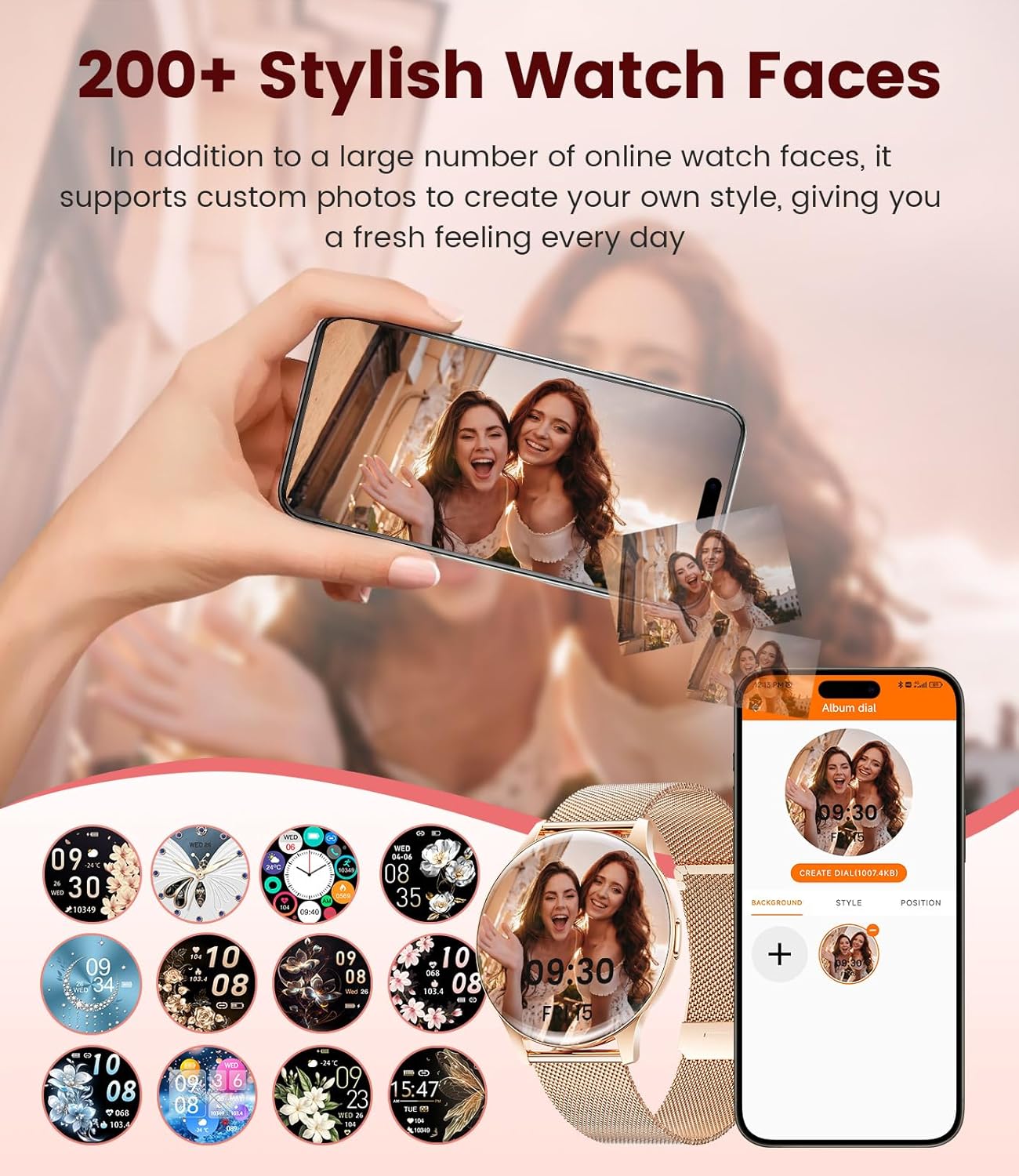
A selection of watch faces for the LIGE Smart Watch, including an option to customize with personal photos.
5. صحت کی نگرانی
The LIGE FVA21-D Smart Watch offers comprehensive health tracking features:
- دل کی دھڑکن کی نگرانی: دن بھر آپ کے دل کی دھڑکن کی مسلسل نگرانی کرتا ہے۔
- نیند کی نگرانی: Tracks your sleep patterns, including deep sleep, light sleep, and awake times.
- خواتین کی صحت: Provides menstruation and pregnancy period reminders.
- بلڈ آکسیجن اور بلڈ پریشر: Measures blood oxygen levels and blood pressure (for reference only, not medical grade).
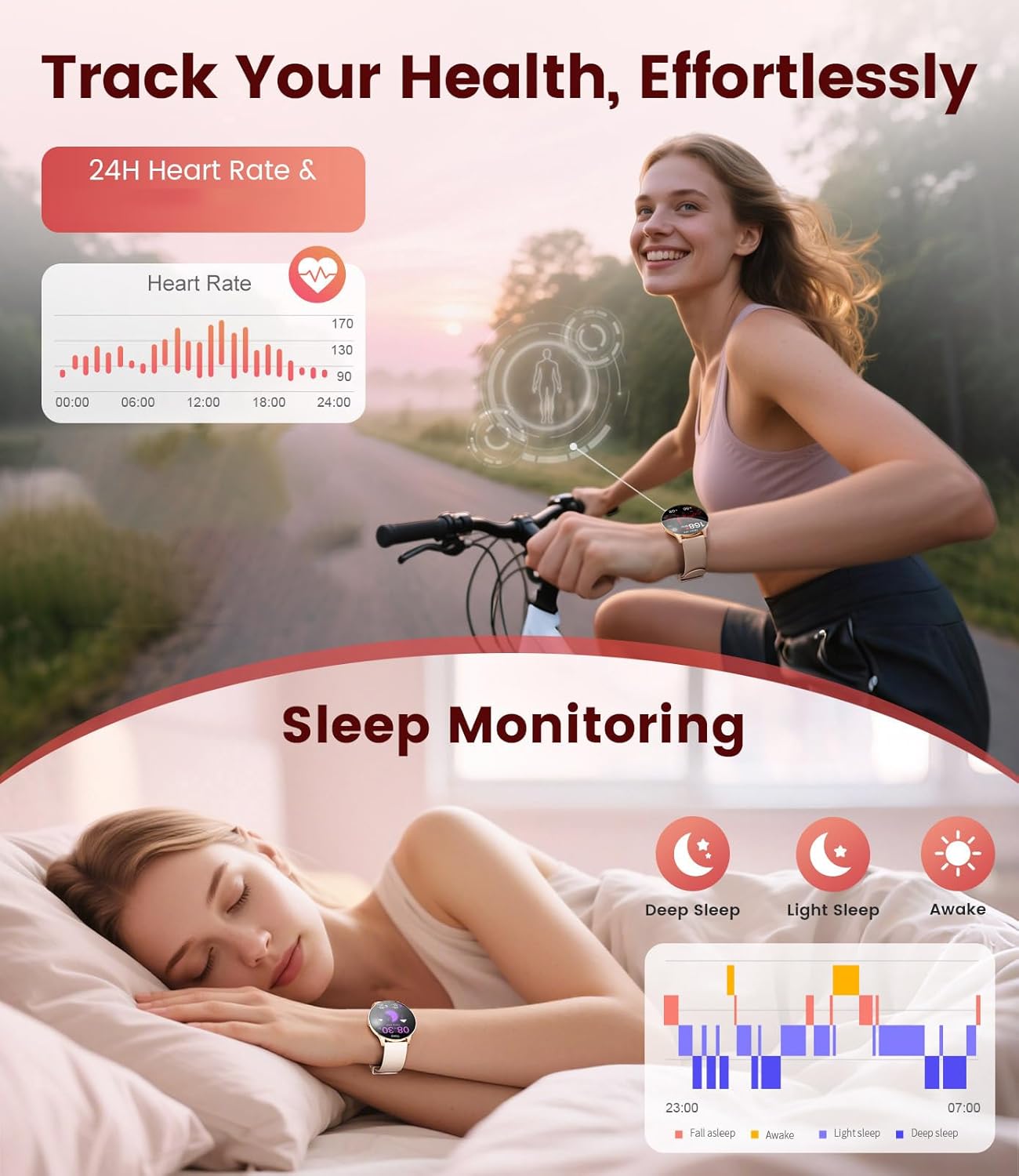
The LIGE Smart Watch displaying heart rate data and sleep monitoring graphs.

The LIGE Smart Watch interface showing menstruation and pregnancy period reminders for women's health tracking.
6. کھیلوں کے طریقے
With over 120 sports modes, the smartwatch helps you track various activities, including walking, running, cycling, yoga, and more. It records steps, distance, calories burned, and heart rate during workouts.

The LIGE Smart Watch displaying various sport mode icons and activity tracking metrics.
7. دیگر خصوصیات
اسمارٹ واچ میں اضافی مفید افعال شامل ہیں:
- موسم کا حال: ریئل ٹائم موسم کی تازہ ترین معلومات حاصل کریں۔
- موسیقی کنٹرول: اپنے اسمارٹ فون پر میوزک پلے بیک کو کنٹرول کریں۔
- کیمرہ کنٹرول: اپنے فون کے کیمرے کے لیے اپنی گھڑی کو ریموٹ شٹر کے طور پر استعمال کریں۔
- الارم اور یاد دہانیاں: Set alarms, sedentary reminders, and drink water reminders.
- فون تلاش کریں: Locate your misplaced phone by triggering an alarm.
- Calculator & Stopwatch: بنیادی افادیت کے اوزار.
A collage of the LIGE Smart Watch's multifunctional features, including weather display, music control, camera remote, and various reminders.
دیکھ بھال
1. پانی کی مزاحمت (IP68)
The LIGE FVA21-D Smart Watch is IP68 waterproof, meaning it is resistant to dust and can withstand immersion in water up to 1.5 meters for 30 minutes. It is suitable for daily use, such as hand washing, rain, and shallow swimming. However, it is not recommended for hot showers, saunas, or diving, as steam and high water pressure may compromise the seal.
This video demonstrates the water resistance of the LIGE Smart Watch, showing it being rinsed under running water and functioning normally.
2. صفائی
Regularly clean your watch and straps to prevent skin irritation and maintain appearance. Use a soft, dry cloth to wipe the watch body. For silicone straps, you can use mild soap and water. Ensure the watch is completely dry before wearing or charging.
3. بیٹری کی دیکھ بھال
بیٹری کی زندگی کو طول دینے کے لیے:
- انتہائی درجہ حرارت سے پرہیز کریں۔
- بیٹری کو بار بار مکمل طور پر ختم نہ ہونے دیں۔
- Charge the watch using the provided original charging cable.
خرابی کا سراغ لگانا
- آن نہ ہونے کی گھڑی: Ensure the watch is fully charged. If it still doesn't turn on, try pressing and holding the side button for 10-15 seconds.
- فون کے ساتھ جوڑا نہیں بنایا جا سکتا: Make sure Bluetooth is enabled on your phone and the watch is within range. Restart both devices and try pairing again. Ensure the 'FitCloudPro' app has necessary permissions.
- اطلاعات موصول نہیں ہوئیں: Check app notification settings on your phone and within the 'FitCloudPro' app. Ensure the watch is connected via Bluetooth.
- صحت کا غلط ڈیٹا: Ensure the watch is worn snugly on your wrist, not too tight or too loose. Avoid excessive movement during measurements. Note that health data is for reference and not for medical diagnosis.
- مختصر بیٹری کی زندگی: اسکرین کی چمک کو کم کریں، غیر ضروری اطلاعات کو غیر فعال کریں، اور اگر ضرورت نہ ہو تو دل کی دھڑکن کی مسلسل نگرانی کو محدود کریں۔
وضاحتیں
| فیچر | تفصیلات |
|---|---|
| ماڈل نمبر | FVA21-D |
| اسکرین کا سائز | 1.43 انچ AMOLED |
| ڈسپلے ریزولوشن | 466x466 |
| آپریٹنگ سسٹم | Android 4.4+ اور iOS 9.0+ |
| کنیکٹوٹی | بلوٹوتھ |
| پانی کی مزاحمت | آئی پی 68 |
| بیٹری کی صلاحیت | 200 ملی۔amp گھنٹے (لتیم پولیمر) |
| میموری اسٹوریج | 256 MB |
| شے کا وزن | 7.4 اونس |
| کارخانہ دار | LIGE |

Detailed product dimensions for the LIGE Smart Watch, including watch face diameter and strap length ranges.
وارنٹی اور سپورٹ
LIGE provides reliable service for its products. If you encounter any questions or require assistance with your FVA21-D Smart Watch, please refer to the contact information provided in your product packaging or visit the official LIGE support webسائٹ وارنٹی کے دعووں کے لیے اپنی خریداری کی رسید اپنے پاس رکھیں۔


