📘 Datanet manuals • Free online PDFs
Datanet logo

Datanet Manuals & User Guides

Datanet specializes in enterprise mobility software, providing barcode scanning and stocktaking applications like EzyScan for rugged mobile computers.

Tip: include the full model number printed on your Datanet label for the best match.

About Datanet manuals on Manuals.plus

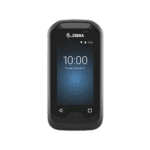
Datanet is a provider of software solutions designed for enterprise mobility and inventory management. The brand creates specialized applications such as EzyScan اور Barcode Manager, which are optimized for use on rugged mobile computers like the Zebra EC30 and TC26.

These tools assist businesses in performing accurate stocktakes, verifying barcode data, and managing inventory records efficiently. Datanet applications typically leverage the built-in hardware scanners of enterprise devices to ensure rapid and precise data capture.

Datanet manuals

سے تازہ ترین دستورالعمل manuals+ اس برانڈ کے لیے تیار کردہ۔

dAtAnet EC30 EzyScan موبائل ایپلیکیشن یوزر گائیڈ

3 اپریل 2023
EC30 EzyScan موبائل ایپلیکیشن صارف گائیڈ کا تعارف EC30 Erzincan™ موبائل ایپلیکیشن صارفین کو اسٹاک کی مقدار کو شمار کرنے اور اس کی تصدیق کرنے کا ایک آسان طریقہ فراہم کرنے کے لیے بنائی گئی ہے، مثال کے طور پر…

ڈیٹا نیٹ TC26 EzyScan موبائل ایپلیکیشن یوزر گائیڈ

3 اپریل 2023
datanet TC26 EzyScan موبائل ایپلیکیشن TC26 EzyScanTM پروڈکٹ کی معلومات TC26 EzyScanTM ایک موبائل ایپلیکیشن ہے جو صارفین کو اسٹاک کی مقدار کو گننے اور اس کی تصدیق کرنے کا ایک آسان طریقہ فراہم کرنے کے لیے ڈیزائن کیا گیا ہے۔

ڈیٹانیٹ بارکوڈ مینیجر یوزر گائیڈ - خصوصیات اور استعمال

یوزر گائیڈ
Datanet بارکوڈ مینیجر موبائل ایپلیکیشن کے لیے جامع صارف گائیڈ۔ جانیں کہ اس کے بارکوڈ کمپیئر اور بارکوڈ لسٹ کے فنکشنز کو کس طرح استعمال کرنا ہے تاکہ ڈیٹا کو موثر طریقے سے کیپچر، مینجمنٹ اور ای میل کے ذریعے ایکسپورٹ کیا جائے۔…

Datanet TC26 EzyScan صارف گائیڈ

یوزر گائیڈ
Datanet TC26 EzyScan موبائل ایپلیکیشن کے لیے صارف گائیڈ، بار کوڈ اسکیننگ کا استعمال کرتے ہوئے اسٹاک کی مقداروں کی گنتی اور تصدیق کرنے اور ڈیٹا کو کمپیوٹر میں منتقل کرنے کے طریقہ کی تفصیل۔

Datanet support FAQ

اس برانڈ کے لیے دستورالعمل، رجسٹریشن، اور تعاون کے بارے میں عام سوالات۔

  • How do I transfer data from the Datanet EzyScan app to a computer?

    Connect your mobile device to a PC using a USB cable. On the device, swipe down the notification bar, tap the USB option, and select 'File Transfer'. Navigate to the Internal Shared Storage > Download > EzyScan folder on your PC to retrieve the CSV file.

  • What does the Barcode Compare function do?

    The Barcode Compare function allows you to scan two barcodes sequentially to determine if they match. This feature is useful for verifying stock accuracy.

  • How do I enable duplicate scanning in Barcode Manager?

    Go to the application settings and check the 'Allow Duplicates' box. This allows the same barcode to be scanned and recorded multiple times in a single session.

  • What devices are Datanet apps compatible with?

    Datanet applications like EzyScan are designed for enterprise mobile computers with built-in scanners, such as the Zebra EC30 and TC26 series.