VOYEE Manuals & User Guides
VOYEE manufactures affordable third-party gaming accessories, including wireless and wired controllers compatible with Xbox, Nintendo Switch, and PC platforms.
About VOYEE manuals on Manuals.plus
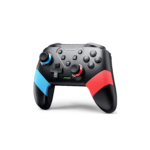
VOYEE is a consumer electronics brand established in 2017, specializing in video game peripherals and accessories. The brand is best known for producing a wide variety of third-party controllers designed to be compatible with major gaming systems such as the Microsoft Xbox 360, Xbox One, Xbox Series X|S, and the Nintendo Switch family (including Lite and OLED models). In addition to gamepads, VOYEE offers gaming headsets, controller battery packs, and charging docks.
Operating primarily through major online marketplaces, VOYEE focuses on providing cost-effective alternatives to official hardware. Their controllers often feature enhanced functionality, including programmable back buttons, adjustable turbo speeds, and variable vibration feedback. The product line caters to gamers seeking budget-friendly replacement controllers or extra accessories for multiplayer setups on PC and consoles.
VOYEE manuals
سے تازہ ترین دستورالعمل manuals+ اس برانڈ کے لیے تیار کردہ۔
VOYEE SO8 NS وائرلیس کنٹرولر صارف دستی
VOYEE SO3 سوئچ صارف دستی کے ساتھ ہم آہنگ سوئچ کنٹرولرز
VOYEE S08 وائرلیس کنٹرولر صارف دستی
NS صارف گائیڈ کے لیے VOYEE وائرلیس کنٹرولر
VOYEE PC کنٹرولر، Microsoft Xbox 360 اور Slim/PC Windows 10/8/7-صارف کی ہدایات کے ساتھ ہم آہنگ وائرڈ کنٹرولر
VOYEE GC-01 Switch Wireless Controller User Manual
VOYEE NS وائرلیس کنٹرولرز 503 یوزر مینوئل
نائنٹینڈو سوئچ، پی سی اور اینڈرائیڈ کے لیے VOYEE S03 وائرلیس کنٹرولر ہدایت نامہ
VOYEE وائرلیس کنٹرولر صارف دستی اور سیٹ اپ گائیڈ
VOYEE manuals from online retailers
VOYEE WE-07 Wired PC/PS3 Game Controller User Manual
VOYEE Wireless Controller for PlayStation 4 Instruction Manual
VOYEE Wireless Controller for PlayStation 3 (Model HY-2208) User Manual
VOYEE Xbox Controller Rechargeable Battery Pack and Fast Charging Station User Manual HHC-X1035
VOYEE Wireless Pro Controller S03 Instruction Manual
پلے اسٹیشن 3 (ماڈل HY-2208) کے لیے VOYEE وائرلیس کنٹرولر ہدایت نامہ
سوئچ/لائٹ/OLED/PC ونڈوز کے لیے VOYEE S08 وائرلیس پرو کنٹرولر صارف دستی
VOYEE وائرلیس پرو کنٹرولر صارف دستی
Xbox کنٹرولر بیٹری پیک صارف دستی کے لیے VOYEE چارجر
Xbox کنٹرولر بیٹری پیک کے لیے VOYEE چارجر، فاسٹ اسٹیشن کے ساتھ 3x2600mAh اعلی صلاحیت کا ریچارج ایبل پیک، لیڈ انڈیکیٹر، حفاظتی شیل One/S/X/Elite/Series X|S یوزر مینوئل
VOYEE PC کنٹرولر انسٹرکشن دستی
VOYEE S03 وائرلیس پرو کنٹرولر صارف دستی
VOYEE video guides
اس برانڈ کے لیے سیٹ اپ، انسٹالیشن، اور ٹربل شوٹنگ ویڈیوز دیکھیں۔
VOYEE support FAQ
اس برانڈ کے لیے دستورالعمل، رجسٹریشن، اور تعاون کے بارے میں عام سوالات۔
-
How do I pair my VOYEE wireless controller to a specific console?
Pairing methods vary by model. For Nintendo Switch, typically enter the 'Change Grip/Order' menu and hold the Home or Y+Home buttons until LEDs flash. For Xbox/PC utilizing a dongle or cable, plug the receiver or USB cable directly into the port. Always check the specific manual for your model's button combination.
-
Does the VOYEE controller support Turbo functions?
Yes, many VOYEE controllers feature a Turbo button. To set it, press and hold the Turbo button and then press the action button you wish to assign Turbo to. You can often adjust the burst speed using the D-pad in combination with the Turbo button.
-
How do I reset my VOYEE controller?
If the controller is unresponsive or drifting, look for a small reset hole on the back of the device. Use a paperclip to press the internal button for a few seconds. Alternatively, hold specific button combinations (like Home + B) as outlined in your model's manual to disconnect and reset.
-
Why is my controller not connecting to the PC?
Ensure you are using a data-capable USB cable if connecting via wire. For wireless connections, verify if your PC requires a dedicated receiver or if it supports Bluetooth. You may need to switch modes (X-input vs. D-input) by holding the Home button for several seconds.
-
Do VOYEE controllers have motion control and vibration?
Most VOYEE wireless controllers for Nintendo Switch support 6-axis gyro motion control and dual-motor vibration. Vibration intensity can usually be adjusted via a button on the back of the controller or through specific key combinations.